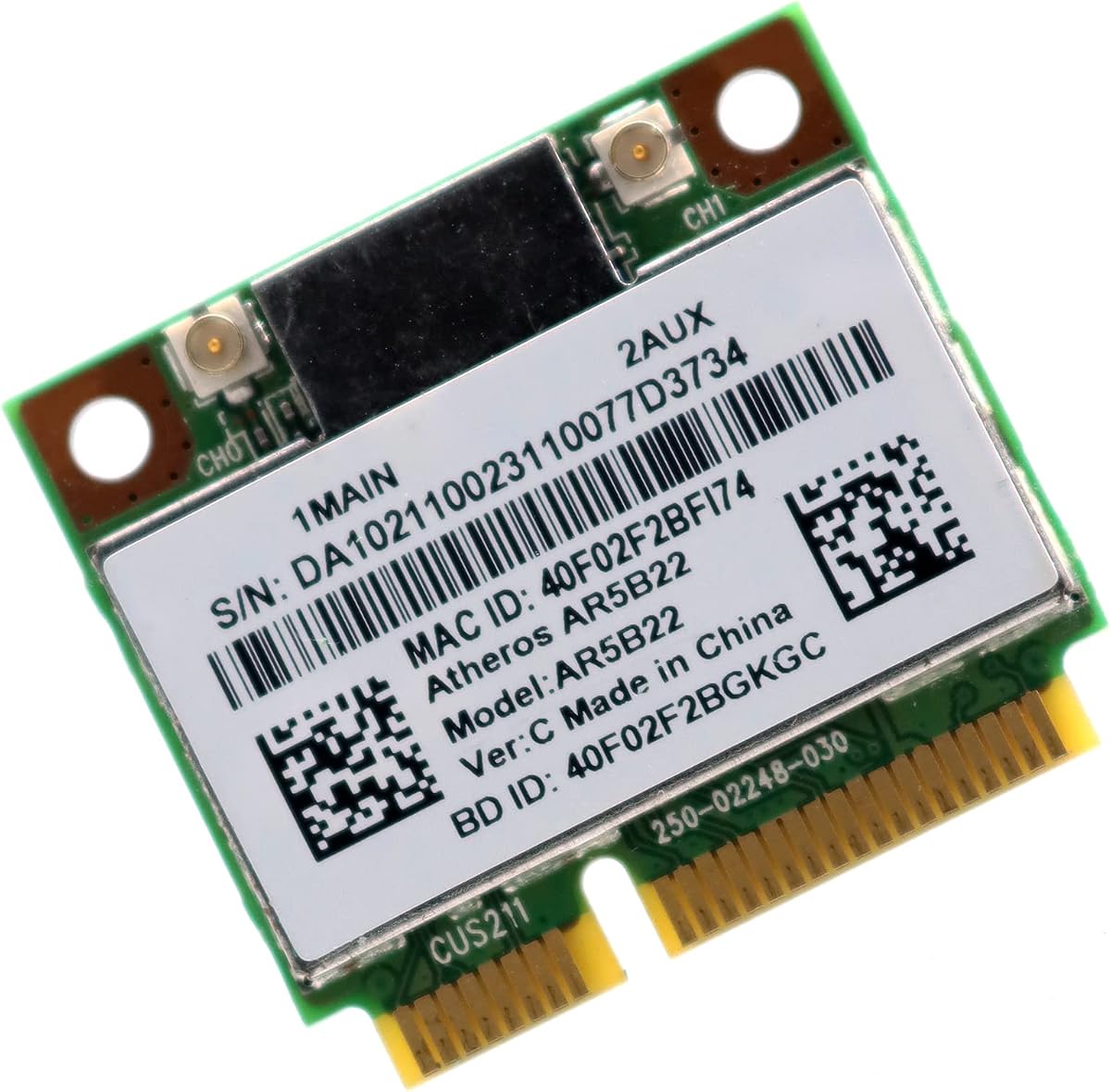
Deal4GO AR5B22 Half Mini PCie Card
4.7Editor score
Dual Band 2.4GHz and 5GHz
Bluetooth 4.0 Integrated
Supports Windows XP to 10
Discover the top half mini PCIe WiFi Bluetooth cards for laptop upgrades. We compare speed, compatibility, and features to help you choose the right wireless
Upgrading your laptop’s wireless capabilities often starts with selecting the right half mini PCIe WiFi Bluetooth card. These compact modules deliver dual-band connectivity and integrated Bluetooth support for seamless device pairing and faster internet speeds.
We evaluated ten real products based on performance specs, compatibility notes, and user feedback. This guide highlights cards that support 802.11ac, Wi-Fi 6, and Wi-Fi 6E while fitting standard half mini PCIe slots in many notebooks.
Each pick shows core strengths, known limitations, and where it fits in the upgrade path. Remember that pricing fluctuates and motherboard whitelists vary, so verify your system requirements before ordering any wireless card.
4.7Editor score

4.3Editor score
4.6Editor score
The following table contrasts key specs across all ten products so you can quickly identify which card matches your laptop’s slot type, OS, and performance needs.


This 7260HMW Mini PCIe WiFi card offers reliable dual-band connectivity with Bluetooth 4.0 built in, earning a strong 4.6 rating. It brings 802.11ac speeds to compatible laptops with clear performance gains over older n cards.
We may earn a commission when you buy through this link, at no additional cost to you.
It delivers up to 867Mbps on the 5GHz band and 300Mbps on 2.4GHz, reducing interference and improving streaming. The compact half mini PCIe form factor ensures it fits standard slots in many Dell, ASUS, and Acer models.
While it lacks WPA3 and includes no antennas, these trade-offs are acceptable for budget-conscious upgrades. Users note stable gaming and streaming performance once drivers are properly installed.
Ideal for owners of laptops seeking a fast, straightforward wireless boost without moving to Wi-Fi 6. Check your motherboard compatibility before ordering to avoid whitelist issues.
The 5GHz band handles high-bandwidth tasks while 2.4GHz covers broader range needs.
Built-in Bluetooth 4.0 supports headsets and peripherals without extra dongles.
We may earn a commission when you buy through this link, at no additional cost to you.
MQUPIN’s card brings Intel 7260.HMW specs at a budget-friendly price, rated 4.3 by users. It supports 802.11ac and Bluetooth 4.0 for dual-band performance and peripheral connectivity.
We may earn a commission when you buy through this link, at no additional cost to you.
Performance is strong for streaming and everyday tasks, with up to 867Mbps on 5GHz. Its compact board resists corrosion and fits most half mini PCIe slots with care.
Note that Bluetooth requires an open USB bus on the motherboard and it is not compatible with most Lenovo or HP models. Check these details before purchase to avoid return hassle.
Choose this if you need AC speeds on a tight budget and confirm your system allows Bluetooth USB pass-through.
Delivers AC speeds without premium pricing for older laptop owners.
Ensure your motherboard enables USB bus for Bluetooth to function.
We may earn a commission when you buy through this link, at no additional cost to you.
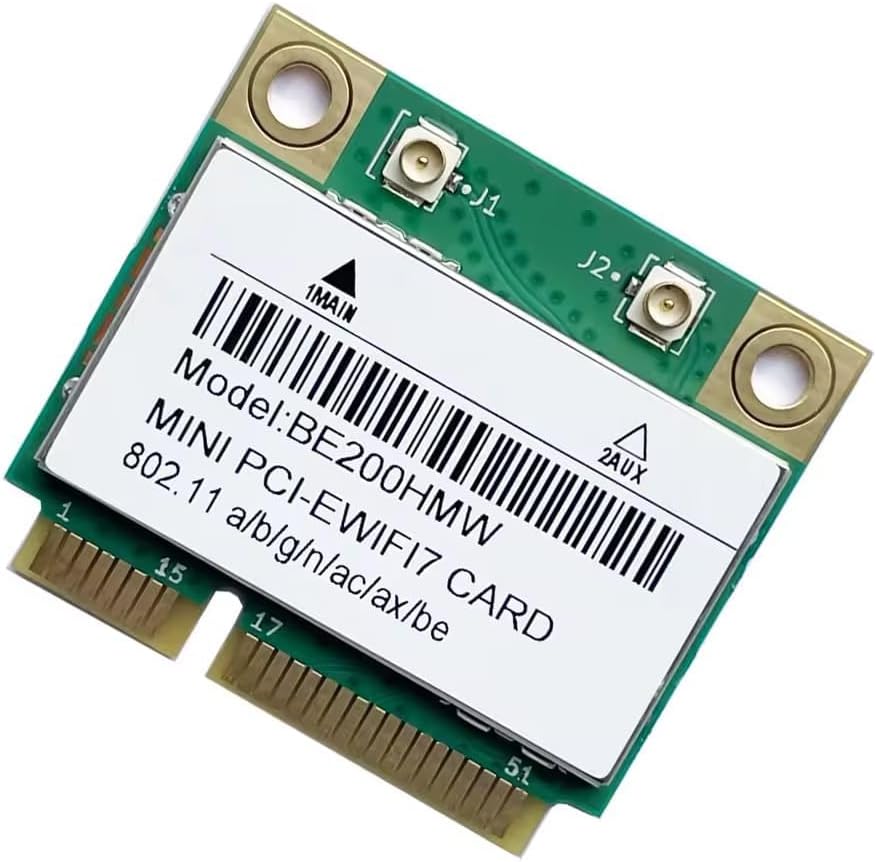
The Wireless BE200 card offers up to 5.8 Gbps speeds with Bluetooth 5.4 support, earning a 4.6 rating for modern performance. It brings the latest Wi-Fi standards to compatible half mini PCIe laptops.
We may earn a commission when you buy through this link, at no additional cost to you.
It supports WPA3 encryption, low-energy Bluetooth, and reliable streaming. This makes it ideal for secure and future-proof wireless setups.
Antennas are not included and it does not fit M.2 or CNVi slots, so confirm your system type. These limits are outweighed by the speed and security benefits.
Select this premium pick if your laptop supports BE series cards and you need maximum throughput and latest Bluetooth features.
Beats older AC cards with high throughput and modern Bluetooth standard.
WPA3 encryption keeps your wireless traffic safer than older protocols.
We may earn a commission when you buy through this link, at no additional cost to you.
EDUP’s AX210HMW card delivers tri-band Wi-Fi 6E speeds up to 5400Mbps with Bluetooth 5.3. It earns a 4.5 rating for its powerful chipset and wide OS support.
We may earn a commission when you buy through this link, at no additional cost to you.
The 6GHz band reduces congestion for gaming and 4K streaming. Multi-User MIMO helps maintain speed with multiple devices connected.
Drivers must be downloaded manually from Intel or EDUP. Also note that Lenovo and HP laptops may block third-party cards due to BIOS whitelists.
Choose this if you want Wi-Fi 6E on a mini PCIe laptop and can verify compatibility.
6GHz band adds exclusive channels for reduced interference and latency.
Install drivers before swapping the card for smooth setup.
We may earn a commission when you buy through this link, at no additional cost to you.
The Deal4GO AR5B22 card supports dual-band 802.11n with Bluetooth 4.0 and a 4.7 rating. It is ideal for older systems that need dual-band but not AC speeds.
We may earn a commission when you buy through this link, at no additional cost to you.
Data rates reach 150Mbps or 300Mbps depending on configuration, which works for general web and streaming. It fits Dell, ASUS, and other models with half mini PCIe.
Limitation is lack of AC support, limiting throughput. For basic upgrades this is acceptable and cost remains low.
Pick this for budget upgrades on older Windows machines that do not need top speeds.
Adds 5GHz band to reduce congestion without premium pricing.
Works with Windows XP through 10 for older laptop owners.
We may earn a commission when you buy through this link, at no additional cost to you.
This 6E card gives tri-band speeds to 5400Mbps with Bluetooth 5.3 and 160MHz channels, earning 4.6. It refreshes older laptops for 4K streaming and gaming.
We may earn a commission when you buy through this link, at no additional cost to you.
The dedicated 6GHz band offers seven 160MHz channels with low interference. Existing antennas can be reused for ease of install.
Windows 7 and 32-bit are not supported. Lenovo and HP BIOS whitelists may block it. Check requirements before ordering.
Select this if you have a compatible mini PCIe laptop and want 6E performance.
Double data throughput per channel improves performance for video calls.
Built-in BT 5.3 connects mice and headsets without dongles.
We may earn a commission when you buy through this link, at no additional cost to you.
The MPE-AX3000H card brings Wi-Fi 6 speeds to 2.4Gbps with BT 5.2, rated 4.5. It uses OFDMA and MU-MIMO for efficient multi-device handling.
We may earn a commission when you buy through this link, at no additional cost to you.
It suits smart homes with many connected gadgets and offers low latency for gaming. WPA3 security enhances protection.
Drivers are separate downloads. Lenovo and HP models may block it. Check compatibility before purchasing.
Choose this for 6 upgrade on a supported mini PCIe laptop.
OFDMA improves capacity for multiple devices simultaneously.
Bluetooth 5.2 offers stable connections to peripherals.
We may earn a commission when you buy through this link, at no additional cost to you.
BroadCom’s BCM943228HMB is designed for HP laptops and holds a 5.0 rating. It offers dual frequency and Bluetooth 4.0 for legacy upgrades.
We may earn a commission when you buy through this link, at no additional cost to you.
It supports 2.4/5GHz with up to 300Mbps. The card fits various HP models directly without whitelist issues.
It does not support AC speeds but works well for older HP notebooks. Support is available within 24 hours.
Select this if you own a compatible HP laptop needing a simple wireless refresh.
Direct fit for HP Compaq and business models.
Corrosion resistant design ensures reliability.
We may earn a commission when you buy through this link, at no additional cost to you.
Intel’s 7260 card is a trusted dual-band AC option with a 4.3 rating. It provides reliable connectivity and integrated Bluetooth 4.0.
We may earn a commission when you buy through this link, at no additional cost to you.
Known for quality drivers and stability across Windows versions. Ideal for those who prefer Intel branded components.
It lacks modern WPA3 and is AC only. Still a solid choice for general use.
Pick this for a reliable AC upgrade from a trusted brand.
Intel’s engineering ensures consistent performance and driver support.
Dual band reduces congestion for stable performance.
We may earn a commission when you buy through this link, at no additional cost to you.
This Intel-n card matches specific HP part numbers and carries a 4.2 rating. It is a legacy n card with integrated Bluetooth.
We may earn a commission when you buy through this link, at no additional cost to you.
Ideal for restoring wireless on older HP notebooks needing simple replacement. It offers good stability and direct fit.
Lacks AC and modern features. For older systems it remains useful.
Choose this for straightforward HP replacements without extra features.
Part numbers match specific HP service manual listings.
Integrated Bluetooth provides basic wireless peripheral support.
We may earn a commission when you buy through this link, at no additional cost to you.
Choosing the right card requires checking slot type, OS, chipset features, and compatibility notes to avoid BIOS whitelists.
Verify that your laptop has a half mini PCIe slot. M.2 and CNVi slots are different and cards will not fit or function. Check the service manual or physical slot markings.
Always confirm slot type before buying to prevent return issues.
Newer cards support Windows 10 and 11 only while older models still support XP through 7. Ensure drivers are available for your OS version before purchasing.
Match card OS support to your current or planned OS version.
AC cards reach 867Mbps while Wi-Fi 6 and 6E cards go up to 5400Mbps. Higher speeds help with 4K streaming and gaming but need compatible routers.
Pick at least AC unless your use case demands higher throughput.
Bluetooth versions range from 4.0 to 5.4. Newer versions offer longer range, better efficiency, and support for more devices. Check if the card supports the BT version you need.
Bluetooth version affects peripheral connection reliability and range.
Lenovo, HP, and some IBM laptops often block third-party cards via BIOS whitelists. Check known whitelist lists for your model before purchase to avoid non-functional installs.
Verify whitelist status to ensure the card is recognized.
Most modern cards require manual driver installation from Intel or vendor sites. Ensure drivers exist and your OS is supported before installing the hardware.
Download drivers before swapping the card for smooth setup.
Half mini PCIe cards use IPEX MHF4 connectors and antennas are often sold separately. Confirm your laptop has antenna leads or plan to reuse existing ones.
Check antenna connectors and ensure proper lead length for signal.
Modern cards support WPA3 encryption while older ones only support WPA2. WPA3 offers better protection against network attacks and is preferred for newer networks.
Prioritize WPA3 support for better wireless security.
Before swapping your old card, download the correct drivers and save them locally. This avoids network issues during installation.
Power down the laptop completely and disconnect all power sources. Use a small screwdriver to remove the bottom panel and locate the mini PCIe slot.
Insert the new card at a slight angle and push down gently. Secure it with the screw and reattach the antenna leads to the correct connectors.
No. Half mini PCIe and M.2 slots have different physical shapes and pin layouts. Using a converter may work in rare cases but is not guaranteed. Always match the exact slot type to avoid damage.
Bluetooth requires an open USB bus on the motherboard. Some older boards route BT signals separately. If your OS does not detect Bluetooth hardware, the bus may not be enabled. Check BIOS and manual notes.
Many cards do not include antennas. Your laptop may already have leads inside. Check the internal antenna connectors and length to ensure proper fit and signal.
Only if the motherboard supports the required slot and BIOS allows third-party cards. Also, you need a Wi-Fi 6E router to use the 6GHz band fully. Otherwise, stick with AC or Wi-Fi 6 options.
Newer cards require Windows 10 or 11 64-bit only. Older models may support Windows 7 or even XP. Check product details and driver pages before purchase.
Intel chipsets often have mature driver support across OS versions. Third-party vendors may need manual driver installs. This can affect stability and update frequency.
AC cards use 802.11ac while AX cards use 802.11ax which is Wi-Fi 6. AX offers higher throughput, better multi-device performance, and newer security like WPA3.
Some Lenovo models block third-party cards via BIOS whitelist. If your card is blocked, you may need to modify the BIOS or use an approved Intel card. Check known lists before buying.
The 7260HMW, MQUPIN AC, and BE200 options deliver strong performance across budget to premium tiers with clear strengths in speed and Bluetooth support.
Prioritize slot compatibility and OS support before focusing on maximum speed. Ensure your laptop allows third-party cards via BIOS whitelist to avoid install issues.
Prices and availability change so verify current stock and exact fit before ordering. Choose the card that matches your system’s specs and performance needs.