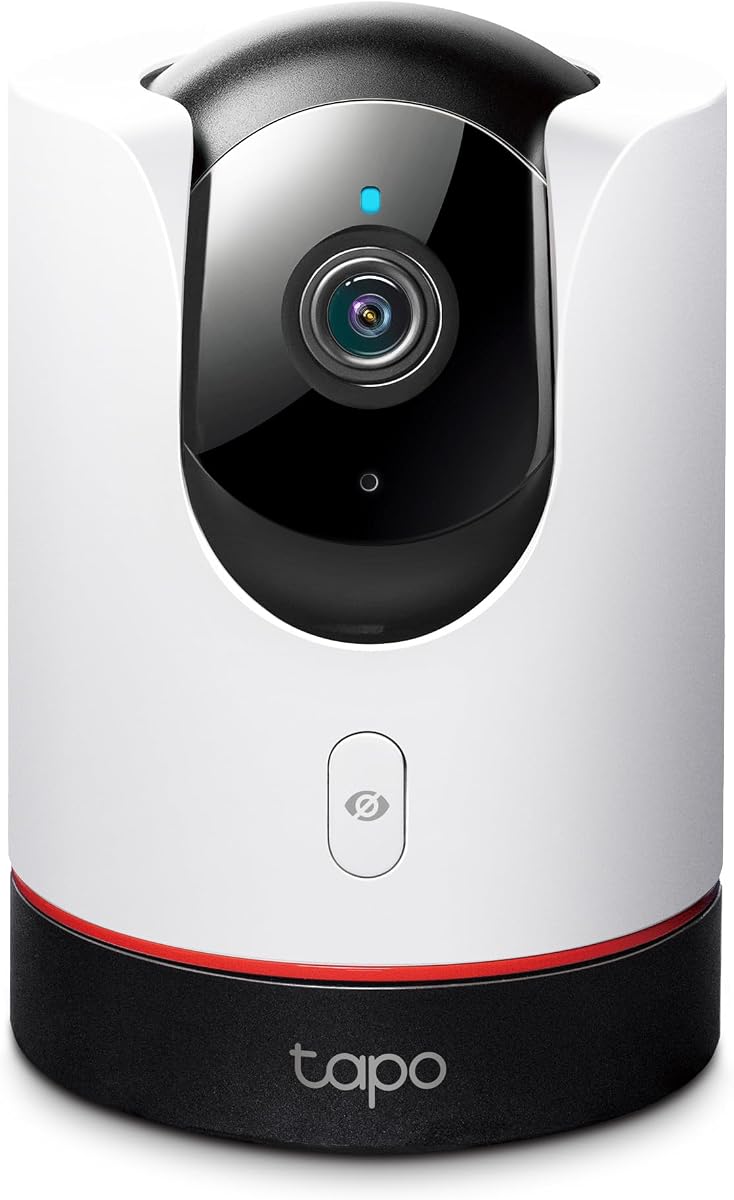
TP-Link Tapo 2K+ Pan/Tilt Security Camera
4.5Editor score
2K QHD Live View
360 Degree Horizontal View
Physical Privacy Mode
This guide compares the top Apple Homekit Security Cameras for privacy, video quality, and smart features to help you secure your home effectively.
Securing your home with smart technology requires reliable surveillance that respects your privacy. Apple Homekit Security Cameras offer end-to-end encryption and seamless integration with your iOS devices for peace of mind.
We have analyzed the market to find cameras that support HomeKit Secure Video and local storage options. Our comparisons focus on resolution, night vision, AI detection capabilities, and overall ecosystem compatibility.
Each pick highlights unique strengths like 4K video, dual-lens systems, or hub functionality. Please note that prices and availability change frequently, so verify details before making your final purchase decision.
4.5Editor score
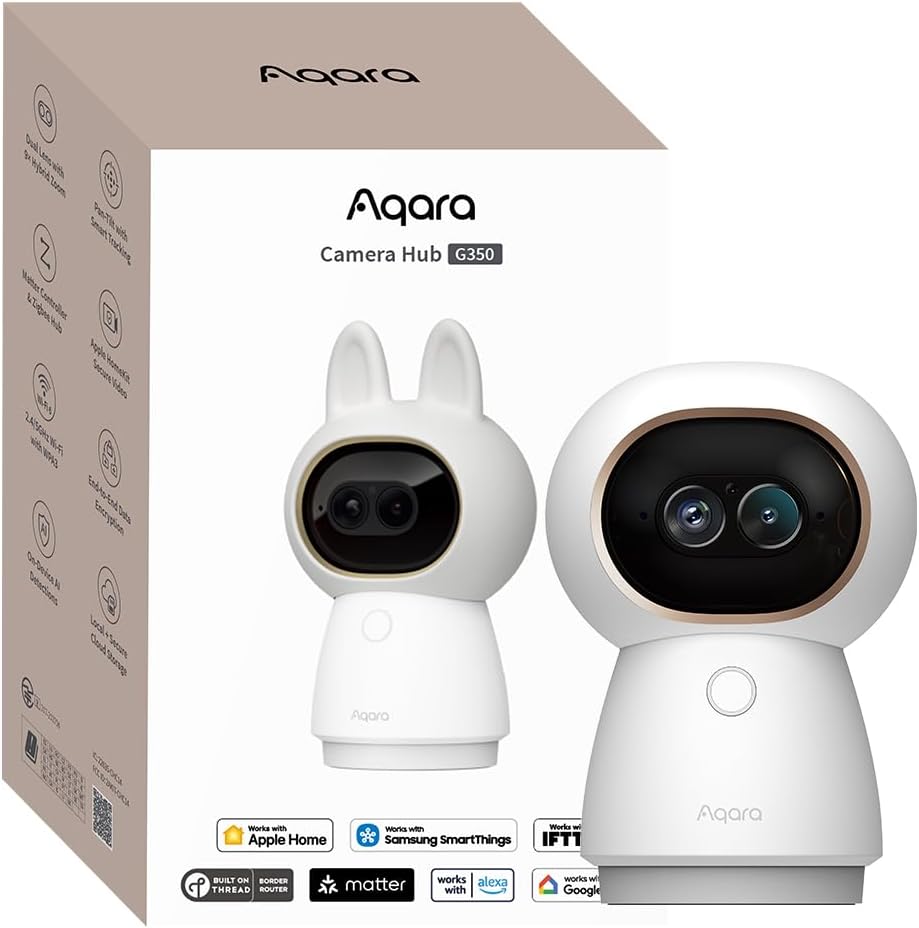
4.3Editor score

4.5Editor score
The following table provides a side-by-side look at the key specifications and features of each top-rated camera to help you compare options quickly.



The Aqara Indoor Security Camera G350 stands out as a top contender for Apple Homekit Security Cameras due to its unique combination of high resolution and smart hub capabilities. With a rating of 4.3 stars, users appreciate its ability to deliver crisp 4K visuals while serving as a central bridge for Matter and Zigbee devices.
We may earn a commission when you buy through this link, at no additional cost to you.
This camera excels in detail capture thanks to its dual-lens system. A 133-degree wide-angle 4K lens captures the room while a 2.5K telephoto lens zooms in without losing clarity. The 9X hybrid zoom allows you to inspect specific areas like a pet or a package with precision. Its local AI detection processes images on the device, ensuring your privacy remains intact without cloud uploads.
While the performance is impressive, there are trade-offs. The advanced tracking and gesture features are only configurable through the Aqara Home app, not directly in the Apple Home app. Additionally, the price point is higher than standard indoor cameras, though the hub functionality justifies the investment for smart home enthusiasts.
If you need a camera that doubles as a smart home hub and offers superior image quality, this is the pick for you. It is ideal for users who want deep integration with Apple Home and Matter ecosystems while maintaining strict local data control for enhanced security.
The dual-lens setup allows for panoramic views and detailed zoom simultaneously, ensuring no detail is missed in high-resolution monitoring.
Beyond video, it connects up to 80 Zigbee or Thread devices, making it a powerful hub for your entire smart home ecosystem.
We may earn a commission when you buy through this link, at no additional cost to you.
The TP-Link Tapo C225 delivers excellent value for those seeking Apple Homekit Security Cameras without breaking the bank. With a solid 4.5-star rating, this camera offers 2K QHD resolution and full 360-degree pan and tilt coverage, making it a versatile choice for monitoring large indoor spaces effectively.
We may earn a commission when you buy through this link, at no additional cost to you.
Its standout feature is the physical privacy mode which blocks the lens housing when not in use. The starlight sensor ensures bright images even in low light conditions. The AI detection can identify people, pets, and vehicles, sending instant notifications to your device. For the price, it provides premium features like high-quality video and comprehensive motion tracking.
However, users should note that full functionality requires the Tapo app, and HomeKit integration is primarily for viewing and basic alerts. The lack of native HomeKit secure video processing options might be a limitation for strict Apple ecosystem users who prefer cloud integration without external subscriptions.
This camera is perfect for budget-conscious buyers who want high-quality video and physical privacy assurance. It offers the best balance of cost and performance for indoor monitoring, providing peace of mind without a steep monthly or upfront investment.
The housing physically blocks the lens when privacy mode is enabled, providing absolute visual assurance that your camera is off.
A high-sensitivity starlight sensor delivers superior image quality in low-light conditions compared to standard infrared night vision.
We may earn a commission when you buy through this link, at no additional cost to you.
The Aqara 4MP Camera Hub G5 Pro PoE represents the premium end of Apple Homekit Security Cameras with robust outdoor capabilities. Rated 4.5 stars, it features true color night vision and Power over Ethernet connectivity, offering professional-grade reliability for serious home security setups involving complex networking needs.
We may earn a commission when you buy through this link, at no additional cost to you.
Its 4MP resolution paired with true color night vision allows for clear identification of intruders even in low light without relying on standard infrared. The local AI visual detection distinguishes between people, vehicles, and animals. Being a Matter bridge and hub, it simplifies device management while the built-in encrypted storage ensures your data remains private and secure.
The high price and requirement for a PoE switch are significant considerations for potential buyers. This setup is ideal for professional installers but might be complex for casual DIY users. The camera relies on wired power which is great for reliability but limits placement options compared to battery-powered alternatives.
Choose this if you need a professional outdoor solution that integrates seamlessly into your smart home hub. It provides exceptional image quality, advanced detection, and robust storage options for users demanding the highest level of security and privacy control in their setup.
True color night vision identifies intruders even in low-light using a large aperture sensor and spotlight rather than just infrared.
Power over Ethernet technology transmits video and power via a single cable, reducing cable clutter and ensuring consistent power supply.
We may earn a commission when you buy through this link, at no additional cost to you.
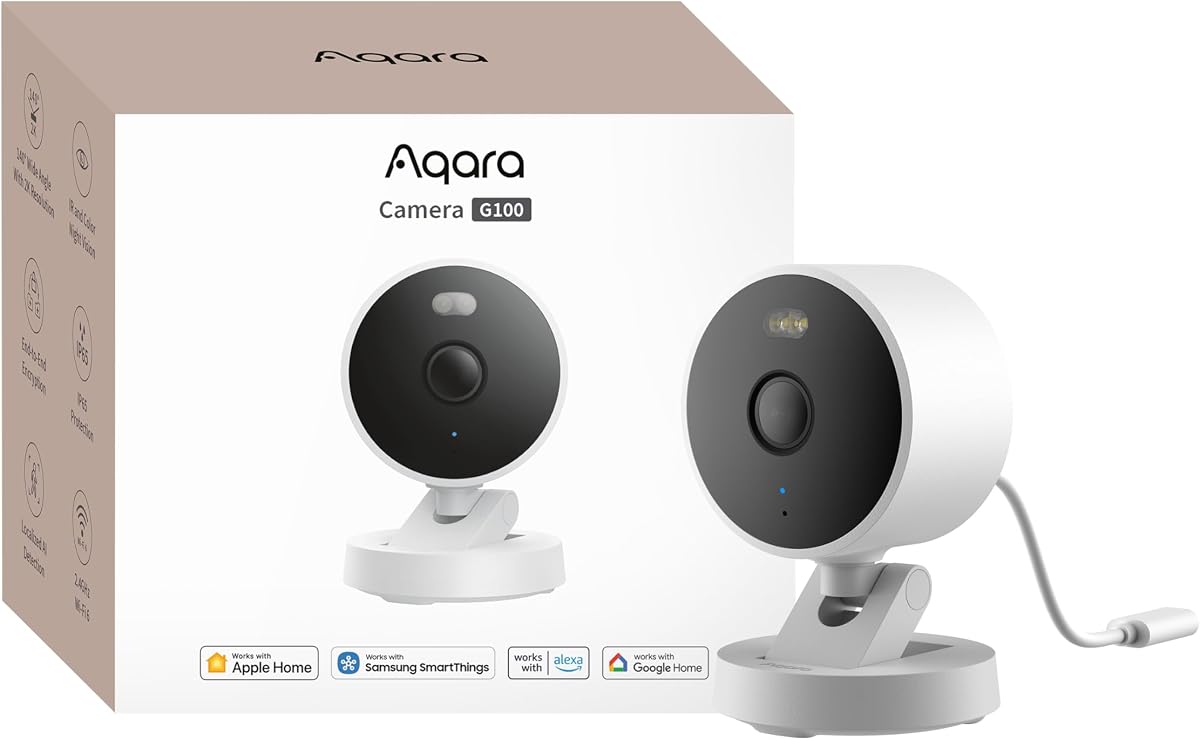
The Aqara G100 is designed for flexibility as one of the few options supporting both indoor and outdoor surveillance within the Apple Homekit ecosystem. With a 4.2 rating, users value its IP65 protection and dual night vision modes that provide color footage when needed. It supports HomeKit Secure Video and local motion detection effectively.
We may earn a commission when you buy through this link, at no additional cost to you.
This camera shines in adverse weather with its durable housing that withstands rain and dust. The spotlight color night vision mode is excellent for identifying details at night without switching to black and white. Wi-Fi 6 connectivity ensures smoother live views even in congested networks. The lens obstruction detection feature adds an extra layer of security by alerting you to blocked lenses.
One limitation is the requirement for a 2.4GHz Wi-Fi network which can be a hurdle for some modern routers. Additionally the power adapter is not included in the box adding to the initial setup cost. These minor issues are generally outweighed by the camera's robust performance and versatility for all-weather use.
The G100 is an ideal choice for homeowners needing a versatile camera for driveways or porches. Its strong weather resistance and high-quality video make it a reliable companion for your Apple Home setup requiring minimal maintenance and maximum durability.
Rated IP65 for outdoor use, this camera can withstand harsh environments, making it perfect for front doors and yards.
Switch between infrared and spotlight color night vision to capture identifiable details even in complete darkness.
We may earn a commission when you buy through this link, at no additional cost to you.
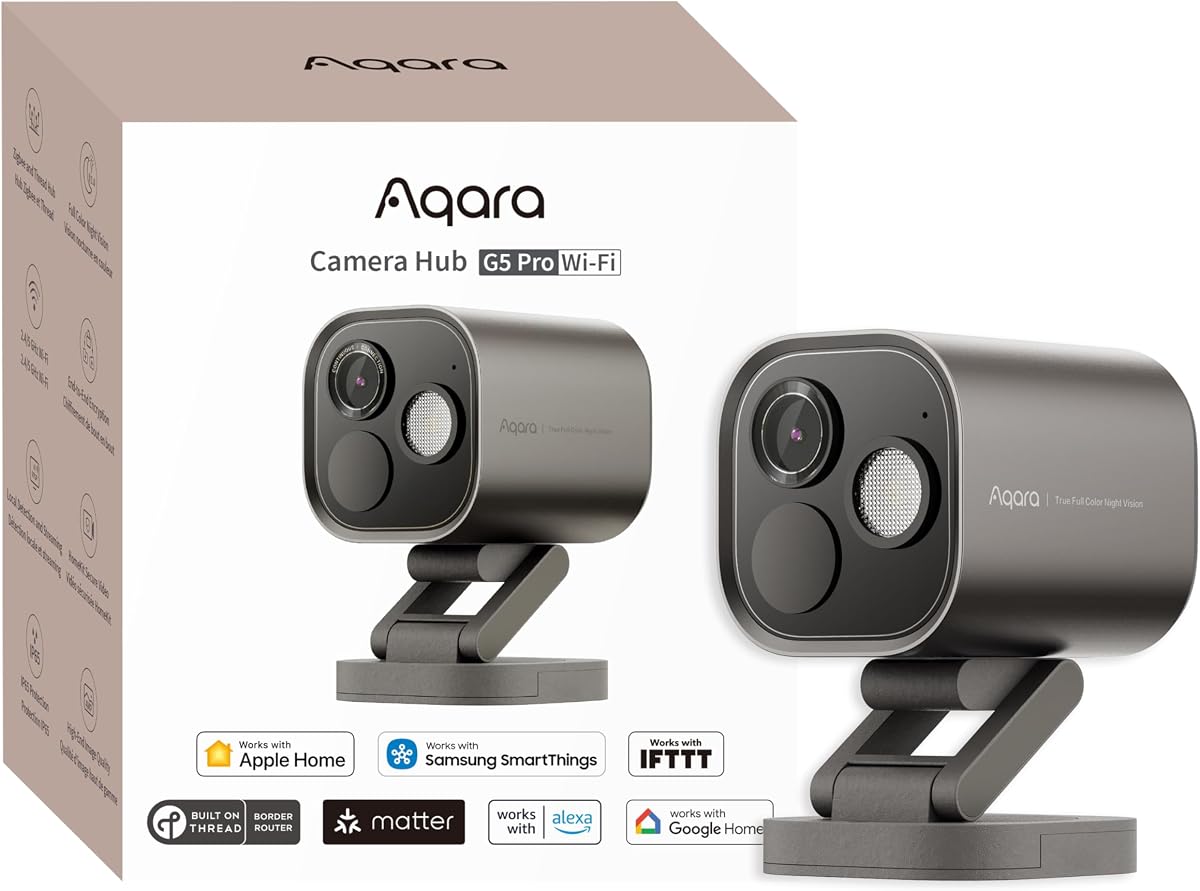
The Aqara 4MP Camera Hub G5 Pro WiFi is a robust choice for those wanting premium outdoor security with the convenience of Wi-Fi. Rated 4.3 stars, it offers true color night vision and dual-band Wi-Fi support for stable connections. It acts as a Matter bridge allowing seamless integration with various smart home platforms.
We may earn a commission when you buy through this link, at no additional cost to you.
Its 4MP sensor captures sharp images that help identify intruders clearly. The local AI detection processes visual and sound cues directly on the device ensuring privacy. The USB-C power input provides flexible installation options compared to proprietary connectors. You can choose 5GHz for faster data transfer or 2.4GHz for extended coverage.
While excellent, it lacks the PoE option found in its sibling which might be preferred for permanent professional installations. The cost is also significant compared to basic security cameras. However, the hub functionality and advanced detection capabilities make it a strong contender for tech-savvy users.
Select this camera if you want top-tier video quality and smart home integration without running Ethernet cables. It is perfect for outdoor areas where you need detailed color night vision and reliable Wi-Fi connectivity to monitor your property consistently.
Dual-band Wi-Fi support allows you to choose between 5GHz for speed or 2.4GHz for range depending on your network needs.
Visual and sound detection happen locally on the device ensuring your personal data remains private and secure.
We may earn a commission when you buy through this link, at no additional cost to you.
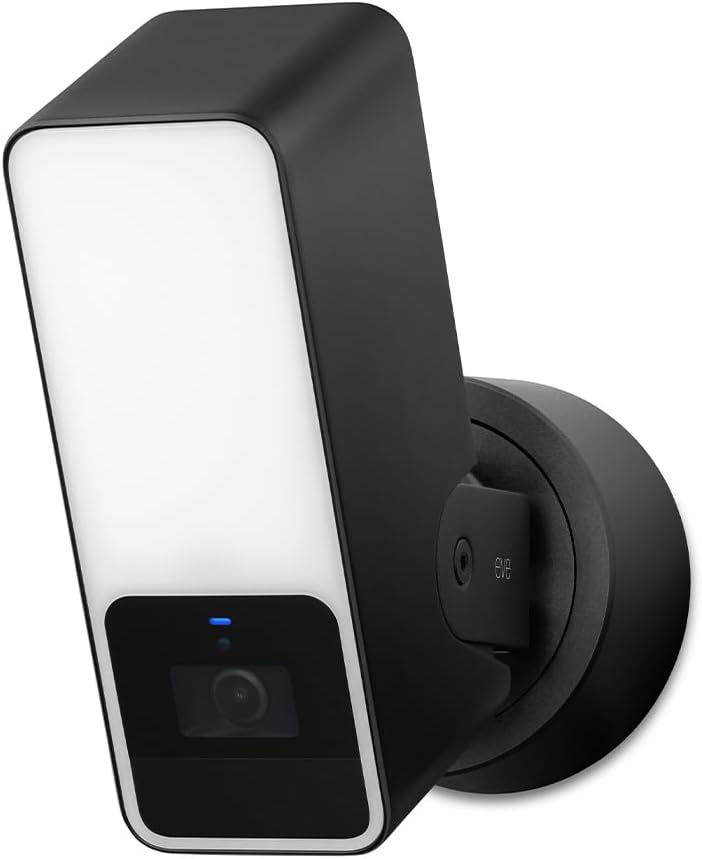
The Eve Cam is designed exclusively for Apple Homekit Secure Video with a focus on maximum privacy and data security. With a rating of 3.6 stars, users appreciate its strict adherence to local processing without external cloud dependencies. It requires an active Home hub and iCloud plan but ensures your video remains under your control.
We may earn a commission when you buy through this link, at no additional cost to you.
This camera performs video analysis locally on your network rather than uploading to the cloud which significantly enhances security. The end-to-end encryption means only you can view the recorded video. It supports basic motion detection and people recognition without needing third-party accounts. Its design is minimal and fits well in modern home decor.
However the requirement for a Home hub and iCloud+ plan adds to the initial cost and setup complexity. The rating reflects some user frustration with connectivity and limited features compared to competitors. It is best suited for those who prioritize privacy above all other features.
If your main concern is data privacy and seamless Apple integration, the Eve Cam is a top choice. It offers peace of mind knowing your data is never sent to external servers while providing reliable monitoring for your living spaces.
Built exclusively for Apple Homekit Secure Video to ensure the highest privacy standards with no Eve cloud registration.
Video analysis is performed securely in your home ensuring personal data remains private and under your control at all times.
We may earn a commission when you buy through this link, at no additional cost to you.
The Aqara E1 offers flexible indoor surveillance with full pan and tilt capabilities. Rated 4.2 stars it provides a 360-degree viewing angle ensuring no blind spots in your home. The 2K resolution captures clear images and the privacy mode pivots the lens to provide visual assurance when not recording.
We may earn a commission when you buy through this link, at no additional cost to you.
Its advanced Wi-Fi 6 connectivity ensures smooth streaming even in congested environments. The camera supports local motion detection and privacy modes controlled via automations. You can also back up footage to NAS storage for continuous recording without relying solely on cloud subscriptions. It is a practical option for active indoor monitoring.
Power is supplied via a USB port which requires a separate power adapter. Some users might prefer a more robust wired setup for permanent installations. Despite this, the performance and flexibility make it a strong contender for standard indoor security needs.
Choose the E1 if you want comprehensive indoor coverage without leaving blind spots. Its ability to rotate and pivot ensures you can keep an eye on any part of the room with high resolution and privacy features.
The Pan-Tilt motor allows for a full 360-degree viewing angle which enhances person tracking and overall room coverage.
Support for Wi-Fi 6 ensures improved performance and lower latency for smoother live views even in congested networks.
We may earn a commission when you buy through this link, at no additional cost to you.
The Logitech Circle View is a dedicated Homekit Secure Video camera with a durable weatherproof design. Rated 3.4 stars it offers a wide 180-degree field of view for comprehensive coverage. The TrueView video technology captures razor-sharp detail in high contrast conditions making it suitable for front doors and porches.
We may earn a commission when you buy through this link, at no additional cost to you.
It features an optimized night vision system that ensures clarity up to 15 feet away. The camera is crafted for home use with premium details like a matte finish and metal base. It supports end-to-end encryption and in-home video analysis ensuring your data remains private without external cloud dependencies.
Installation can be tricky due to the need for a dedicated power supply and wall mounting bracket. The price point is also on the higher side for a wired option. However, its build quality and wide viewing angle make it a solid choice for permanent outdoor setups.
If you need a reliable outdoor camera with minimal blind spots, this model delivers. Its high-quality sensor and wide field of view ensure you capture every entry point clearly while maintaining strong privacy standards for your home.
Featuring best-in-class TrueView video with 180-degree optics to capture everything in razor-sharp detail without blind spots.
Crafted for your home with premium details like a metal base and a power cable that blends seamlessly with any space.
We may earn a commission when you buy through this link, at no additional cost to you.
The Aqara E1 offers an affordable solution for indoor security with strong integration features. With a 4.2 rating it provides 2K resolution and full 360-degree pan and tilt. Its privacy mode pivots the lens to ensure visual assurance and local motion detection helps reduce unnecessary recordings.
We may earn a commission when you buy through this link, at no additional cost to you.
It supports Wi-Fi 6 for improved performance in congested network environments. The camera can back up footage to NAS storage for continuous local recording. It also supports cloud storage with Aqara HomeGuardian for end-to-end encryption and privacy. This balance of features makes it a strong value option.
Some users may find the reliance on USB power limiting compared to hardwired options. Additionally local detection requires setup in the Aqara Home app which might be a hurdle for some. Despite these minor drawbacks, the overall package is compelling for budget-conscious buyers.
For those seeking reliable indoor surveillance without breaking the budget, the E1 is an excellent pick. It offers high-quality video, privacy features, and flexible storage options to keep your home secure and connected.
Experience crystal-clear surveillance with a high-resolution sensor and wide-angle lens for detailed indoor monitoring.
Supports both local microSD cards and cloud storage options to fit your specific needs for continuous recording.
We may earn a commission when you buy through this link, at no additional cost to you.
The eufy Security E30 brings premium 4K resolution to indoor monitoring with AI tracking. Rated 4.5 stars it offers a 360-degree panoramic view and color night vision. You can distinguish humans from pets automatically and track movement to keep them centered in the frame effectively.
We may earn a commission when you buy through this link, at no additional cost to you.
It allows local storage via an SD card without mandatory subscription fees which is a huge plus for privacy-conscious users. The integrated spotlight doubles as a deterrent and enhances visibility. The app features allow quick focus tap and panoramic views to navigate your home easily.
While full functionality is included without monthly fees some premium features may require a subscription. It supports HomeKit up to 1080P resolution limiting the native quality on Apple devices. Despite this, it remains one of the best values for high resolution indoor monitoring.
If you want 4K clarity and smart tracking without monthly costs this camera is ideal. It is perfect for pet owners and families who need detailed footage and easy navigation without compromising their privacy or budget.
Capture every detail day or night with crystal-clear 4K recording that provides superior detail compared to HD cameras.
Harness on-device AI to distinguish humans pets and audio cues automatically tracking movement for a complete view.
We may earn a commission when you buy through this link, at no additional cost to you.
Selecting the right HomeKit camera requires balancing resolution, privacy, and ecosystem support.
Ensure the camera explicitly supports HomeKit Secure Video to benefit from end-to-end encryption and iCloud storage. This guarantees that your footage remains private and is processed locally or encrypted before leaving your network.
Look for official certification to avoid third-party workarounds that might compromise security.
Higher resolution like 2K or 4K helps identify faces and details clearly. Check if the camera offers true color night vision or infrared to ensure visibility in low-light conditions.
Prioritize cameras with large aperture lenses for better low-light performance without grain.
HomeKit cameras often require iCloud+ for cloud storage but many support local SD card or NAS storage. Decide if you prefer local backups to avoid monthly subscription fees.
Dual storage options provide flexibility and redundancy for your recordings.
AI detection for people, pets, and vehicles reduces false alarms. On-device processing ensures these features respect your privacy without sending data to third-party servers.
Check if detection requires a subscription or if basic motion detection is included.
Some cameras like Aqara models also serve as Matter or Zigbee hubs. This reduces the need for separate hubs and integrates automation triggers directly into your camera workflow.
A multi-function camera can save money and simplify your smart home setup.
Consider how the camera is powered. Wired options offer reliability while battery options offer flexibility. Some outdoor cameras require specific setups like neutral wires or PoE switches.
Ensure you have the necessary electrical outlets and Wi-Fi range for your chosen model.
Physical privacy modes that block the lens provide visual assurance. Local processing and encryption are critical for preventing unauthorized access to your video feeds.
Prioritize models that offer control over data access and transmission.
Beyond HomeKit, check compatibility with other platforms like Alexa or Google Home if you use mixed ecosystems. Third-party apps should offer robust support for viewing and managing alerts.
A versatile camera ensures you aren't locked into a single brand for all your needs.
To get started, connect your camera to the Apple Home app using the provided QR code. Ensure your home hub is active and your iOS device is updated to the latest version for full compatibility with all features.
For best performance, clean the lens regularly with a soft cloth and check your Wi-Fi signal strength. Adjust sensitivity settings in the app to reduce false alerts from pets or passing vehicles.
Schedule regular firmware updates through the app to keep security protocols current. Verify your storage is functioning by checking recorded clips weekly to ensure critical events are saved properly.
Yes, an active home hub like Apple TV or HomePod is required to access remote streams and enable HomeKit Secure Video. Without it, you can only view the camera when on your local network.
Yes, to store recorded clips securely in the cloud, you must subscribe to iCloud+. The plan determines how much storage space is available for your camera footage over time.
Some models support local recording via microSD cards or NAS storage. This offers an alternative to cloud storage and can save on monthly subscription costs while maintaining privacy.
Infrared night vision produces black and white footage using invisible light while color night vision uses sensors and sometimes spotlights to capture colors in low light. Color vision helps identify details like clothing color at night.
Many third-party cameras support Alexa and Google Home even if they are HomeKit certified. However native HomeKit Secure Video features are exclusive to the Apple ecosystem.
Most cameras have a physical reset button. Holding it down for several seconds clears settings. You can also remove the device from the Home app to reset the connection to your network.
You can use the camera for live viewing and alerts without iCloud+. However you lose access to recorded clips and HomeKit Secure Video history unless you subscribe to a storage plan.
Many models support dual-band Wi-Fi including 5GHz for faster speeds. Check specific product specs as some older models may be limited to 2.4GHz networks for better range.
Our top picks like the Aqara G350 and TP-Link Tapo C225 offer a range of options from premium hub functionality to budget-friendly indoor surveillance. Each camera provides robust privacy and seamless integration with the Apple ecosystem.
Prioritize resolution and local processing if privacy is your main concern. For outdoor use, look for weather resistance and dual night vision modes to ensure round-the-clock clarity.
Prices fluctuate and availability changes regularly so verify the current specs before purchasing. Use our comparison table to find the best fit for your specific needs and budget.