
Brailliant BI 40X Braille Display
5.0Editor score
40-cell refreshable display
Connects to 6 devices
32GB internal storage
This guide compares ten top-rated Braille displays for blind users, covering refreshable panels, slates, and keyboards to help you choose the right tool.
Finding the right Braille display can transform how blind users access digital information. These devices convert text into tactile dots, allowing for independent reading and writing across computers and mobile platforms.
We evaluated ten products ranging from premium refreshable displays to affordable manual slates. Our comparison considers connectivity, portability, build quality, and feature sets to ensure each pick meets specific user needs effectively.
Each selection highlights unique strengths like battery life or compatibility. Keep in mind that prices and availability change frequently, so verify current details before making your final purchase decision today.
5.0Editor score


4.9Editor score
This side-by-side comparison outlines the core specifications and capabilities of each selected device to help you quickly identify which model aligns with your accessibility requirements.




The Brailliant BI 20X offers a compact refreshable solution for blind users needing mobility. It features a 20-cell display that works seamlessly with various screen readers for independent navigation.
We may earn a commission when you buy through this link, at no additional cost to you.
Its ability to connect to five Bluetooth devices simultaneously makes switching between a phone and computer effortless. Onboard apps like the Editor and Victor Reader add significant utility beyond simple text display.
While the 16GB storage is lower than premium models, it is sufficient for most daily documents. The 20-hour battery ensures reliability during long commutes or study sessions without frequent recharging.
This model suits users seeking a reliable daily companion. It balances portability with essential features, making it an excellent choice for students and professionals on the move.
Connect to multiple devices at once for effortless switching between work and personal tasks.
Use built-in tools like calculators and editors to manage daily tasks without extra apps.
We may earn a commission when you buy through this link, at no additional cost to you.
The Brailliant BI 40X stands out as a premium option for those needing wider text visibility. Its 40-cell display provides more context per line, reducing the need for frequent scrolling during reading.
We may earn a commission when you buy through this link, at no additional cost to you.
Bluetooth 5 technology ensures a more stable wireless connection compared to older standards. With 32GB of internal storage, users can store extensive libraries and documents directly on the device without cloud reliance.
The increased screen real estate and storage come with a higher price point and added weight. These trade-offs are acceptable for users who prioritize reading efficiency and storage capacity over extreme portability.
Ideal for power users or researchers, this device delivers top-tier performance. It is the ultimate tool for those who require maximum text visibility and robust connectivity options.
The 40-cell width allows you to read more text at once, improving flow and comprehension.
Bluetooth 5 ensures your connection remains stable even in environments with signal interference.
We may earn a commission when you buy through this link, at no additional cost to you.
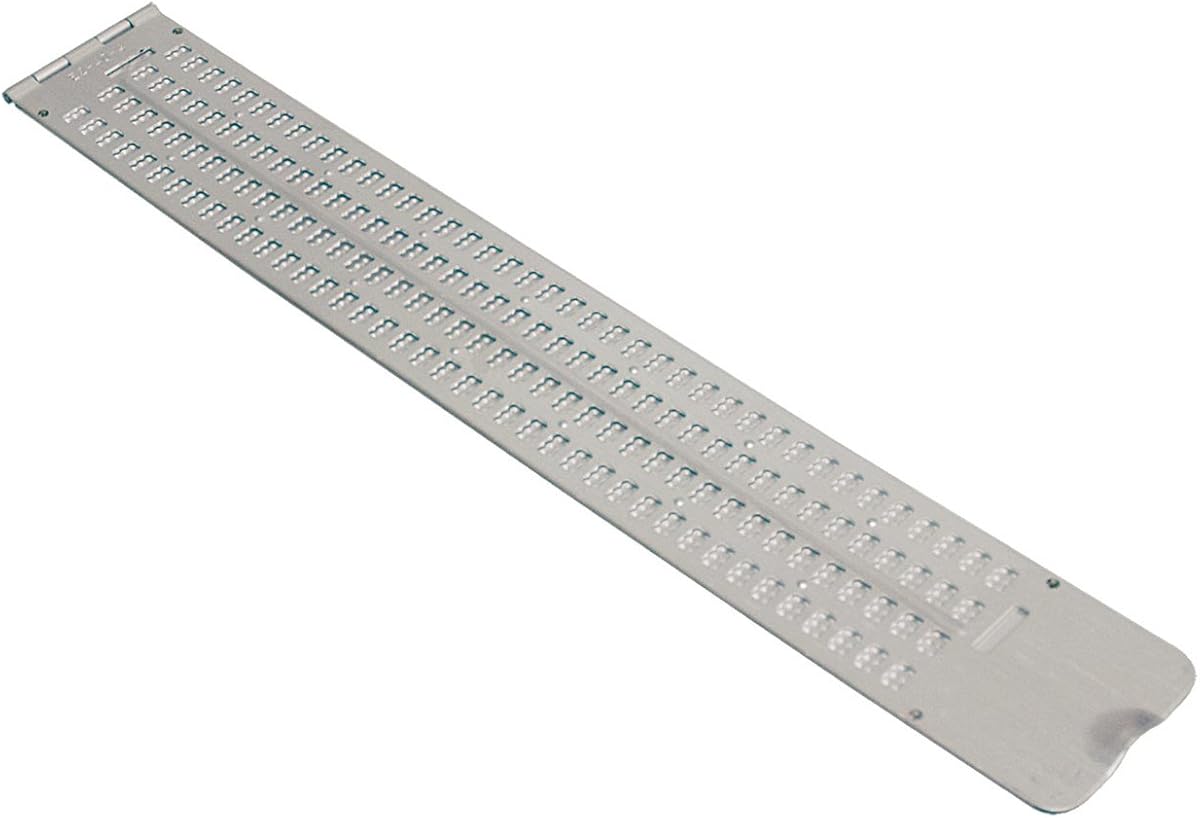
This traditional slate offers a large writing surface for those who prefer manual Braille creation. It features 13 lines across 36 cells, providing ample space for long notes or letters without frequent shifting.
We may earn a commission when you buy through this link, at no additional cost to you.
Made from durable aluminum, it is built to withstand daily wear in a bag or briefcase. The thumb notch allows for easy opening and closing, ensuring quick access to your writing surface when needed.
While it requires physical effort to write with a stylus, it offers a quiet and independent solution. The lower rating suggests users may find it cumbersome compared to digital alternatives or smaller slates.
Best suited for students or writers who want a robust manual tool. It is a reliable backup when technology fails or when a non-electronic option is preferred for quiet environments.
With 13 lines available, you can write extensive drafts without constantly moving the slate.
Its durable design ensures it survives daily travel while offering a quiet writing method.
We may earn a commission when you buy through this link, at no additional cost to you.
This slate is perfect for beginners needing a simple tool for short notes or business cards. It features four lines with 12 cells each, ideal for quick messages or learning Braille patterns.
We may earn a commission when you buy through this link, at no additional cost to you.
The built-in signature guide helps users emboss names perfectly straight. It is ultra-thin and lightweight, fitting easily into a wallet or pocket for immediate access on the go.
With a nearly perfect rating, users appreciate its simplicity and build quality. The small size limits long-form writing but makes it the ultimate choice for quick identification or contact details.
An excellent entry-level option for students or professionals. It provides essential Braille embossing capability without complexity or high cost.
The signature guide ensures your name is always embossed straight and clearly on cards.
Its slim profile means it fits anywhere, keeping Braille writing tools within reach.
We may earn a commission when you buy through this link, at no additional cost to you.
This slate accommodates a full letter-size sheet of paper for uninterrupted writing. It allows you to snap paper in and write until the page is full without constantly adjusting the slate.
We may earn a commission when you buy through this link, at no additional cost to you.
The durable plastic construction is designed to be quieter than metal versions. This makes it suitable for libraries or classrooms where noise is a concern during study or work sessions.
The guides for labeling tape add utility for organizing items beyond standard writing. However, its large size means it is best used on a desk rather than in a pocket.
Ideal for students or teachers needing extensive workspace. It combines quiet operation with ample room for essays, notes, or organizational tasks.
Plastic construction ensures quiet embossing, perfect for quiet study environments.
Special guides help you emboss directly onto labeling tape for easy organization.
We may earn a commission when you buy through this link, at no additional cost to you.
This pocket slate is engineered for portability while maintaining a wide 40-cell line. It allows users to write quick messages or lists without needing electronic devices or power.
We may earn a commission when you buy through this link, at no additional cost to you.
Made of lightweight aluminum, it slips easily into a briefcase or backpack. The 4-line design offers enough space for short notes or reminders while keeping the physical footprint minimal.
The pins up mechanism protects the writing surface when closed. It is a reliable companion for travelers who need a backup for writing in low-power situations.
Best for mobile professionals or students. It balances compactness with functional width for quick, independent Braille creation on the move.
With 40 cells per line, you can write longer sentences without breaking flow.
Its aluminum frame withstands the rigors of daily transit in bags and pockets.
We may earn a commission when you buy through this link, at no additional cost to you.
The Hable One offers a unique way to type privately on smartphones using tactile keys. It works with both iPhone and Android devices, allowing users to navigate and type without exposing screen content.
We may earn a commission when you buy through this link, at no additional cost to you.
With over a month of battery life, it is ready whenever needed. The eight buttons mimic Braille input, making it intuitive for those familiar with Braille or willing to learn new patterns.
It is a privacy-focused tool for handling sensitive messages. While it does not display text, it enhances accessibility by offering a tactile entry point for digital communication.
Ideal for users prioritizing privacy. It complements existing screen readers by providing a tactile typing method that keeps the phone secure in a bag or pocket.
Type sensitive messages privately while keeping your phone out of sight.
Last over a month on a single charge to ensure reliability during daily use.
We may earn a commission when you buy through this link, at no additional cost to you.
This handheld labeler helps users organize spaces by creating tactile labels for items. It works with vinyl labeling tape to produce both Braille letters and numbers for clear identification.
We may earn a commission when you buy through this link, at no additional cost to you.
The spin dial allows you to select letters easily before embossing. It is lightweight and designed for repeated use in home or office settings to mark drawers or supplies.
One roll of tape is included to get started immediately. The mechanical nature means no batteries are required, ensuring it works reliably when placed in a toolkit or desk drawer.
Perfect for organizing environments where sighted labels fail. It is a practical aid for maintaining independent access to household or workplace items.
Spin the dial to choose letters or numbers, then squeeze to emboss instantly.
Comes with a roll of tape so you can start labeling right out of the box.
We may earn a commission when you buy through this link, at no additional cost to you.
These stickers provide a quick way to add Braille to an existing PC keyboard. Made from clear Lexan, they allow you to see the original key legends while adding tactile Braille points.
We may earn a commission when you buy through this link, at no additional cost to you.
The adhesive ensures the stickers stay flat without oozing or curling. This helps users locate keys by touch while maintaining visibility of sighted characters on the desktop.
It is a low-cost way to adapt a standard keyboard. While not a full display, it supports independent typing for those needing tactile reference points at a desk.
Ideal for shared workspaces. It allows sighted and non-sighted users to share the same device comfortably.
Keep original keys visible while adding Braille for tactile navigation by touch.
Strong adhesive prevents slipping, ensuring a consistent typing experience over time.
We may earn a commission when you buy through this link, at no additional cost to you.
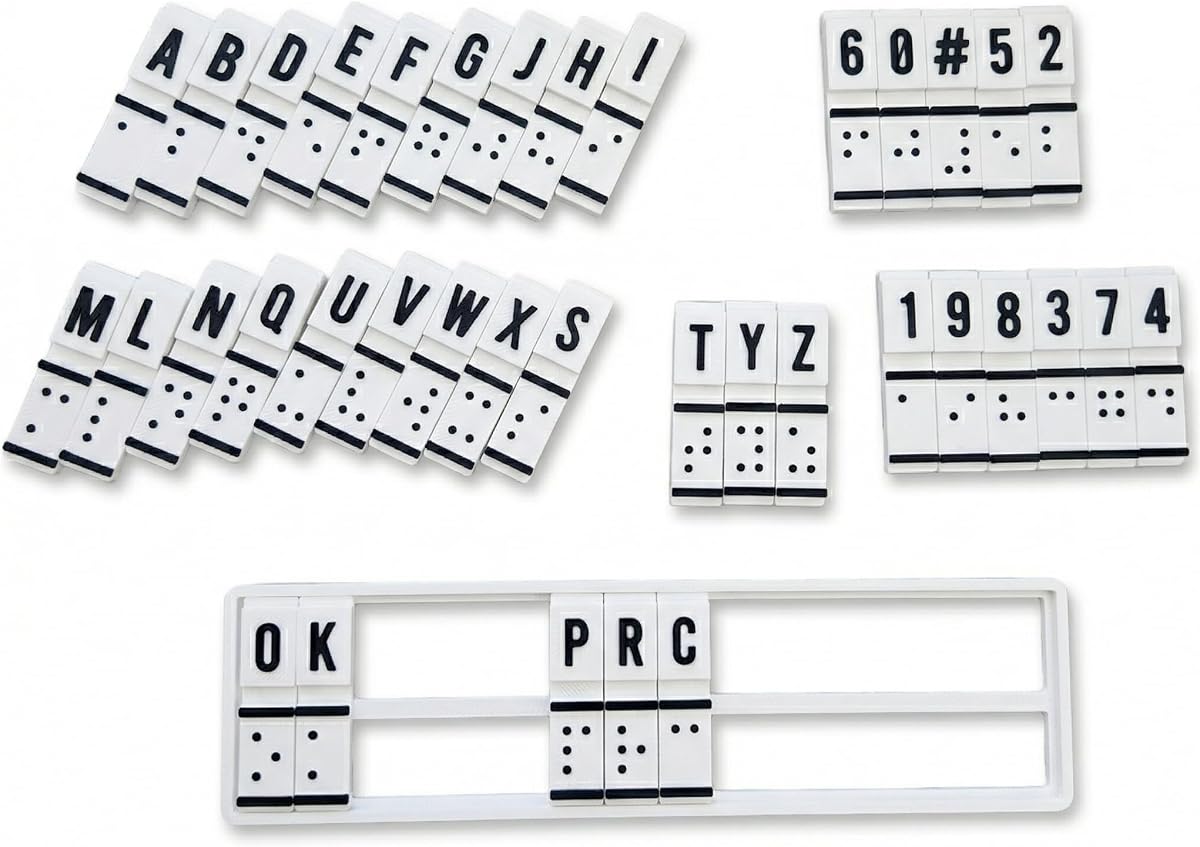
This machine serves as a training aid for those learning Braille patterns. It combines education and translation functions to help users feel, create, and read Braille directly.
We may earn a commission when you buy through this link, at no additional cost to you.
It is designed to build muscle memory and confidence without complex electronics. Users can interact manually to convert text, making it a useful tool for educators or rehabilitation specialists.
Lower user ratings suggest it may have usability challenges or limited features compared to digital tools. However, its focus on tactile feedback makes it a unique addition to a learning toolkit.
Best for beginners focused on literacy skills. It offers a hands-on approach to understanding Braille patterns effectively.
Build confidence by physically creating and reading Braille cells directly.
Designed for teachers and families to assist in structured learning environments.
We may earn a commission when you buy through this link, at no additional cost to you.
Selecting the right Braille tool depends on your specific daily needs, budget, and whether you need digital connectivity or manual writing.
Larger displays like 40-cell offer more context per line, while 20-cell units are more compact. Choose based on how much text you need to see at once.
Prioritize larger screens for reading and smaller ones for portability.
Modern displays support Bluetooth to connect to phones and computers simultaneously. Ensure compatibility with your primary screen reader or operating system.
Check for USB options if you need wired connections for stability.
Rechargeable batteries should last through a full workday. Aim for devices offering at least 15 to 20 hours of continuous use.
Longer battery life reduces the need for frequent charging during travel.
Durability is key if you carry the device daily. Aluminum or reinforced plastic builds withstand drops and rough handling better than fragile materials.
Invest in rugged models if you commute or travel frequently.
Internal storage determines how many files you can save locally. Larger capacity is helpful if you cannot rely on cloud services due to connectivity issues.
Ensure sufficient space for your documents and audio files.
Features like thumb keys or intuitive interfaces reduce the learning curve. Look for ergonomic designs that feel comfortable during long typing sessions.
Test the interface if possible to ensure it matches your hand size.
Consider if you need electronic access or just tactile writing. Slates and keyboards are cheaper but lack the dynamic features of refreshable displays.
Match the tool to your primary task of reading or note-taking.
Digital displays are significantly more expensive than manual slates. Determine your financial limits and look for models that balance cost with essential features.
Avoid overspending on features you do not need regularly.
Start by pairing your device with a smartphone or computer via Bluetooth or USB. Use the settings menu to ensure the screen reader connects properly to the braille output.
Clean the refreshable cells regularly with a soft, lint-free cloth to prevent dust buildup. Keep the surface dry and avoid touching the pins with sharp objects.
Store the device in a protective case when not in use. Avoid exposing it to extreme temperatures or humidity to prolong battery life and internal hardware durability.
A refreshable braille display is an electronic device that converts digital text into tactile braille characters. It refreshes the pins to show new text as you read.
Most modern displays connect via Bluetooth to iPhones. They work well with built-in screen readers like VoiceOver to allow full mobile access.
Battery life varies by model but typically ranges from 15 to 20 hours on a single charge. Some models may last longer depending on usage intensity.
Yes, manual slates require no electricity. You simply use a stylus to press dots into paper or plastic for immediate writing and reading.
The number refers to the cells shown per line. A 40-cell device shows twice as many characters as a 20-cell, offering a wider reading window.
Keep the device clean and dry. Dust or moisture can damage the pins, so store it in a safe place and wipe it gently with a soft cloth.
Some displays include text-to-speech or audio playback features. They allow you to switch between tactile reading and listening for flexible consumption.
A keyboard is better for digital typing on screens. A slate is better for simple, quiet note-taking without relying on electronic devices.
Whether you choose a premium display like the Brailliant BI 40X or a manual slate for notes, the right tool empowers independent access to information.
Prioritize features that match your daily tasks such as battery life, size, or connectivity options to ensure the device supports your lifestyle effectively.
Remember that prices and availability change frequently so check current details before buying to ensure you get the best value today.