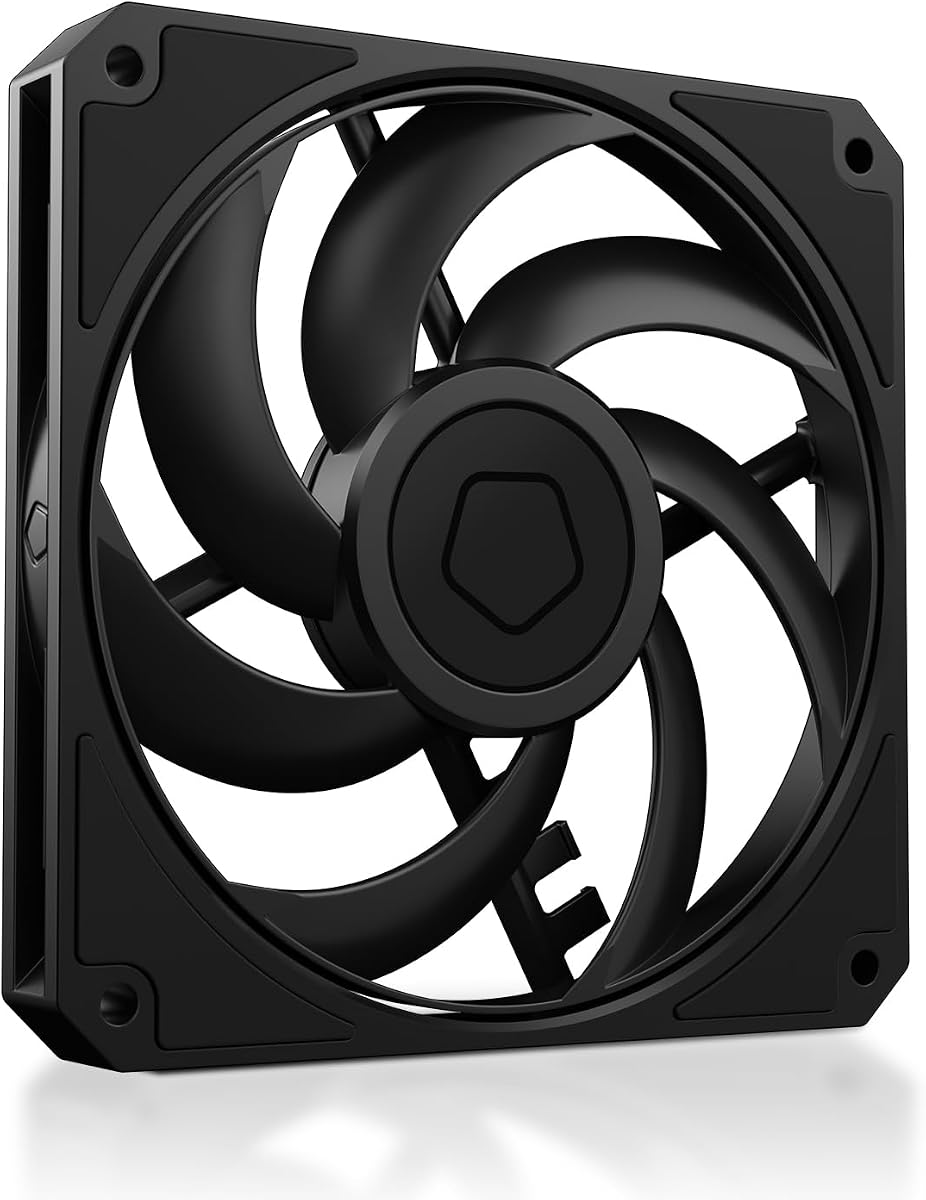
ID-COOLING AM-120-SLIM
4.8Editor score
15mm low profile design
High 59.6 CFM airflow
Quiet hydraulic bearing
This guide compares the top 10 low profile case fans for 2026 based on performance, noise, size, and value to help you choose the right cooling solution.
Selecting the right low profile case fans is crucial for compact builds where space is at a premium. These slim units deliver powerful airflow while fitting into tight spots that standard fans cannot occupy. Choosing the wrong model can lead to overheating or excessive noise that ruins your experience.
We evaluated ten top rated models based on static pressure, airflow efficiency, noise levels, and build quality. Our analysis includes data from manufacturers and real world performance expectations for small form factor systems. This list covers the best options across different budgets and use cases.
Each pick highlights specific strengths like quiet operation or high static pressure for radiators. Prices and availability change frequently so always verify details before purchasing. We update this guide regularly to ensure you have the most current information for your build.
4.8Editor score

4.9Editor score

4.8Editor score
The following table provides a side-by-side comparison of all ten featured models. You can quickly assess key specifications and ratings to find the fan that best matches your specific cooling requirements.


The Noctua NF-A12x15 PWM stands out as the premier choice for those seeking top tier performance in a slim profile. With an impressive rating of 4.9 stars users consistently praise its ability to move air quietly and efficiently. It is widely regarded as the gold standard for high quality cooling solutions in restricted spaces.
We may earn a commission when you buy through this link, at no additional cost to you.
Its standout features include the award winning A-series design which incorporates Flow Acceleration Channels to minimize turbulence. The Advanced Acoustic Optimisation frame ensures that noise is kept to a minimum even at higher speeds. This technical excellence results in cooling performance that rivals larger standard fans without compromising on space.
While it offers exceptional quality there are some trade-offs to consider before purchasing. The price is higher than many competitors which might be a hurdle for budget constrained builds. Additionally the distinctive brown color may not match every aesthetic preference though some users appreciate its classic look.
This fan is ideal for enthusiasts and professionals who prioritize silent operation and reliable performance above all else. Whether you are building an HTPC or a compact ITX system this model delivers the consistency needed for long term satisfaction. We strongly recommend it for anyone willing to invest in premium cooling.
The noise reduction technology ensures that your system remains whisper quiet even under heavy thermal loads.
Includes anti-vibration mounts and extension cables for flexible installation in various chassis configurations.
We may earn a commission when you buy through this link, at no additional cost to you.
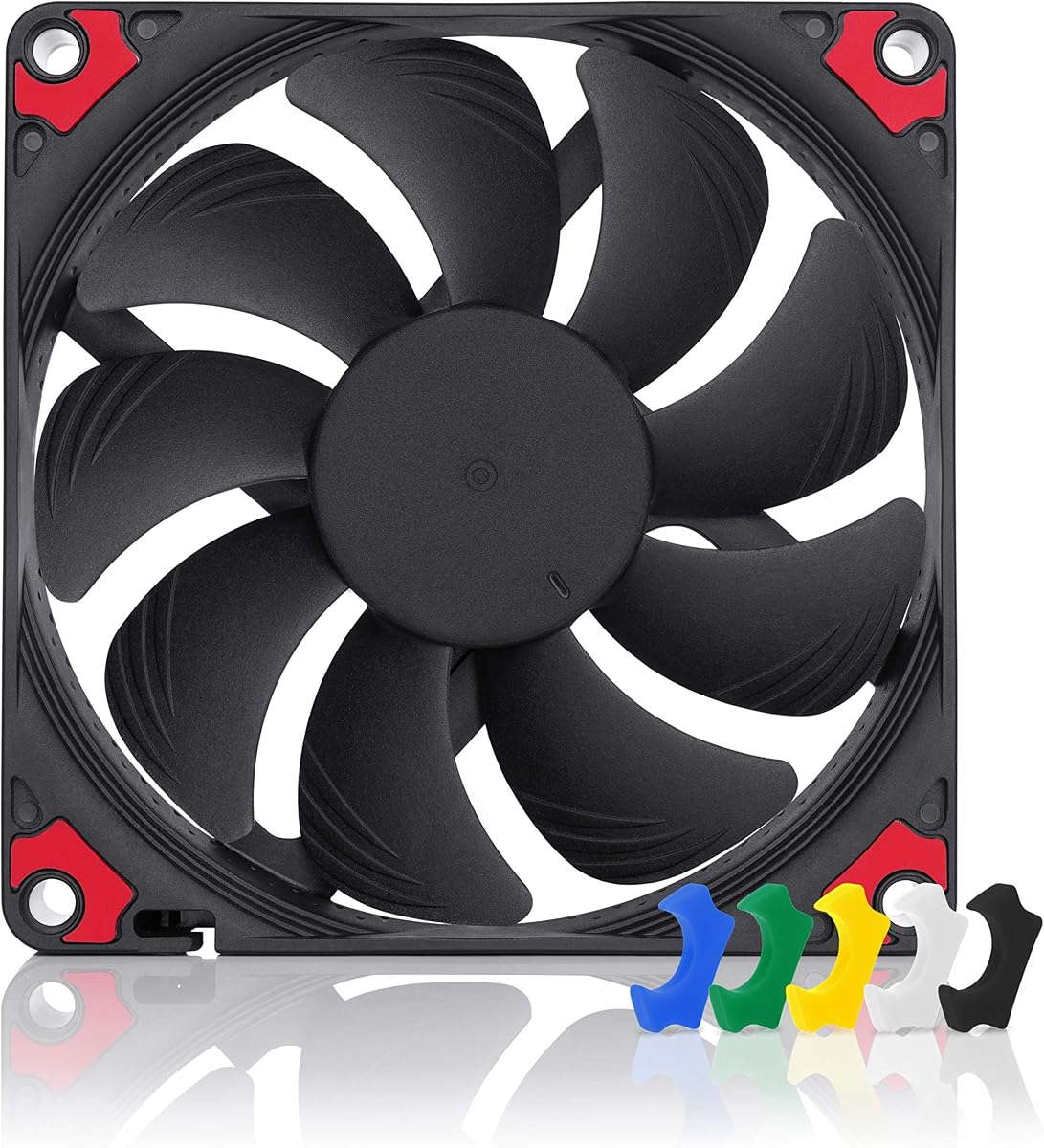
The chromax.Black.swap edition brings a modern all black aesthetic to the proven NF-A12x15 platform. It maintains the same high performance standards as the original while offering a design that fits better with dark themed systems. This model has earned a solid 4.8 rating from users who value both style and substance.
We may earn a commission when you buy through this link, at no additional cost to you.
Key strengths include the inclusion of self-adhesive anti-vibration pads in multiple colors for custom customization. The engineering ensures that the fan stops at 0 percent PWM allowing for semi-passive operation when cooling demands are low. This balance of silence and performance makes it a favorite among builders who want a clean look.
On the downside the premium pricing reflects both the brand reputation and the added customization options. The adhesive pads are functional but may need replacement after many years of use. Despite these minor issues the overall value remains high for those prioritizing aesthetics without sacrificing function.
Buyers looking for a fan that merges premium looks with top tier thermal performance will find this model unmatched. It suits those building high-end gaming PCs or workstations where visual coherence is as important as component health. The reliability and silence make it a long-term investment worth considering.
Self-adhesive pads allow you to match the fan vibration mounts to your specific case color scheme.
The fan can stop spinning entirely at low loads to ensure absolute silence during light usage.
We may earn a commission when you buy through this link, at no additional cost to you.
The ID-COOLING AM-120-SLIM offers remarkable value for builders on a budget who still require effective cooling. With a rating of 4.8 stars it delivers impressive airflow and pressure numbers that rival more expensive options. It is a strong contender for compact cases where standard fans simply do not fit.
We may earn a commission when you buy through this link, at no additional cost to you.
Its performance highlights include a robust 59.6 CFM airflow and 2.7 mmH₂O static pressure which is rare in this price range. The hydraulic bearing ensures quiet operation while extending the life of the fan. PWM control allows for dynamic speed adjustments so you get silence when you need it and power when you need it.
Trade-offs include a slightly lighter build quality compared to top tier brands which might feel less substantial. RGB lighting options are not present on this model so users wanting a colorful setup will need to look elsewhere. However for pure cooling performance and silence per dollar it is hard to beat.
This fan is perfect for budget conscious ITX builds or anyone needing to replace a failing slim fan without spending much. It provides the essential cooling capacity required to keep components safe in tight enclosures. We recommend it for anyone seeking maximum utility for minimum cost.
The high static pressure makes it suitable for pushing air through dense radiator fins or heatsinks.
PWM speed control adjusts fan speed automatically based on system temperature to optimize silence.
We may earn a commission when you buy through this link, at no additional cost to you.
The ARCTIC P12 Slim PWM PST delivers a convenient three pack solution for those needing multiple slim fans. It holds a solid 4.6 rating with users appreciating the cost efficiency of getting several units in one purchase. This model is well suited for cases requiring intake and exhaust airflow simultaneously.
We may earn a commission when you buy through this link, at no additional cost to you.
Key features include the PST technology which allows you to chain multiple fans to a single motherboard header. The fan is optimized for static pressure making it effective for radiators and CPU coolers where resistance is high. The 15mm profile ensures it fits into tight spots where standard fans fail.
While performance is strong the noise level can increase noticeably at maximum RPM compared to premium options. The design is functional but lacks the refined acoustic optimizations found in more expensive fans. Despite this the cooling power and price point make it a logical choice for many builders.
Buyers needing a budget friendly way to cool a small form factor system with multiple fans will find this pack useful. It is particularly good for those managing cable clutter by daisy chaining fans together. We recommend it for anyone prioritizing value and practicality over absolute silence.
PST connector allows multiple fans to be controlled from a single header reducing cable clutter.
Optimized design ensures air moves efficiently through restrictive components like radiators.
We may earn a commission when you buy through this link, at no additional cost to you.
For builds that can accommodate a 140mm fan the P14 Slim PWM PST offers a great balance of size and slimness. With a 4.6 rating it provides reliable cooling without the bulk of a standard thick fan. This is an excellent choice for cases with specific 140mm slim mounting spots.
We may earn a commission when you buy through this link, at no additional cost to you.
The performance is enhanced by a newly developed fan design that increases airflow while keeping noise low. It moves 47 CFM of air which is substantial for a 16mm thick unit. The optimized static pressure ensures it performs well even when pushing against heat sinks.
The main limitation is that it requires more physical space than a 120mm fan which might be an issue in very tight chassis. Also the price is slightly higher than smaller 120mm units. However if your case supports it the extra airflow is a clear benefit.
This fan is ideal for those who need maximum cooling in a restricted profile area without moving to a much thicker unit. It suits cases that have room for 140mm fans but still need to save depth. We suggest it for builders looking for extra airflow headroom.
New design increases airflow by improving how air moves through the blades efficiently.
16mm height fits where standard fans cannot while providing more surface area than 120mm.
We may earn a commission when you buy through this link, at no additional cost to you.
be quiet! brings its reputation for German engineering to the Pure Wings 3 line with a focus on reliability. It holds a 4.7 rating from users who appreciate its steady performance and long operational life. This fan is a solid choice for those who value durability and simple efficiency.
We may earn a commission when you buy through this link, at no additional cost to you.
The frame is optimized to maximize performance particularly on radiators where pressure is key. It features seven airflow optimized blades that balance noise reduction with maximum cooling capacity. The rifle bearing ensures a lifetime of 80000 hours which is impressive for a unit in this category.
While it performs well the aesthetic design is basic without extra embellishments that some modern cases feature. It lacks advanced lighting features which might be a downside for RGB enthusiasts. However for functional cooling it remains a very strong and trustworthy option.
This fan is well suited for builders who want dependable cooling without paying a premium for branding or lights. It fits well in environments where silent reliable operation is the main goal. We recommend it for those who prioritize engineering and longevity.
The long life rifle bearing ensures the fan runs quietly for years without failure.
The frame shape directs air more efficiently to improve cooling at the heat source.
We may earn a commission when you buy through this link, at no additional cost to you.
The Thermalright TL-C12015 focuses on delivering a balanced mix of silence and cooling power. With a rating of 4.7 it stands out for its low noise output that does not disturb quiet environments. It is an excellent pick for users who need a slim fan that runs quietly.
We may earn a commission when you buy through this link, at no additional cost to you.
It features a well-designed S-FDB bearing that keeps the noise low even under load. The four corners include vibration absorbing pads to minimize mechanical friction and reduce rattling. The airflow is balanced so it cools effectively without creating unnecessary wind noise.
The maximum RPM is capped at 1500 which limits its ability to push extreme pressure in tight radiators. This makes it better suited for case airflow rather than heavy duty radiator duty. While this is a trade-off it ensures the fan stays very quiet during normal operation.
This fan is perfect for those who prioritize silence over raw performance in a compact build. It is great for office PCs or living room systems where noise is a major concern. We suggest it for users seeking a quiet reliable solution.
Absorbing pads reduce the physical shaking that often causes noise in thin fans.
Optimized to run at low speeds without compromising basic cooling efficiency.
We may earn a commission when you buy through this link, at no additional cost to you.
For systems requiring a 92mm fan the NF-A9x14 HS-PWM offers top tier performance in a tiny package. It holds a 4.8 rating from users who need reliable cooling in extremely tight spaces. This model is the best choice for low-profile CPU coolers like the Noctua NH-L9 series.
We may earn a commission when you buy through this link, at no additional cost to you.
The AAO frame system and Flow Acceleration Channels ensure superior cooling with minimal noise. It can reach speeds up to 2500 RPM to push air through dense components efficiently. The chromax black swap design allows for customization with included colored anti-vibration pads.
Its small size is both a strength and a weakness as it requires specific mounting slots. The cost is high for the dimensions but justified by the engineering and quiet operation. You may find standard fans are more cost effective if your case supports 120mm models.
Buyers with limited CPU clearance who cannot use taller fans will find this unit indispensable. It provides the silence and power needed to protect components in constrained environments. We highly recommend it for niche low-profile builds.
The 14mm thin design fits perfectly where standard fans simply cannot.
Advanced engineering allows high speeds without becoming intrusive to your ears.
We may earn a commission when you buy through this link, at no additional cost to you.
The FLX version offers a simpler connection style using a 3-pin Molex connector instead of PWM. With a 4.8 rating it maintains the same excellent performance quality as other Noctua models. This is ideal for users who prefer simpler control mechanisms or have older headers.
We may earn a commission when you buy through this link, at no additional cost to you.
Speed control is handled via Low-Noise Adaptors that allow three distinct settings of 1850 1400 and 950 RPM. This allows users to tune the balance between airflow and silence manually. It includes all necessary adapters to connect directly to power supplies or headers.
The lack of automatic PWM control means the fan does not adjust speed based on temperature. This can lead to running faster than necessary during cool conditions which might increase noise. It suits builds where manual control is preferred or supported by external controllers.
This fan is a great choice for systems that need simple reliable cooling without complex electronic control. It is perfect for older motherboards or specialized setups. We recommend it for those valuing mechanical simplicity.
Adaptors allow you to manually set fan speed to match your exact requirements.
Includes cables to run the fan directly from power supply if needed.
We may earn a commission when you buy through this link, at no additional cost to you.
This model represents the premium tier of low profile cooling with its high performance specs. It holds a 4.8 rating based on its ability to keep systems cool and quiet. It is a top contender for those who want Noctua reliability in a slim form factor.
We may earn a commission when you buy through this link, at no additional cost to you.
It features a 4-pin PWM connector that allows for automatic speed control via the motherboard. The included y-cable lets you run two fans from one header making installation easier. The airflow and pressure are optimized to provide strong cooling even in restricted areas.
The main drawback is the higher cost compared to budget brands which might be a factor for large builds. Also the brown color scheme may not fit every modern aesthetic preference. Despite this the performance and build quality remain exceptional for the price.
Buyers seeking the best balance of silence and power for their compact system will find this model ideal. It is perfect for those who want a reliable solution that will last many years. We recommend it for anyone prioritizing quality.
The y-cable allows you to run multiple fans on a single motherboard header easily.
Up to 1850 RPM ensures it can cool even high heat components effectively.
We may earn a commission when you buy through this link, at no additional cost to you.
Selecting the right fan involves understanding dimensions airflow noise and features. This guide explains the key factors to consider for making an informed choice.
The most critical factor is the physical height of the fan which typically ranges from 12mm to 16mm for slim models. You must measure your CPU cooler or case clearance to ensure the fan fits without obstruction. Using a fan that is too thick can prevent side panels from closing or block airflow entirely.
Always verify the exact millimeter height against your case specifications before purchasing.
Airflow measured in CFM indicates how much air the fan can move while static pressure indicates how well it pushes air through resistance. If you plan to install the fan on a radiator or CPU cooler prioritize models with high static pressure. For case exhaust general airflow is more important for overall ventilation.
Match the airflow rating to your specific cooling needs to ensure efficient thermal management.
Noise is measured in decibels and sones so look for lower values if you need a silent system. The bearing type plays a major role in both noise and longevity with hydraulic and FDB bearings offering longer life. Premium fans often include advanced acoustic optimization to reduce turbulence and operational noise.
Check the maximum noise rating to ensure it fits your tolerance for sound in the room.
PWM fans use a 4-pin connector for automatic speed control by the motherboard which is the most efficient option. DC fans use a 3-pin connector and are simpler but may not adjust as dynamically. Molex connectors are rare and offer fixed speeds which are less flexible for modern builds.
Ensure your motherboard supports the connector type you choose for optimal control.
Quality fans often include anti-vibration mounts and extension cables which simplify installation. Vibration mounts reduce mechanical noise that can travel through the chassis. Extension cables help route wires neatly in tight spaces preventing blockage of airflow.
Look for packages that include these accessories to save time and money on extras.
Most slim fans come in standard brown or black colors to match your build theme. Some models like the chromax.swap editions allow you to customize the look with colored pads. Ensure the chosen color blends with your case and other components to maintain a cohesive visual design.
Choose a color scheme that complements your overall PC build aesthetic.
Prices vary widely with premium brands charging more for acoustic tuning and build quality. Budget options often provide solid performance but may be slightly louder or less durable. Determine your budget and prioritize features like silence or pressure based on your specific needs.
Compare the cost against the features provided to find the best value for your project.
Install the fan so it pushes air through restrictive components like radiators for best cooling. Ensure the airflow direction matches your case intake or exhaust design to maintain pressure balance. Secure the fan with screws and use anti-vibration pads to minimize noise during operation.
Regularly check the fan blades for dust accumulation which can unbalance the rotor and cause noise. Use a compressed air duster or soft brush to clean the blades without touching the motor shaft. Dust can block airflow and increase the workload on the motor shortening its lifespan.
Monitor fan speeds in BIOS or software to ensure the fan responds correctly to temperature changes. If the fan does not ramp up properly check the PWM connection and BIOS settings. Keeping the fan well maintained will ensure years of reliable and silent cooling performance.
Slim fans are not inherently quieter but high quality models are designed to be. The limited blade area often requires higher RPM to match airflow which can increase noise. Premium slim fans include acoustic optimization to keep noise low even at higher speeds.
Yes slim fans are commonly used on radiators for tight cases. You should choose a model with high static pressure to push air through the dense fins. Many top picks in this guide are specifically optimized for radiator use.
Not all coolers support slim fans so you must check the clearance and fan size of your specific cooler. Some low-profile coolers are designed specifically for 120x15mm fans. Always verify the dimensions before buying to ensure compatibility.
Yes PWM control allows automatic speed adjustments based on temperature. This helps reduce noise when the system is idle while maintaining cooling power when needed. Most modern motherboards support 4-pin PWM headers for these fans.
High quality slim fans can last 50000 to 150000 hours depending on the bearing type. Hydraulic and ball bearings generally offer the longest lifespan. Dust and heat are the main factors that reduce fan life over time.
The most common thicknesses are 12mm 15mm and 16mm. You must choose the thickness that your case or cooler supports. Most slim cases accept 15mm fans which offer a good balance of performance and size.
We have reviewed ten top low profile fans ranging from budget friendly options to premium silent units. The Noctua NF-A12x15 PWM stands out as the overall winner for its balanced performance and silence. For budget builders the ID-COOLING AM-120-SLIM offers incredible value for the price.
When selecting a fan prioritize the dimensions and static pressure to match your specific case and cooler. Noise levels are also critical if you plan to use the PC in a quiet environment. Make sure you choose a fan that fits your clearance limits to avoid installation issues.
Prices for these products can vary over time so check current listings before making your final decision. We hope this guide helps you find the perfect slim fan for your build. Happy building and cool computing.