
RedThunder One Handed Gaming Keyboard
4.4Editor score
35 keys anti-ghosting
RGB backlit with modes
Ergonomic wrist rest
Discover the top left handed gaming keyboards for 2026. This guide compares ten models including keypad and full layouts to help you choose the right fit.
Left handed gamers often struggle to find ergonomic solutions that fit their natural posture. Standard keyboards force awkward wrist angles that can lead to fatigue and strain during long sessions. A dedicated left handed layout places essential controls within easy reach without compromising mouse space.
We evaluated ten distinct models ranging from compact keypads to full layout mechanical boards. Our analysis focused on build quality, switch technology, connectivity options, and ergonomic design principles. Each product offers unique advantages tailored to different gaming styles and budget constraints.
Every pick includes detailed specs and real-world performance notes to guide your decision. Prices fluctuate frequently so always verify current listings before purchasing. We aim to provide honest insights that help you invest in equipment that enhances your gaming experience.
4.4Editor score

4.6Editor score

4.6Editor score
This side-by-side comparison highlights key specifications across all ten models. We focus on layout type, connectivity, switch mechanics, and unique features to help you identify the best match for your needs.



The RK ROYAL KLUDGE L98 stands out as a full-featured mechanical keyboard designed specifically for left-handed users. With a rating of 4.6 it offers a rare combination of ergonomic layout and premium typing experience. The relocated numpad frees up mouse space while maintaining full functionality for work and play.
We may earn a commission when you buy through this link, at no additional cost to you.
Its gasket-mounted structure paired with PBT keycaps delivers a soft and cushioned feel that reduces vibration significantly. Five layers of sound-dampening materials ensure a satisfying acoustic experience without hollow cavity noise. The massive 8000 mAh battery supports weeks of use without recharging even with RGB lighting active.
While the southpaw design is its strongest asset the keyboard also supports right-handed users who prefer the layout. The hot-swappable PCB allows for endless customization with 3-pin or 5-pin switches. The only minor trade-off is that RGB customization is somewhat basic compared to high-end rivals.
Gamers and professionals who need a dedicated left-handed layout will find this board invaluable. It bridges the gap between specialized ergonomics and high-end mechanical features. We recommend it for anyone seeking a reliable daily driver that prioritizes comfort and build quality.
Relocating the numpad to the left side allows natural mouse positioning on the right for better ergonomics.
Tri-mode connectivity supports wireless Bluetooth and wired options with a battery that lasts hundreds of hours.
We may earn a commission when you buy through this link, at no additional cost to you.
The RedThunder One Handed Gaming Keyboard offers an accessible entry point into left-handed gaming setups. With a 4.4 rating and low price it is ideal for gamers who want to test the waters without a large investment. The 35-key layout covers essential controls while maintaining a small footprint.
We may earn a commission when you buy through this link, at no additional cost to you.
It features all 35 keys with anti-ghosting to ensure every command registers during intense gameplay. Macro recording keys allow users to save complex sequences for quick execution. The ergonomic wrist rest adds comfort during extended sessions making it suitable for both gaming and basic office tasks.
RGB backlighting provides multiple modes including breath and static options for personalization. However the keyboard relies on a wired connection and lacks hot-swappable features. These limitations are acceptable given the budget-friendly positioning and focused functionality for entry-level users.
This keypad is perfect for students or casual gamers seeking ergonomic relief. It simplifies the desk setup while providing dedicated keys for frequent actions. We recommend it for anyone needing a cost-effective solution that improves mouse space and comfort.
Two dedicated macro keys let you record and trigger complex commands quickly for games requiring repetitive inputs.
The small size saves desk space while the wrist rest reduces strain on your hand and wrist during play.
We may earn a commission when you buy through this link, at no additional cost to you.
The AZERON Keyzen represents the pinnacle of one-handed gaming peripherals with its advanced Hall-Effect joystick and mechanical switches. Rated 4.6 it offers unparalleled control for players who want to replace traditional WASD keys with analog precision. The build quality is exceptional with a 3D-printed modular chassis.
We may earn a commission when you buy through this link, at no additional cost to you.
Its 360-degree Hall-Effect joystick allows for drift-free movement that mimics real analog control. Combined with Cherry MX switches and fully mappable keys it provides immense flexibility for any game type. Six onboard profiles plus unlimited software profiles ensure your settings are always ready.
Adjustable ergonomics with multiple palm rests accommodate various hand sizes comfortably. The main drawback is the premium price which may not suit all budgets. However for competitive gamers the investment translates directly to improved performance and precision on screen.
This device is recommended for serious gamers seeking a unique competitive edge. It excels in genres like shooters and RTS games where precise movement and fast commands are critical. We suggest it for those who value innovation and build quality above cost.
The magnetic sensor joystick eliminates drift and enables smooth analog movement for finer control than traditional keys.
Each of the 32 keys can be mapped to keyboard mouse or controller inputs for complete command control.
We may earn a commission when you buy through this link, at no additional cost to you.
The AZERON Gaming Keypad offers advanced adjustability and analog control through its Hall Effect thumbstick. Rated 4.3 it is designed for righties who want to replace their keyboard with a left-handed controller while keeping the mouse on the right. The 3D printed design ensures a tailored fit for most users.
We may earn a commission when you buy through this link, at no additional cost to you.
Its thumbstick eliminates drift and supports 360-degree movement for compatible games. The software allows detailed customization including RGB profiles and analog smoothing. You can store up to six control layouts directly on the device for instant switching between games or modes.
While the medium size suits hand sizes from 6.3 to 7.5 inches smaller hands might find comfort varies. The price point is significant but reflects the specialized technology included. This unit is built for versatility and precision across multiple gaming genres.
We recommend this keypad for players who want one-handed control with analog precision. It is particularly strong for FPS and MOBA players needing quick access to commands without sacrificing mouse space. Consider your hand size carefully before purchasing for optimal comfort.
The Hall Effect technology ensures precise analog movement with minimal latency and no stick drift issues.
Six onboard control layouts allow you to save configurations for different games or roles without software.
We may earn a commission when you buy through this link, at no additional cost to you.
The AJAZZ AK029 delivers competitive-grade performance with magnetic switches and rapid trigger technology. Rated 4.5 it is engineered specifically for FPS gamers who need lightning-fast double-taps and smooth strafing. The 29-key mini layout saves desktop space for mouse movement without sacrificing essential controls.
We may earn a commission when you buy through this link, at no additional cost to you.
Its Hall Effect magnetic switches provide 0.01mm actuation precision with no dead zone. Integrated SOCD and DKS technologies allow binding multiple actions to a single keystroke for advanced movement. The 8KHz polling rate ensures near-zero latency for every command on screen.
Build quality includes a rugged aluminum alloy plate and a five-layer acoustic structure for a premium feel. RGB backlighting offers vibrant effects but software dependency for customization can be a hurdle. Despite this the speed and precision make it a top contender for esports.
We recommend this keypad for competitive players who prioritize speed and response time. It is ideal for titles where split-second reactions define success. Choose this if you want magnetic switch technology at a reasonable price point.
Instant key resets enable faster movement and counter-strafing crucial for high-level shooter games.
Five acoustic layers with aluminum plate deliver a stable and low-noise typing experience during intense sessions.
We may earn a commission when you buy through this link, at no additional cost to you.
This Ergonomic Left Handed Keyboard is designed to reduce physical strain for business and accounting professionals. With a 4.4 rating it features a patented natural shape key structure that improves posture. The dedicated numeric keypad allows left-hand operation while keeping the right hand free for the mouse.
We may earn a commission when you buy through this link, at no additional cost to you.
Its laser inscribed keys and optimized software tools enhance typing efficiency. Eight multimedia hotkeys provide quick access to common functions reducing repetitive motion. The design specifically targets RSI and Carpal Tunnel prevention making it a valuable health investment for heavy typists.
While it lacks gaming features the ergonomic benefits are clear for office environments. It is compatible with Windows and Mac systems via USB or PS/2 connections. The build prioritizes stability and comfort over gaming-oriented aesthetics or lighting effects.
We recommend this keyboard for office workers seeking relief from wrist and shoulder strain. It excels in data entry and accounting scenarios where precision and comfort are paramount. Choose this for long-term health benefits during daily work.
The unique layout reduces shoulder strain by allowing a more natural hand position during typing tasks.
Built-in hotkeys streamline common office tasks and improve workflow efficiency for professionals.
We may earn a commission when you buy through this link, at no additional cost to you.
The Keychron C0 HE offers competitive-grade performance for FPS players with its 8K polling rate and magnetic switches. Rated 4.2 it provides a web-based configurator that eliminates the need for software installation. This makes it easy to customize key mapping and RGB lighting across Windows and macOS systems.
We may earn a commission when you buy through this link, at no additional cost to you.
Its 35-key layout keeps essential commands within reach for MMO and MOBA gamers. Rapid Trigger technology allows precise movement control in titles like Valorant and CS2. The per-key RGB lighting enables detailed aesthetic customization directly through the browser.
This keypad is also ideal for content creators needing quick access to streaming shortcuts and OBS scenes. While it lacks the premium build of higher-end models it offers exceptional value for its functionality. The main limitation is wired-only connectivity which limits placement options.
We recommend this to users seeking easy customization and high-performance switches. It is perfect for gamers and power users who want flexibility without complex software. Choose this for reliable performance and convenient setup.
Browser-based settings save time and allow you to tweak actuation points without installing apps.
Full compatibility with Windows and macOS ensures seamless use across different operating systems.
We may earn a commission when you buy through this link, at no additional cost to you.
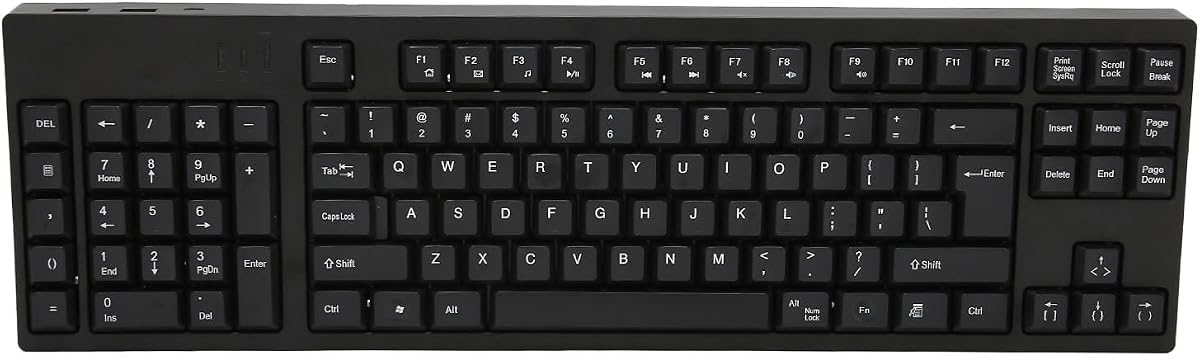
This 109-key Left Handed Keyboard provides a full layout experience for those needing standard keys. Rated 5.0 it features a left numpad design allowing left-hand operation while keeping the right hand free for the mouse. The plug-and-play setup makes it easy to use without drivers.
We may earn a commission when you buy through this link, at no additional cost to you.
Made of premium ABS material it offers a stable typing experience for business and design work. Additional USB interfaces allow connecting peripherals without needing external hubs. The ergonomic layout relieves right-hand fatigue significantly during long computer sessions.
While the Micro USB connection is less modern it ensures reliable performance for general tasks. There is minimal customization compared to gaming boards but the utility is high. It is best suited for office or home environments requiring a traditional layout.
We recommend this for professionals who need a complete keyboard without gaming complexity. It balances ergonomic benefits with functional completeness for daily work. Choose this if you want full control without sacrificing mouse space.
The 109-key layout ensures all standard functions are available without relying on function layer combos.
Extra USB ports let you connect mice or drives directly to the keyboard for added convenience.
We may earn a commission when you buy through this link, at no additional cost to you.
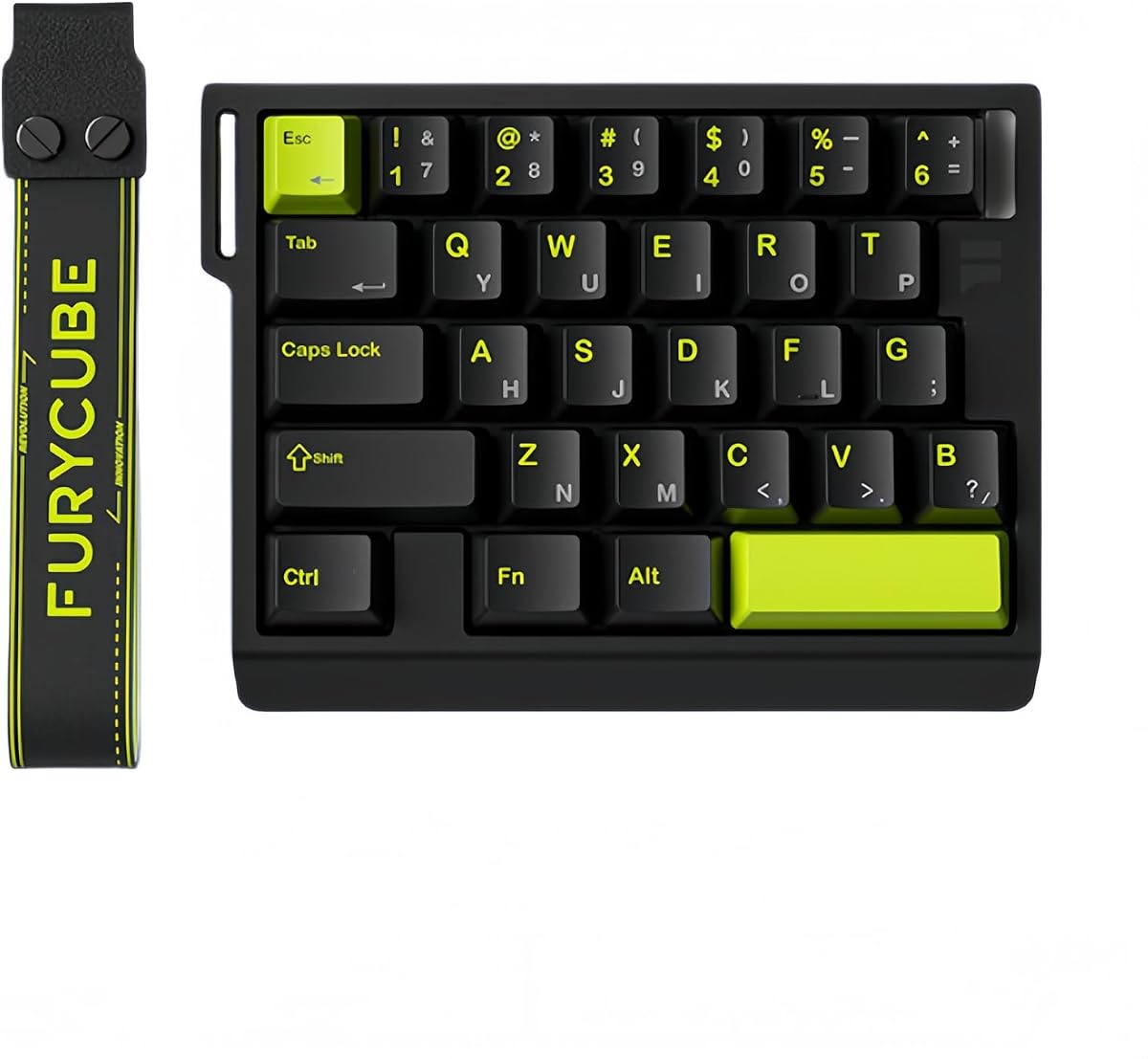
The FKZ M30HE delivers competitive performance with adjustable actuation points and magnetic switches. Rated 4.0 it offers rapid trigger functionality for instant key deactivation which is vital for high-speed shooters. The 30-key layout retains useful gaming keys while staying portable for travel.
We may earn a commission when you buy through this link, at no additional cost to you.
Its web-based driver allows remapping and actuation adjustments without heavy software installation. North-facing LEDs provide optimal visibility for RGB lighting during gameplay. The hot-swap support means you can try different switch types easily if needed.
While the build is not premium it offers great value for players wanting magnetic switch features. The main limitation is average software depth compared to higher-end options. However the speed and customization make it a solid choice for gamers on a budget.
We recommend this to players seeking a balance of speed and price. It is ideal for e-sports enthusiasts needing rapid trigger tech. Choose this for performance without paying a premium price tag.
Fine-tune actuation down to 0.01 mm for precise control tailored to your typing style.
North-facing LEDs ensure better RGB visibility from above without blocking keycaps during use.
We may earn a commission when you buy through this link, at no additional cost to you.
The A4tech Ergonomic Left Handed Keyboard is a practical solution for office workers needing posture support. Rated 4.3 it features a patented natural design that reduces back and shoulder strain. Eight multimedia hotkeys streamline common tasks for faster workflow and efficiency.
We may earn a commission when you buy through this link, at no additional cost to you.
It eliminates RSI and Carpal Tunnel risks by keeping hands in a neutral position. The simple plug-and-play setup works with most systems immediately without drivers. While it lacks gaming features it excels in daily business and accounting scenarios.
Build quality is reliable with standard ABS construction suitable for long-term use. The main drawback is the basic aesthetic which prioritizes function over style. It is a solid choice for professionals who need ergonomic comfort without extra costs.
We recommend this for businesses or home offices where health is a priority. It is best for typing-heavy roles requiring reduced physical stress. Choose this for value and proven ergonomic benefits.
The natural angle reduces shoulder strain and keeps your hands in a more comfortable position.
Hotkeys give quick access to volume and media controls without leaving your typing flow.
We may earn a commission when you buy through this link, at no additional cost to you.
Selecting the right left-handed setup requires considering layout type, switch technology, and ergonomics. This guide outlines key factors to help you make an informed decision.
Decide between a full keyboard with a numpad or a compact keypad. Full layouts offer complete functionality but take more space. Keyboards are portable and leave more room for mouse movement.
Choose a full layout for work or mixed use. Pick a keypad for pure gaming focus.
Mechanical switches offer tactile feedback and durability. Magnetic switches provide rapid trigger features for competitive play. Linear switches are smooth while tactile switches offer feedback.
Prioritize magnetic switches for FPS and gaming. Standard mechanical works well for general use.
Wired keyboards ensure zero latency and reliable connection. Wireless models offer convenience but require battery management. Bluetooth or wireless dongles provide flexibility.
Choose wired for competitive gaming. Wireless is better for clean setups and portability.
Look for designs that support natural wrist angles. Adjustable palm rests and angled frames reduce strain over time. Proper ergonomics prevent long-term physical issues.
Ensure the device fits your hand size comfortably. Adjustability is key for long sessions.
Hot-swappable switches let you change key types easily. Software allows mapping macros and RGB lighting. Onboard profiles save settings without relying on cloud storage.
Check for software ease and macro support. Hot-swap features add long-term value.
Materials like aluminum and premium ABS improve stability and durability. Gasket mounting reduces vibration and enhances typing feel. Solid construction ensures longevity.
Select metal or high-quality plastic builds. Gasket mounts offer a premium feel.
For wireless models check battery capacity and runtime. Higher capacity means less frequent charging. Some boards offer pass-through charging.
Aim for at least 100 hours for convenience. Battery life impacts usability.
Prices range from budget keypads to premium mechanical boards. Determine your needs before setting a limit. Balance features with cost.
Prioritize key features that matter most. Avoid overspending on unused specs.
Install the keyboard by connecting it to your computer via USB or pairing via Bluetooth. Ensure the numpad is on the left side if using a full layout. Configure settings using the provided software if available.
Clean the keyboard regularly using compressed air to remove dust. Wipe keycaps with a soft damp cloth to maintain hygiene. Avoid using harsh chemicals that might damage the plastic.
Store the device in a cool dry place when not in use. Use a protective cover if transporting it frequently. Check firmware updates periodically to maintain performance.
Yes, many right-handed users enjoy the numpad layout for data entry. The ergonomic design can improve wrist position regardless of dominant hand. However you may need to adjust to the layout shift.
Most models are compatible with Windows macOS and Linux. Ensure drivers are available for your specific OS if customization is needed. Plug-and-play models work immediately without extra software.
A keypad focuses on essential keys and numpad for mobility. A full keyboard includes all alphanumeric keys plus media controls. Choose based on whether you need typing or just gaming.
Use the included software to assign keystrokes to macro buttons. Press record keys then enter the desired sequence to save. Assign the macro to a specific key for instant access.
Many modern boards support tri-mode connectivity for seamless switching. You can use Bluetooth wireless or USB cable depending on preference. Some allow pass-through charging while using wired mode.
Rapid trigger switches reset instantly when released for faster response. They are useful for competitive gaming requiring quick directional changes. Magnetic sensors enable this precision without physical contact.
Most gaming keyboards are not fully waterproof but spill-resistant. Avoid liquids to prevent damage to the internal electronics. Check specific product details for water protection ratings.
Use sound dampening materials or silent switches if available. Ensure the keyboard is on a stable surface to minimize vibration. Select linear switches for quieter operation.
We reviewed ten distinct models offering varied solutions for left-handed gamers and professionals. The RK ROYAL KLUDGE L98 leads for full functionality while the RedThunder offers best budget value. Premium options like AZERON provide unique analog control.
Prioritize ergonomics and switch type based on your gaming style. Competitive players may prefer rapid trigger features while others need comfort. Balance your budget with essential features for long-term satisfaction.
Always check current prices and availability as these details change frequently. Verify compatibility with your system before purchasing. We hope this guide helps you find the perfect setup for your needs.