
Lenovo 11.6 300e
4.0Editor score
Affordable price point for families
Touchscreen LCD for interactive learning
Durable 2 in 1 design
Finding the right laptop for an eight year old child requires balancing performance with durability. Young students need devices that can handle educational apps and creative tasks without breaking the bank or falling apart under daily use.
We evaluated ten top rated laptops specifically suited for elementary school students. Our comparison considers processor speed, storage capacity, battery longevity, and build quality to ensure each recommendation supports effective learning and entertainment.
Each pick in this list highlights key strengths and potential limitations for young users. Prices and availability change frequently so always verify the current details before purchasing to get the best value for your family.
4.0Editor score
4.4Editor score

4.4Editor score
As an Amazon Associate we earn from qualifying purchases.
The following table provides a side by side look at the technical specifications and key attributes of each selected laptop to help you make an informed decision for your child.


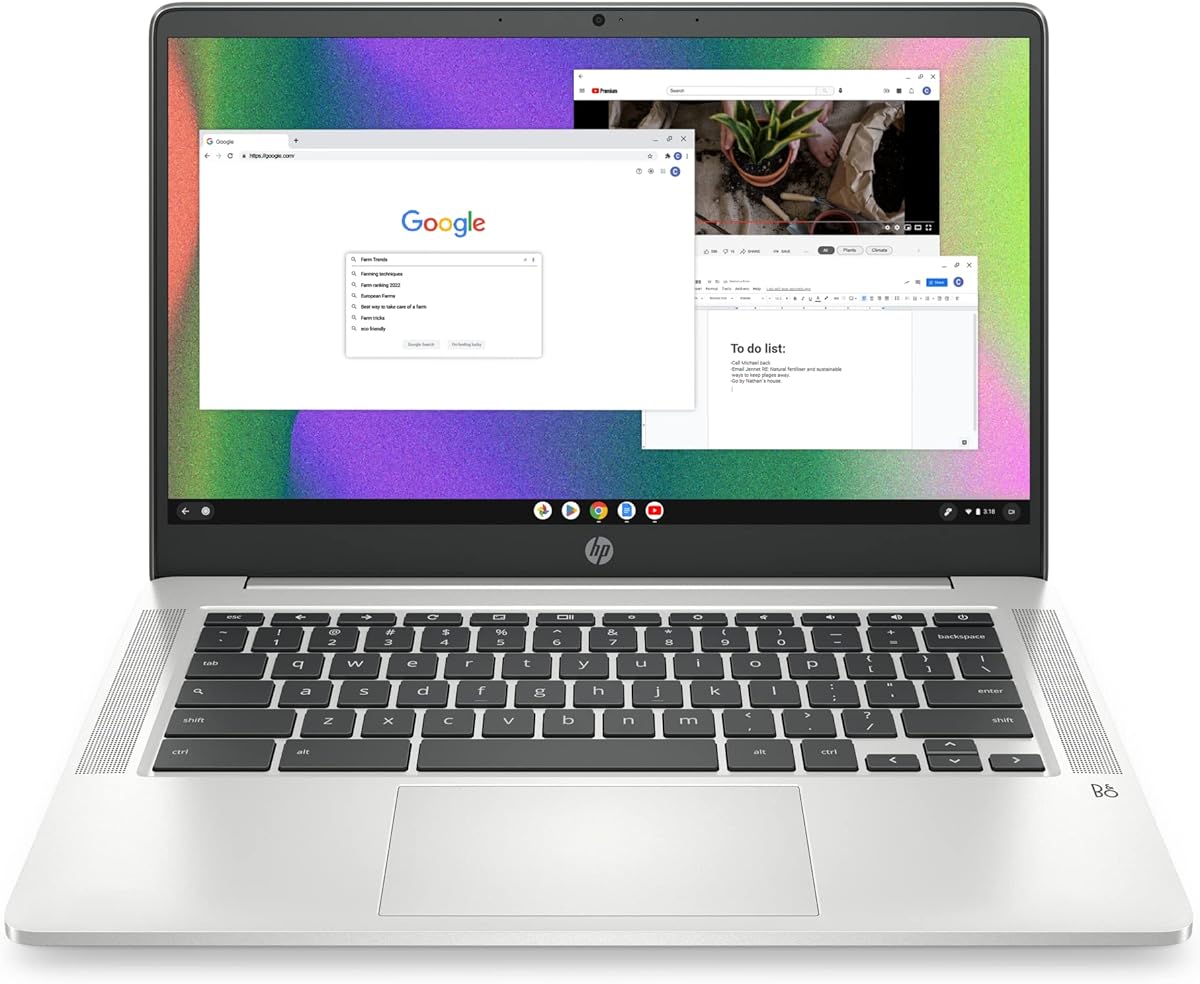


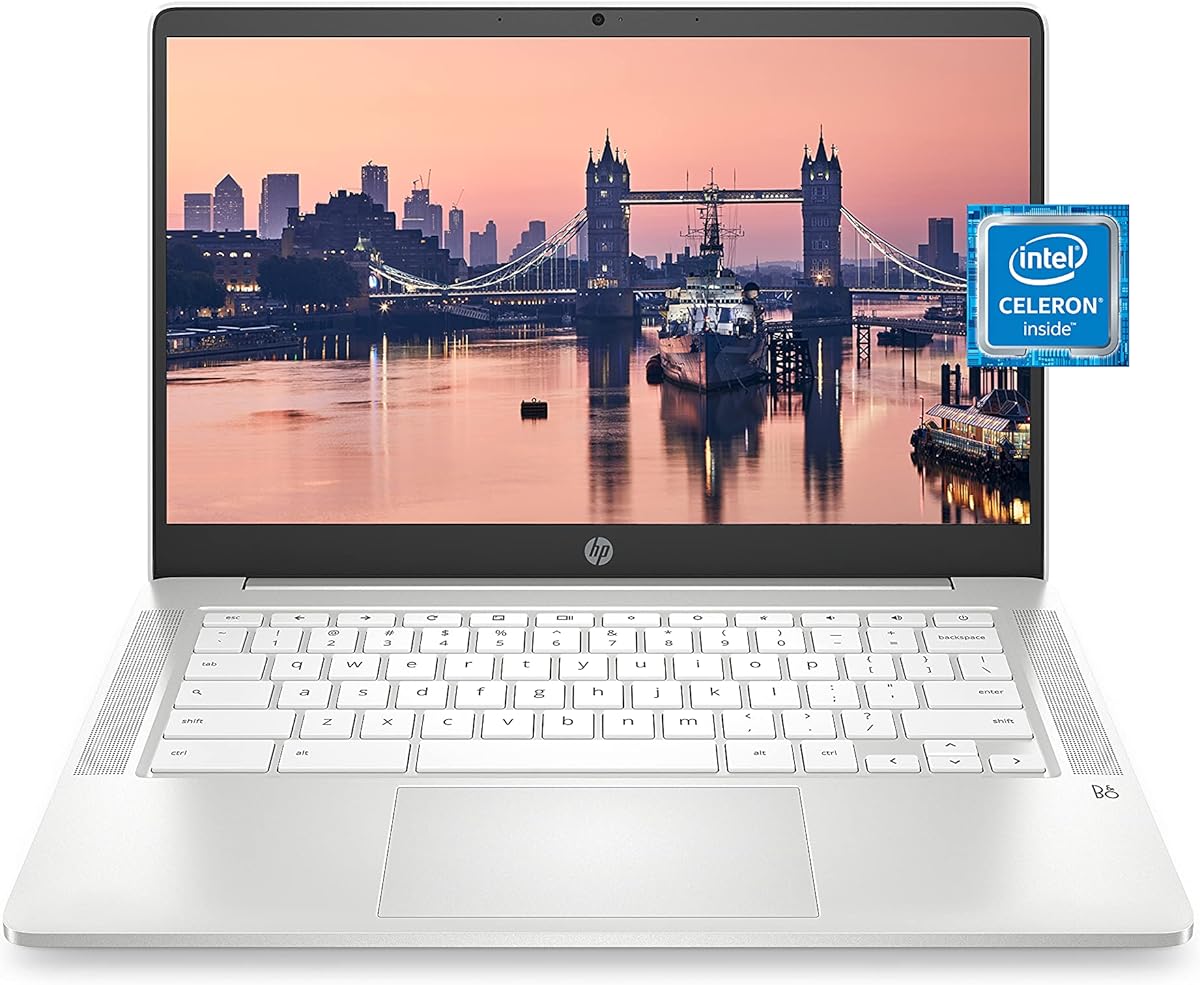
The HP Chromebook 14 stands out as a reliable choice for young students needing a functional device for schoolwork and leisure. With a solid 4.4 star rating from verified buyers, it offers a blend of performance and portability that fits well into daily routines.
We may earn a commission when you buy through this link, at no additional cost to you.
Its Intel Celeron N4000 processor handles everyday tasks like web browsing, document editing, and video streaming smoothly. The 14 inch HD display provides a clear view for reading and watching educational videos, while the lightweight chassis ensures it is easy to slip into a backpack without weighing down a child.
While the 32 GB storage might feel tight if storing many offline files, cloud integration in Chrome OS mitigates this issue effectively. The battery life is a significant plus, offering up to 13 hours of use so that a child can go through a full school day and evening homework without needing a charger.
This model is ideal for parents seeking a durable and cost effective laptop for an 8 year old. It balances essential features like a built-in webcam for virtual classes with enough power to run educational apps efficiently without frustration or slow performance.
With up to 13 hours of wireless streaming capability, this Chromebook supports extended use without frequent charging interruptions during school hours.
Chrome OS offers a streamlined experience with automatic updates and built-in security, making it safe for kids to explore the internet under parental guidance.
We may earn a commission when you buy through this link, at no additional cost to you.
The Lenovo 11.6 300e Chromebook is an excellent entry point for families on a tight budget who still want a capable device for their child. As a renewed model, it offers significant savings while maintaining the core functionality needed for educational apps and basic web tasks.
We may earn a commission when you buy through this link, at no additional cost to you.
Its MediaTek M8173C processor paired with 4 GB of RAM ensures that common applications load quickly and run without lag. The touchscreen LCD adds an interactive element that is particularly engaging for younger students who benefit from tapping and swiping while learning or drawing.
Being a 2 in 1 design allows the screen to fold back or rotate making it versatile for different learning scenarios such as presentations or media consumption. The compact 11.6 inch form factor makes it easy for an 8 year old to handle and store in a classroom cubby or backpack.
This laptop is perfect for basic schoolwork and creative play where budget is a primary concern. The touch interface enhances engagement and the Chrome OS environment keeps maintenance minimal for parents who may not be tech savvy.
The 10 point multitouch capability allows children to interact directly with educational content enhancing engagement and comprehension during lessons.
At just 11.6 inches the screen size is ideal for small desks and backpacks ensuring portability without sacrificing essential display real estate.
We may earn a commission when you buy through this link, at no additional cost to you.
The Samsung 14 Galaxy Chromebook Go represents a more premium option with a focus on durability and modern features. Designed for students on the move it combines a robust build quality with the latest connectivity standards to support a fast and reliable learning experience.
We may earn a commission when you buy through this link, at no additional cost to you.
Its Intel Celeron N4500 processor is a step up from older models providing better performance for multitasking and streaming media. The 64 GB of storage offers more breathing room for downloads and applications compared to base models found in many budget laptops.
Samsung emphasizes durability with a military tough design that can withstand occasional drops and dings common in school environments. Additionally the integrated Wi Fi 6 ensures faster internet speeds which is beneficial for video calls and loading educational resources quickly without delays.
This laptop is best suited for parents who prioritize longevity and build quality in a device for their child. The premium materials and longer battery life make it a worthwhile investment for families looking for a laptop that will last through multiple school years.
Built to withstand daily wear and tear this Chromebook features a design that resists damage ensuring it survives school life.
Wi Fi 6 support delivers faster speeds and better performance in congested networks helping keep children connected without lag.
We may earn a commission when you buy through this link, at no additional cost to you.
This 10.1 inch Android laptop offers a unique alternative for children who prefer Android apps over Chrome OS. Its small size and low price make it an accessible option for basic learning tasks and entertainment at home.
We may earn a commission when you buy through this link, at no additional cost to you.
Running Android 12 allows access to a wide range of educational games and tools available on the Play Store. The 64 GB storage provides sufficient space for downloads while the built-in camera supports video calls for remote learning when necessary.
The inclusion of multiple ports including USB and Type C ensures connectivity with various peripherals such as flash drives or mice. However the 2 GB RAM limits heavy multitasking making it best suited for single task applications or light browsing.
This device is a practical choice for families needing a secondary device for casual use. While it may not replace a full laptop for intensive school work it serves well for reading books or playing educational games on the go.
Access thousands of apps designed for education and entertainment directly through the Google Play Store included with the system.
Weighing only 0.75 kg this mini laptop fits easily into small bags for easy transport to classrooms or libraries.
We may earn a commission when you buy through this link, at no additional cost to you.
The 2022 model of the HP Chromebook 14 brings updated features like a quad core processor and fast charging capability. These improvements make it a strong contender for students needing quick wake up times and extended usage periods without interruption.
We may earn a commission when you buy through this link, at no additional cost to you.
With 64 GB of storage it offers more space than the 2021 version allowing for more offline documents and media files. The 14 inch display remains clear and anti-glare which helps reduce eye strain during long study sessions at home or in class.
Fast charge technology is particularly useful as it can recharge the battery to 50 percent in just 45 minutes ensuring the device is ready to go quickly if it runs low during a school day. The multi touch touchpad adds a modern touch for navigating windows easily.
This model is ideal for families who want a balance of performance and battery life in a familiar format. The sustainable design aligns with eco conscious values while providing the reliability expected from a well known brand like HP.
Get up to 50 percent charge in 45 minutes with HP Fast Charge to keep the device ready for school tasks anytime.
The N4120 processor offers better multitasking capabilities allowing for smoother operation across multiple browser tabs and apps.
We may earn a commission when you buy through this link, at no additional cost to you.
This Lenovo Chromebook 14 stands out for its Full HD touchscreen which provides vibrant visuals for educational videos and interactive lessons. The 8 core processor ensures that even demanding web apps run smoothly without stuttering or freezing on the user.
We may earn a commission when you buy through this link, at no additional cost to you.
Storage is generous with 128 GB total combining eMMC and SD card capacity which is ample for storing assignments and media locally. The auto update expiration date set for 2032 means the device will receive security updates for a long period making it a future proof choice.
Connectivity is enhanced with Wi Fi 6 support allowing faster internet speeds in busy households or school networks. The 13 hour battery life supports a full day of usage on a single charge ensuring reliability for students throughout their daily schedule.
It is an excellent option for families wanting a high quality display and long term support. The touch feature adds an intuitive layer for navigation making it easier for children to interact with content compared to a traditional trackpad only setup.
Automatic updates are guaranteed until November 2026 ensuring the laptop stays secure and compatible with new web features for years.
The 1920 x 1080 resolution offers sharp and clear visuals that enhance learning experiences with detailed images and text.
We may earn a commission when you buy through this link, at no additional cost to you.
The HP Chromebook 11 inch model is designed for portability and durability making it a practical choice for children who carry their device frequently. Its compact size and light weight ensure it does not burden a young student during daily commutes to school.
We may earn a commission when you buy through this link, at no additional cost to you.
Powered by a MediaTek MT8183 processor it offers efficient performance for everyday tasks like browsing and video streaming. The integrated graphics deliver smooth playback for movies and games which are common recreational activities for 8 year old users.
Connectivity options include USB-C and standard USB ports ensuring compatibility with various peripherals. The full size keyboard is a plus for typing assignments comfortably despite the smaller chassis size helping children learn proper typing habits early on.
This laptop is best for active students who need a tough and portable device. While it may lack the latest processor speeds it provides enough power for essential school tasks and has the durability to withstand rough handling.
Integrated graphics allow for smooth multimedia playback without draining the battery which supports longer usage times.
Built to travel well this laptop remains light enough for small backs to carry without strain or discomfort.
We may earn a commission when you buy through this link, at no additional cost to you.
Released in 2023 this Lenovo Chromebook features the latest MediaTek Kompanio 520 processor ensuring modern performance and efficiency. The inclusion of bundled accessories like an HDMI cable adds value by providing easy connectivity for presentations or external displays.
We may earn a commission when you buy through this link, at no additional cost to you.
The 14 inch Full HD touchscreen offers vivid colors and clear text which enhances engagement with educational content. Its slim profile makes it easy to carry in a backpack while still providing enough screen real estate for comfortable typing and reading.
Wi Fi 6 support guarantees fast and stable internet connections essential for video calls and online classes. The privacy shutter on the webcam adds a layer of security allowing parents to physically block the camera when not in use for peace of mind.
This laptop is a strong choice for families wanting a modern device with useful extras. The combination of speed display quality and added peripherals makes it a complete package for school and entertainment needs.
The Kompanio 520 delivers class leading battery life and fast connectivity ensuring a responsive experience for daily tasks.
Bundled HDMI cables and other items enhance versatility without requiring additional purchases for connecting to projectors or TVs.
We may earn a commission when you buy through this link, at no additional cost to you.
The VTech Genio JuniorBook is not a traditional laptop but a specialized learning tool designed for children aged five and up. It provides a safe offline environment where kids can explore over 80 activities focused on math science and language arts.
We may earn a commission when you buy through this link, at no additional cost to you.
Each activity is fully bilingual allowing children to switch between English and Spanish which can help develop language skills early. The full size QWERTY keyboard helps children learn typing mechanics before transitioning to a full computer for school work.
Since no internet connection is needed parents do not need to worry about online safety or exposure to inappropriate content. This makes it a practical option for young learners who need structured practice without the distractions of the open web.
This device is ideal for supplementing classroom learning at home in a controlled manner. While it lacks the versatility of a full laptop it serves a specific purpose as a focused educational toy that builds basic computer literacy skills.
All activities are preloaded so there is no need for internet access reducing risks associated with online browsing.
Switch between English and Spanish to support language development and provide a diverse educational experience for children.
We may earn a commission when you buy through this link, at no additional cost to you.
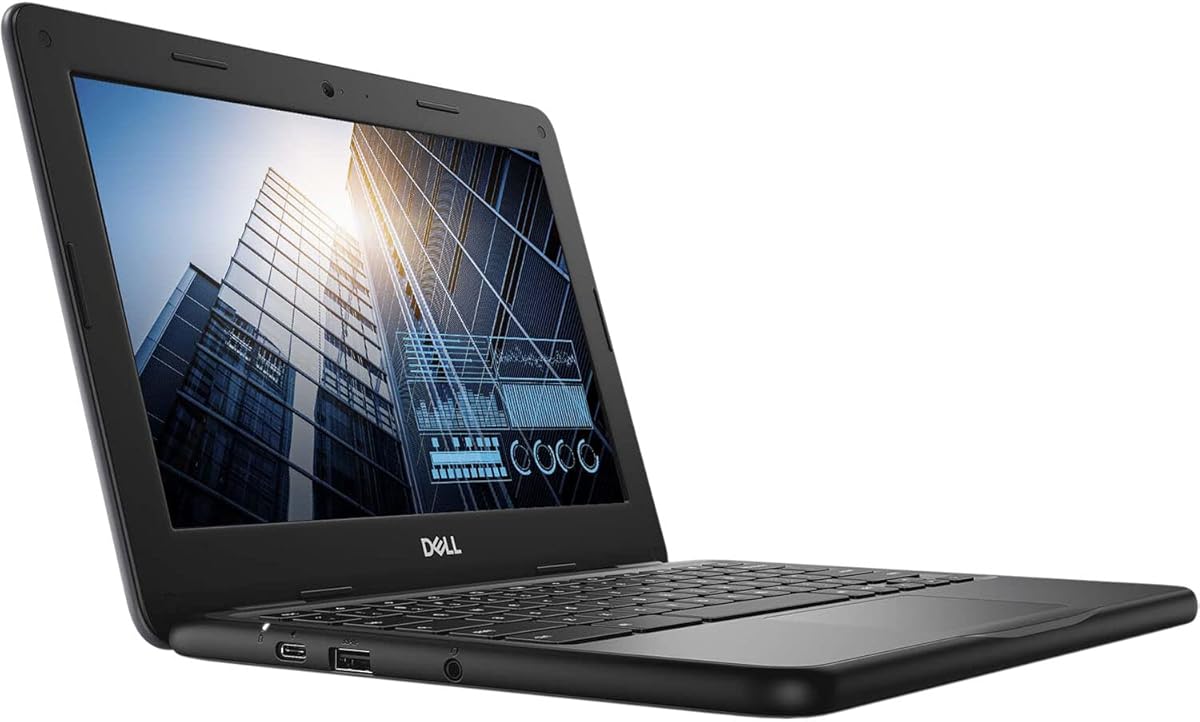
The Dell Chromebook 11 3100 is one of the most affordable options available for a functional Chrome OS device. As a renewed product it offers significant savings for families looking for a basic machine for simple tasks like typing and browsing.
We may earn a commission when you buy through this link, at no additional cost to you.
Its Intel Celeron N4020 processor provides adequate speed for web applications and email. The 4 GB of RAM helps maintain stability while navigating multiple tabs though the storage capacity is quite limited at 16 GB flash memory.
Bluetooth support allows for connecting wireless headphones or mice which can enhance the user experience. The compact screen size makes it easy to manage in small spaces but may be less comfortable for prolonged reading sessions compared to larger models.
This model is suitable for families with strict budget constraints who can rely on cloud storage for files. It offers a no fuss entry point into Chromebooks but may require more frequent management of storage space to remain functional.
At a very low price this renewed model makes Chrome OS accessible for families needing a basic laptop for minimal tasks.
With minimal local storage the device is best used with cloud services to manage files and applications effectively.
We may earn a commission when you buy through this link, at no additional cost to you.
Choosing the right laptop involves considering several key factors to ensure the device meets both educational needs and physical requirements for a young child.
Chrome OS is popular for kids because it is simple secure and integrates well with Google apps used in schools. Android systems offer more app variety but require parental controls to manage access effectively.
Choose Chrome OS for schoolwork and Android for app variety based on your child's specific needs.
A clear display reduces eye strain during long study sessions. Look for anti-glare coatings and at least HD resolution to ensure text and images are easy to read.
Prioritize anti-glare screens and at least 720p resolution to protect eye health during use.
Children often carry their laptops in backpacks so a lightweight device under four pounds is ideal for comfort and safety. A durable build helps withstand accidental drops or bumps.
Select a lightweight model under four pounds to ensure it is easy to carry daily.
Look for laptops that promise at least ten hours of battery life to support a full school day plus homework at home. Quick charging features add convenience when outlets are scarce.
Aim for at least ten hours of battery life to keep the laptop running throughout the day.
While cloud storage is common having at least 64 GB of local storage helps when offline access is needed. Check if the device supports expandable storage via SD cards for added flexibility.
Opt for at least 64 GB of storage or expandable options to accommodate files without clutter.
Physical durability is critical for kids. Devices with military grade testing or reinforced corners are less likely to break from everyday bumps and drops.
Look for ruggedized designs or reinforced corners to protect against physical damage.
Built-in tools to manage screen time and restrict app access are vital for safe internet use. Ensure the OS allows easy management of these settings.
Verify the OS supports strong parental controls to manage access and screen time effectively.
Modern connectivity standards like Wi Fi 6 ensure faster internet speeds in congested environments. USB and USB-C ports allow for easy connection to peripherals like mice or keyboards.
Ensure the device has Wi Fi 6 and multiple USB ports for versatile connectivity options.
Start by setting up parental controls and secure accounts to protect your child's data and limit online exposure. Most Chromebooks allow you to manage multiple user profiles for different family members.
Teach your child proper handling habits such as closing the lid gently and avoiding placing heavy objects on the device. Regularly update the operating system to maintain security and performance.
Clean the screen with a soft microfiber cloth to avoid scratches and keep the keyboard free of debris. Store the laptop in a protective sleeve when transporting it to school to prevent damage.
Yes Chromebooks are highly suitable because they are simple to use secure and often used in schools. Their lightweight design and long battery life make them perfect for daily school tasks.
Most basic needs can be met with 32 GB or 64 GB if using cloud storage. If offline access is important look for models with at least 64 GB to avoid running out of space quickly.
Aim for models offering at least 10 to 12 hours of usage. This ensures the laptop lasts through a full school day and evening homework sessions without needing to recharge.
A touchscreen can make learning more interactive especially for apps that benefit from touch input. It is not strictly necessary but adds a fun element that helps younger children navigate easier.
Yes Chromebooks support thousands of Android apps available through the Google Play Store. This includes math games language learning tools and creative software designed for young students.
Absolutely as children may handle devices roughly. Look for reinforced corners or military tough certified models to reduce the risk of breakage from accidental drops.
We hope this guide helps you find a reliable laptop that supports your child's learning and play needs. Each of the ten options offers distinct advantages depending on your budget and feature priorities.
When making your decision prioritize durability and battery life to ensure the device lasts through the school year. A user friendly interface will help your child stay focused on learning rather than troubleshooting technical issues.
Remember to check current prices and availability as deals change frequently. With the right choice your 8 year old will have the tools they need to succeed academically and enjoy their technology safely.