
AI Voice Sticker Printer
5.0Editor score
Instant voice-to-sticker magic
7 unique art styles included
Compact portable design
This guide compares the top AI Sticker Printer Maker options for kids and creators, evaluating voice control, printing quality, and ease of use.
AI Sticker Printer Maker devices bring imagination to life by turning voice commands into printable art instantly. These innovative tools use thermal technology to create custom stickers without ink, making them perfect for creative kids and DIY enthusiasts seeking clean, portable solutions.
We compared ten leading models based on printing speed, app integration, voice accuracy, and paper compatibility. Our analysis focuses on user experience, safety features like content filtering, and the variety of creative modes offered to ensure you find the right match for your needs.
Each pick highlights unique strengths from budget-friendly portable boxes to all-in-one cutting machines. While we do not list specific costs, prices fluctuate often. Check the links for current availability and bundle deals before making your final decision.
5.0Editor score

4.8Editor score

4.2Editor score
This table presents a side-by-side look at every model featured in our guide, highlighting core specifications to help you quickly identify the right device for your creative projects.
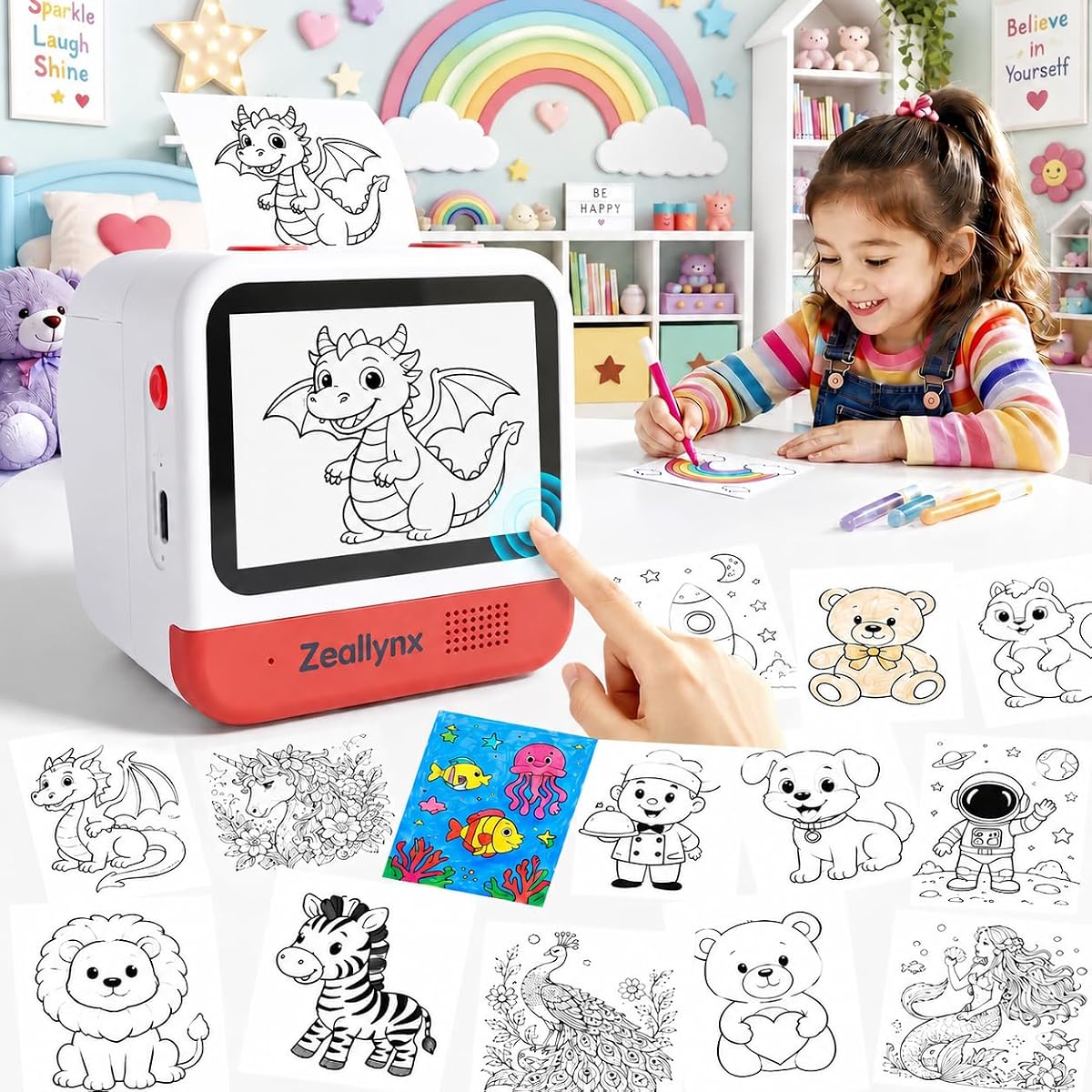

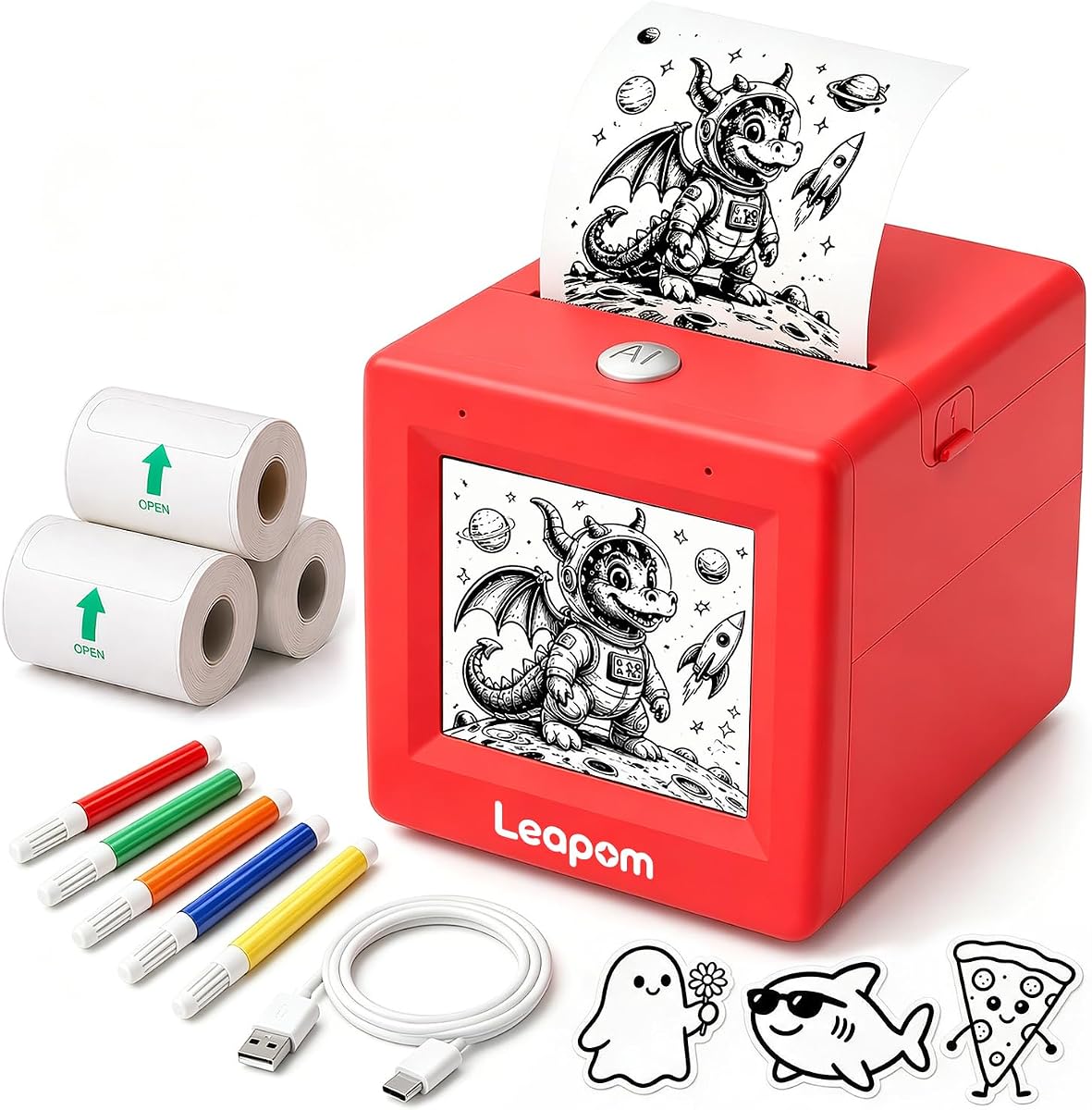


This device stands out as the premier choice for families seeking a seamless AI sticker experience. It transforms spoken ideas into printable stickers instantly using advanced thermal technology.
We may earn a commission when you buy through this link, at no additional cost to you.
The privacy-first approach ensures no data is stored while the content filtering keeps prompts appropriate for young users. Included watercolor pens allow for double the creative fun by letting kids color their printed lines.
While the black and white output limits full color art, it encourages personalization through coloring. The reliance on Wi-Fi rather than an app simplifies setup but requires a stable connection.
Parents seeking a safe, engaging tool for children aged four and above will find this model unmatched. Its ability to generate custom art from voice alone makes it an ideal educational and entertainment device.
No data storage and strict content filters ensure every voice prompt remains safe for children.
The included watercolor pens transform printed outlines into vibrant personalized stickers.
We may earn a commission when you buy through this link, at no additional cost to you.
The Liene PixCut S1 brings professional-grade sticker production into the home. It integrates high-resolution printing with precise cutting in a single streamlined device.
We may earn a commission when you buy through this link, at no additional cost to you.
Thermal dye-sublimation technology ensures vibrant true-to-life colors that remain waterproof and scratch-resistant. The AI extraction feature recognizes subjects automatically allowing for perfect edge cuts.
While it carries a higher price point the durability of the stickers and time-saving automation justify the investment for serious creators. The free asset library removes barriers to design creativity.
Crafters and small business owners need high-quality labels and stickers should prioritize this model. It delivers masterpieces with professional edges in minutes.
Four-layer thermal dye-sublimation technology laminates paper automatically for waterproof results.
Over fifty thousand images and fonts are available without hidden fees.
We may earn a commission when you buy through this link, at no additional cost to you.
This mini printer offers exceptional value for creative minds seeking instant gratification. It turns voice commands into black and white line art that kids can color personally.
We may earn a commission when you buy through this link, at no additional cost to you.
The color LED display allows users to preview designs before printing saving paper and frustration. The included AI chat provides endless inspiration for new sticker ideas.
While the prints are small and monochrome this model excels as a portable companion. The free app and rechargeable battery ensure long-term utility without extra costs.
Families on a budget or travelers needing a creative activity tool should choose this device. It packs powerful voice recognition into a pocket-sized unit.
Real-time color display prevents waste by showing designs before printing.
Built-in chat suggests new ideas to keep creativity flowing indefinitely.
We may earn a commission when you buy through this link, at no additional cost to you.
This model simplifies the user experience with an intuitive touchscreen that kids can navigate alone. Voice and touch control combine to offer a smooth creative workflow.
We may earn a commission when you buy through this link, at no additional cost to you.
The ten creative modes cover everything from story collections to cartoon characters making it a versatile tool. Built-in TF card support lets users save and revisit favorite designs easily.
While it relies on Wi-Fi the lack of an app requirement speeds up the process significantly. The inclusion of plain paper expands its use beyond just stickers.
Young children who want to create independently without phone pairing will love this device. It encourages exploration with diverse modes and easy navigation.
Touchscreen interface allows children to navigate modes without external apps.
Ten modes including story collection and comic strip offer endless variety.
We may earn a commission when you buy through this link, at no additional cost to you.
The Stickerbox focuses on hands-on play by removing screens entirely from the creation process. It turns what if questions into real physical stickers using voice recognition.
We may earn a commission when you buy through this link, at no additional cost to you.
Safety is paramount with KidSAFE certification and strict content filters ensuring age-appropriate results. The offline workflow encourages storytelling and coloring after the device prints.
While the lack of a screen means no visual preview before printing it reduces digital distraction significantly. The included pencils turn every print into a coloring activity.
Parents wanting to limit screen time while fostering creativity will find this box perfect. It prioritizes tangible interaction and safety over digital features.
No screens encourage hands-on play and offline creativity for children.
KidSAFE and COPPA compliant design ensures safe age-appropriate content.
We may earn a commission when you buy through this link, at no additional cost to you.
This mini printer is designed specifically to support creative journaling and doodling. It transforms spoken ideas into unique designs that fit perfectly into personal planners.
We may earn a commission when you buy through this link, at no additional cost to you.
The complete kit includes markers and sticker paper ensuring everything needed is ready right out of the box. It serves as an interactive learning tool that builds artistic ability.
While it lacks advanced editing features it excels in simplicity and reliability. The secure app ensures a safe experience without hidden costs or ads.
Kids aged three and up who enjoy journaling will find this device highly useful. It combines technology with art to boost confidence.
Compact prints are perfectly sized for decorating personal journals and planners.
Interactive toy helps develop communication skills and artistic confidence.
We may earn a commission when you buy through this link, at no additional cost to you.
This printer distinguishes itself with a high definition screen that enhances the creation process. Parents and children can interact through the device to generate fun images together.
We may earn a commission when you buy through this link, at no additional cost to you.
The generous supply of five rolls ensures extended creative sessions without needing immediate refills. It supports both sticker paper and regular paper for varied projects.
While the output is monochrome the HD screen allows for better visualization of ideas. The compact design makes it easy to transport for school or travel.
Families looking for a shared creative activity device will appreciate this model. It simplifies the process of making custom labels and crafts.
High definition screen provides clear visualization for better creative control.
Five rolls of paper included ensure long-lasting creative use.
We may earn a commission when you buy through this link, at no additional cost to you.
The T02 is a versatile mini printer that serves students and small business owners equally well. It fits easily in pockets and supports various paper types for labels and notes.
We may earn a commission when you buy through this link, at no additional cost to you.
Its app includes AI functions like photo cutout and voice-to-image adding flexibility to the user experience. The Bluetooth connection ensures quick wireless pairing with smartphones.
While it lacks computer support the mobile app is robust enough for most tasks. It is an excellent tool for printing flashcards and diagrams on the go.
Students looking to organize study materials efficiently should consider this printer. It turns any idea into a quick printed note or sticker.
Perfect for printing anatomy flashcards and study graphics instantly.
Palm sized dimensions allow for easy carrying in backpacks.
We may earn a commission when you buy through this link, at no additional cost to you.
This model offers six distinct art styles allowing users to choose from anime to sketch. It supports both Wi-Fi and Bluetooth connection for flexible setup options.
We may earn a commission when you buy through this link, at no additional cost to you.
The device is designed with safety in mind using BPA-free materials and AI content filtering. It turns every black and white print into a coloring and personalization activity.
While the output size is small the variety of styles keeps creativity engaged. The portable design makes it suitable for travel and school use.
Kids who enjoy diverse art forms will appreciate the selection of styles available. It is a safe creative tool for ages four and up.
Six unique art styles including anime and ink wash provide choice.
Supports both Wi-Fi for direct printing and Bluetooth for app use.
We may earn a commission when you buy through this link, at no additional cost to you.
This device simplifies the experience by removing the need for app installation entirely. The 3.5 inch touchscreen allows direct creation and preview from the box.
We may earn a commission when you buy through this link, at no additional cost to you.
The built-in AI chat companion answers questions and suggests ideas making it an educational toy too. Push-to-talk voice input ensures privacy and control.
While it relies on Wi-Fi the quick setup makes it ready to use in moments. It is a clean and portable gift for children aged three and up.
Parents who want a gift that encourages independent creation without digital clutter should choose this. The privacy features offer peace of mind.
Built-in AI chat suggests creative ideas and answers questions.
3.5 inch touchscreen allows for direct creation and preview.
We may earn a commission when you buy through this link, at no additional cost to you.
Selecting the right sticker printer depends on understanding your needs for connectivity, creativity, and safety.
High-quality models interpret spoken words quickly and accurately to generate relevant sticker designs.
Look for devices with strong natural language processing to avoid frustrating misinterpretations.
Some printers require smartphone apps while others operate independently via Wi-Fi or buttons.
Choose a setup that matches the technical comfort level of your household.
Built-in AI filters protect children from inappropriate image generation by blocking unsafe prompts.
Prioritize models with KidSAFE certification or strict content policies for peace of mind.
Consider whether you need adhesive sticker paper or plain thermal paper for notes and journals.
Check the print dimensions to ensure the output fits your intended projects.
Thermal printers often produce black and white prints to encourage coloring, while dye-sub models offer full color.
Decide if the added cost of color printing is worth it for your goals.
Compact models with rechargeable batteries are ideal for travel and school use.
Ensure the device fits in your bag and has a long enough battery life.
Many devices offer premium features behind a paywall while others are fully free to use.
Select a brand that aligns with your budget and desire for ongoing services.
Robust devices withstand daily handling by children better than fragile plastics.
Invest in a sturdy model if the printer will see heavy use.
Begin by installing the batteries or charging the device via USB-C. Connect to a stable Wi-Fi network if required and allow the system to update to the latest version.
Press the voice button and clearly describe your desired image using simple terms. Review the preview on the screen and adjust or regenerate until satisfied before printing.
Keep the thermal print head clean by avoiding contact with ink or sharp objects. Store paper rolls in a cool dry place to prevent curling and fading.
Many models allow direct voice interaction without an app, though some use Bluetooth for advanced features. Check product details to ensure the device matches your preference for app-free use.
Most rechargeable units offer several hours of continuous printing. Standby times often extend to a week allowing for intermittent use without constant charging.
Yes, many devices support standard thermal paper for notes and labels. Always verify compatibility with non-sticky paper before purchasing rolls.
Reputable models include strict filters to block inappropriate inputs. They are designed to ensure age-appropriate results for safe creative play.
Most devices allow you to regenerate designs easily. Some show a preview so you can delete unwanted drafts before printing.
Thermal paper costs are generally low and do not require expensive toner. Refills are simple and widely available for most brands.
Yes, professionals often use them for labeling, brainstorming, or quick notes. Their speed and portability make them useful for home office tasks.
Most rely on mobile apps or built-in interfaces. They are designed to work directly with phones or standalone without PC software.
Our top picks offer a range of features from simple voice activation to all-in-one cutting. Whether you seek portability or professional color these models meet diverse needs.
Prioritize safety and ease of use when selecting a device for children. The right choice will inspire creativity while keeping the experience smooth and engaging.
Prices and availability change frequently so check current offers before purchasing. Visit the links provided to find the best deal for your preferred model today.