
HP Chromebook 14 Laptop
4.3Editor score
Up to 14 hours battery life
Intel Celeron N4120 processor
ENERGY STAR certified design
Finding a laptop that balances performance with energy efficiency is crucial for modern users who value long battery life and reduced power costs.
We compared ten models based on processor efficiency, battery duration, display technology, and real world usage scenarios to identify the top contenders.
Each selection highlights key strengths and trade-offs so you can choose wisely; note that availability and pricing may change without prior notice.
4.3Editor score

5.0Editor score

4.8Editor score
As an Amazon Associate we earn from qualifying purchases.
The following table provides a side by side overview of specifications and key features across all ten selected energy efficient laptop models.



The HP Chromebook 14 offers exceptional energy efficiency and battery life making it ideal for students and casual users seeking reliable low power performance.
We may earn a commission when you buy through this link, at no additional cost to you.
Its Intel Celeron N4120 processor balances performance and power consumption while the quad core design handles web browsing and media streaming smoothly without draining the battery quickly.
While the 4 GB RAM and 64 GB eMMC storage may limit heavy multitasking or local file storage the cloud focused Chrome OS mitigates these constraints effectively for daily tasks.
If you need an affordable portable laptop that prioritizes battery endurance and low power consumption this model stands out as a practical choice for home school or office use.
The up to 14 hours of battery life ensures you stay productive throughout the day without frequent charging interruptions during travel or classes.
The Intel Celeron N4120 processor is specifically tuned to reduce power consumption while maintaining smooth performance for everyday computing tasks like browsing and video streaming.
We may earn a commission when you buy through this link, at no additional cost to you.
The Lenovo V15 Business Laptop delivers robust energy efficiency powered by the Intel N100 processor and certified for low power consumption through ENERGY STAR 9.0 standards.
We may earn a commission when you buy through this link, at no additional cost to you.
Its 15.6 inch Full HD display and fast UFS 3.1 storage provide a smooth experience for productivity tasks while consuming less power than traditional storage solutions.
The inclusion of Wi-Fi 6 enhances connection stability without excessive power drain and the TÜV Rheinland certification protects eyes during long sessions reducing strain.
For professionals needing a reliable efficient machine this laptop combines modern connectivity with a focus on reducing energy usage and extending usable battery life.
The UFS 3.1 storage delivers faster read write speeds compared to eMMC ensuring responsive performance while consuming less power during data access operations.
The TÜV Rheinland Low Blue Light certified display reduces harmful emissions helping users work longer with less eye fatigue during extended usage sessions.
We may earn a commission when you buy through this link, at no additional cost to you.
This HP Everyday Slim Laptop stands out for its exceptional energy efficiency powered by the Intel N150 processor delivering a perfect balance of performance and low power consumption.
We may earn a commission when you buy through this link, at no additional cost to you.
With 4GB DDR5 RAM and a 128GB SSD it handles everyday tasks smoothly while the 1TB cloud storage reduces the need for large local drives that consume more power.
The lightweight design and long battery life make it ideal for students and professionals who need to work on the go without worrying about finding a power outlet.
Its high rating reflects a strong combination of portability and efficiency making it a top recommendation for anyone prioritizing energy savings in a daily driver laptop.
The Intel N150 processor offers up to 3.6 GHz speeds while maintaining ultra low power consumption ensuring smooth performance without excessive energy use.
The included 1TB OneDrive storage reduces reliance on large internal drives which helps maintain low power consumption while providing ample space for files.
We may earn a commission when you buy through this link, at no additional cost to you.
The 2026 Edition of the HP Everyday Slim introduces Microsoft Copilot AI features while maintaining the low power consumption characteristics that make this series so popular.
We may earn a commission when you buy through this link, at no additional cost to you.
Powered by the efficient Intel N150 processor it delivers smooth performance for online classes and office tasks with a focus on reducing power usage during daily operations.
The anti-glare display reduces eye strain allowing for longer usage sessions without needing high brightness levels that typically increase power consumption significantly.
Ideal for students and professionals seeking modern AI capabilities without sacrificing battery life this laptop offers a forward thinking approach to energy efficient computing.
A dedicated Copilot key provides quick access to AI tools enhancing productivity while the system maintains low power consumption during typical usage patterns.
The 45W USB-C Power Delivery adapter allows quick recharging reducing downtime and ensuring the battery remains ready for extended low power usage.
We may earn a commission when you buy through this link, at no additional cost to you.
This Lenovo Essential laptop brings a larger 15.6 inch display to the low power category while maintaining impressive energy efficiency with the Intel N150 processor.
We may earn a commission when you buy through this link, at no additional cost to you.
With 8GB of DDR5 RAM it handles multitasking more effectively than many budget models ensuring smoother performance during research and video conferencing sessions.
The FHD display with privacy features and TÜV certification makes it suitable for professional and academic environments where visual clarity and eye protection matter.
Students needing a durable machine that balances screen real estate with battery life will find this model offers strong value through its energy efficient components.
The 8GB DDR5 RAM allows for better multitasking efficiency reducing the need for power intensive background processes and extending overall battery endurance.
MIL-STD-810H military grade testing ensures the device can withstand daily wear and tear without compromising its low power efficient internal components.
We may earn a commission when you buy through this link, at no additional cost to you.
The Amzboy laptop delivers a remarkably quiet low power experience with its fanless design reducing noise and energy use while maintaining solid performance for daily tasks.
We may earn a commission when you buy through this link, at no additional cost to you.
Its 15.6 inch FHD display provides ample screen real estate and the compact Type-C charger simplifies travel reducing the need for bulky high power adapters.
The 128GB eMMC storage can be expanded via TF card allowing users to store more content without increasing power draw through internal drive upgrades.
For those prioritizing silence and portability this model offers a unique combination of low power features that appeal to users needing a quiet work environment.
The fanless solid-state design ensures zero noise pollution and significantly reduces power consumption associated with active cooling systems.
The hassle-free TF card slot allows adding up to 1TB of storage without needing complex tools or additional power intensive internal components.
We may earn a commission when you buy through this link, at no additional cost to you.
The ASUS Vivobook Go Slim provides a dedicated student focused experience with a low power Intel Celeron processor designed for efficient video conferencing and web browsing.
We may earn a commission when you buy through this link, at no additional cost to you.
It includes practical features like a privacy shutter and fast charge technology ensuring students can stay connected and productive throughout long days on campus.
Although the 4GB RAM may constrain heavy multitasking the overall focus on efficiency and portability makes it a viable option for basic academic work.
Budget conscious students looking for a lightweight device with essential privacy and audio features will appreciate this model's balanced approach to power consumption.
The HD 720p camera includes a built-in privacy shutter allowing secure video conferencing without the power drain of constant camera activation.
SonicMaster audio with Super Linear speakers provides clear sound for lectures and media without requiring high volume levels that increase power draw.
We may earn a commission when you buy through this link, at no additional cost to you.
The 2027 Edition HP 14 inch laptop continues the legacy of energy efficient computing with a refined design focused on mobility and low power usage.
We may earn a commission when you buy through this link, at no additional cost to you.
Its Intel N150 CPU ensures rapid task completion without excessive energy drain while the slim profile makes it easy to carry between classes or meetings.
The inclusion of Microsoft 365 and cloud storage ensures users have access to productivity tools without needing high performance local hardware.
For users seeking a reliable modern machine that prioritizes efficiency this laptop offers a strong combination of design and low power capabilities.
The slim 0.71-inch profile and lightweight chassis ensure easy transport while maintaining robust low power performance during daily usage.
1TB of cloud storage reduces the need for large local SSDs which helps maintain lower power consumption during file access and storage operations.
We may earn a commission when you buy through this link, at no additional cost to you.
This jumper laptop stands out with impressive power efficiency driven by the Intel Celeron 5205U which delivers stable daily performance with ultra-low power consumption.
We may earn a commission when you buy through this link, at no additional cost to you.
The 12GB RAM ensures seamless multitasking and the 256GB SSD provides rapid boot times making it a robust choice for efficiency conscious professionals.
The FHD IPS eye-care display reduces strain during long sessions while the compact battery supports extended use without heavy power drain.
High RAM combined with efficient hardware makes this model a strong option for those needing low power computing that does not sacrifice speed or usability.
The 12GB high-speed RAM accelerates program loading and enables seamless multitasking while consuming less power through efficient memory management.
Advanced 14nm Comet Lake lithography optimizes power efficiency ensuring stable daily performance with minimal energy usage during regular computing tasks.
We may earn a commission when you buy through this link, at no additional cost to you.
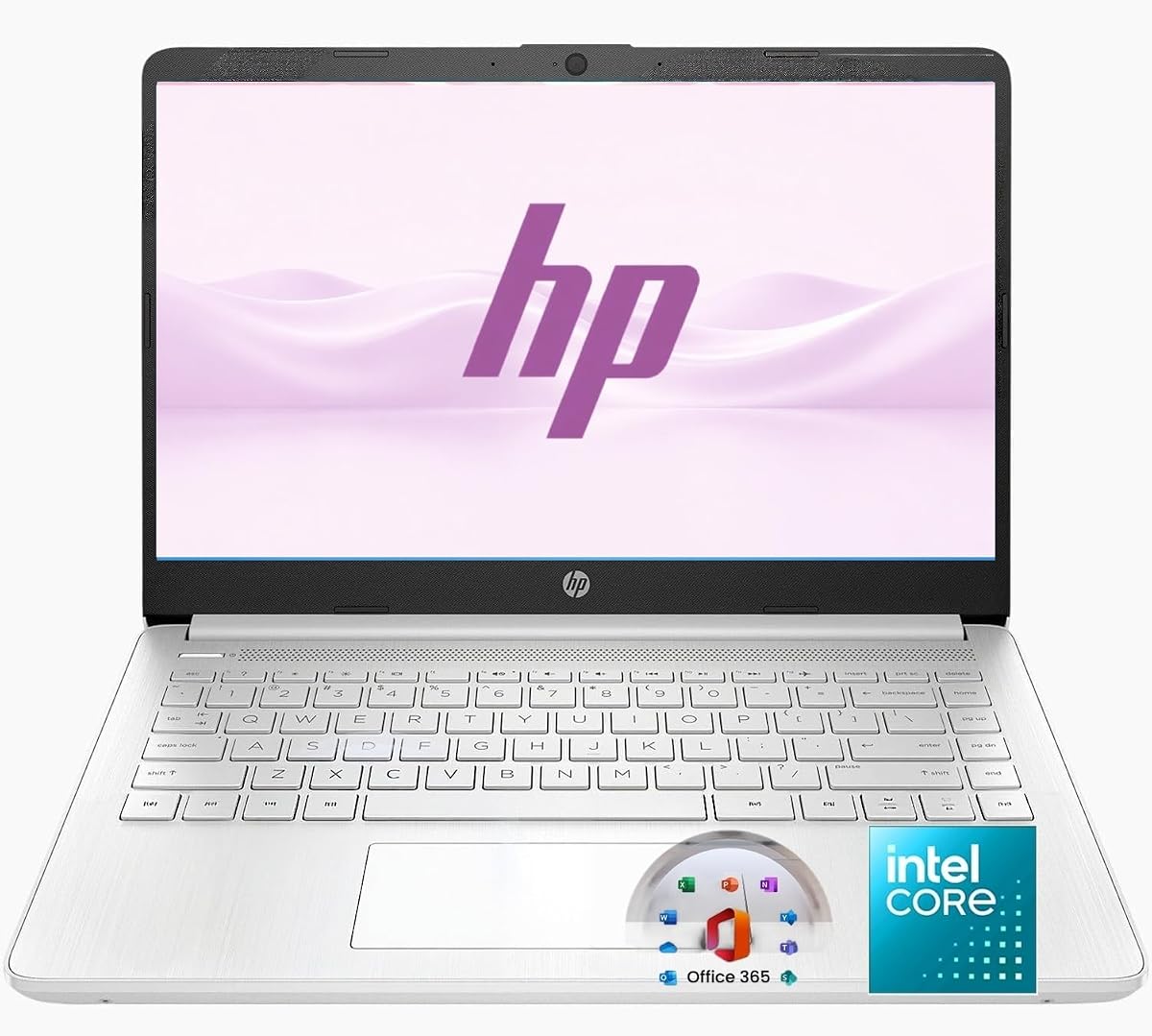
The HP 14-inch Ultra Light combines energy efficiency with a productivity focused bundle including Office 365 making it ready for school or home office tasks.
We may earn a commission when you buy through this link, at no additional cost to you.
With 8GB RAM and Wi-Fi 6 connectivity it handles everyday tasks smoothly while the efficient Intel N150 processor keeps power consumption low.
The removable SD card adds useful storage expansion and the slim chassis ensures easy portability for users on the go.
This model is ideal for students and families who need a reliable low power laptop with essential software included for immediate productivity.
Included Office 365 subscription provides full access to Word Excel and PowerPoint without requiring additional software licenses or power heavy alternatives.
Wi-Fi 6 provides faster and more reliable wireless connections while maintaining low power consumption compared to older wireless standards.
We may earn a commission when you buy through this link, at no additional cost to you.
Selecting a low power laptop involves evaluating processor efficiency storage type display technology and battery capacity to match your specific usage needs.
The processor is the main component affecting power consumption so look for models with Intel N series or Celeron chips designed for low energy use.
Choose a processor that balances sufficient speed for your tasks with minimal power draw to maximize battery life and reduce heat generation.
Solid-state drives (SSDs) use less power than traditional hard drives so prioritize models with SSD or UFS storage for better efficiency and faster boot times.
If storage space is a concern consider models that support external expansion to avoid needing larger internal drives that consume more power.
Displays contribute significantly to battery drain so select screens with anti-glare coatings and brightness settings that meet your needs without excessive power usage.
Consider panel types like IPS that offer better color and viewing angles while maintaining reasonable power consumption levels for daily tasks.
Battery capacity measured in watt-hours (Wh) determines how long the laptop can run on a single charge so look for larger capacities if mobility is a priority.
Also check manufacturer battery estimates and real-world reviews to ensure the claimed battery life matches actual usage conditions.
Some operating systems like Chrome OS or Windows S mode are optimized for lower power consumption and better battery life compared to full installations.
Select an OS that fits your software needs while keeping power usage minimal to extend daily usability without frequent charging.
Modern connectivity like Wi-Fi 6 and Bluetooth 5.2 offers better energy efficiency during data transmission compared to older wireless standards.
Ensure the laptop has necessary ports like USB-C for efficient charging and accessories without needing external hubs that consume additional power.
Good thermal design such as fanless systems or efficient cooling helps prevent overheating which can lead to higher power usage and reduced performance.
Check for models with solid-state or passive cooling if you prioritize silent operation and lower energy consumption.
Look for ENERGY STAR or EPEAT certifications which indicate the device meets strict environmental and efficiency guidelines for low power usage.
These certifications provide assurance that the laptop has been tested and optimized to minimize power consumption during standard operations.
Maximize battery life by adjusting brightness settings and closing unused applications to reduce unnecessary power drain during daily usage.
Use power saving modes provided by the operating system to extend battery life during periods of light work or when charging is not available.
Protect the device from extreme temperatures and avoid placing it on soft surfaces like beds to prevent overheating that increases power consumption.
A low power laptop uses efficient processors like Intel N series and solid-state storage along with optimized displays to minimize energy usage. These components work together to extend battery life and reduce heat.
Expect anywhere from 8 to 14 hours depending on the model and usage. Always check independent reviews for real world battery performance rather than relying solely on manufacturer claims.
Most low power laptops are designed for basic tasks like browsing and document editing. Heavy video editing typically requires higher wattage processors and more memory than these models provide.
No low power laptops typically run cooler due to efficient components and often fanless designs. This reduces the need for active cooling which can increase power consumption and noise.
For web browsing and document editing 4GB is generally sufficient. However multitasking with many browser tabs or heavy applications may require 8GB or more for smoother performance.
Chrome OS offers better battery life for simple tasks while Windows provides more software flexibility. Choose based on your need for specific applications versus maximum efficiency and ease of use.
The top picks offer a range of efficient solutions from budget friendly models to premium options with advanced features for energy conscious users.
Prioritize processor efficiency and battery capacity based on your daily needs to ensure you get the best balance of performance and power savings.
Prices and availability can change quickly so verify current details before purchasing to ensure you get the best value for your investment.