
Dell Pro 16
5.0Editor score
High capacity battery
Next gen processor
MIL STD certified
Finding the right business laptop requires careful consideration of performance, portability, and durability. The Dell Latitude series offers a wide range of options tailored to meet the demands of modern professionals across various industries and work environments.
We have evaluated ten top models based on processor power, memory capacity, display quality, and connectivity options. Each selection represents a distinct balance of features designed to support everything from daily office tasks to complex computational workflows.
Each pick showcases specific strengths and ideal use cases to help you narrow down your choices efficiently. Please note that availability and specifications may vary over time so always verify the latest details before making your final purchase decision.
5.0Editor score

4.9Editor score

5.0Editor score
As an Amazon Associate we earn from qualifying purchases.
The following table provides a side-by-side overview of key specifications across all ten selected models to help you quickly identify the device that best fits your specific professional requirements.



The Dell Pro 16 stands out as a powerful yet accessible option for professionals seeking robust performance without excessive cost. It holds a perfect rating from users who appreciate its balance of portability and productivity features designed for modern workflows.
We may earn a commission when you buy through this link, at no additional cost to you.
Powered by the Intel Core 5 120U processor with ten cores, this machine handles multitasking with ease. The inclusion of 16GB DDR5 RAM ensures smooth operation across multiple applications while the 512GB SSD provides fast access to essential files and programs.
While the display is bright at 300 nits, users requiring higher luminance for outdoor use might find it adequate but not exceptional. The resealed nature of the memory and storage upgrades means warranty coverage is split between the manufacturer and the third party.
This model is ideal for business users, data analysts, and content creators who need reliable performance on the go. If you value extended battery life and durable construction, this laptop offers a compelling package for everyday professional tasks.
The 55Wh battery combined with rapid charging capabilities ensures you can work uninterrupted during long travel days or busy office hours without worrying about frequent power drops.
With Thunderbolt 4 USB-C USB-A HDMI and Ethernet ports you can connect to multiple external displays and peripherals without needing additional adapters or docking stations.
We may earn a commission when you buy through this link, at no additional cost to you.
This renewed model offers a significant amount of memory and storage at a competitive price point making it suitable for users who handle large datasets or run virtual machines. Its rating reflects satisfaction with the hardware performance despite the previous usage.
We may earn a commission when you buy through this link, at no additional cost to you.
The 32GB RAM allows for heavy multitasking without slowdowns while the 1TB NVMe SSD ensures quick boot times and ample space for extensive file archives. The Intel i7 processor from the previous generation still delivers reliable performance for most business applications.
However the standard HD resolution may feel limiting for creative work or detailed spreadsheet analysis compared to higher resolution options available in newer models. As a renewed product buyers should review warranty terms and condition reports carefully before purchasing.
If you need a workstation that can support virtualization or complex coding environments on a budget this model provides excellent value. It is best suited for office professionals who prioritize raw computing power over cutting edge display technology.
With 32GB of RAM you can run multiple heavy applications simultaneously such as virtual machines or large data analysis tools without experiencing system lag or crashes.
Buying a renewed unit allows you to access high-end specs at a reduced cost while still benefiting from professional grade build quality and reliable performance.
We may earn a commission when you buy through this link, at no additional cost to you.
The Dell Latitude 5350 is a top contender for hybrid professionals who prioritize mobility without sacrificing performance. Its near perfect rating underscores its reliability and the seamless integration of AI driven features that enhance daily productivity.
We may earn a commission when you buy through this link, at no additional cost to you.
Weighing only 2.72 pounds this laptop is easy to carry between meetings or across campus. The Intel Ultra 5 125U processor delivers efficient performance while the 16GB DDR5 memory ensures smooth multitasking for standard business workloads.
The compact 13.3 inch display is ideal for travel but may require an external monitor for extended work sessions. Additionally the brightness level is adequate for indoor use but might struggle in very bright environments like direct sunlight.
This device is perfect for executives consultants or students who need a reliable companion for virtual meetings and document work. If you value lightweight design and intelligent collaboration tools this model is a standout choice.
Built-in AI features like automatic framing and noise suppression improve video call quality making remote interactions more professional and engaging for all participants.
The slim lightweight chassis is built to withstand daily commuting and travel ensuring your device remains protected and functional regardless of how much you move around.
We may earn a commission when you buy through this link, at no additional cost to you.
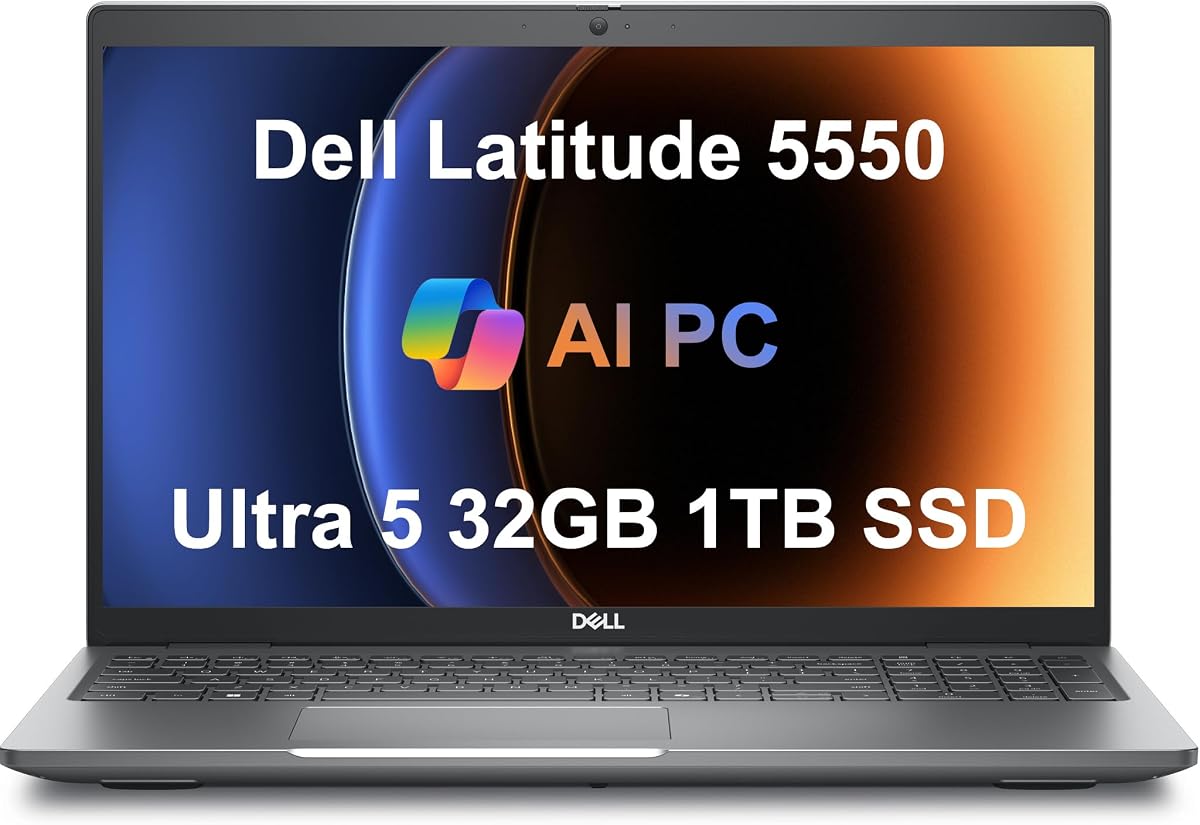
This model combines generous memory and storage with a durable design suited for demanding professional workflows. Users appreciate the balance of power and portability it offers for daily tasks requiring substantial computational resources.
We may earn a commission when you buy through this link, at no additional cost to you.
The 32GB DDR5 RAM paired with a dual SSD setup allows for efficient separation of system and storage drives which improves stability and file management. The Intel Ultra 5 processor ensures energy efficiency while maintaining responsive performance.
Some users may note the resealed nature of the upgrades which comes with a split warranty between the third party and the original manufacturer. This is a common trade-off for getting enhanced specs at a competitive price.
Ideal for financial professionals developers or designers who need more than standard memory capacities this laptop delivers consistent performance. The robust build quality and long battery life further enhance its appeal for frequent travelers.
The dual SSD configuration separates the operating system from data storage which can reduce system load and improve overall responsiveness during heavy multitasking.
A physical privacy shutter on the webcam provides peace of mind during video calls by physically blocking the lens when not in use.
We may earn a commission when you buy through this link, at no additional cost to you.
The Dell Latitude 5450 delivers premium features including a bright display and top-tier connectivity options ideal for demanding business environments. Its strong user rating reflects satisfaction with its reliable performance and professional build quality.
We may earn a commission when you buy through this link, at no additional cost to you.
Powered by the Intel Ultra 7 processor this laptop handles intensive tasks efficiently while the 32GB RAM ensures smooth operation. The 400 nits IPS display offers vibrant colors and sharp details making it suitable for presentations and content review.
Users may find the price point higher than basic business models but the added features like fast charging and high-resolution camera justify the investment for many. As with other models the memory upgrades come with specific warranty terms.
This laptop is best for executives and IT managers who require secure fast and reliable computing on the go. The combination of high performance and robust security features makes it a solid choice for corporate use.
With 400 nits brightness and 100% sRGB color coverage the display ensures accurate visuals for design work and comfortable viewing in various lighting conditions.
The IR webcam supports facial recognition login providing a secure and convenient way to access your device without typing passwords repeatedly.
We may earn a commission when you buy through this link, at no additional cost to you.
This model brings next-generation components to a standard form factor offering a large screen with improved resolution for better productivity. It is well suited for professionals who need a desktop replacement with portable capabilities.
We may earn a commission when you buy through this link, at no additional cost to you.
The 16-inch FHD+ display provides more vertical space which is beneficial for spreadsheet work and document editing. The 16GB DDR5 RAM ensures that applications load quickly and run smoothly for typical office tasks.
While the processor is capable of handling everyday workloads it may not be ideal for heavy engineering simulations or complex 3D rendering. Users should verify warranty details regarding the upgraded components included in this unit.
This laptop is a great choice for educators small business owners or administrative staff who need a reliable workhorse for daily tasks. The balance of screen real estate and price makes it a practical option for many teams.
The 16-inch FHD+ screen offers a larger workspace which helps reduce the need for constant scrolling when working with large documents or multiple windows.
Support for Wi-Fi 6E ensures faster and more stable internet connections which is crucial for high-quality video calls and cloud based collaboration.
We may earn a commission when you buy through this link, at no additional cost to you.
This premium variant adds a responsive touchscreen to the lightweight chassis of the 5350 making it ideal for presentations and touch-based navigation. It holds a perfect rating reflecting high satisfaction with its performance and build quality.
We may earn a commission when you buy through this link, at no additional cost to you.
Equipped with an Intel Ultra 7 processor and 32GB RAM this machine handles demanding applications with ease. The 1TB SSD provides ample space for storing large files and software without needing external drives.
Touchscreens can sometimes add weight and reduce battery life slightly but the usability benefits often outweigh these trade-offs for many users. It is also important to check warranty coverage for the upgraded components as with other models.
If you value direct interaction with your content or need a device for client presentations this model is an excellent choice. It combines the power of a workstation with the convenience of a portable touch-enabled device.
A responsive touchscreen allows for intuitive navigation and annotation which can streamline workflows for designers and educators who present frequently.
The Ultra 7 processor provides the computational power needed for complex tasks ensuring that performance remains consistent even under heavy workloads.
We may earn a commission when you buy through this link, at no additional cost to you.
This AI enabled notebook brings modern processing capabilities to a standard business form factor suitable for daily professional use. While user ratings are not yet available the technical specifications suggest strong performance potential.
We may earn a commission when you buy through this link, at no additional cost to you.
The Intel Ultra 7 processor includes AI accelerators that can assist with tasks like video conferencing and content creation. The 16GB RAM and 512GB SSD provide a balanced configuration for standard office tasks and multitasking.
The 15.6-inch screen offers a comfortable viewing area for productivity but may require an external monitor for specialized display needs. Prospective buyers should consider the AI features as a future-proofing element for upcoming software optimizations.
This device is suitable for professionals who want to take advantage of AI-driven features without investing in top-tier premium models. It is a solid choice for organizations looking to modernize their device fleet efficiently.
Integrated AI boost capabilities help accelerate specific tasks and improve overall system responsiveness for a smoother user experience.
Wi-Fi 6E support ensures fast and stable connections which is essential for cloud computing and high-speed data transfers.
We may earn a commission when you buy through this link, at no additional cost to you.
This model offers a high-end processor paired with ample storage at a competitive price point making it attractive for budget-conscious buyers who still need performance. The specifications indicate solid capabilities for various business workloads.
We may earn a commission when you buy through this link, at no additional cost to you.
The inclusion of a fingerprint reader adds an extra layer of security for protecting sensitive data. The 1TB SSD ensures you have plenty of space for files applications and media without needing additional external storage solutions.
While it lacks user reviews which makes it harder to gauge real-world reliability the hardware choices suggest a reliable machine for daily tasks. Buyers should review warranty terms carefully given the nature of the components.
Ideal for small business owners or departmental deployments this laptop provides a balanced mix of performance and storage. It is a practical choice for teams needing secure reliable machines for office environments.
A dedicated fingerprint reader allows for quick and secure login without needing to type passwords manually enhancing both security and convenience.
With 1TB of SSD storage you can store extensive project files and applications locally ensuring quick access and reducing reliance on cloud storage.
We may earn a commission when you buy through this link, at no additional cost to you.
The Dell Latitude 3450 serves as an efficient entry point into the business laptop category offering durability and reliability for everyday tasks. Its solid user rating reflects satisfaction with its practicality and build quality.
We may earn a commission when you buy through this link, at no additional cost to you.
Despite having an entry-level processor the 16GB DDR5 RAM helps ensure smooth performance for common tasks like web browsing and document editing. The 14-inch screen offers a portable footprint suitable for travelers or students.
This model is designed for users who prioritize reliability and ease of use over raw computational power. The durable build quality ensures it can withstand daily handling and commuting without significant wear and tear.
If you need a dependable machine for basic business operations or student work this laptop offers excellent value. It is a practical choice for organizations deploying devices to users with standard computing needs.
Built to meet MIL-STD-810H standards the chassis is designed to withstand harsh conditions and accidental drops which adds to its reliability.
The combination of DDR5 memory and SSD storage ensures quick boot times and responsive performance for daily business tasks.
We may earn a commission when you buy through this link, at no additional cost to you.
Choosing the right Dell Latitude laptop depends on balancing performance needs with portability and budget constraints for your specific professional context.
The processor determines how quickly your laptop can handle tasks. Newer models feature Intel Core Ultra processors with AI accelerators which can significantly improve performance in video editing and multitasking compared to older generations.
For daily office work a mid-range processor like the Core i5 or Ultra 5 is sufficient while demanding applications require Ultra 7 or i7 equivalents for optimal efficiency.
RAM capacity dictates how many applications you can run simultaneously without slowdowns. For modern workflows 16GB is the standard baseline but 32GB is recommended for heavy multitasking or virtual machine usage.
Solid State Drives offer faster boot times and file access than traditional hard drives. Aim for at least 512GB of storage to accommodate your files and applications without needing external solutions.
Screen size impacts portability versus workspace. Larger screens like 15.6 or 16 inches provide better visibility for spreadsheets and design work while 13 or 14 inch models are easier to carry.
Higher brightness levels such as 400 nits ensure visibility in bright environments. Anti-glare coatings are essential for reducing eye strain during long work sessions in varied lighting conditions.
Long battery life is crucial for professionals who work outside the office. Look for models with high watt-hour batteries and efficient processors that can last through a full workday on a single charge.
Fast charging capabilities reduce downtime by allowing you to quickly regain power during short breaks. ExpressCharge technology is a key feature to prioritize for mobile workers.
A versatile selection of ports ensures you can connect necessary peripherals without adapters. Look for Thunderbolt 4 USB-C USB-A HDMI and Ethernet to support monitors drives and networking needs.
Wireless standards like Wi-Fi 6E provide faster and more stable internet connections which are vital for cloud computing and high-quality video conferencing in modern office environments.
Security is paramount for business devices. Features like fingerprint readers IR webcams for facial recognition and TPM chips help protect sensitive data from unauthorized access.
Windows 11 Pro offers advanced management tools like BitLocker encryption and Remote Desktop which are essential for IT departments managing multiple devices across an organization.
Laptops used frequently should withstand drops and bumps. Models certified with MIL-STD-810H have undergone rigorous testing to ensure reliability in challenging environments.
A durable build not only protects your investment but also maintains functionality over years of use reducing the need for frequent replacements and maintenance.
A comprehensive warranty protects your hardware investment against defects and accidental damage. Check the duration and scope of coverage before purchasing especially for models with upgraded components.
Professional support services like Dell ProSupport can minimize downtime by providing rapid repairs and troubleshooting which is critical for maintaining business continuity.
Keep your laptop on a hard flat surface to ensure proper ventilation and prevent overheating during intensive tasks. Using a stand or cooling pad can further enhance airflow in warm environments.
Regularly update your drivers and operating system to maintain security and performance. Dell provides tools like Command Update to simplify this process for Latitude models.
Clean the screen and keyboard with a microfiber cloth to avoid scratching. Avoid harsh chemicals that could damage the display coatings or other sensitive components.
The Latitude 7000 series typically offers premium materials like magnesium alloy and carbon fiber along with higher-end features for executive use. The 5000 series balances performance and durability at a more accessible price point for general business users.
Many Latitude models allow upgrades but some newer slim models have soldered memory. Check the specific product specs before purchasing as some units come pre-upgraded with warranty coverage from third-party vendors.
Yes especially models with 32GB RAM and multi-core processors. They support virtual machines and IDEs efficiently making them ideal for coding and testing environments.
Most models support up to three 4K monitors via Thunderbolt 4 and HDMI ports. This feature enhances productivity by providing additional screen real estate for multitasking without docking stations.
Battery life varies by model and usage but many models offer 8 to 11 hours on a single charge. Fast charging features help reduce downtime significantly during travel.
Yes most business models come with Windows 11 Pro pre-installed which includes essential security and management features for enterprise environments.
The Dell Latitude lineup offers a diverse range of options to suit various professional needs from ultra-portable models to high-performance workstations. Selecting the right device depends on your specific priorities regarding screen size mobility and computational power.
Prioritize features like memory capacity and battery life if you frequently work away from a desk. For stationary office use focus on display quality and connectivity options to enhance daily productivity and workflow.
Prices and availability can change quickly so always verify current details and warranty terms before making a purchase. Choosing a model that aligns with your long-term needs ensures a reliable and efficient computing experience.