
HUANUO Laptop Desk Mount
4.5Editor score
Ventilated tray with 240 holes
Supports monitors up to 32 inches
Simple C-clamp installation
Finding the right laptop tray desk mount can transform your workspace into a highly efficient and ergonomic environment. These mounts elevate your device to eye level, reducing neck strain and freeing up valuable desk space for other essentials you need daily.
We evaluated ten top-rated models based on build quality, adjustability, cooling design, and ease of installation. Each product was scrutinized for its ability to support various laptop sizes while offering versatile mounting options for different desk types and configurations.
This guide highlights the standout features of each pick, helping you decide which model fits your specific needs. Please note that prices and availability may change frequently, so verify current details before making your final purchasing decision today.
4.5Editor score

4.6Editor score

4.6Editor score
As an Amazon Associate we earn from qualifying purchases.
This side-by-side comparison helps you quickly identify key differences between the top ten laptop tray desk mounts available this year. We highlight essential specifications to guide your selection process effectively.

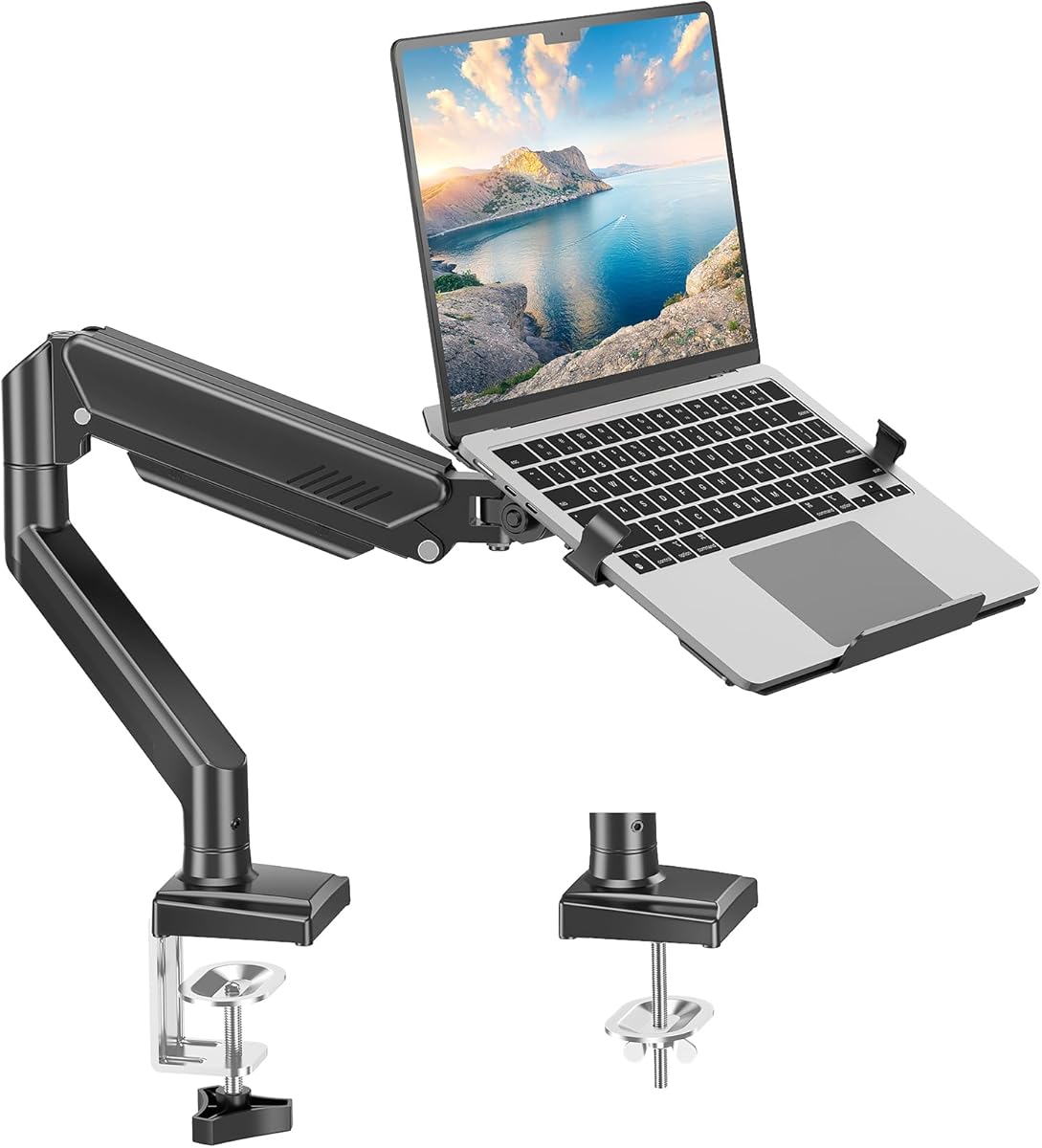


The VIVO Single Laptop Notebook Desk Mount Stand stands out as our top choice for its robust build and versatile features. With a high user rating and proven track record, it offers a reliable solution for elevating laptops and monitors efficiently.
We may earn a commission when you buy through this link, at no additional cost to you.
This mount supports laptops up to 17 inches and includes a ventilated tray to prevent overheating. The arm extends up to 16.5 inches with full tilt and swivel capabilities, ensuring optimal viewing angles for any workspace setup.
While installation requires careful adjustment, the hardware included simplifies the process. The dual mounting options allow flexibility for different desk types, though users with very thick or beveled edges might need alternatives.
Ideal for professionals seeking ergonomic improvements, this model delivers exceptional value. It effectively reduces neck strain while maximizing desk space, making it a standout investment for home offices or study areas.
The extensive range of motion allows users to position screens precisely at eye level for comfort.
By lifting devices off the desk surface, you reclaim room for keyboards and writing materials.
We may earn a commission when you buy through this link, at no additional cost to you.
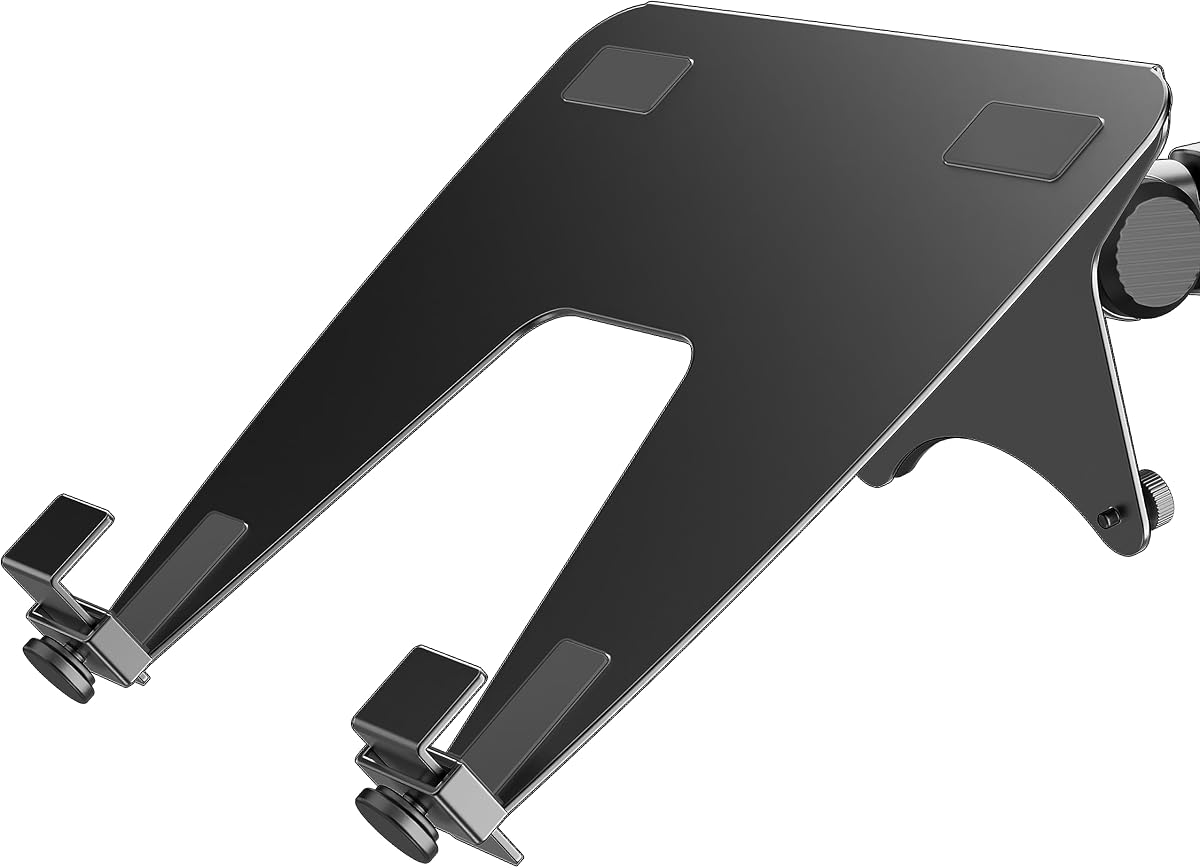
For budget-conscious buyers, the HUANUO Laptop Desk Mount delivers impressive performance without compromising on essential features. Its ventilated tray with over two hundred holes ensures your device stays cool during extended sessions.
We may earn a commission when you buy through this link, at no additional cost to you.
The mount transitions easily between laptop and monitor modes by removing the tray. This adaptability makes it suitable for users who switch between different devices throughout the day while maintaining a clean workspace.
Installation is straightforward with clear instructions and standard hardware. While some parts are lightweight, they hold securely once assembled. The cable management clips help keep wires organized and out of sight effectively.
This model is perfect for students or home office workers needing a cost-effective upgrade. It provides the ergonomic benefits of a premium mount at a fraction of the price, ensuring comfort during long work hours.
The high-density ventilation prevents heat buildup, protecting your laptop's internal components over time.
Most users can complete assembly in under twenty minutes without specialized tools or prior experience.
We may earn a commission when you buy through this link, at no additional cost to you.
The monTEK 2-in-1 Laptop & Monitor Desk Mount represents the pinnacle of build quality and versatility in this category. Crafted from durable steel and aluminum, it offers robust support for heavy laptops and large monitors alike.
We may earn a commission when you buy through this link, at no additional cost to you.
Its unique ability to support curved screens sets it apart from standard models. The detachable tray features hollow metal design for heat dissipation, ensuring your device runs efficiently even under demanding workloads or gaming sessions.
Adjustment range is extensive, allowing precise positioning to reduce strain. The clamps protect your device from scratches while securing it firmly in place. Cable management keeps wires hidden, maintaining a professional aesthetic in any office.
This premium option is ideal for power users who demand reliability and durability. While the investment is higher, the superior materials and flexibility justify the cost for those seeking a long-term ergonomic solution.
Designed specifically to accommodate curved screens, expanding compatibility beyond flat-panel devices.
Heavy-duty metal construction ensures stability even when adjusting the arm frequently throughout the day.
We may earn a commission when you buy through this link, at no additional cost to you.
The WALI Adjustable Laptop Desk Mount offers a solid balance of performance and practicality for everyday use. It supports laptops up to 17 inches with a generous weight capacity, ensuring stability for heavier models.
We may earn a commission when you buy through this link, at no additional cost to you.
Dual mounting options provide flexibility for various desk configurations. The innovative cooling design with venting holes helps absorb air from laptop fans, keeping your device at optimal temperatures during intensive tasks.
Adjustment features include tilt and swivel for personalized viewing comfort. While assembly may require patience, the resulting ergonomic improvement is well worth the effort for anyone spending long hours at their desk.
This model suits users prioritizing space efficiency and device protection. By elevating the laptop, you create a cleaner workspace and reduce physical strain effectively. It remains a reliable choice for home offices and shared workspaces.
Proper airflow prevents thermal throttling, maintaining consistent performance during demanding applications.
Clearing surface area allows for better organization of peripherals and documents.
We may earn a commission when you buy through this link, at no additional cost to you.
The MOUNT PRO Laptop Arm Mount excels in providing full-motion flexibility for varied viewing needs. Its aluminum construction ensures durability while remaining lightweight enough for easy adjustment throughout the day.
We may earn a commission when you buy through this link, at no additional cost to you.
Integrated cable management keeps wires organized along the arm, reducing clutter significantly. The tray includes anti-slip pads and latches to secure your device safely, preventing accidental slips during active use.
While it lacks support for highly curved screens, it works well for standard flat monitors and laptops. Installation supports both clamp and grommet options, making it adaptable to different desk thicknesses.
This mount is ideal for users needing precise screen positioning. Whether gaming or working from home, the ergonomic benefits of proper screen height enhance focus and reduce fatigue effectively over long periods.
Guides along the arm keep cords neatly routed, preventing tangles and tripping hazards.
Anti-slip pads ensure your laptop stays in place without scratching the surface.
We may earn a commission when you buy through this link, at no additional cost to you.
The HUANUO Adjustable Monitor Arm offers a versatile 2-in-1 solution for both laptops and monitors. Its large 14×12 inch tray provides ample space for 17-inch laptops with a breathable design to prevent overheating.
We may earn a commission when you buy through this link, at no additional cost to you.
The single arm extends up to 16 inches and supports full motion adjustments for comfort. Installation supports both clamp and grommet options, though it is limited to wooden desks for optimal stability.
Integrated cable management helps keep wires organized, ensuring a tidy workspace. Users should follow installation steps carefully to ensure maximum support and safety during use.
This mount is great for multi-use setups where switching devices is common. The flexibility to transform from a laptop stand to a monitor arm adds significant value to any home office environment efficiently.
Spacious tray accommodates larger laptops comfortably without overhang.
Easily switch between laptop and monitor use to match different workflow needs.
We may earn a commission when you buy through this link, at no additional cost to you.
The HUANUO 2 in 1 Function Laptop Mount offers impressive range of motion for ergonomic positioning. Its pre-assembled design simplifies setup significantly, allowing users to get started quickly without complex assembly steps.
We may earn a commission when you buy through this link, at no additional cost to you.
Velcro straps ensure the laptop remains secure on the tray during adjustments. This feature prevents unwanted movement that might disrupt your workflow. The arm extends up to 18.1 inches for flexible placement options.
While it supports a wide range of monitors, users should verify dimensions before purchasing. The installation options are versatile, fitting different desk thicknesses effectively for most standard home office configurations.
This model is ideal for users who prioritize ease of setup and stability. Its ergonomic design helps reduce strain while offering flexibility for dynamic workspaces that change often throughout the day.
Pre-assembled components save time and effort during the initial setup process.
Velcro straps keep the device steady even when adjusting the arm position.
We may earn a commission when you buy through this link, at no additional cost to you.
This VIVO tray offers a unique under-desk mounting solution for those who need to free up desktop space completely. It supports laptops up to 17 inches while providing ergonomic typing angles without consuming surface area.
We may earn a commission when you buy through this link, at no additional cost to you.
The rotating clamp allows a full 360-degree pivot for customized placement. However, users must ensure adequate clearance for rotation and verify that their desk edges are compatible with the clamp design.
Installation is simple, requiring no drilling or permanent modifications to your furniture. When not in use, the tray can be rotated underneath for discreet storage, maintaining a clean and professional workspace.
Ideal for standing desk users or shared workstations, this mount maximizes space efficiency. Its sturdy design ensures stability during typing, making it a practical choice for specific ergonomic requirements.
Mounting underneath the desk clears the surface for other essentials completely.
Rotation feature allows you to turn the laptop for collaborative work easily.
We may earn a commission when you buy through this link, at no additional cost to you.
The Suptek Single Laptop Notebook Desk Mount offers a streamlined solution for ergonomic improvement. Its quick installation process allows you to set up your workspace efficiently, often completing assembly in just ten minutes.
We may earn a commission when you buy through this link, at no additional cost to you.
The mount includes venting holes and a bottom lip to prevent overheating and accidental falls. It supports monitors and laptops with various VESA patterns, providing versatility for different display types in your setup.
Adjustability is comprehensive, with multiple angles to reduce fatigue effectively. Users should ensure their desk thickness matches the mounting options to guarantee a stable connection for long-term reliability.
This is a solid choice for standard home office setups needing a quick ergonomic fix. It effectively lifts screens to eye level, promoting better posture and reducing discomfort during extended work hours.
Most users report assembly taking under fifteen minutes without complications.
Bottom lip prevents devices from sliding off during accidental bumps.
We may earn a commission when you buy through this link, at no additional cost to you.
The ergounion Laptop Tray is a heavy-duty accessory designed to transform standard VESA mounts into ergonomic workstations. With a massive weight capacity, it accommodates even the heaviest gaming laptops securely and efficiently.
We may earn a commission when you buy through this link, at no additional cost to you.
Its unique U-shaped hollow design helps dissipate heat while ensuring ports remain accessible. Unlike clamps that block ports, this design keeps cables organized and ports fully functional for better connectivity.
When detached from the arm, it offers a fixed 30-degree slant for desktop typing comfort. This dual functionality adds significant value, allowing you to use it on different surfaces depending on your needs.
Ideal for users with heavy devices or specific ergonomic requirements, this tray offers durability and practicality. It complements existing VESA mounts, upgrading your current setup without replacing the entire mount system.
Bottom clips secure the laptop without blocking essential side ports.
Can be used independently on any desk surface for additional flexibility.
We may earn a commission when you buy through this link, at no additional cost to you.
Choosing the right mount requires considering several factors to ensure compatibility and comfort. This section outlines key aspects you should evaluate before purchasing.
The weight capacity determines how much load the mount can safely hold. Always verify that your laptop or monitor's weight falls within this limit to prevent structural failure.
Select a model with a buffer above your device's weight for added stability and safety.
Check the maximum thickness your desk can accommodate. C-clamps and grommets have specific limits that must align with your workspace furniture specifications.
Ensure your desk material is suitable for the mounting mechanism you choose.
Look for mounts offering tilt, swivel, and rotation adjustments. These features help you find the perfect ergonomic angle to reduce physical strain.
Full-motion models provide the most flexibility for varying tasks throughout the day.
Laptops generate heat during operation, so a ventilated tray is essential. Look for perforations or hollow designs that allow airflow to keep your device cool.
Proper cooling prevents thermal throttling and extends the lifespan of your device.
Mounts typically offer clamp or grommet installation methods. Choose the one that fits your desk's thickness and material without causing damage.
Verify if additional hardware is included or needs to be purchased separately.
Integrated cable management keeps wires organized and out of the way. This feature maintains a tidy workspace and prevents accidental cable pulls.
Clips or guides along the arm ensure a professional look and better accessibility.
Materials like steel or aluminum offer better durability than plastic. A solid build ensures stability when adjusting the arm frequently.
Heavier materials often provide a more premium feel and longer service life.
Confirm the maximum laptop or monitor size the mount can hold. Trays come in various dimensions to accommodate different screen sizes.
Choosing the right size ensures your device sits securely without overhanging risks.
Start by placing your laptop on the tray securely before adjusting the arm. Ensure all latches or clips are tightened to prevent accidental slipping.
Regularly check the tension screws to maintain stability. Over time, adjustments might loosen, so tighten them as needed for optimal performance.
Clean the tray and arm regularly with a soft, dry cloth to remove dust. Avoid using harsh chemicals that might damage the surface or coating.
For heavy gaming laptops, models like the ergounion tray or monTEK mount are recommended due to their high weight capacity and durable metal construction. These ensure stability even with devices over 20 pounds.
Most mounts require a solid wood or composite desk. Glass surfaces can be risky with C-clamps, so verify compatibility or use a grommet mount if the thickness allows securely.
Some mounts like the monTEK support curved screens up to specific radii. However, most standard models are designed for flat monitors and may not accommodate deep curvature.
A full 360-degree rotation typically requires around 31 inches of clearance to avoid hitting walls or cabinets. Measure your space carefully before installation.
Yes, most universal mounts work perfectly with MacBooks due to their standard dimensions. Just ensure the weight falls within the capacity range specified by the manufacturer.
Yes, as long as the desk thickness matches the mounting clamp requirements. Standing desks usually offer enough surface area for secure installation.
It is generally safe, but ensure the device is powered off or in sleep mode. Leaving it on may cause unnecessary wear or heat issues over time.
Use a compressed air canister to blow dust out of the ventilation holes. Wipe the surface with a microfiber cloth to maintain hygiene without damaging the finish.
We have reviewed ten top models offering diverse features to suit various needs. From budget-friendly options to premium choices, there is a mount for every workspace type.
Prioritize ergonomics and build quality when making your decision. A sturdy mount that adjusts freely will provide the most long-term comfort and functionality.
Remember to check current prices and availability before purchasing. Our guide provides a solid foundation, but market conditions may change frequently.