
MAIWO 4 Bay Hard Drive Enclosure
3.5Editor score
Affordable price point for users
Includes HD-TV port for display
Daisy chain support for expansion
This guide compares the top 4 Bay Hard Drive Enclosure with Cooling Fans models for speed capacity and reliability to help you choose the right DAS solution.
Finding a reliable storage solution for your growing data needs is essential in today digital digital landscape. A 4 Bay Hard Drive Enclosure with Cooling Fans offers the perfect balance of capacity and thermal management. These devices support multiple drives and ensure they stay cool during heavy use.
We have analyzed ten top-rated models available this month to help you make an informed decision. Our comparison looks at transfer speeds cooling efficiency compatibility and build quality. Each product was selected based on user feedback and technical specifications to ensure accuracy.
Each pick highlights specific strengths such as budget friendliness premium performance or unique features like HDMI output. Remember that prices can fluctuate frequently so check current listings before purchasing. This guide provides the detailed insights you need to upgrade your storage setup effectively.
3.5Editor score

4.3Editor score
4.1Editor score
The following table provides a side-by-side comparison of all ten selected models. It highlights key specifications including transfer speeds drive capacity and unique features to help you quickly identify the right fit for your needs.


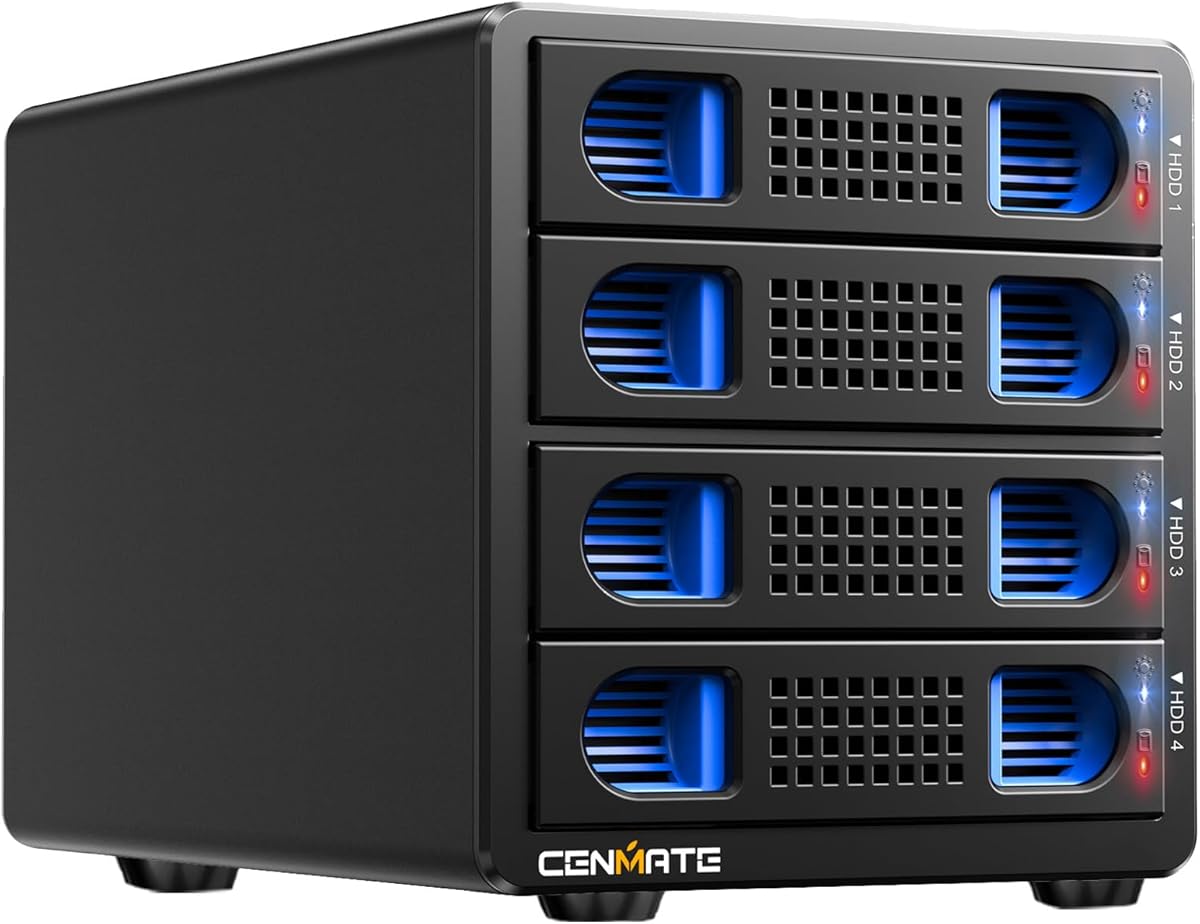
This CENMATE enclosure stands out as a reliable choice for users needing solid storage without breaking the bank. It holds four drives and keeps them cool with a built-in fan while delivering decent transfer speeds for everyday tasks.
We may earn a commission when you buy through this link, at no additional cost to you.
The aluminum body feels sturdy and dissipates heat well which is crucial when running multiple hard drives simultaneously. Users appreciate the hot swappable feature that allows drive changes without shutting down the system entirely for convenience.
While the fan does produce some noise around 40 to 50 decibels it effectively prevents overheating during long transfers. The lack of 10Gbps speeds is a trade-off but acceptable for general backup and media storage needs.
It is an excellent pick for small businesses or home users who want a balance of durability and performance. We recommend this model if you prioritize build quality and capacity over cutting-edge transfer speeds.
The aluminum alloy case works with the fan to keep drives safe during extended use sessions.
You can mix and match 2.5 and 3.5 inch drives to customize your storage setup easily.
We may earn a commission when you buy through this link, at no additional cost to you.
This model upgrades the standard enclosure with USB 3.2 Gen 2 to offer significantly faster data transfer rates. It is ideal for professionals who move large video files or need quick access to multiple drives regularly.
We may earn a commission when you buy through this link, at no additional cost to you.
The USB Type-C interface supports various computer connections including Thunderbolt 3 and 4 which adds great flexibility for modern laptops. You get the same robust aluminum construction and cooling fan to ensure drives stay safe during high-speed operations.
Speed improvements mean you can transfer a one gigabyte file in just a few seconds making workflows much smoother. The fan noise is similar to the standard version so it might be noticeable in very quiet environments.
Choose this if you need more speed than USB 3.0 provides and value future-proof connectivity. It is a strong contender for creative professionals needing rapid access to large media libraries.
USB 3.2 Gen 2 doubles the bandwidth compared to USB 3.0 for quicker file handling.
Works with USB A and C ports as well as Thunderbolt interfaces for broad compatibility.
We may earn a commission when you buy through this link, at no additional cost to you.
The MAIWO enclosure brings down the cost of four-bay storage while maintaining essential features like USB-C connectivity and robust cooling. It is a practical solution for users on a tight budget who still need reliable storage expansion.
We may earn a commission when you buy through this link, at no additional cost to you.
One unique feature is the HD-TV port which allows you to connect directly to a television for media playback without needing a computer. This makes it versatile for home theater setups or casual content viewing on the big screen.
Cooling fans activate automatically when temperatures rise above 48 degrees Celsius to protect your drives efficiently. While the rating is lower than premium models it remains a viable option for basic storage needs and budget-conscious buyers.
Consider this if you want to save money but still need high capacity and some unique connectivity options. It suits users who value cost efficiency and basic multimedia capabilities over advanced features.
The HD-TV port lets you plug directly into screens for viewing media files easily.
Supports connecting multiple devices together to grow your storage network over time.
We may earn a commission when you buy through this link, at no additional cost to you.
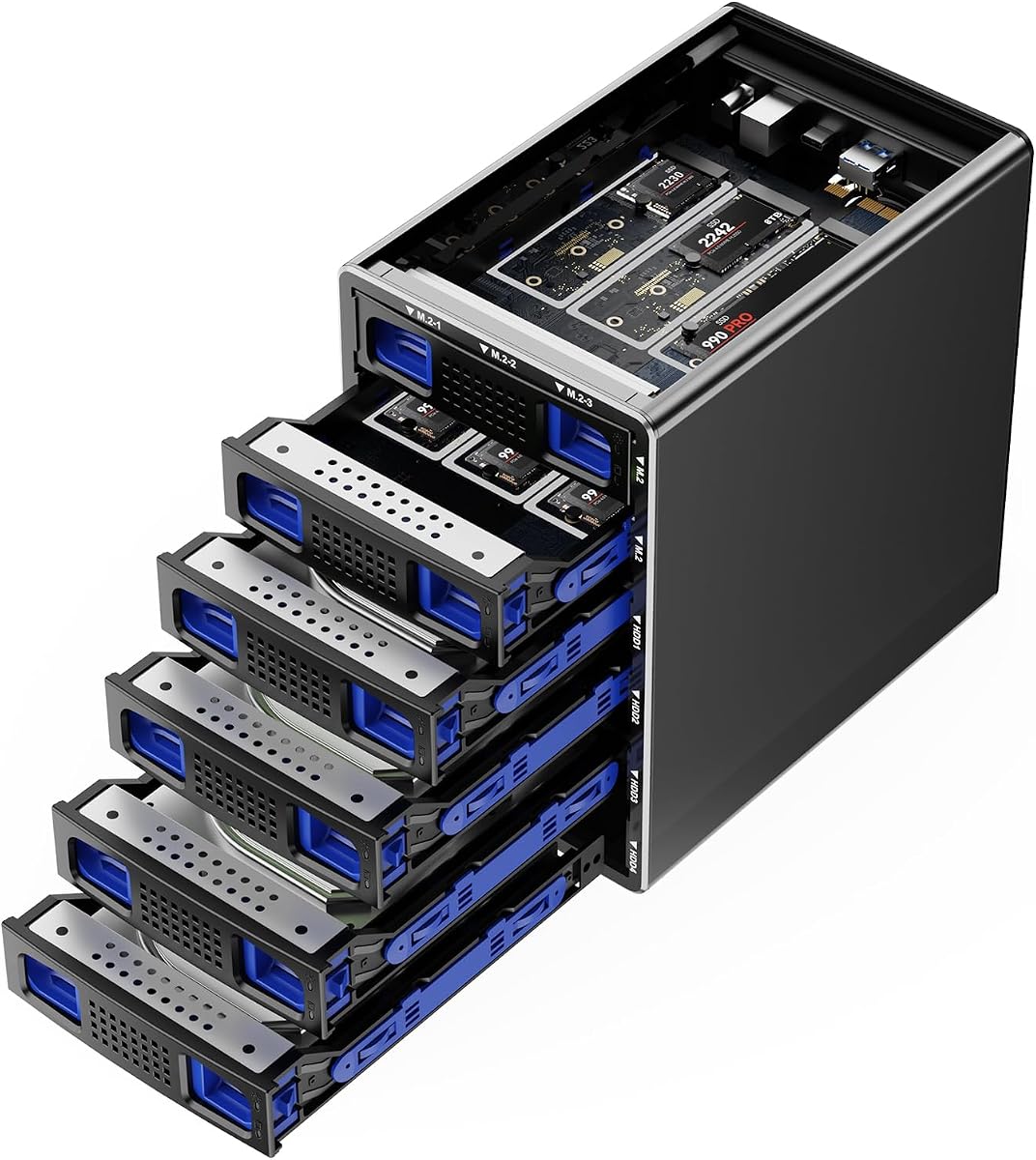
This innovative enclosure lets you combine traditional hard drives with fast NVMe SSDs in one unit. It maximizes storage potential by offering massive capacity while still providing quick access to frequently used files via the SSD slots.
We may earn a commission when you buy through this link, at no additional cost to you.
The hybrid design means you can store archives on cheap high-capacity HDDs and keep active projects on speedy NVMe drives. This approach optimizes both cost and performance for users who need different storage tiers in one device.
Build quality is maintained with an aluminum alloy case and silent cooling fans to manage heat effectively. However managing two different drive types requires a bit more planning and technical knowledge than standard enclosures.
This is perfect for power users who want flexibility and maximum capacity in a single chassis. If you value speed for specific tasks and bulk storage for others this hybrid option is unmatched.
Handles both SATA hard drives and M.2 NVMe SSDs for optimized storage management.
Supports up to 136TB total allowing extensive data retention in one enclosure.
We may earn a commission when you buy through this link, at no additional cost to you.
This WAVLINK model adds a significant multimedia advantage with an HDMI output that supports up to 4K resolution. It is designed for users who want to store and play media directly on a large screen without extra devices.
We may earn a commission when you buy through this link, at no additional cost to you.
The USB-C interface ensures you get blazing fast 10Gbps transfer speeds which is great for moving large video files. Temperature controlled fans kick in only when needed which helps balance noise and cooling efficiency effectively.
Each drive bay has an independent power switch giving you granular control over which drives are active at any time. This saves power and reduces noise when you do not need all drives running simultaneously.
Choose this if you are building a home media server or need quick access to video content. The combination of speed and display capabilities makes it a unique and useful tool.
Play stored media directly on TV or monitor via the HDMI output port.
Turn on or off specific drive bays to manage power and noise levels.
We may earn a commission when you buy through this link, at no additional cost to you.
This docking station is specifically designed for 2.5 inch drives making it ideal for laptop hard drives and solid state drives. It offers a compact footprint that saves desk space while still providing four bays for flexible storage.
We may earn a commission when you buy through this link, at no additional cost to you.
The built-in fan is engineered to be whisper-quiet which is a major plus for office environments or quiet home offices. You can swap drives easily without tools thanks to the magnetic cover design that allows instant access.
While it limits you to 2.5 inch drives which caps total capacity compared to larger units it delivers reliable performance within that range. USB 3.0 provides sufficient speed for most data backup and retrieval tasks.
This is the perfect pick if you primarily use laptop drives or SSDs and value a quiet operating environment. It delivers a balance of convenience and noise control that larger units struggle to match.
The whisper-quiet fan keeps noise levels low even during continuous 24/7 operation.
Magnetic cover design allows quick drive swaps without needing any additional tools.
We may earn a commission when you buy through this link, at no additional cost to you.
This enclosure adds an eSATA port alongside USB to offer more connection options for older or specialized systems. It is a practical choice if your workstation still supports eSATA for direct hardware connections without bottlenecks.
We may earn a commission when you buy through this link, at no additional cost to you.
It holds both 2.5 and 3.5 inch drives providing plenty of space for large storage needs. The cooling fan and aluminum build ensure your data stays safe even when running at full capacity for long periods.
Keep in mind that hot swapping is not supported so you must power down to change drives. The eSATA port also requires specific host support which may limit its utility for modern setups.
Select this if you have existing eSATA infrastructure and need a robust enclosure for general storage. It bridges the gap between modern USB and legacy hardware connectivity well.
Both USB and eSATA ports allow flexibility for different computer connections.
Supports up to 80TB total for extensive file archives and backups.
We may earn a commission when you buy through this link, at no additional cost to you.
This variant offers massive storage potential supporting up to 128TB total for those with extensive data archives. It shares many features with other WAVLINK models including HDMI output for direct media playback on large screens.
We may earn a commission when you buy through this link, at no additional cost to you.
The USB-C port ensures you get fast transfer speeds which is critical when dealing with such large amounts of data. Temp-controlled fans protect your drives efficiently without wasting energy or creating unnecessary noise constantly.
Independent power switches let you manage each drive individually which is useful for selective access and power saving. While brackets are needed for smaller drives the build quality justifies the investment for large users.
This is an excellent choice for users managing large media libraries or business backups. It provides a balance of speed capacity and multimedia features that few competitors match.
Handles massive data volumes up to 128TB for enterprise or serious personal needs.
HDMI output enables viewing files directly on televisions without a PC.
We may earn a commission when you buy through this link, at no additional cost to you.
This enclosure stands out by offering hardware RAID support without needing a full NAS system. It lets you choose from eight different RAID modes including RAID 0 1 5 and 10 to balance performance and data protection.
We may earn a commission when you buy through this link, at no additional cost to you.
Switching RAID modes requires following specific steps which adds a layer of complexity compared to simple DAS units. However this feature makes it valuable for users who want redundancy without buying a separate server.
The build quality and cooling are consistent with other models in the line ensuring drives stay protected. Keep in mind that hot swapping is not supported which limits some operational flexibility during configuration.
Choose this if you need RAID capabilities but want to keep costs lower than a dedicated NAS. It is a strong option for users needing data protection on a budget.
Built-in RAID controller allows data redundancy and performance tuning without software.
Connect via USB or eSATA to match your computer connection needs.
We may earn a commission when you buy through this link, at no additional cost to you.
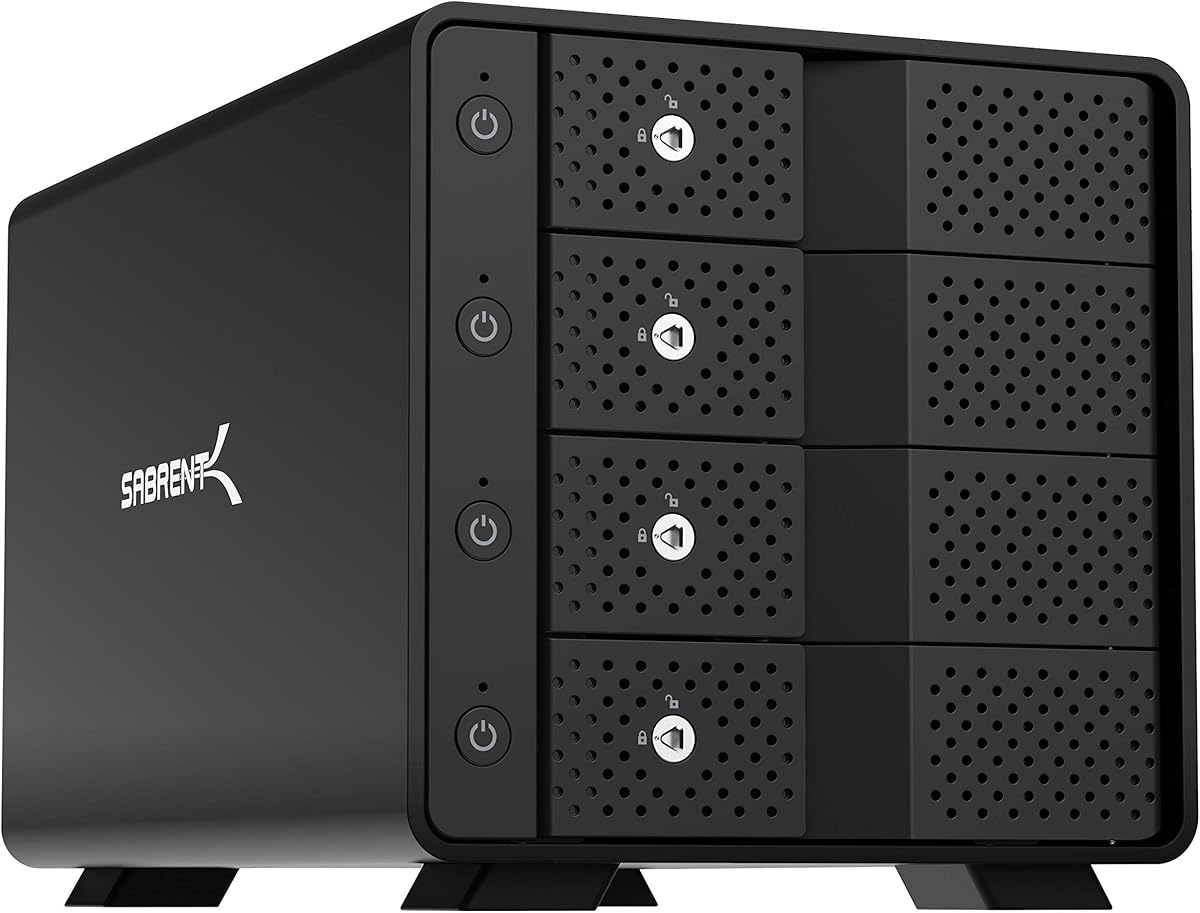
This model is engineered for stability and security with a dedicated controller for each drive bay. It offers a premium experience for users who need reliable connections and physical security for their storage setup.
We may earn a commission when you buy through this link, at no additional cost to you.
Features like a locking key and Kensington slot make it suitable for public or shared workspaces where theft is a concern. The aluminum and metal build feels durable and includes a large fan for effective cooling.
Although it is pricier than budget options the reliability and security features justify the cost for professional use. It works with Windows Mac and Linux seamlessly making it versatile across different environments.
This is the ideal choice if you want top-tier build quality and security features. It serves well in professional settings where data safety and reliable connections are critical priorities.
Dedicated controller per bay ensures each drive has a stable independent connection.
Includes a locking key and Kensington slot to secure the dock physically.
We may earn a commission when you buy through this link, at no additional cost to you.
Selecting the right enclosure requires balancing speed capacity and features to match your specific workflow and budget needs.
The interface determines how fast you can move files between your computer and drives. USB 3.0 offers up to 5Gbps while USB 3.2 Gen 2 provides up to 10Gbps for faster handling of large media files. If you work with 4K video or massive datasets opt for the 10Gbps models to reduce wait times. Standard backups and document storage may not need the extra speed so weigh your usage patterns carefully.
Check the maximum capacity per drive and total capacity to ensure it fits your storage goals. Some models support up to 20TB per drive while others allow up to 32TB or more for a total exceeding 100TB. This matters greatly for media libraries or archival storage where space fills up quickly. Verify the specs match your needs to avoid future upgrades or hardware constraints.
Heat management is critical when running multiple drives simultaneously to prevent data loss and drive failure. Look for enclosures with active cooling fans that activate automatically based on temperature sensors for optimal protection. Passive cooling designs may be quieter but often lack sufficient airflow for long sessions. Ensure the fan is reliable and does not create excessive noise if your workspace is quiet.
Hot swapping allows you to remove or add drives without powering down the system which is essential for uptime. Not all enclosures support this feature so check the specifications carefully before purchasing if you need continuous operation. It adds convenience for shared workspaces or servers where downtime affects workflow significantly. Confirm this feature is supported to avoid needing a full shutdown for drive changes.
Aluminum alloy cases are common and provide excellent heat dissipation compared to plastic alternatives. They also offer better structural integrity which protects drives from accidental bumps or drops. A sturdy build extends the lifespan of the enclosure and keeps internal components secure during operation. Prioritize metal casings if you plan to move the unit frequently or use it in varied environments.
Beyond standard USB ports some enclosures offer additional connections like eSATA HDMI or Thunderbolt for flexibility. HDMI ports allow direct video output to TVs which is great for media servers without a PC nearby. Thunderbolt support ensures compatibility with modern Macs and laptops needing high-speed connections. Assess which ports your host system has to ensure seamless integration without extra adapters.
Direct Attached Storage (DAS) presents each drive individually while RAID combines them for performance or redundancy. RAID models allow hardware configuration without software which is useful for specific workflow needs like mirroring data. DAS is simpler and more flexible for users who want each drive to appear as a separate volume. Choose based on whether you prioritize data protection or simple independent access.
Prices vary widely based on speed features and build quality so determine your budget range early. Higher price usually buys faster speeds better cooling and more durable materials which may pay off in reliability. However budget models often provide the core functions needed for standard storage tasks effectively. Balance what you need against cost to find the best value for your situation.
Begin by installing your hard drives into the bays carefully following the tool-free guide if available. Ensure each drive clicks into place and the power switch for that bay is set correctly before connecting to your computer. This prevents connection errors and ensures the system recognizes all drives immediately upon startup.
Connect the enclosure to your computer using the provided USB-C or USB-A cable and ensure it is plugged into a stable power source. Check that the cooling fans are spinning and airflow is unobstructed to maintain proper operating temperatures. Proper ventilation is key to preventing overheating during long data transfer sessions.
Regularly update firmware if available through the manufacturer website to improve performance and compatibility. Clean dust from vents periodically using compressed air to keep fans efficient and quiet over time. Proper maintenance extends the life of your storage and keeps data safe from physical failures.
RAID enclosures combine multiple drives into one logical volume for speed or redundancy while DAS treats each drive separately. DAS is simpler for users who need independent access to each drive. RAID offers protection but adds complexity. Choose based on your data safety and workflow needs.
Most USB-C enclosures come with a USB-C to USB-A or USB-C to USB-C cable. Ensure your computer port matches the cable for full speed. If your laptop only has USB-A you may need an adapter for USB-C models. Check included accessories before purchasing.
Yes many 4 bay enclosures support both 2.5 and 3.5 inch drives simultaneously. Some require brackets for 2.5 inch drives so check compatibility. Mixing sizes allows flexible storage configurations. Ensure power and mounting options support your drive mix.
Most include active cooling fans that produce around 40 to 50 decibels. While quiet this might be noticeable in very quiet rooms. Some models offer whisper-quiet fans or sleep modes. Evaluate noise tolerance before purchase for office environments.
Check the product specifications for hot swappable drive support. Not all models allow changing drives while powered on. This feature is critical for uptime and workflow continuity. Verify before buying if you need to swap drives frequently.
Most 4 bay enclosures work with Windows Mac and Linux out of the box. Some features like RAID may need specific OS support. Always check compatibility lists before purchase. Plug and play is standard for most modern systems.
Yes most models are compatible with macOS versions. However some RAID features might require specific Mac support. Ensure you use the right cables for USB-C ports on Macs. Check macOS compatibility in product details.
Most 4 bay enclosures come with an external power adapter for stability. Some models may require a separate purchase. Ensure the adapter matches your local voltage needs. Always use the recommended adapter to avoid power issues.
Choosing the right enclosure depends on your specific needs for speed capacity and features. Models like the CENMATE Aluminum 4 Bay offer great value while premium options provide extra reliability and security. Each pick on this list serves different priorities so consider your workflow before deciding.
Prioritize transfer speeds if you handle large files and cooling if you run drives for long periods. Hot swapping and RAID options add convenience and safety that might be worth the extra cost for professionals. Assess your usage patterns to pick the most functional model.
Remember that prices change frequently so always check current listings for the best deal. Read recent reviews to ensure the model meets current quality standards. A little research ensures you get reliable storage that fits your budget perfectly.