
Logitech G F310 Wired Gamepad Controller Console
4.4Editor score
Profiler Software Support
Familiar Layout
Six Foot Cord
Discover the top controllers for retro console gaming compared in this expert guide covering wired and wireless options for PC, Switch, and classic systems.
Finding the perfect controller for retro console gaming can transform your experience with classic titles. Whether you prefer wired reliability or wireless freedom, the right gamepad ensures responsive inputs and authentic feel. This guide helps you navigate the options available today.
We evaluated ten distinct models based on compatibility, build quality, and feature sets. Our analysis includes wireless options for modern setups and dedicated designs for specific legacy consoles. Each product offers unique advantages for different gaming environments and preferences.
Each pick highlights key strengths and ideal use cases to simplify your decision. Please note that availability and pricing fluctuate regularly across retailers. Check current listings before purchasing to ensure you get the best deal for your needs.
4.4Editor score

4.6Editor score

4.3Editor score
This side-by-side comparison outlines the core specifications and capabilities of each selected controller to help you choose based on your specific hardware and play style requirements.


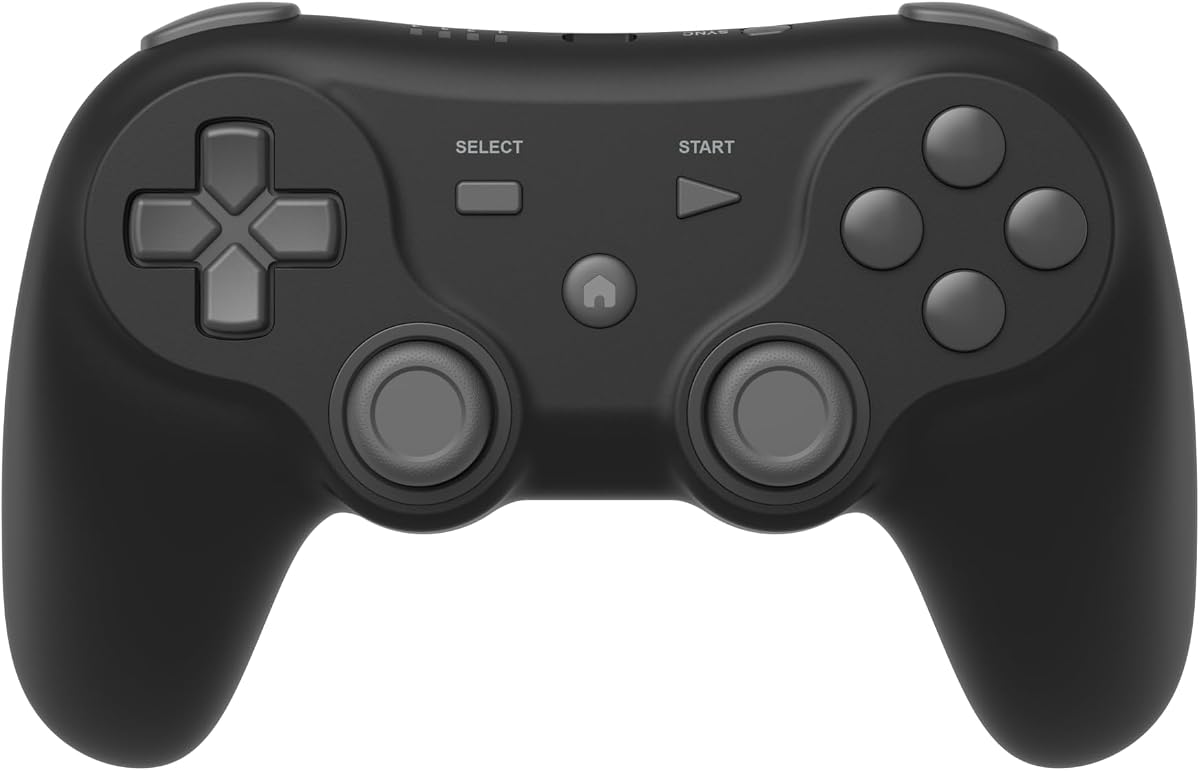


The 8Bitdo SN30 Pro stands out as a top contender for retro gaming enthusiasts seeking modern reliability. With a strong rating from users, it delivers a blend of classic aesthetics and advanced technology that appeals to both nostalgic players and newcomers.
We may earn a commission when you buy through this link, at no additional cost to you.
Its Hall Effect joysticks provide long-lasting precision without drift issues common in older pads. The controller includes motion controls, rumble vibration, and a proper d-pad that captures the feel of original systems while supporting modern platforms like Switch and PC.
While the price is higher than basic wired options, the rechargeable battery and wireless flexibility justify the investment for many. Some users with larger hands may find the form factor slightly compact, but it remains highly portable for travel or couch gaming.
Buyers looking for a versatile controller that balances retro design with contemporary features should consider this model. It offers a comprehensive package that supports various systems without sacrificing comfort or responsiveness during extended sessions.
Hall Effect sticks use magnetic fields to prevent wear and drift ensuring consistent input accuracy over years of use.
Supports Switch PC Android and iOS allowing seamless switching between devices without needing separate controllers for each platform.
We may earn a commission when you buy through this link, at no additional cost to you.
The Logitech G F310 offers an accessible entry point into retro gaming with its reliable wired design. Its high user rating reflects satisfaction with basic functionality and compatibility across many titles without requiring complex setup procedures.
We may earn a commission when you buy through this link, at no additional cost to you.
Featuring a familiar Xbox 360 layout this pad is easy to use for most gamers. The floating D-pad ensures responsive direction changes while the six-foot cord provides enough length to play comfortably from a distance on a monitor.
While it lacks wireless capabilities the low cost makes it ideal for casual users or secondary setups. The included Profiler software adds value by allowing keyboard mapping for games without native gamepad support though installation is required.
If you prioritize simplicity and budget over advanced features this controller delivers solid performance. It is a practical choice for those seeking a dependable gamepad that works immediately upon connection without needing batteries or pairing.
The Profiler tool lets you assign keyboard and mouse commands to buttons expanding compatibility with games lacking built-in gamepad support.
Four independent switches under the floating D-pad improve directional accuracy and reduce lag during quick movement inputs in classic titles.
We may earn a commission when you buy through this link, at no additional cost to you.
This dual pack provides an affordable solution for local multiplayer retro gaming with authentic Super Nintendo styling. Users appreciate the convenience of having two controllers ready for shared sessions without needing extra purchases or pairing issues.
We may earn a commission when you buy through this link, at no additional cost to you.
The 2.4GHz wireless connection ensures stable performance up to ten meters away from the PC. Each controller includes a rechargeable battery lasting around ten hours making it practical for weekend gaming marathons on PC or Mac systems.
While it does not support Switch due to button configuration limitations it excels on PC and Raspberry Pi emulation setups. The multi-color keys and classic design evoke nostalgia while maintaining modern convenience through wireless connectivity and charging options.
Buyers wanting an easy multiplayer experience for classic emulation will find this set valuable. It balances cost and functionality well for those who prioritize the SNES layout and wireless freedom on desktop platforms.
Includes two controllers and receivers making it ideal for local co-op or competitive play in classic arcade and platformer titles.
Dedicated 2.4GHz technology prevents interference common in Bluetooth ensuring precise inputs during fast-paced retro action sequences.
We may earn a commission when you buy through this link, at no additional cost to you.
Designed specifically for AV 620 and HD retro consoles this controller offers a seamless plug-and-play experience. Its high rating indicates strong satisfaction among users who need exact compatibility with these specialized systems for family gaming.
We may earn a commission when you buy through this link, at no additional cost to you.
The four-button layout with continuous fire gives players an edge in arcade shooters and platformers. Sharing two controllers allows multiple family members to participate simultaneously which makes it ideal for living room entertainment setups.
Since it is made for a narrow range of devices it is not versatile for other platforms. However for owners of those specific retro systems it delivers the functionality and durability needed for regular use without complex adapters.
If you own these classic consoles this pack ensures you have working controllers immediately. It is a practical choice for families seeking reliable accessories that match the original hardware and provide classic gaming fun together.
The 9 pin design matches legacy ports exactly eliminating the need for converters and ensuring all functions work as intended with the console.
Continuous fire capability automates rapid button presses allowing players to maintain high-speed attacks without constant manual tapping.
We may earn a commission when you buy through this link, at no additional cost to you.
The Retro-Bit Legacy 16 captures the feel of 16-bit gaming while offering modern connectivity and buttons. Its compatibility with Switch and PC makes it a versatile option for players who want nostalgia without losing current hardware support.
We may earn a commission when you buy through this link, at no additional cost to you.
Dedicated Home and Screenshot buttons add convenience for navigation and sharing moments. The responsive D-pad and buttons allow precision control for fighting games and platformers maintaining the authentic feel of older consoles on new systems.
The long ten foot cable provides flexibility to play from the couch comfortably. While the design is slightly traditional it ensures users do not feel disconnected from the classic era when playing remasters or retro collections.
For those seeking a bridge between past and present this controller delivers effectively. It suits retro enthusiasts who need a reliable pad that works across multiple devices without compromising on the classic layout and feel.
Supports Switch RetroPie and PC allowing a single controller to cover emulation and console needs without needing multiple distinct devices.
A three meter cable offers ample room to sit back and play from a TV without feeling restricted by cord length or position.
We may earn a commission when you buy through this link, at no additional cost to you.
This controller is tailored for owners of the Analogue 3D console providing a perfect pairing experience. It retains the classic Nintendo 64 button layout while incorporating modern Bluetooth connectivity and vibration support for enhanced immersion.
We may earn a commission when you buy through this link, at no additional cost to you.
Users appreciate its ability to function across Switch and Android platforms as well making it versatile beyond the specific 3D unit. The turbo function adds utility for games requiring rapid inputs and D-input modes ensure compatibility with various emulation software.
The design is faithful to the original which may feel bulky to some but is familiar to fans of that era. Vibration works well on supported systems adding feedback that enriches gameplay without overwhelming the classic feel of the controls.
If you own the Analogue 3D this is a natural choice to extend your hardware experience. It suits collectors who want to keep the spirit of 64-bit gaming alive with reliable and responsive control options.
Designed specifically to pair seamlessly with Analogue 3D ensuring all features like rumble and inputs function exactly as expected.
D-input and S-input modes let users configure the controller to work with different emulation standards and console environments easily.
We may earn a commission when you buy through this link, at no additional cost to you.
This controller aims to bridge older Sony systems with modern setups offering broad compatibility and advanced durability. The dual wireless modes allow flexible connection options while Hall Effect sticks promise long-term reliability without drift over time.
We may earn a commission when you buy through this link, at no additional cost to you.
Pressure sensitive buttons provide nuanced control that is rare in modern gamepads. Users can toggle analog or digital trigger stops to match their playstyle which is beneficial for racing or flight sims on retro systems like PS2 and PC.
While the rating is lower than others it offers unique features not found in standard retro pads. The price point reflects the premium build and wide compatibility which may be worth it for those needing PS1 PS2 support alongside modern devices.
Buyers looking for a universal pad that supports legacy Sony systems will find it useful. It suits advanced users who need specific features and compatibility across a wide range of retro and current hardware platforms.
Hall Effect sticks use magnetic sensing to prevent physical contact wear ensuring the sticks remain accurate over years of heavy play.
Support for pressure sensitive buttons allows nuanced input depth in games that rely on soft or hard presses for different actions.
We may earn a commission when you buy through this link, at no additional cost to you.
The GameSir Tegenaria Lite brings high-performance tech to retro-inspired designs with ultra-low latency and Hall Effect sticks. It suits competitive retro gamers who want modern precision with a classic look without compromising on comfort or accuracy.
We may earn a commission when you buy through this link, at no additional cost to you.
Its 1000Hz polling rate ensures inputs register instantly reducing lag for precise platforming or fighting games. The mappable back buttons allow customization for quick access to features without removing hands from the d-pad during intense play.
The dual asymmetric motors provide detailed vibration feedback that enhances immersion in modern emulators. While the wired connection might limit some, the benefits of low latency and battery-free operation make it a top choice for serious players.
If you seek top-tier performance with a retro vibe this model delivers. It is ideal for those who prioritize responsiveness and build quality and are willing to use a wired setup for the best experience.
A 1000Hz polling rate registers button presses instantly minimizing delay and ensuring precise control during fast-paced retro sequences.
Two mappable back buttons let players map essential functions for faster execution without taking thumbs off the main control cluster.
We may earn a commission when you buy through this link, at no additional cost to you.
This dual pack offers an affordable wireless solution for PC and Mac retro gaming with a focus on practicality. Users enjoy the long battery life and wireless range which support extended sessions without needing constant recharges or replacements.
We may earn a commission when you buy through this link, at no additional cost to you.
The turbo function allows quick rapid fire setup though manual configuration may be required for some games. It is not compatible with older SNES or NES consoles but serves well for PC emulators and general retro software on modern systems.
Build quality is functional but not premium making it suitable for casual use. The wireless connection remains stable up to ten meters offering freedom of movement around the desk or couch for comfortable gameplay on desktop setups.
For those wanting a budget friendly wireless option for PC emulation this set is practical. It delivers value through quantity and battery efficiency making it a solid choice for casual retro gamers on a limited budget.
A ten meter wireless range allows users to move freely around a room without signal drops or interference during gameplay sessions.
Customizable turbo buttons enable automatic rapid input for specific keys which is useful for action games requiring constant repeated presses.
We may earn a commission when you buy through this link, at no additional cost to you.
The Hyperkin Trooper 2 delivers a classic Atari style feel with modern USB convenience and durability. Its ergonomic design and chamfered corners offer comfortable grips for long retro emulation sessions on PC Mac and Linux systems.
We may earn a commission when you buy through this link, at no additional cost to you.
A solid base and quality materials ensure it stands up to regular use without feeling fragile. The ten foot cable allows flexibility to sit back and play from a distance while mappable buttons provide access to menus and functions efficiently.
While it does not offer wireless or advanced features it focuses on reliability and a classic aesthetic. Users appreciate the quiet joystick movement and responsive buttons which contribute to a smooth and precise retro gaming experience.
For fans of original controller shapes who want durable comfort on modern systems this is a strong option. It suits those who value tactile feel and longevity over wireless convenience or high-tech customization features.
Chamfered corners and soft grips reduce hand strain during extended gaming sessions making it comfortable for long retro emulation marathons.
Low noise joystick and button mechanisms minimize sound distractions ensuring a focused experience during quiet gaming moments or shared spaces.
We may earn a commission when you buy through this link, at no additional cost to you.
Selecting the right controller depends on your system, comfort needs, and desired features. Understanding key factors ensures you find a model that matches your specific retro gaming setup effectively.
Always verify that the controller supports your specific console or emulator system. Some controllers are designed for Switch and PC while others may target specific legacy devices like AV 620 or Atari systems.
Check compatibility lists carefully to avoid buying a pad that does not work with your preferred hardware or software setup.
Decide between wired and wireless based on your priorities. Wired controllers offer low latency and no battery concerns while wireless pads provide freedom of movement and cleaner setups.
Consider that wireless often costs more and requires charging whereas wired options are typically cheaper and simpler to maintain.
Look for durable construction and quality materials such as reinforced joints and robust sticks. This ensures the controller lasts longer even with frequent retro gaming sessions over months.
Read user feedback on durability to gauge how well the controller holds up to regular use without wear issues.
Ensure the controller fits comfortably in your hands with well-placed buttons and a balanced weight. Poor ergonomics can cause discomfort during longer play sessions affecting enjoyment.
Choose models with ergonomic designs or adjustable features if you plan to use them for extended periods regularly.
Identify useful features like turbo buttons Hall Effect sticks or motion controls that enhance your specific gaming style. Some controllers add vibration or customization that adds value.
Prioritize features that you will actually use rather than paying for extras you might not need in your retro play setup.
Determine a spending range that fits your financial situation. While premium controllers offer advanced tech budget options often deliver solid performance for basic emulation needs.
Balance cost against features to get the best value without overspending on capabilities you do not require.
Connect your controller to the computer or console using the provided cable or receiver. Install any required drivers or software and test the buttons and sticks to ensure all inputs are recognized correctly before starting a session.
For wireless models ensure the battery is charged before pairing. Use the appropriate pairing button or settings to connect to your device and store it properly when not in use to maintain battery health.
Clean the controller regularly with a dry cloth and avoid exposure to moisture or debris. Store it in a safe place to prevent damage to the cable or buttons during long periods of inactivity.
For PC emulation, the Logitech G F310 is a reliable budget option with wide support. Advanced users may prefer the GameSir Tegenaria Lite for high precision and low latency inputs during gameplay.
Wireless controllers typically work best with PC or Switch. For specific retro consoles like NES or SNES you may need a wired adapter or a dedicated controller designed for that hardware to ensure compatibility.
Hall Effect sticks use magnetic technology to prevent wear and drift common in traditional potentiometer sticks. This ensures consistent accuracy and extends the lifespan of the controller significantly over years.
Many retro style controllers are designed to work on modern systems like Switch PC and Android. Always check the product specifications for cross-platform support before purchasing to confirm full functionality.
Wireless controllers require rechargeable batteries while wired ones do not. Check the battery capacity for wireless options to ensure they last long enough for your typical gaming sessions.
Lag can often be reduced by using a wired connection or ensuring your wireless receiver is close to the device. Also verify that your emulation software is optimized for the specific controller input.
This guide highlights a range of controllers tailored to different needs and budgets. From the versatile 8Bitdo SN30 Pro to the budget-friendly Logitech G F310 there are strong options for most retro gaming setups.
Consider your preferred connection type and system compatibility when making a choice. Prioritizing comfort and build quality will ensure you enjoy your classic games without hardware issues interrupting your play.
Remember to check current availability and pricing as they can change frequently. Finding the right controller enhances the retro experience making every session more immersive and enjoyable for everyone.