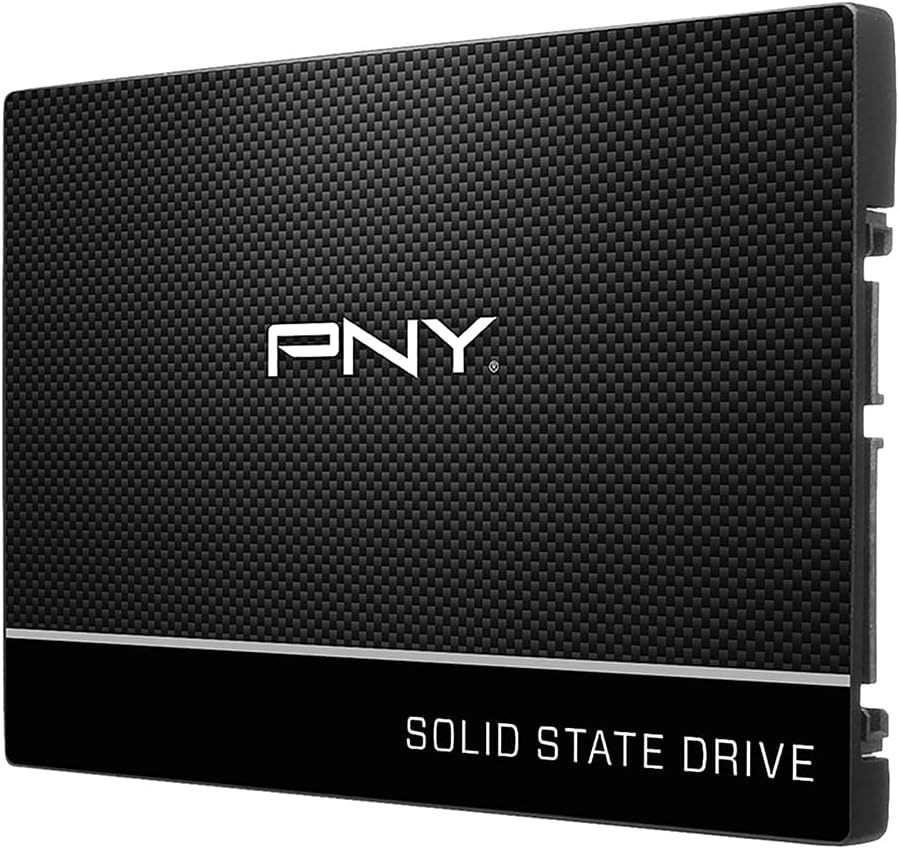
PNY CS900 500GB 2.5" SATA III Internal SSD
4.7Editor score
Up to 550MB/s read speed
Ultra-low power consumption
Backwards compatible with SATA II
Direct attached storage devices for PC offer a straightforward way to expand your computer storage. They connect directly via USB or SATA to provide fast data access without complex network setups.
We compared ten top models based on capacity, speed, reliability, and ease of use. Our analysis covers internal hard drives, external enclosures, and hybrid solutions for diverse computing needs.
Each pick shows key strengths and trade-offs to help you decide. Prices and availability change frequently so check current listings before purchasing your ideal storage solution today.
4.7Editor score

4.2Editor score
4.6Editor score
As an Amazon Associate we earn from qualifying purchases.
This side-by-side comparison highlights key specifications across all ten selected storage solutions. Review each product's interface, capacity options, and unique features to find the perfect match for your PC setup.





The TERRAMASTER D4-320 is a top-tier direct attached storage solution designed for users needing expandable and fast storage capacity. With a 4.2 rating from verified buyers it stands out for its reliability and high-speed USB 3.2 Gen2 connectivity that delivers exceptional throughput for demanding workflows.
We may earn a commission when you buy through this link, at no additional cost to you.
Its standout feature is the ability to combine four drives into a single unit reaching up to 120TB of storage space. The hot swappable design means you can replace drives without shutting down the system saving valuable time during maintenance or data transfers. The tool-free tray system with Push-lock design ensures secure drive installation without needing extra tools.
While it lacks hardware RAID options which might limit redundancy for enterprise users the straightforward plug-and-play nature makes it ideal for content creators and professionals needing quick access to large files. The intelligent fan and sound dampening keep noise levels low even under heavy load ensuring a peaceful workspace environment.
We recommend this enclosure for PC users who want to build a custom DAS array from existing or new drives. Its balance of speed capacity and ease of use makes it the best overall pick for expanding your desktop storage efficiently and affordably.
USB 3.2 Gen2 provides up to 10Gbps transmission allowing combined read/write speeds up to 1,016 MB/s with four drives. This ensures rapid file transfers and smooth editing of large media projects without bottlenecks.
The tool-free drive trays and Push-lock mechanism allow quick installation and removal of drives. Hot swapping capability means you can manage drives without powering down keeping your workflow uninterrupted.
We may earn a commission when you buy through this link, at no additional cost to you.
The QNAP TR-004 offers a unique blend of direct attached storage convenience with hardware RAID capabilities. Rated at 4.2 stars it appeals to users who want redundancy and performance without the complexity of a full network attached storage setup.
We may earn a commission when you buy through this link, at no additional cost to you.
This device supports RAID 0 1 and 5 configurations allowing you to balance speed and data protection easily. The USB Type-C interface ensures fast data transfer rates compatible with modern PCs and Macs. Lockable drive bays provide an extra layer of security for sensitive data stored on the drives.
Users should note that while it expands storage capacity it does not allow running NAS applications directly on the TR-004. Drives can only be migrated between TR-004 units or used as separate storage pools which limits some advanced integration scenarios.
Choose the TR-004 if you need robust RAID features in a compact USB connected device. It is ideal for video editors and small teams needing reliable backup and fast access without network latency.
Hardware RAID support includes 0 1 and 5 letting you prioritize speed or redundancy. This eliminates the need for software RAID which can consume system resources during operation.
The USB Type-C port connects to Windows macOS and Linux systems seamlessly. Included cables ensure immediate setup without extra purchases for most users.
We may earn a commission when you buy through this link, at no additional cost to you.
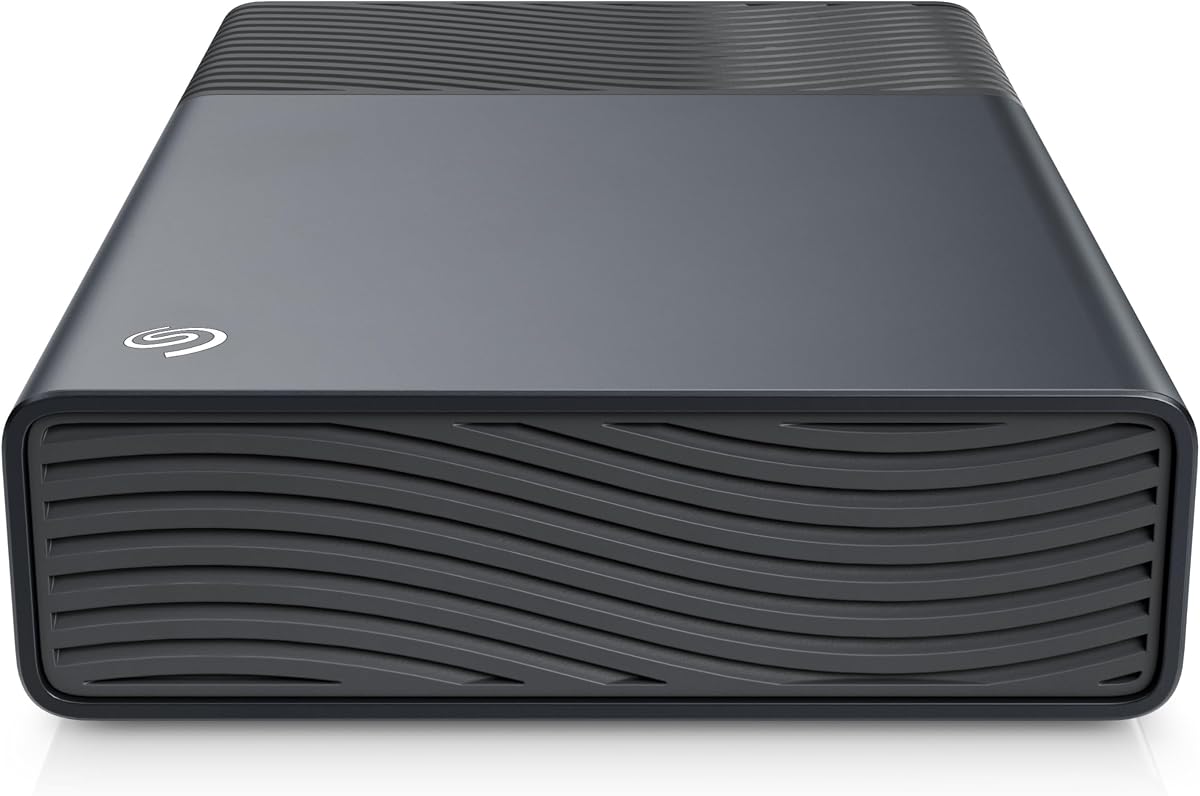
The Seagate 16TB One Touch Desktop Hard Drive delivers massive capacity in a reliable and user-friendly package. With a 4.6 rating it is highly rated for its consistent performance and peace-of-mind features like included data recovery services.
We may earn a commission when you buy through this link, at no additional cost to you.
Its primary strength is the 16TB capacity which is ample for storing extensive photo video and project files in one place. The bus-powered USB-C connection means no need for external power adapters simplifying setup. The included two-year limited warranty and Rescue Data Recovery Services add significant value for data-sensitive users.
While not designed for multi-drive RAID setups the simplicity of this device makes it perfect for backups and archiving. The one cord quick connect feature reduces clutter on your desk ensuring a clean and efficient workspace environment.
Buyers looking for high capacity and reliability should choose this model. It is ideal for creatives and professionals needing secure and straightforward storage expansion for their PC or laptop.
With 16TB of space you can store thousands of hours of video or millions of photos. This eliminates the need for multiple drives or complex management software for large archives.
Bus-powered design allows operation directly from your laptop or PC USB-C port. The One Touch button enables quick backups with included software for automated protection of important files.
We may earn a commission when you buy through this link, at no additional cost to you.
The Seagate BarraCuda 8TB internal hard drive is a reliable choice for desktop PCs needing significant storage expansion. With a 4.7 rating it is praised for its balance of affordability capacity and dependable daily performance for gaming and productivity.
We may earn a commission when you buy through this link, at no additional cost to you.
Its standout quality is the sustained transfer rate of up to 190MB/s which ensures smooth file operations. SATA 6 Gb/s interface compatibility makes it easy to install in most desktop cases for extra storage space. The drive is optimized for diverse PC applications from photo editing to gaming libraries.
Since it is internal only you will need your own SATA cables and power connectors for installation. This makes it slightly less convenient than external drives for users who prefer plug-and-play solutions without opening their PC case.
We recommend this drive for budget conscious users seeking high capacity internal storage. It is perfect for gamers and desktop builders needing more room for apps and media without breaking the bank.
The 190MB/s sustained rate provides consistent read speeds for large files. This ensures smooth gaming and media editing without stuttering or load delays.
Standard 3.5-inch form factor fits most desktop bays. SATA 6 Gb/s ensures maximum throughput for modern motherboards and storage controllers.
We may earn a commission when you buy through this link, at no additional cost to you.
The WD Red Pro 16TB internal hard drive is engineered for high-intensity multi-user environments where reliability is critical. Despite a 3.9 rating it is valued by professionals needing drives that can handle constant read-write cycles without failure.
We may earn a commission when you buy through this link, at no additional cost to you.
Its main benefit is the 550TB/yr workload rate which far exceeds standard drives. CMR technology ensures consistent performance under heavy loads reducing the risk of data corruption. This makes it a strong choice for RAID arrays or direct attached storage setups used heavily every day.
Users may find the cost higher than regular drives but the trade-off is increased durability for demanding tasks. The 7200 RPM speed ensures fast access times which is essential for video editing and large file management workflows.
Choose this drive if you need maximum capacity with endurance for critical data. It is best suited for professionals and small businesses needing robust internal storage for their storage systems.
With a 550TB/year rating this drive handles constant data movement better than consumer drives. This reduces wear and tear during intensive daily operations.
CMR ensures stable write performance during sustained operations. This prevents the slowdowns sometimes seen with SMR drives when managing large file sets.
We may earn a commission when you buy through this link, at no additional cost to you.
The Seagate IronWolf 12TB is specifically built for NAS and DAS systems that demand high performance and reliability. Rated 4.5 stars it offers excellent uptime and capacity for users storing large volumes of media and project data.
We may earn a commission when you buy through this link, at no additional cost to you.
Its standout features include the integrated Health Management system that monitors drive status to prevent failures. The 256MB cache boosts read/write performance for faster file access. The three-year warranty with Rescue Data Recovery Services provides added security for your valuable information.
While it is designed for RAID enclosures its performance benefits apply to any SATA connected setup. However users should note the recommended 8-bay limit for optimal efficiency and heat management in enclosed setups.
Choose this drive for robust internal storage in RAID systems or direct connected arrays. It is ideal for power users needing high capacity with advanced monitoring and data protection features.
IronWolf Health Management tracks drive performance and health metrics. This helps predict potential issues before they lead to data loss or downtime.
With 12TB storage and 256MB cache this drive handles large file transfers smoothly. Ideal for video editors and media libraries needing quick access to archives.
We may earn a commission when you buy through this link, at no additional cost to you.
The Samsung 870 EVO 1TB SATA SSD is a top performer for internal upgrades offering speed and reliability unmatched by mechanical drives. With a 4.8 rating it is trusted by professionals for daily computing and creative workloads.
We may earn a commission when you buy through this link, at no additional cost to you.
Its key strength is delivering near limit SATA speeds of 560MB/s read and 530MB/s write. This accelerates OS boot and application loading times significantly. The included Samsung Magician software helps manage drive health and updates ensuring long-term reliability.
While 1TB is less capacity than typical HDDs the speed advantage makes it ideal for operating systems and active projects. The AES 256-bit encryption protects sensitive data without impacting performance.
Buy this SSD for fast internal storage in laptops or desktops needing responsiveness. It is perfect for users prioritizing speed over maximum storage capacity.
560MB/s read speeds ensure rapid access to files. This reduces wait times during large file transfers and video editing tasks.
Samsung Magician software monitors health and performance. Users can update firmware and optimize settings easily through this included tool.
We may earn a commission when you buy through this link, at no additional cost to you.
The WD Blue 12TB internal hard drive offers a balance of performance and capacity for everyday PC users. With a 4.6 rating it provides reliable storage for home and office computing tasks without special requirements.
We may earn a commission when you buy through this link, at no additional cost to you.
Its main benefit is the 12TB capacity which allows ample room for documents media and backups. The 7200 RPM speed ensures decent file access rates for general use. Included Acronis cloning software simplifies upgrades when migrating from an old drive.
While it lacks specific NAS optimizations the standard WD quality ensures durability for typical desktop environments. The 512 MB cache helps maintain performance during multitasking scenarios.
Choose this drive for straightforward internal storage expansion. It is ideal for users needing large capacity for general computing without specialized RAID or server needs.
12TB storage accommodates extensive media libraries and documents. This reduces the need for multiple smaller drives in your setup.
Acronis True Image WD Edition helps clone existing drives. This simplifies OS migration and system upgrades for new installations.
We may earn a commission when you buy through this link, at no additional cost to you.
The TERRAMASTER D8 Hybrid enclosure uniquely combines four SATA bays with four NVMe bays for optimized storage efficiency. With a 3.5 rating it is praised by advanced users for its ability to separate hot and cold data for performance and cost.
We may earn a commission when you buy through this link, at no additional cost to you.
Its standout capability is using NVMe SSDs for frequently accessed data while storing archives on cost-effective HDDs. This hybrid approach maximizes speed without excessive costs. USB 3.2 Gen2 ensures both types of drives maintain fast throughput.
Users must purchase all eight drives separately which increases initial cost. The TPC Backupper software helps manage backups but requires configuration. Proper setup is essential to realize the performance benefits of this hybrid design.
Choose this enclosure for professional workflows needing both speed and capacity. It is best for creators who want fast access to active files and large cheap space for archives.
NVMe slots support speeds up to 980MB/s while SATA slots support capacity up to 30TB each. This balances performance and budget efficiently.
Included TPC Backupper software enables scheduled backups to external drives. This enhances data security without needing third-party tools.
We may earn a commission when you buy through this link, at no additional cost to you.
The PNY CS900 500GB SSD offers exceptional value for users needing fast internal storage on a budget. With a 4.7 rating it delivers solid performance for OS boot and applications without high costs.
We may earn a commission when you buy through this link, at no additional cost to you.
Its main strength is delivering up to 550MB/s read speeds which significantly improve system responsiveness. Ultra-low power consumption makes it suitable for laptops. The 2.5-inch form factor ensures compatibility with most standard SATA ports.
While 500GB is limited for large media the speed advantage justifies the purchase for system drives. Backwards compatibility with SATA II ensures it works in older systems too.
Choose this SSD for affordable internal upgrades. It is perfect for budget builders and laptop users needing faster performance without expensive purchases.
550MB/s read speeds provide quick access to files. This reduces boot times and application load wait times significantly.
Ultra-low power use extends battery life in laptops. This makes it ideal for portable computing needs.
We may earn a commission when you buy through this link, at no additional cost to you.
Selecting the right direct attached storage involves balancing capacity speed interface and reliability. These factors determine how well the device integrates with your existing setup and meets your data needs.
Assess how much data you need to store including media projects and backups. Internal HDDs like 12TB models are cost-effective for large archives while SSDs offer faster access for active files.
Choose capacity based on current needs plus future growth to avoid premature upgrades.
SATA 6 Gb/s provides reliable speeds for internal drives while USB 3.2 Gen2 or Type-C external drives reach 10Gbps. Match the interface to your motherboard ports for optimal performance.
Prioritize high-speed interfaces for video editing or large file transfers to minimize wait times.
Internal drives require opening your PC but offer better integration while external enclosures allow easy portability and hot swapping. Consider your workspace needs and whether mobility is important.
Select internal for primary storage and external for backups or expanding capacity without hardware changes.
Look for drives with good MTBF ratings and manufacturer warranties. Features like health management and data recovery services add security for critical files stored on these devices.
Invest in drives with longer warranties and recovery services to protect against data loss risks.
Some enclosures support hardware RAID options for redundancy and speed. Ensure the DAS supports your preferred RAID level to protect data without complex software configurations.
Choose RAID capable enclosures if data safety and performance are top priorities for your setup.
Bus-powered USB-C drives need no extra adapter while larger desktop drives may require wall power. Check your device power limits especially for laptops to ensure stable operation.
Prioritize bus-powered options for portability to reduce cable clutter and simplify setup.
Verify OS compatibility with Windows macOS and Linux. Some enclosures or drives may have specific driver needs or format requirements to work correctly across systems.
Ensure the device is plug-and-play compatible to avoid installation issues and driver hassles.
Compare cost per GB across options and balance with speed needs. SSDs cost more per GB but deliver superior performance while HDDs offer massive capacity at lower costs.
Select a balance that fits your budget without compromising essential performance or capacity.
Connect the drive to your PC using appropriate cables. For external drives plug USB Type-C or Type-A directly into your port. For internal drives install SATA data and power cables before securing the drive in the bay.
Format the drive using Disk Management on Windows or Disk Utility on macOS to match your OS. Choose exFAT for cross compatibility between Windows and Mac systems if needed for external use.
Keep the drive cool and clean. Place external enclosures in well-ventilated areas. Avoid moving or bumping drives while in use. Regularly check health status with included software to detect issues early.
DAS or Direct Attached Storage connects directly to one computer via USB or SATA. NAS uses a network to share files across multiple devices. DAS is simpler and cheaper while NAS supports multi-user access.
Internal SATA drives match external USB speeds for single users. Modern USB 3.2 Gen2 external drives can reach similar throughput. Performance depends on interface speed rather than internal or external positioning alone.
Many enclosures support both HDDs and SSDs in the same bays. Some hybrid models allow NVMe slots too. Always check the maximum drive size and interface compatibility for your specific enclosure model.
Most modern DAS products are Mac compatible via USB or Type-C. You may need to format drives as APFS or exFAT for macOS access. Always check product specifications for macOS compatibility before purchasing.
Use built-in backup tools or third-party software to copy files to your DAS. Set scheduled backups to ensure data safety. Regularly verify backups work by restoring a small file to confirm data integrity.
Sudden power loss can corrupt data on the connected drive. Use a UPS for desktop setups to prevent this. Some enclosures have power loss recovery to minimize risks but data safety depends on your workflow habits.
We reviewed ten excellent options including internal SSDs HDDs and versatile enclosures. The TERRAMASTER D4-320 offers best overall flexibility while Samsung 870 EVO leads internal SSD performance.
Prioritize capacity for large archives or speed for active projects. Consider whether internal or external fits your workflow best. Balancing cost with durability ensures long satisfaction with your storage purchase.
Prices and availability fluctuate regularly so check current listings before buying. This guide helps you choose based on specs and features to find the perfect storage for your PC.