
GL.iNet GL-X3000 (Spitz AX)
4.2Editor score
Wi-Fi 6 and 5G Support
Dual-SIM for Carrier Flexibility
OpenWrt Custom Firmware
This comprehensive guide compares the top 5G modems for laptops, evaluating speed, compatibility, and security to help you choose the right cellular solution.
Finding reliable internet on the go requires more than just a hotspot. A dedicated 5G modem for laptops offers faster speeds and better stability. This guide explores the best options available for professionals and travelers alike.
We analyzed ten leading models based on real-world performance and user feedback. Our comparison focuses on connection reliability, ease of use, and support for major networks. Each entry provides detailed insights into what makes it stand out.
Every recommendation highlights unique strengths and potential trade-offs for buyers. You will see how each device handles data, security, and daily tasks. Remember that availability and pricing can change without prior notice to consumers.
4.2Editor score

3.1Editor score

2.8Editor score
This side-by-side view helps you quickly identify the key technical differences between each model. We list the most critical specifications so you can match a device to your specific needs without reading every detail.
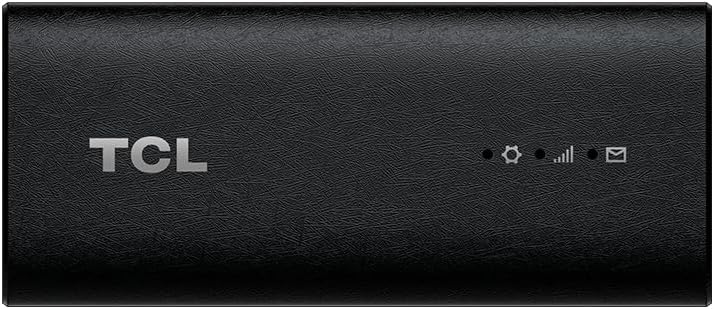


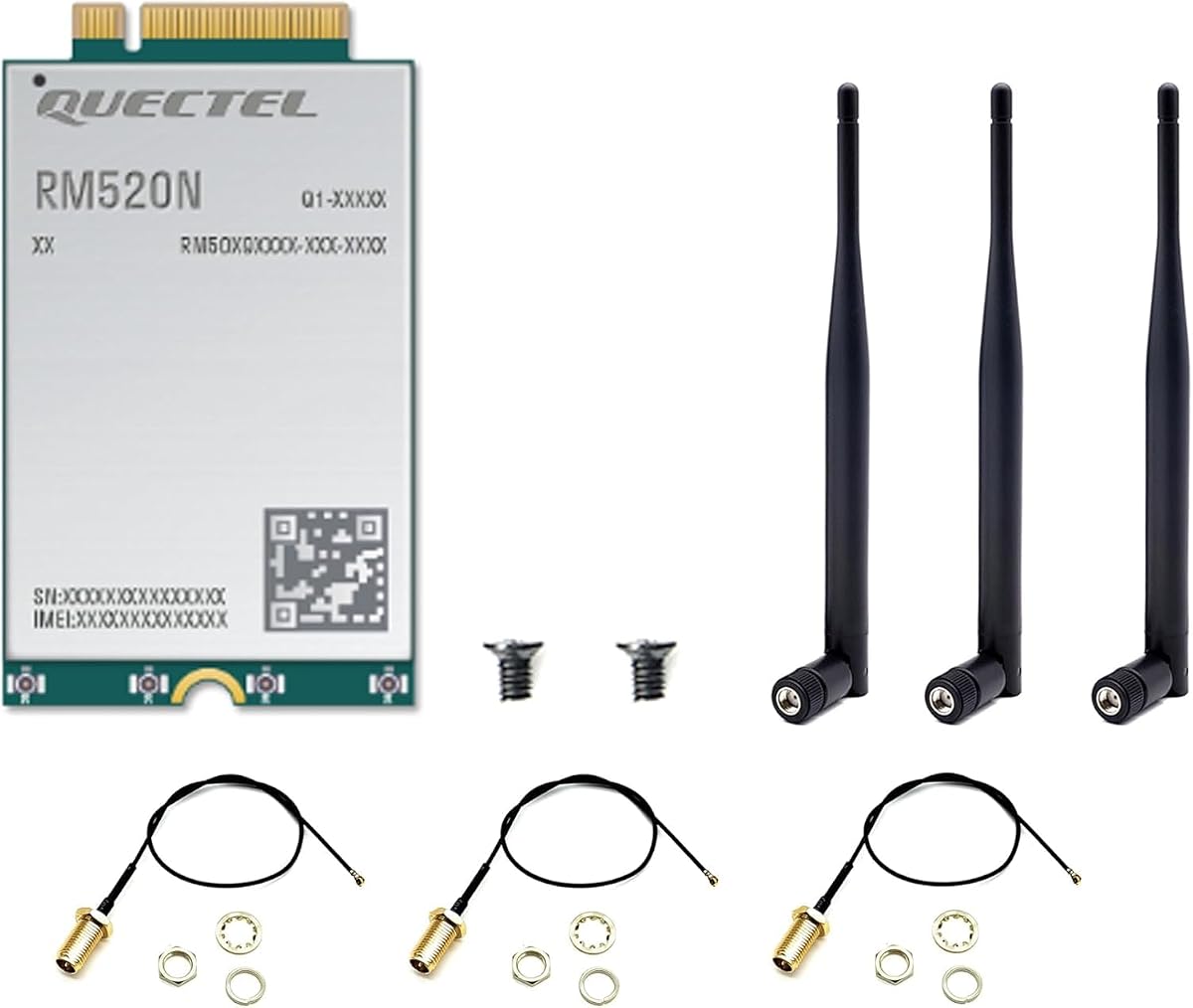


This USB modem is designed for travelers who want instant connectivity without technical hurdles. It carries a modest rating but stands out for its true plug-and-play nature across multiple operating systems.
We may earn a commission when you buy through this link, at no additional cost to you.
It uses a high-quality USB Type C 3.1 cable for optimal data throughput. The included T-Mobile SIM simplifies activation, and the private internet access feature prevents Wi-Fi hacking risks in public spaces.
While it supports Windows and Linux well, macOS users lose video conferencing capabilities. The speed is good for general tasks but may fluctuate based on network congestion and signal strength.
It suits professionals who need secure, quick internet access without carrying a phone. The lack of driver installation makes it a convenient choice for laptops that need a stable cellular link.
The device hides the SSID to prevent unauthorized scanning and hacking attempts in public areas.
Its compact form factor makes it easy to store in a laptop bag for daily commuting.
We may earn a commission when you buy through this link, at no additional cost to you.
This renewed dongle offers a way to access 5G speeds without paying full price. It maintains the core features of the standard model but at a more accessible entry point.
We may earn a commission when you buy through this link, at no additional cost to you.
The slim design fits easily into a laptop bag and uses a USB-C connection for simplicity. It supports a wide range of operating systems including Linux and iPadOS for flexibility.
Users should verify the condition upon arrival as it is a renewed product. Network support is strictly limited to T-Mobile which reduces its value for international travelers or other carriers.
It works well for users who need occasional high-speed backup internet. The secure access feature keeps data private when connecting in crowded spaces or shared environments.
Buying renewed allows users to try 5G tech with a lower initial investment.
The driverless design ensures it works across Windows, Mac, and Linux platforms easily.
We may earn a commission when you buy through this link, at no additional cost to you.
This standard model provides a reliable way to connect laptops to T-Mobile 5G networks. It has a better rating than the renewed version suggesting consistent quality from the manufacturer.
We may earn a commission when you buy through this link, at no additional cost to you.
The dongle uses a portable slim design that minimizes bulk during travel. It supports secure single-point access which helps keep data safe during remote work sessions or video calls.
While it works well with major operating systems the lack of multi-carrier support is a limitation. Users must commit to T-Mobile service plans which may affect roaming and local availability.
It is a strong choice for domestic travelers who already use T-Mobile for mobile service. The 5G capable hardware ensures fast downloads and streaming without needing a phone tether.
The 5G capability allows for quick large file transfers even on crowded networks.
No complex software installation is needed to start using the modem immediately.
We may earn a commission when you buy through this link, at no additional cost to you.
This combo pairs high-end hardware with a network service designed for professional tasks. It targets users who need consistent speeds without the deprioritization common in consumer plans.
We may earn a commission when you buy through this link, at no additional cost to you.
The Qualcomm Snapdragon X62 modem supports speeds up to 2.5Gbps for heavy workloads. TRITOM SIM plans ensure you get the bandwidth to utilize that power during video conferencing or cloud computing.
Since it connects directly via USB-C it avoids hotspot issues like battery drain. However the SIM service plans add a recurring cost which might be high for casual users.
It is ideal for business travelers handling sensitive data in public spaces. The enterprise-grade reliability ensures you stay productive even in crowded areas like airports or stadiums.
T-Priority network slicing maintains speeds during peak congestion times.
Private IP data connectivity prevents exposure to common public Wi-Fi threats.
We may earn a commission when you buy through this link, at no additional cost to you.
This router acts as a full home internet replacement using 5G cellular technology. It supports multiple devices efficiently thanks to WiFi 6 and OFDMA technologies.
We may earn a commission when you buy through this link, at no additional cost to you.
The eight antenna design improves signal stability and range throughout a building. It can access gigabit internet by simply inserting a SIM card without needing external network cables.
While it works for laptops the size makes it less portable than dongles. The mesh networking capabilities allow for flexible deployment in large office or smart home setups.
It suits remote workers who need a dedicated router for a home office. The high capacity ensures multiple family members can stream or work simultaneously without lag.
Four spatial streams allow many terminals to connect without slowing the network.
Mesh networking supports both wired and wireless backhaul for easy expansion.
We may earn a commission when you buy through this link, at no additional cost to you.
This gateway brings advanced networking features to mobile living situations like RVs. It offers high-speed WiFi 6 alongside 5G cellular support for reliable connections on the road.
We may earn a commission when you buy through this link, at no additional cost to you.
Dual-SIM flexibility lets you switch between AT&T and T-Mobile based on signal. The built-in OpenVPN and WireGuard keep traffic encrypted when connecting to public hotspots.
The customizable firmware allows for deep control over network rules and plugins. This makes it a robust choice for tech-savvy users who need specific security configurations.
It is perfect for road trips where internet stability is critical. The detachable antennas allow you to boost signals in remote areas without sacrificing mobility.
Pre-installed VPN software ensures secure browsing and data access anywhere.
Multi-WAN technology distributes bandwidth across different connection methods easily.
We may earn a commission when you buy through this link, at no additional cost to you.
This module is designed for integration into laptops and industrial devices rather than external use. It supports both NSA and SA modes for future-proof connectivity and high-speed data rates.
We may earn a commission when you buy through this link, at no additional cost to you.
With download speeds up to 3.4Gbps it handles large eMBB applications efficiently. The GNSS receiver provides accurate positioning capabilities essential for location-aware services.
It operates across a wide range of carriers globally making it versatile for international use. The industrial temperature range ensures it works in harsh environments where standard devices might fail.
It suits engineers building custom solutions or upgrading legacy laptops. While not a simple dongle it offers unmatched performance for embedded 5G systems.
The M.2 form factor allows direct internal integration for faster throughput.
Supports nearly all mainstream carriers for reliable coverage worldwide.
We may earn a commission when you buy through this link, at no additional cost to you.
This modem is built for digital signage and laptops needing consistent connectivity. The dual USB-C ports allow data transfer and simultaneous charging of the host device.
We may earn a commission when you buy through this link, at no additional cost to you.
It uses the Qualcomm Snapdragon SDX62 chipset for reliable 5G NR Sub-6GHz performance. Automatic fallback to 4G LTE ensures you stay online even when 5G signals are weak.
The enterprise-grade deployment minimizes setup time for kiosks or remote offices. Worldwide connectivity support means it works across different modulation modes and network types.
It is a solid choice for businesses needing stable internet for public displays. The robust hardware handles continuous use without overheating or dropping connection unexpectedly.
Pass-through charging keeps your laptop powered while using the cellular link.
Seamless switching to LTE prevents downtime in areas with spotty 5G.
We may earn a commission when you buy through this link, at no additional cost to you.
This module offers a very affordable entry point for 5G integration. It covers a wide range of frequency bands to ensure users enjoy faster data speeds in various regions.
We may earn a commission when you buy through this link, at no additional cost to you.
The high-speed download capability up to 4.67Gbps allows quick transfers of large files. It includes a GNSS modem for accurate navigation which adds value beyond just internet access.
Linux support is robust though Windows drivers may require more technical setup. The MIMO technology provides better coverage and stability compared to older LTE modules.
It suits tinkerers or budget-conscious users building custom devices. While not the most plug-and-play it delivers strong performance for the price.
MIMO technology ensures stable connections even when signal strength fluctuates.
Offers high-speed 5G features at a significantly lower price point.
We may earn a commission when you buy through this link, at no additional cost to you.
This enterprise dongle focuses on compliance and durability for field work. It supports 5G RedCap which balances power consumption with performance for extended use.
We may earn a commission when you buy through this link, at no additional cost to you.
The IP54 rating makes it resistant to dust and splashes in rugged environments. Dual USB-C ports allow pass-through charging so your laptop does not drain its battery.
It is TAA compliant for US government procurement and has eSIM options for remote provisioning. This makes it ideal for healthcare or government fleets needing secure connectivity.
It fits field service professionals who need a robust and compliant device. The remote management tools allow IT teams to deploy updates without physical access.
IP54 protection ensures the device survives minor drops and wet conditions.
TAA compliance makes it suitable for federal and state level procurement.
We may earn a commission when you buy through this link, at no additional cost to you.
Selecting the right 5G modem requires understanding how it fits into your daily workflow and network needs.
Ensure the modem supports the cellular bands used by your preferred carrier in your area. Some devices are locked to specific networks like T-Mobile while others support multiple carriers.
Check if the device supports both NSA and SA modes for future proofing and optimal performance.
Verify that the modem works with your specific OS version such as Windows 11, macOS, or Linux. Driver availability can vary and might affect your ability to connect quickly.
Prioritize models that offer plug-and-play functionality to avoid complex setup processes.
If you travel often, choose a compact USB-C dongle that fits easily in a laptop bag. Larger routers are better for stationary use but less convenient for daily commutes.
Look for lightweight designs that do not add unnecessary bulk to your gear.
For sensitive data, look for modems that support private IP connectivity or encrypted tunnels. Features like hidden SSID can protect against common public Wi-Fi attacks.
Consider devices with built-in VPN support to ensure safe browsing in shared spaces.
Modems that support power pass-through can charge your laptop while maintaining a data connection. This avoids the need to carry extra power banks during long work sessions.
Check the device power requirements to ensure your laptop port can handle the load.
Some devices include a SIM card while others require you to source your own plan. Compare the cost of bundled data services versus buying your own carrier plan.
Look for flexibility in switching plans if you travel internationally or between regions.
External or detachable antennas can improve signal strength in areas with weak coverage. Integrated designs are sleeker but may struggle in rural environments.
Consider whether you need to boost signals with external options for your specific use case.
Choose brands that provide regular firmware updates to improve performance and fix bugs. Custom firmware options like OpenWrt allow for advanced network customization.
Ensure the manufacturer has a track record of supporting their hardware over time.
To use a modem simply connect it to an available USB-C port on your laptop. The system should detect the device automatically and establish a cellular connection within seconds.
For best results, place the modem where it has a clear view of the sky to avoid signal blocking. If your laptop has a USB hub, connect the modem directly to the laptop for maximum power.
Keep the device clean and dry by storing it in a protective case when not in use. Regularly check for driver updates to ensure continued compatibility with new operating systems.
Not all modems work with all carriers. Some are network-locked to specific providers like T-Mobile while others support multiple bands. Always verify network compatibility before purchasing to avoid connection issues.
Many modern 5G modems support macOS but compatibility varies by model. Check the specific product details to ensure it works with your Mac version. Some may require specific drivers or software for full functionality.
Some models like routers can replace home internet if you have a reliable cellular signal. Dongles are better for laptops on the go. Check data caps and speeds to ensure they meet your daily needs.
Data amounts depend on the plan you choose rather than the hardware itself. Some come with specific SIM cards while others let you add your own. Unlimited plans are available but often throttle speeds after a limit.
A dedicated 5G modem offers better stability and does not drain your phone battery. It provides more consistent speeds and reduces the risk of thermal throttling compared to tethering a phone.
Most modern modems use plug-and-play technology requiring no manual driver installation. However some advanced models for Linux may need specific drivers for full performance. Check product specs for OS support details.
Weak signals can cause slower speeds or intermittent connectivity. Some modems support external antennas to boost reception. Others will fall back to 4G LTE automatically to maintain a connection.
Many enterprise-grade modems include features like private IP connectivity and encrypted tunnels. Always choose models with proven security certifications to protect sensitive data from potential breaches.
We explored ten distinct options ranging from plug-and-play dongles to enterprise-grade routers. Each offers unique benefits depending on whether you prioritize speed, security, or portability.
Prioritize network compatibility and OS support before focusing on raw speed specs. The best modem is the one that fits seamlessly into your existing workflow without requiring complex setup.
Prices and availability change often so verify current details before finalizing your purchase. Use the comparison points to guide your decision and ensure you get the right connectivity for your needs.