
CORSAIR Vengeance SODIMM 16GB
4.8Editor score
Up to 5600MHz speed
Single 16GB module
Easy installation process
This guide compares the top DDR5 laptop RAM kits for speed, capacity, and reliability to help you choose the best memory upgrade for your notebook system.
DDR5 laptop RAM represents the latest evolution in mobile memory technology, offering significantly higher bandwidth and efficiency compared to previous generations. As laptops become more powerful, the need for fast, reliable memory becomes critical for gaming, content creation, and heavy multitasking workloads.
We have carefully evaluated ten leading DDR5 RAM kits based on performance benchmarks, compatibility, build quality, and user feedback. Our analysis focuses on how each module handles real-world tasks, ensuring you get a reliable upgrade that matches your system requirements and budget constraints.
Each pick in this list highlights specific strengths, from budget-friendly options to high-performance kits tailored for demanding applications. Please note that market prices fluctuate frequently, so checking current listings before purchasing ensures you secure the best value for your investment.
4.8Editor score

4.8Editor score

4.5Editor score
This side-by-side comparison breaks down the key specifications and features of the top ten DDR5 laptop RAM options available today to help you make an informed decision.




The Crucial 32GB DDR5 RAM Kit stands out as a top choice for users seeking substantial memory upgrades. With a high rating of 4.8 stars, this kit delivers exceptional performance for both gaming and professional workflows.
We may earn a commission when you buy through this link, at no additional cost to you.
Operating at up to 5600MHz, it ensures smooth multitasking and faster data processing. Its compatibility with Intel Core and AMD Ryzen 7000 Series processors makes it a versatile option for modern laptops.
While it commands a premium price, the reliability and speed justify the investment. The only trade-off is ensuring your system supports the specific speed and form factor.
This kit is ideal for power users and gamers who demand top-tier performance. We highly recommend it for anyone looking to maximize their laptop's potential.
The 32GB capacity allows for running multiple heavy applications simultaneously without slowdowns.
Support for Intel XMP 3.0 and AMD EXPO ensures flexibility across different system configurations.
We may earn a commission when you buy through this link, at no additional cost to you.
The CORSAIR Vengeance 16GB module offers an excellent entry point for DDR5 upgrades. It carries a strong 4.8 rating, reflecting user satisfaction with its performance and ease of use.
We may earn a commission when you buy through this link, at no additional cost to you.
Designed to tackle demanding tasks, it delivers faster frequencies and lower power consumption. The industry-standard SODIMM form factor ensures compatibility with a wide range of laptops.
While maximum speed requires BIOS adjustments, the automatic speed boost on compatible systems simplifies the experience. The main limitation is the single module configuration.
Ideal for budget-conscious users, this module provides a solid performance lift. We recommend it for those needing a quick and reliable memory boost.
Most laptops require just a screwdriver for installation, making upgrades straightforward for beginners.
The module sets to maximum speed on compatible systems without needing BIOS manual configuration.
We may earn a commission when you buy through this link, at no additional cost to you.
G.SKILL Ripjaws DDR5 SO-DIMM is engineered for high performance enthusiasts. With a 4.5 rating, it impresses with its low latency and robust capacity for heavy workloads.
We may earn a commission when you buy through this link, at no additional cost to you.
The kit features CL40 timing which minimizes delays in data access. It supports Intel XMP 3.0 profiles for optimized performance tuning beyond standard specs.
Users must note that top speeds need manual adjustments. However, the stability and performance gains are well worth the effort for advanced users.
This kit is perfect for content creators and gamers seeking premium performance. We recommend it for those willing to tweak settings for maximum results.
CL40 timing ensures faster data retrieval for smoother application switching and gaming performance.
G.SKILL provides a RAM Configurator tool to validate hardware compatibility before purchase.
We may earn a commission when you buy through this link, at no additional cost to you.
The TEAMGROUP Elite DDR5 32GB kit provides a robust solution for modern laptops. It holds a 4.6 rating indicating reliable performance for everyday and demanding use.
We may earn a commission when you buy through this link, at no additional cost to you.
Its new structural composition improves performance while conserving energy. The on-die ECC support adds an extra layer of stability for critical tasks.
Though the CAS latency is slightly higher, it offers good value with a lifetime warranty. This makes it a safe choice for long-term system investment.
Users looking for a balance of performance and price will appreciate this kit. We recommend it for those needing reliable capacity without premium costs.
Working voltage of 1.1V helps in reducing overall power consumption of the laptop.
TEAMGROUP offers a lifetime warranty which provides peace of mind for buyers.
We may earn a commission when you buy through this link, at no additional cost to you.
GIGASTONE 32GB Kit is designed specifically for DDR5 laptops and notebooks. With a 4.7 rating, it promises high performance for notebook memory upgrades.
We may earn a commission when you buy through this link, at no additional cost to you.
The inclusion of PMIC improves power efficiency which is crucial for mobile devices. Its 5600MHz speed ensures fast data processing for demanding workloads.
While the brand is less known, the specs are clear and competitive. Users should ensure their device is DDR5 compatible before purchasing.
This kit is ideal for notebook users needing a significant speed boost. We recommend it for those looking for efficient high-speed memory.
Integrated PMIC provides enhanced power efficiency tailored for mobile computing needs.
Running at 5600MHz ensures reduced latency and faster response times.
We may earn a commission when you buy through this link, at no additional cost to you.
The CORSAIR Vengeance 32GB SODIMM is a versatile upgrade for Intel and AMD systems. It holds a 4.7 rating reflecting its reliability and ease of use.
We may earn a commission when you buy through this link, at no additional cost to you.
Compatible with nearly any system, it simplifies the selection process. Users benefit from faster load times and multitasking capabilities immediately.
Setting maximum speed requires BIOS adjustments which may confuse beginners. However, the reliability and support from CORSAIR make it a solid choice.
Best for users wanting a balanced solution for gaming and work. We recommend it for those prioritizing compatibility and brand trust.
Designed to work with nearly any Intel and AMD system for broader adoption.
Enhanced bandwidth ensures applications and games load significantly faster.
We may earn a commission when you buy through this link, at no additional cost to you.
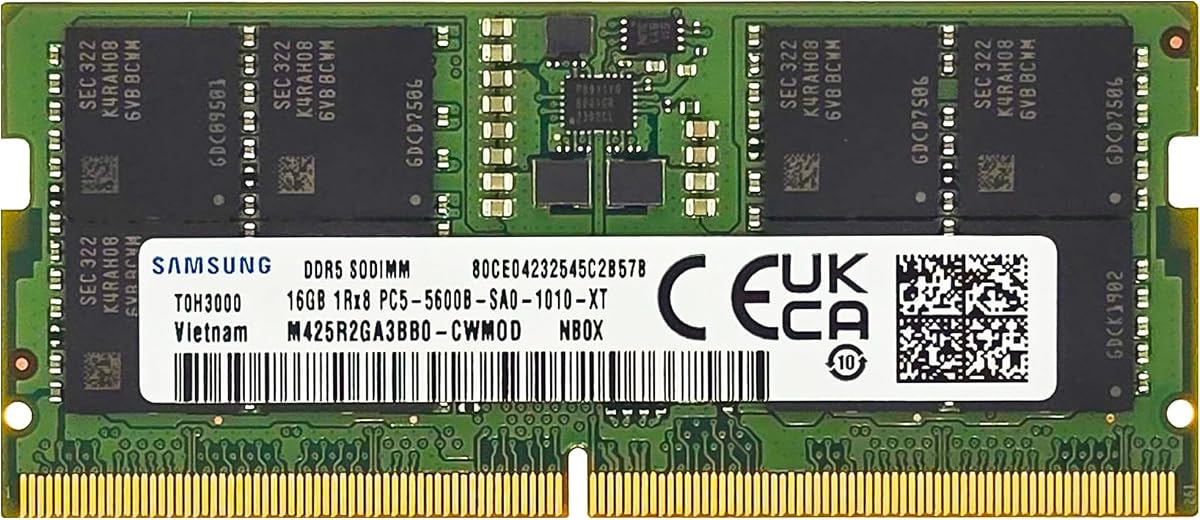
Samsung 16GB DDR5 memory provides a solid single module upgrade. With a 4.5 rating, it is trusted for its quality and stability in laptops.
We may earn a commission when you buy through this link, at no additional cost to you.
Operating at 5600MHz, it expands system resources to improve performance. It effectively reduces bottlenecks and increases workload capacity for daily tasks.
Single Rank design is efficient for many systems but lacks dual channel benefits. Users needing massive multitasking might prefer higher capacity kits.
Ideal for those upgrading from smaller RAM sticks. We recommend it for reliable and stable memory expansion.
Samsung manufactures this memory ensuring high reliability and performance standards.
Increases available memory resources for smoother system performance.
We may earn a commission when you buy through this link, at no additional cost to you.
This Samsung 32GB kit uses two modules to deliver high capacity. It is designed for select laptops and AIO computers with DDR5 support.
We may earn a commission when you buy through this link, at no additional cost to you.
Running at 5600MHz, it improves system performance by expanding available memory. The dual module setup helps in better memory distribution.
Single Rank design is efficient but may not reach top speeds of dual rank kits. However, Samsung quality ensures stable operation.
Great for users needing significant memory without moving to dual rank. We recommend it for balanced performance and reliability.
Two modules allow better memory distribution across channels for improved stability.
Works with All-in-One computers and notebooks requiring DDR5 upgrades.
We may earn a commission when you buy through this link, at no additional cost to you.
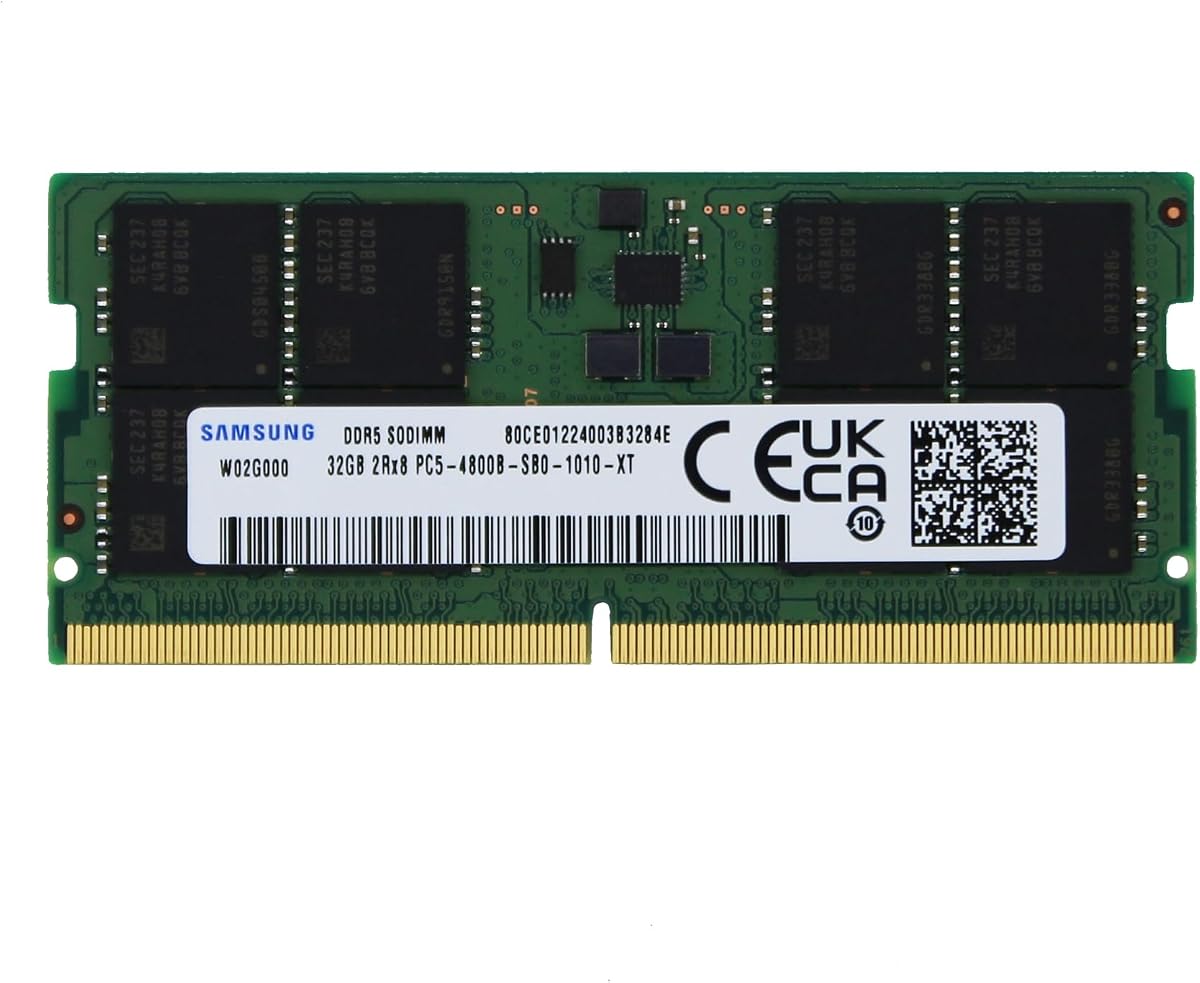
This Samsung 32GB DDR5 module features a Dual Rank design for high stability. It has a perfect 5.0 rating reflecting excellent user satisfaction and reliability.
We may earn a commission when you buy through this link, at no additional cost to you.
Operating at 4800MHz with CL40 timing, it offers low latency performance. The Dual Rank configuration ensures better density and efficiency for workloads.
Although speed is lower than 5600MHz, stability is superior. This makes it ideal for systems prioritizing reliability over peak clock speeds.
Recommended for professionals needing dependable capacity. We suggest it for stable computing environments.
Dual Rank design improves memory density and data transfer efficiency.
CL40 timing ensures fast response and minimal delay for tasks.
We may earn a commission when you buy through this link, at no additional cost to you.
Samsung 16GB kit provides a dual channel solution for laptops. It combines two 8GB modules for better performance than single channel setups.
We may earn a commission when you buy through this link, at no additional cost to you.
Running at 5600MHz, it ensures fast data transfer. This is a great entry point for dual channel memory without high cost.
Single Rank design may limit top speeds compared to larger kits. However, it offers reliable Samsung quality and standard voltage operation.
Best for users needing a balance of speed and capacity. We recommend it for general performance improvements.
Using two modules enables dual channel architecture for better bandwidth.
Ensures quick data access and responsive system performance.
We may earn a commission when you buy through this link, at no additional cost to you.
Selecting the right DDR5 laptop RAM requires understanding compatibility, speed, and capacity to ensure your system runs efficiently.
Ensure the RAM matches your laptop's SODIMM slot and supports DDR5. Check your motherboard manual or system specs before purchasing.
Always verify DDR5 SODIMM form factor and compatible CPU generation.
Choose capacity based on your workload. 16GB is standard for general use, while 32GB suits gaming and content creation.
Select 32GB for heavy multitasking and creative tasks.
Higher speeds like 5600MHz provide better performance but require system support. Ensure your laptop supports the desired frequency.
Prioritize speeds matching your system's max supported frequency.
Lower CAS latency means faster response times. Look for lower numbers like CL40 to CL46 for better performance.
Choose lower CL values for reduced data access delays.
Trust brands with proven quality and support. Manufacturers like Samsung and Crucial offer reliable long-term performance.
Pick established brands for warranty and reliability.
DDR5 typically runs at lower voltages like 1.1V to save battery life. Check voltage specs for energy efficiency.
Ensure voltage matches laptop power requirements.
Dual channel kits boost performance by pairing modules. Two sticks usually perform better than one of same total capacity.
Prefer matched kits for dual channel benefits.
Balance cost with performance needs. Higher speeds cost more but offer real benefits for intensive tasks.
Invest based on specific usage requirements.
Before installation, power down your laptop and remove the battery if possible. Ground yourself to avoid static discharge that could damage components.
Insert the RAM modules into the slots at an angle and press gently until they click into place. Ensure they are seated evenly and secure.
After installation, power on your laptop and check BIOS settings to confirm the RAM is recognized. Update your system BIOS for best compatibility.
No DDR you cannot mix DDR4 and DDR5 RAM as they have different physical notches and voltage requirements. Using both together may cause damage or system instability. Always use modules of the same generation.
Yes, DDR5 improves gaming by offering faster data transfer rates and higher bandwidth. This helps reduce frame time variance and improves loading times in modern titles.
For modern gaming, 32GB is recommended to handle multitasking and background processes alongside games. 16GB is minimal but sufficient for less demanding games.
Most modern laptops support dual channel RAM if they have two available slots. Installing matched pairs activates dual channel mode for better bandwidth.
Yes, installing RAM is safe if you follow precautions. Turn off the laptop, ground yourself, and handle components gently to avoid static or physical damage.
DDR5 uses advanced manufacturing processes and new controllers which increase costs. As adoption grows, prices are expected to decrease gradually.
We have explored ten top DDR5 RAM kits tailored for various needs and budgets. Each offers unique benefits from speed to capacity and brand reliability.
When choosing, prioritize compatibility and capacity based on your usage. Faster speeds and lower latency matter most for gaming and creative work.
Remember to check current prices before buying as market rates fluctuate frequently. Our guide ensures you have the info to make the right decision.