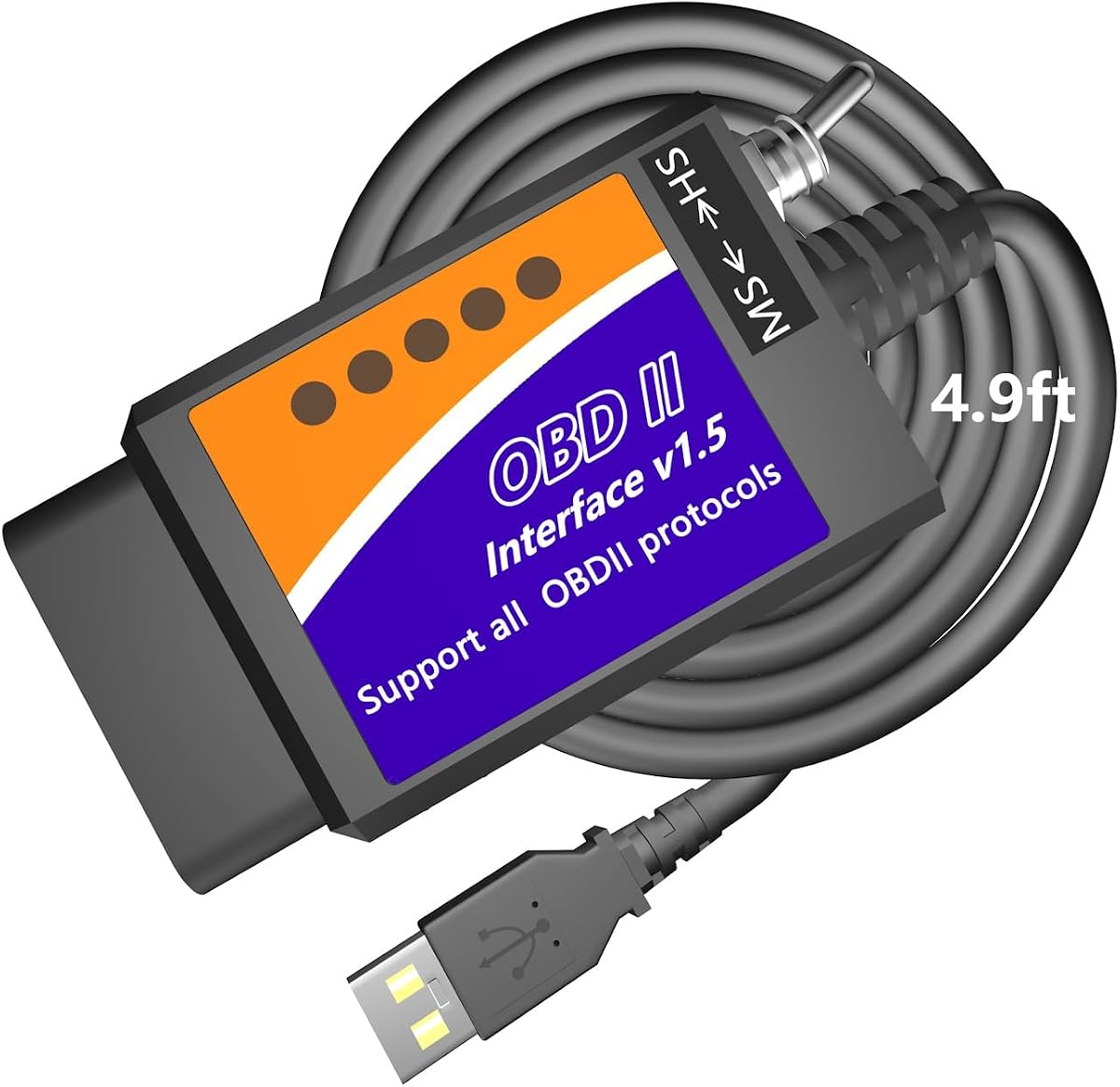
MOCATEC USB OBD Adapter
4.3Editor score
4.9ft Long Cable
HS CAN MS CAN Switch
Windows Compatible Only
Compare the top Forscan USB OBD2 Adapters for Ford and Mazda vehicles in October 2026 to find the best tool for diagnostics and ECU programming.
Finding a reliable Forscan USB OBD2 Adapter is essential for vehicle owners who want to perform professional diagnostics without visiting a dealership. These tools connect your laptop to your vehicle to read codes and configure settings.
We evaluated ten top-rated adapters based on compatibility, speed, and stability. Our comparison highlights models that support HS CAN and MS CAN buses for Ford and Mazda vehicles. Each entry includes detailed specifications to help you choose.
Every product listing shows key features, pros, and cons to guide your decision. Prices fluctuate frequently so please check the current listing before purchasing. This guide ensures you select the right adapter for your specific needs.
4.3Editor score

4.7Editor score

4.7Editor score
This side-by-side comparison reviews all ten adapters to highlight their unique strengths and weaknesses for Ford and Mazda owners.


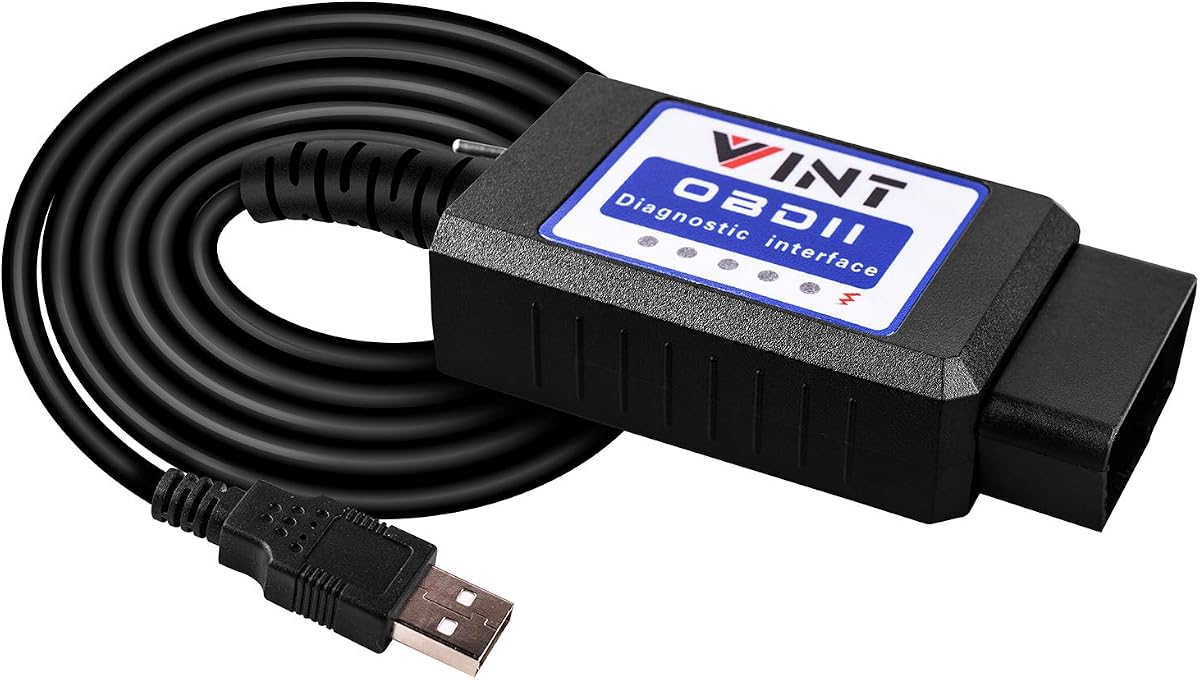
The Vgate vLinker FS is a top rated choice for Forscan users seeking reliability and speed. It scores high for its ability to handle complex diagnostics without dropping packets. The automatic switching feature saves time during long sessions.
We may earn a commission when you buy through this link, at no additional cost to you.
Its high-speed data transfer allows for smooth live data streaming and quick code retrieval. This adapter supports up to 18V for ECU programming on select vehicles which is crucial for advanced users. The build quality ensures durability over many uses.
While it is more expensive than budget options the stability it provides justifies the cost. Some users may find the need to install separate software slightly inconvenient compared to plug and play solutions. However this is standard for professional grade tools.
Ideal for enthusiasts and mechanics who need a dependable tool for Ford and Mazda diagnostics. This adapter delivers professional performance at a consumer friendly level. It is a solid investment for anyone serious about vehicle maintenance.
The auto switching feature identifies and connects to HS and MS CAN buses instantly.
Transfer speeds up to 3 Mbps ensure quick data retrieval and stable live streaming.
We may earn a commission when you buy through this link, at no additional cost to you.
The OBDLink EX is designed specifically for Forscan compatibility and offers dealership level diagnostics. It stands out for its electronic switching which allows simultaneous access to all CAN buses. This feature enables advanced functions not possible with toggle switch adapters.
We may earn a commission when you buy through this link, at no additional cost to you.
Its maximum throughput is up to twenty times faster than standard toggle adapters which significantly reduces wait time. The rock solid connection ensures no dropped packets even during intensive diagnostics. Users appreciate the stability during critical programming tasks.
The higher price reflects its premium capabilities and robust build quality. It may be overkill for simple code readers but is essential for deep system analysis. The exclusivity to Ford protocols limits its use to specific brands.
Best for professionals who need maximum speed and access to every Ford module. If you require advanced diagnostics this adapter provides the necessary tools. It is a reliable choice for serious Ford vehicle owners.
Electronic switching allows access to all CAN buses simultaneously for advanced functions.
Throughput is twenty times faster than toggle switch adapters for quicker results.
We may earn a commission when you buy through this link, at no additional cost to you.
The MOCATEC adapter offers a budget friendly entry point for Forscan diagnostics without sacrificing core features. Its extra long cable provides comfort when working under the dashboard or reaching the passenger seat. Users value the length for practical daily use.
We may earn a commission when you buy through this link, at no additional cost to you.
It supports a wide range of Ford Lincoln and Mazda vehicles from 1996 to 2025. The toggle switch allows manual control over CAN bus access which is straightforward for most tasks. It unlocks hidden factory configurations effectively.
The main limitation is its restriction to Windows based systems. Users with Macs or mobile devices will need additional software solutions. The manual switch requires attention to ensure correct bus selection during use.
Great for DIYers who need a reliable tool at an affordable cost. The long cable is a standout feature that improves usability significantly. It is a practical choice for basic to intermediate diagnostics.
The 4.9ft cable allows comfortable positioning for laptops and passenger seat access.
Unlock factory configurations like Bambi mode and global window control easily.
We may earn a commission when you buy through this link, at no additional cost to you.
The OHP adapter provides accurate diagnostics for Ford owners seeking an affordable solution. It connects via USB to ensure a stable link with your vehicle. The tool reads and clears codes across multiple systems including engine and transmission.
We may earn a commission when you buy through this link, at no additional cost to you.
It supports bus speeds up to 500 kbit/s which allows for efficient data retrieval. The included fault descriptions help users understand the root cause of issues. This empowers DIY repairs and reduces mechanic dependency.
Compatibility is limited to specific Ford models and excludes newer Mazda generations. This restricts its usefulness for mixed fleets or older models outside the range. Windows users will find setup straightforward with manual drivers.
Recommended for Ford owners who prioritize cost and reliability. It serves well as a primary tool for basic maintenance and troubleshooting. The detailed feedback helps users navigate complex issues confidently.
Detailed fault descriptions guide users to identify root causes of issues accurately.
Designed specifically for Ford vehicles ensuring optimized performance for those models.
We may earn a commission when you buy through this link, at no additional cost to you.
This VGATE vLinker FS adapter offers robust performance with automatic electronic switching for all CAN buses. It is recommended by the FORScan Team for its reliability during extended sessions. The battery saver technology protects your vehicle power system effectively.
We may earn a commission when you buy through this link, at no additional cost to you.
It supports 18V programming voltage and up to 3 Mbps transfer rates for smooth live data streaming. The serial buffer handles large data frames which prevents truncation during complex reads. This ensures full access to all vehicle modules.
The main drawback is the need to download compatible apps separately which can be an initial hurdle. Additionally it focuses on specific protocols which may not suit all users. However the 1 year warranty provides strong support.
Suitable for users seeking a stable connection without manual switching hassles. The protection features make it safe for long term parking. It is a strong choice for consistent diagnostic performance.
Auto sleep mode and over voltage protection prevent battery drain when parked.
Large serial buffers enable complete data retrieval without truncation issues.
We may earn a commission when you buy through this link, at no additional cost to you.
The ELM327 USB Adapter delivers professional stability through a direct cable connection. It features toggle switches for HS and MS CAN control which is vital for Ford diagnostics. The V1.5 hardware ensures reliability far exceeding wireless options.
We may earn a commission when you buy through this link, at no additional cost to you.
It supports various protocols including J1850PWM and multiple CAN versions for broad compatibility. Users can unlock hidden features like Bambi mode and global window functions easily. The tool works well with ELMconfig and FoCCCus software.
Installation requires drivers which may be a slight inconvenience for some users. It is not suitable for trailers so commercial fleet use is limited. However for personal vehicles it is highly effective.
Ideal for budget conscious users needing stable diagnostics. The USB connection ensures no dropped packets during use. It is a reliable tool for unlocking vehicle features.
Supports J1850PWM and multiple CAN versions for broad vehicle compatibility.
Unlock global window functions and other factory settings with this tool.
We may earn a commission when you buy through this link, at no additional cost to you.
This Elm327 USB adapter is a practical choice for Ford owners requiring basic diagnostics. It works well with F150 and F250 models from 1996 onwards. The manual switch allows for proper CAN bus management.
We may earn a commission when you buy through this link, at no additional cost to you.
It supports all standard OBD2 protocols including J1850PWM and HS MS CAN. Users can access hidden features like global windows and Bambi mode easily. It is a simple tool for essential vehicle maintenance.
Newer Mazda models are not supported which limits versatility for mixed fleets. The manual switch may confuse inexperienced users. However the low price makes it accessible for casual users.
Best for Ford owners on a budget needing core features. It provides necessary functionality for code reading and basic coding. It is a straightforward choice for basic needs.
Compatible with most Ford trucks and light vehicles from 1996 onwards.
Enable global window control and other convenience settings easily.
We may earn a commission when you buy through this link, at no additional cost to you.
The AntiBreak elm 327 features a reliable FTDI chip and solid USB connection. It is designed to avoid data corruption and dropped packets during use. The V1.5 hardware ensures smooth communication with vehicle modules.
We may earn a commission when you buy through this link, at no additional cost to you.
It supports all OBD2 protocols for broad compatibility across Ford and Mazda vehicles. Users can perform professional grade fault light programming at speeds up to 500 kbit/s. The switch improves access to existing modules.
It is limited to Windows systems and requires driver installation before use. This may be a barrier for Mac users. However the hardware quality is robust for the price point.
Great for users needing a stable budget adapter. The FTDI chip ensures consistent performance. It is a reliable tool for essential diagnostics.
FTDI chip prevents data corruption and dropped packets during use.
Up to 500 kbit/s speeds allow professional grade fault programming.
We may earn a commission when you buy through this link, at no additional cost to you.
This Vgate vLinker FS adapter is designed for high efficiency diagnostics. It offers automatic electronic switching for seamless CAN bus access. The 3 Mbps rate ensures smooth graphics and real time meter readings.
We may earn a commission when you buy through this link, at no additional cost to you.
It supports FEPS 18V programming voltage for configuration and modification tasks. The connection is rock solid with no dropped packets or network interference. This makes it suitable for advanced programming needs.
The price is higher than basic units but performance justifies the cost. Users must download software separately which adds a setup step. However the reliability is a key benefit.
Best for professionals needing fast stable diagnostics. It delivers consistent performance for advanced tasks. A great choice for serious users.
Electronic switching allows seamless access to all CAN buses simultaneously.
Supports 18V programming for advanced configuration and modification tasks.
We may earn a commission when you buy through this link, at no additional cost to you.
The OBD2 Adapter FORSCans is a classic tool loved by Ford owners. It provides flawless scanning and programming for light pickup trucks. The toggle switch helps access MS and HS CAN buses easily.
We may earn a commission when you buy through this link, at no additional cost to you.
It operates at 500kbit/s which is sufficient for most diagnostics. Users can unlock hidden features like Bambi Mod and reverse tilt mirrors. The interface works well with ELMconfig and FoCCCus software.
It is limited to Windows systems and requires internet for updates. The manual switch requires attention to ensure correct bus selection. However it is a reliable and affordable choice.
Best for traditional users seeking stability. It covers essential Ford models effectively. A solid tool for basic and intermediate needs.
A favorite tool for Ford owners providing flawless scanning and programming.
Access global window features and Bambi Mod for customizations.
We may earn a commission when you buy through this link, at no additional cost to you.
Selecting the right adapter depends on your vehicle model and technical needs.
Check if the adapter supports your specific Ford or Mazda model. Some tools only work on models from 1996 onwards while others exclude newer generations. Always verify the supported list before buying.
Verify compatibility with your specific vehicle model to ensure successful diagnostics.
Automatic electronic switching is faster and more convenient than manual toggle switches. Toggle switches require you to switch manually between CAN buses which can slow down diagnostics. Automatic units reduce the risk of user error.
Automatic switching saves time and reduces the risk of incorrect bus selection.
Most adapters only work with Windows PCs. Mac users will need to run a Windows emulator which can be complicated. Ensure your system matches the adapter requirements before purchase.
Confirm Windows compatibility as Mac support is limited or non-existent.
Higher transfer speeds like 3 Mbps improve live data streaming and reduce wait times. Slower adapters may struggle with large data packets or complex modules. Speed is crucial for advanced users.
Faster transfer speeds ensure smooth live data and quick code retrieval.
Advanced users may need 18V support for ECU programming. This voltage is required for flashing new firmware on select vehicles. Basic adapters may not support this feature.
Check for 18V support if you plan to do ECU programming.
Longer cables provide comfort when working under the dashboard. Short cables can restrict movement and make it hard to reach the laptop. A 4.9ft cable is often preferred for usability.
Opt for longer cables to improve comfort during diagnostic sessions.
Most adapters do not include software and require separate downloads. Ensure you can install required apps like Forscan or ELMconfig separately. Some tools offer extended license trials.
Be prepared to download and install compatible software separately.
Look for adapters with at least a 1 year warranty and technical support. This ensures protection against defects and helps resolve connectivity issues quickly. Reliable support adds value.
Choose brands offering warranty and responsive technical support.
Before using your adapter plug it into a USB port on your PC and connect the OBD2 end to your vehicle's port. Turn the ignition to the on position without starting the engine to power the adapter.
Install the required drivers and software on your computer before running diagnostics. Open the application like FORScan and select the correct COM port to establish a connection with your vehicle.
After use unplug the adapter from the vehicle and store it in a cool dry place. Protect it from moisture and extreme temperatures to maintain hardware integrity and connection reliability.
The standard version of FORScan is free but an Extended License is required for advanced features like ECU programming. You can purchase the license from the FORScan website or through the software.
No most of these adapters only support Windows operating systems. Mac users must run a virtual Windows environment which may affect performance and is not officially supported.
Check that drivers are installed and the COM port is selected correctly in your software. Also verify the ignition is on and the vehicle battery is charged to power the adapter.
These adapters are designed for diagnostics and configuration not performance tuning. While some allow ECU programming they are not meant for modifying engine maps or tuning performance.
MS CAN is a low speed bus used for body systems while HS CAN is a high speed bus for engine and transmission. Some adapters can access both while others need manual switching.
Only adapters with battery saver features should be left plugged in. Others may drain the vehicle battery if left connected for long periods while the engine is off.
The Vgate vLinker FS and OBDLink EX offer top performance for those who need reliability and speed. Budget friendly options like MOCATEC provide essential features at a lower price.
Prioritize compatibility and switching mechanism when making your choice. Automatic switches are more convenient while manual ones may suffice for simple tasks.
Remember to check current prices and availability before purchasing. Models vary in performance so selecting the right tool ensures the best diagnostic experience.