
VOYEE PC Controller
4.3Editor score
Compatible with Xbox 360
Ergonomic grip design
7.2ft long cable
This guide compares the top cheap Xbox controllers for 2026, evaluating build quality, features, and performance to help you find the best affordable gamepad.
Finding an affordable gaming pad does not mean sacrificing performance or comfort. Many budget options now offer wired reliability, precise controls, and solid ergonomics for extended play sessions without breaking the bank.
We have carefully evaluated ten popular controllers based on compatibility, build quality, and user feedback. Our comparison covers wired and wireless options across different price points to ensure you get the best value for your setup.
Each pick highlights specific strengths and weaknesses to help you make an informed decision. Keep in mind that stock and availability change frequently, so check current listings before finalizing your purchase.
4.3Editor score

4.4Editor score

4.2Editor score
The following table provides a side-by-side overview of all ten controllers. Use this to quickly compare key specifications and features before diving into the detailed reviews.



The PowerA Wired Controller stands out as a top choice for budget-conscious gamers seeking official certification. With a solid 4.2 rating, it delivers reliable performance across Xbox Series X|S and Xbox One consoles without the need for charging or pairing.
We may earn a commission when you buy through this link, at no additional cost to you.
Its standout feature is the 10-foot USB-C cable, providing ample range to sit comfortably away from your console. The dual rumble motors and impulse triggers add tactile feedback, enhancing immersion in action and racing titles.
While the lack of wireless functionality is a trade-off, the extended cable mitigates this by allowing significant movement. The ergonomic build ensures comfort during marathon sessions, making it a practical choice for casual and competitive players alike.
This controller is ideal for those who prioritize reliability and official licensing over wireless freedom. Its blend of features and affordability makes it a strong recommendation for most Xbox users.
The 10-foot USB-C cable ensures you can game from a comfortable distance without tugging on the connection.
Being officially licensed means you get guaranteed compatibility and quality standards directly from Microsoft partners.
We may earn a commission when you buy through this link, at no additional cost to you.
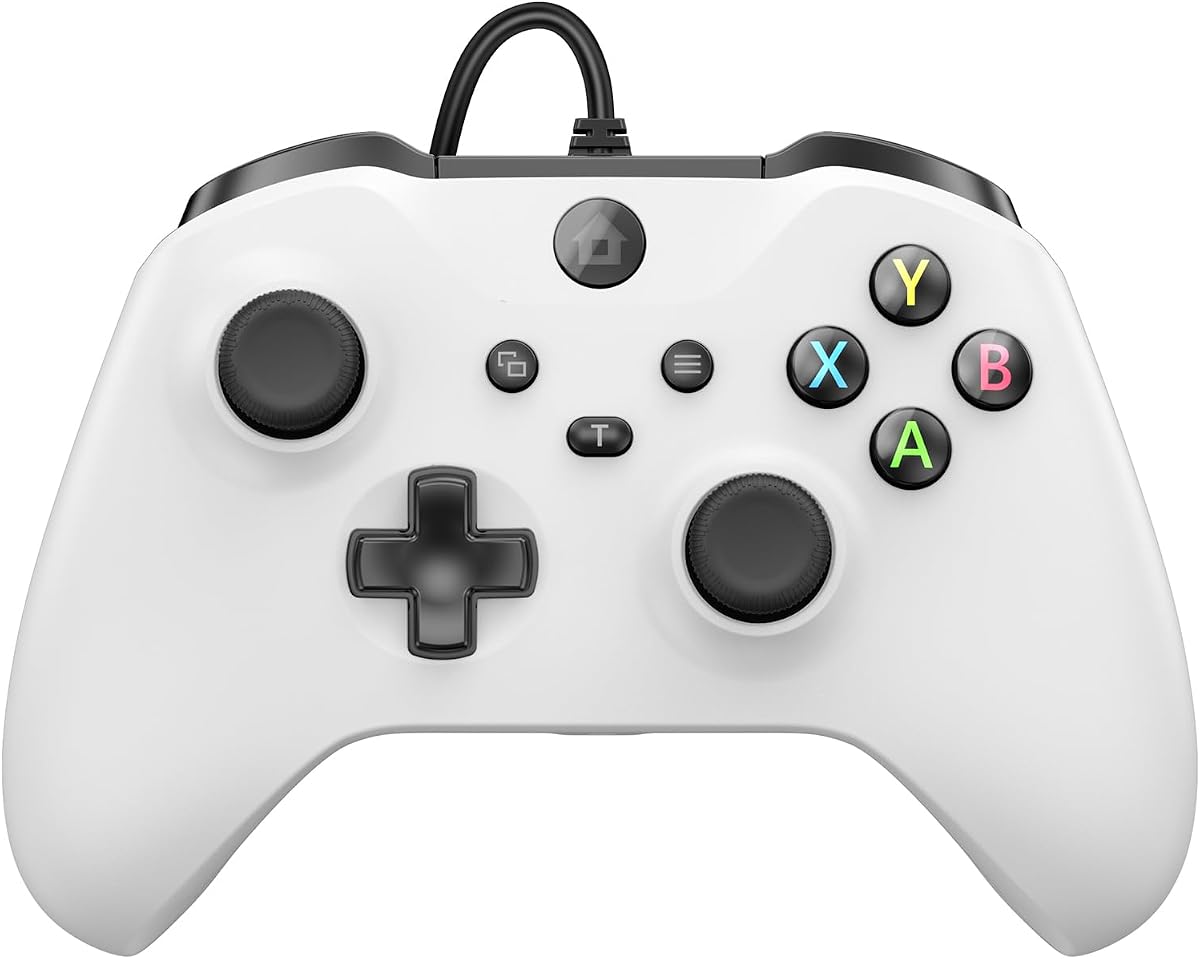
The VOYEE PC Controller holds the spot for the most budget-friendly choice in this lineup. With a 4.3 rating, it appeals to users who need basic functionality for legacy Xbox 360 titles or PC gaming without spending much.
We may earn a commission when you buy through this link, at no additional cost to you.
Its design prioritizes comfort with ergonomic grips and responsive triggers. The 7.2-foot cord provides enough length for most desk setups, and it works seamlessly with various Windows versions out of the box.
However, the product data notes it is not ideal for FPS games, suggesting some limitations in precision. Additionally, its aesthetic aligns with older console generations which may not suit all users.
For those on a strict budget or needing a spare controller for retro gaming, this is a sensible choice. Just ensure your primary use case aligns with its stated compatibility strengths.
Perfect for Xbox 360 enthusiasts looking for an affordable wired replacement without extra adapters.
Plug and play functionality means no drivers are needed for instant access to your games.
We may earn a commission when you buy through this link, at no additional cost to you.
The YUYIU Wired Controller brings modern features to a budget price point. Featuring Hall Effect joysticks, it addresses the common issue of stick drift, ensuring precise inputs over time. This is a significant advantage for competitive players on a budget.
We may earn a commission when you buy through this link, at no additional cost to you.
Its RGB lighting adds a customizable aesthetic touch, while the dual vibration motors maintain immersion. The inclusion of two programmable back buttons and a turbo function offers enhanced control options for complex game mechanics.
While the RGB features are visually appealing, they may require power management when used on devices like iOS. The wired nature ensures stability but limits mobility compared to wireless alternatives.
This controller is recommended for those who want advanced features like Hall Effect tech and macros without a premium price. It strikes a good balance between performance and visual appeal.
Using magnetic sensing for joysticks minimizes drift risks and extends the controller's usable lifespan.
Custom back buttons allow you to map complex commands for easier access during gameplay.
We may earn a commission when you buy through this link, at no additional cost to you.
The GameSir G7 SE earns its high rating through advanced technology. Hall Effect joysticks and triggers eliminate physical contact wear, providing consistent accuracy and longevity. This makes it a top contender for serious gamers seeking reliability.
We may earn a commission when you buy through this link, at no additional cost to you.
Its ergonomic handle features a laser-engraved texture that prevents slipping during intense sessions. The inclusion of two custom back buttons allows for streamlined gameplay, reducing the need to take thumbs off sticks.
While it lacks wireless freedom, the stable USB connection ensures zero lag. The 3.5mm audio jack adds utility for voice chat. It is a premium experience at a competitive price point.
Ideal for players who prioritize accuracy and durability, this controller delivers on its promises. The combination of Hall Effect tech and ergonomics sets it apart from standard budget pads.
Hall Effect technology ensures your inputs remain precise without degradation over years of use.
The textured finish provides a secure hold, reducing hand fatigue during extended play.
We may earn a commission when you buy through this link, at no additional cost to you.
As a renewed official Microsoft controller, this option provides the authentic Xbox experience. It includes textured grips for comfort and a hybrid D-pad that balances traditional and modern needs. It is ideal for users who want guaranteed brand quality.
We may earn a commission when you buy through this link, at no additional cost to you.
The custom button mapping allows personalization of controls. It works well with Windows and Xbox One platforms. The renewed status means it undergoes inspection, offering savings over brand-new units.
However, the warranty is limited to 90 days, which is shorter than third-party options. As a renewed product, individual units may vary slightly in cosmetic condition.
Choose this if you prefer official hardware with specific design features. It offers the true Xbox feel with added flexibility for mapping.
You get the genuine Microsoft build quality and button placement familiar to core Xbox users.
The D-pad is designed for precision in fighting games while maintaining comfort for other genres.
We may earn a commission when you buy through this link, at no additional cost to you.
This renewed Xbox One S controller offers wireless convenience for those who value mobility. The Bluetooth connectivity allows easy pairing with PCs and consoles. The blue color adds a distinctive look to your setup.
We may earn a commission when you buy through this link, at no additional cost to you.
It provides the standard Xbox wireless experience with a compact form factor. The renewed status ensures it is tested for functionality while saving costs. It is a solid choice for casual wireless gaming.
Note that wireless requires batteries and may have slight latency compared to wired. However, the freedom of movement often outweighs these minor issues for many users.
Recommend this for users prioritizing wireless connectivity in a budget-friendly package. The Bluetooth option expands its utility beyond just Xbox consoles.
Bluetooth support lets you connect to various devices beyond the console without a separate adapter.
The blue finish offers a stylish alternative to standard black controllers for a personal touch.
We may earn a commission when you buy through this link, at no additional cost to you.
The Xbox One Wireless controller in white retains the classic design many users appreciate. It features enhanced wireless range compared to previous models, offering more freedom. The white finish stands out but may show wear over time.
We may earn a commission when you buy through this link, at no additional cost to you.
Custom button mapping adds flexibility. It is renewed, ensuring it has been checked for functionality. This is a good fit for those sticking with Xbox One ecosystems or preferring this specific look.
Battery life depends on usage and battery type. While older, it remains a reliable option for standard gaming needs. Ensure your console supports it for optimal performance.
This controller is recommended for fans of the original Xbox One design who want wireless capabilities at a lower price. It delivers core Microsoft features effectively.
Improved wireless range allows you to play from further away without signal interruptions.
Remap buttons to suit your play style for improved efficiency during games.
We may earn a commission when you buy through this link, at no additional cost to you.
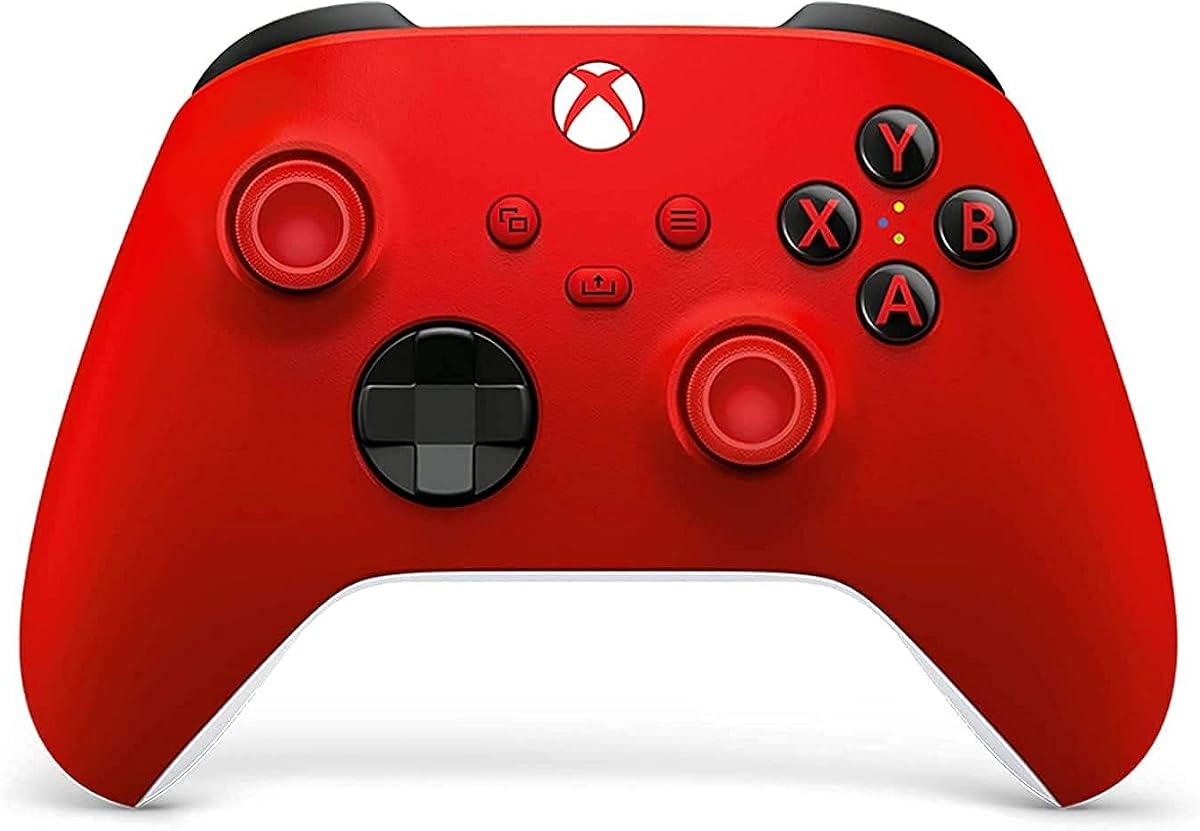
This Pulse Red controller is the latest model, offering modern features in a striking color. It supports Series X, Series S, and Xbox One. The battery life claims up to 40 hours, ensuring long play without charging.
We may earn a commission when you buy through this link, at no additional cost to you.
Wireless connectivity ensures a clean setup. As a renewed product, it undergoes inspection for functionality. The color choice adds a pop of energy to any gaming room.
Battery type affects actual life. Ensure it uses standard AA batteries as specified. The wireless nature adds convenience but requires battery management.
It is ideal for those wanting the latest official design in a bold color. The balance of battery life and compatibility makes it a versatile choice.
You get the refined ergonomics and button layout of the newest Microsoft controller generation.
Up to 40 hours of battery allows for extended sessions without frequent battery changes.
We may earn a commission when you buy through this link, at no additional cost to you.
The NINIFEI Wireless controller supports Xbox and PC via a 2.4G adapter. This allows easy switching between devices without Bluetooth constraints. It includes a 3.5mm jack for headsets.
We may earn a commission when you buy through this link, at no additional cost to you.
Setup requires pairing steps which may take a moment. It offers tactile feedback for immersive gameplay. The package does not include batteries, so ensure you have them ready.
This is a practical option for multi-device users. The adapter adds flexibility for PC gaming without relying on system Bluetooth. Check pairing instructions carefully on initial setup.
Recommended for those who want wireless flexibility across Xbox and PC. The adapter inclusion simplifies connectivity for Windows users specifically.
The dedicated 2.4G adapter ensures stable connections on PCs where Bluetooth might be unreliable.
Use the 3.5mm jack for direct headset connection for clear chat during matches.
We may earn a commission when you buy through this link, at no additional cost to you.
This Kamylorus controller supports multiple platforms including Xbox, PC, iOS, and Android. The wired connection ensures consistent performance across all devices. Hall Effect joysticks provide precision and durability.
We may earn a commission when you buy through this link, at no additional cost to you.
A turbo function enhances gameplay in action titles. The 7.2ft cable offers decent range. It includes a 3.5mm jack for communication. No charging is required as it is USB powered.
Mobile support makes it unique among wired options. You can use it for mobile gaming with a controller mount. Ensure your mobile device supports USB OTG.
Ideal for users with diverse gaming devices. The versatility of cross-platform support makes it a valuable tool for those who game on the go and on console.
Compatible with iOS and Android for controller-supported mobile games without lag.
The rapid fire function automates button presses for easier performance in shooters.
We may earn a commission when you buy through this link, at no additional cost to you.
Choosing the right controller involves weighing factors like connectivity, build quality, and features. Here are key elements to consider.
Wired controllers offer zero latency and no battery concerns. Wireless provides freedom of movement but requires batteries or charging. Consider your play environment.
For competitive play, wired is often safer. Wireless suits casual use away from the console.
Ensure the controller supports your console. Xbox Series X|S controllers work on older models. PC compatibility is a plus for multi-platform use.
Check specific OS support if using on Windows or mobile devices.
Sturdy buttons and sticks prevent wear. Look for Hall Effect sensors for precision. Plastic quality affects longevity in the long run.
Durable materials reduce the need for frequent replacements.
Comfort is key for long sessions. Grips should feel secure without slipping. Weight distribution impacts fatigue over time.
Choose a shape that fits your hand size for comfort.
Back buttons and turbo functions add versatility. Audio jacks allow headset use. RGB lighting can be customized on some models.
Decide which features matter most to your play style.
Budget options often lack wireless. Premium features like Hall Effect sensors increase cost. Balance cost with necessary functions.
Invest in features that enhance your specific gaming needs.
A good warranty protects against defects. Look for at least a year of coverage. Brands often offer better support with longer terms.
Check return policies before purchasing to ensure protection.
Popular brands have tested reliability. Reviews reflect real-world performance. Avoid unknown brands with no track record.
Stick to known manufacturers for consistent quality.
Connect the controller via USB cable for wired models or insert batteries for wireless. Press the Xbox button to pair with the console or PC.
Keep the controller away from liquids and dust. Wipe with a dry cloth after use to maintain hygiene. Store in a dry place.
For wireless, replace batteries regularly. If using rechargeable packs, avoid overcharging to extend life. Check for firmware updates if applicable.
Wired controllers eliminate input lag and battery issues. They are often preferred for competitive play. However, wireless offers freedom of movement.
Most modern budget controllers support Xbox Series X. Verify compatibility in the product specs. Officially licensed options guarantee this.
Many controllers listed work on PC via USB or Bluetooth. Check Windows compatibility. Some may require drivers.
They use magnetic sensing to prevent stick drift. This technology extends the lifespan of the controller and ensures precision.
Lifespan varies by build quality. Generally, 1 to 3 years with regular use. Proper care helps extend longevity.
Most wired ones do not need batteries. Wireless ones often exclude batteries. Always check the product details.
We reviewed ten options ranging from basic wired pads to advanced feature-rich gamepads. The top picks balance affordability with performance to suit diverse needs.
Prioritize compatibility and ergonomics when deciding. Features like Hall Effect sensors add value. Consider your gaming style and budget.
Prices and availability change. Check current listings for the latest deals. Choose a model that fits your setup perfectly.