
Kingston NV3 1TB
4.7Editor score
Up to 6000MB/s read speed
PCIe 4.0 Gen 4×4 interface
Includes Acronis cloning software
This guide compares the top Kingston Internal NVME SSD models for 2026, evaluating performance, reliability, and value to help you choose the right drive.
Choosing the right storage solution is critical for modern computing. An internal NVME SSD offers speed and efficiency that traditional drives cannot match. Kingston has established itself as a reliable provider in this space.
We have analyzed the latest offerings from Kingston to create this comprehensive list. Our comparison focuses on speed, capacity, form factor, and overall value for different use cases. Each product meets strict criteria for inclusion.
Each pick highlights key strengths and ideal use scenarios for buyers. Prices and availability can change rapidly so always check current listings before purchasing. This guide aims to simplify your decision process effectively.
4.7Editor score
4.7Editor score

4.8Editor score
This side-by-side comparison highlights the key specifications of all ten products. It helps you quickly identify which model fits your specific storage and performance needs best.




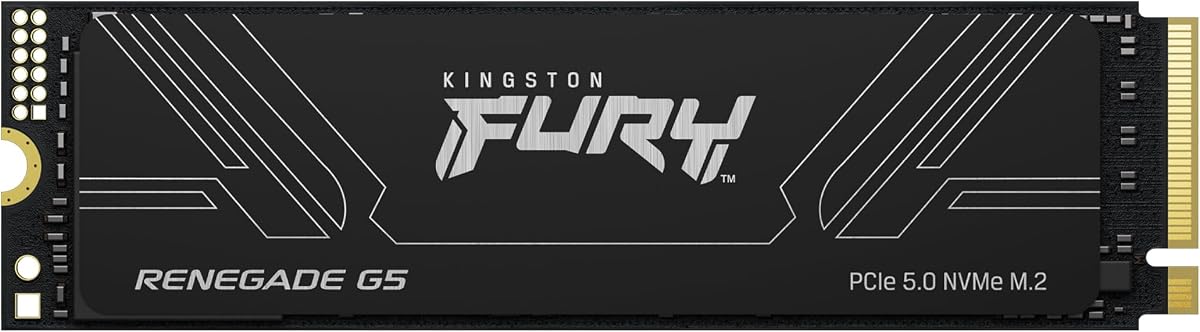
This drive represents the cutting edge of storage technology with its PCIe 5.0 support. It delivers incredible speeds that are unmatched in the current market. The 4TB capacity ensures ample space for large datasets and media files.
We may earn a commission when you buy through this link, at no additional cost to you.
The SM2508 controller and advanced thermal design ensure stable performance under heavy loads. It is designed for power users who demand the fastest possible response times. This includes hardcore gamers and professional content creators working with large video files.
While the price is high, the performance gains are significant for specific workflows. The efficiency of the controller helps maintain performance even during sustained write operations. This makes it a worthy investment for professional environments.
If you need the absolute fastest drive available, this is the top choice. It is best suited for users with compatible motherboards who want future-proof storage. The reliability and speed make it a standout product in the lineup.
Content creators benefit from reduced rendering times and faster file transfers.
Efficient cooling keeps the drive running smoothly even during intense tasks.
We may earn a commission when you buy through this link, at no additional cost to you.
This model is tailored for gamers and PS5 users seeking a performance boost. It features a heat sink to maintain optimal temperatures during long gaming sessions. The speeds ensure quick load times for demanding modern titles.
We may earn a commission when you buy through this link, at no additional cost to you.
The PS5 readiness is a key feature that sets it apart for console users. It allows you to expand storage without sacrificing speed or compatibility. The high capacity options mean you can store more games on your drive.
The price reflects the premium build and performance capabilities of the drive. It is an investment in longevity and speed for those who value gaming performance. The heat sink adds physical protection and thermal efficiency.
Gamers looking to upgrade their PC or console should consider this drive. It balances speed and reliability well for demanding applications. The included heat sink makes installation and cooling straightforward and effective.
Seamlessly expands storage for PlayStation 5 with certified performance.
Integrated heat sink prevents throttling during extended use.
We may earn a commission when you buy through this link, at no additional cost to you.
This drive offers a strong balance of performance and affordability for most users. It supports PCIe 4.0 which provides significant speed over older generations. The inclusion of cloning software makes upgrading easy and hassle-free.
We may earn a commission when you buy through this link, at no additional cost to you.
The read speeds are sufficient for daily computing tasks and gaming. It provides a smooth experience for loading applications and files quickly. The low power consumption is beneficial for laptops and energy-efficient builds.
While it lacks a heat sink, it performs well in most standard setups. The 5-year warranty provides peace of mind for long-term use. It is a practical choice for those needing reliable storage without high costs.
If you want fast storage without breaking the bank, this is ideal. It is perfect for general users who need to replace an older drive. The cloning tool adds extra value to the purchase significantly.
Acronis cloning software included to migrate your system data easily.
Designed for low power to save energy and reduce heat.
We may earn a commission when you buy through this link, at no additional cost to you.
This drive is specifically designed for devices with small form factor slots. It fits handheld gaming devices and some compact PCs perfectly. The speed is impressive for such a small package and size.
We may earn a commission when you buy through this link, at no additional cost to you.
Users of modern handheld consoles will find this a perfect upgrade option. It allows for more storage space without compromising on load times. The performance matches larger drives but fits into tight spaces.
The capacity options allow for flexibility depending on your storage needs. It is more expensive per gigabyte but necessary for specific device types. The engineering ensures it fits and performs well in its target devices.
If you own a compatible handheld PC or laptop, this is essential. It maximizes the potential of your device's storage slot. The reliability is high which is important for portable gaming experiences.
Designed to fit the specific 2230 slot of portable gaming PCs.
Delivers Gen 4 speeds in a compact physical footprint.
We may earn a commission when you buy through this link, at no additional cost to you.
This is an entry-level option for those needing a quick and small upgrade. It uses the 2230 form factor which is useful for specific devices. It offers NVMe speeds which are fast for general tasks.
We may earn a commission when you buy through this link, at no additional cost to you.
It is suitable for Stream Decks or as a boot drive for OS files. The price point makes it accessible for basic storage expansion needs. It fits well in small laptops or specialized hardware slots.
The capacity is limited so it is not ideal for large file storage. You will need to manage files carefully to fit everything on it. It works best as a secondary drive for specific applications.
Buyers looking for a small NVMe solution will find this practical. It is a reliable brand offering decent performance for the size. It ensures your device can access modern storage speeds easily.
Perfect for small devices that require modern storage speeds.
Adds NVMe capabilities to older or smaller systems effectively.
We may earn a commission when you buy through this link, at no additional cost to you.
Security is the main focus of this drive with hardware-based encryption. It supports TCG Opal and Microsoft eDrive for robust data protection. This is ideal for businesses or users with sensitive data needs.
We may earn a commission when you buy through this link, at no additional cost to you.
The performance is solid for older systems that support PCIe 3.0. It offers read/write speeds that improve workflow in desktop and workstation setups. The 3D TLC NAND ensures good endurance for daily use.
You can manage security with independent software vendors easily. It is a self-encrypting drive so you do not need complex software setup. The security features are reliable and meet industry standards.
If data privacy is a priority for you this drive is a strong choice. It protects your information at the hardware level securely. It works well in workstations where security compliance is required.
Complies with industry standards for secure data storage and encryption.
Durable NAND flash designed for frequent read and write cycles.
We may earn a commission when you buy through this link, at no additional cost to you.
This model offers a generous 2TB capacity which is rare for budget drives. It fits the needs of those who need to store many files cheaply. The speed is decent for standard daily tasks and general use.
We may earn a commission when you buy through this link, at no additional cost to you.
It is designed to work well with laptops and small form factor PCs. The form factor is standard which makes it easy to install in most systems. The brand reputation ensures it is a reliable choice for storage.
The price is competitive compared to other options with similar capacity. It is a practical choice if you prioritize space over maximum raw speed. The energy efficiency is good for battery-powered devices.
Buyers needing a large drive without a high cost will find this useful. It handles multimedia storage and general apps well. It is a practical solution for expanding laptop or desktop storage space.
Provides ample room for photos, videos, and games on a budget.
Fits standard M.2 slots in most modern laptops and desktops.
We may earn a commission when you buy through this link, at no additional cost to you.
The 500GB size is a sweet spot for users needing more than 256GB. It provides enough space for an OS and several common applications efficiently. The speed is sufficient for a responsive computing experience overall.
We may earn a commission when you buy through this link, at no additional cost to you.
It is a straightforward upgrade for older laptops that need more space. The NVMe interface ensures it is faster than legacy SATA SSDs. This makes boot times and file access noticeably better.
The price is usually very reasonable for the capacity it offers. It is a good middle ground between entry-level and high-end options. The build quality is reliable for daily use and tasks.
If you want a solid middle ground drive this is a good pick. It balances speed capacity and cost for most average users. It is an easy way to refresh an older machine effectively.
Delivers faster boot times and app launches than older drives.
Offers enough space for daily tasks without taking up much room.
We may earn a commission when you buy through this link, at no additional cost to you.
This drive delivers high-speed performance with read speeds up to 7000MB/s. It is a robust choice for users who need fast data access. The quality assurance is evident in its high ratings.
We may earn a commission when you buy through this link, at no additional cost to you.
It is compatible with notebooks making it a great upgrade option. The performance allows for quick loading of apps and files consistently. It handles demanding tasks with ease compared to slower models.
The write speed is also high which is beneficial for large file transfers. It stands out as a quality product from a trusted brand name. Users report reliability which adds to its appeal as a top choice.
If you need top-tier performance for your notebook consider this model. It balances speed and reliability in a standard form factor. It is a reliable upgrade that improves system responsiveness significantly.
Moves large files quickly due to exceptional write speeds.
Designed to fit and perform well in laptop chassis easily.
We may earn a commission when you buy through this link, at no additional cost to you.
This drive offers near maximum performance for PCIe 4.0 standards. It features random read/write speeds that are significantly faster than older models. The power efficiency is improved which helps with heat and battery life.
We may earn a commission when you buy through this link, at no additional cost to you.
Samsung Magician software allows you to manage and optimize the drive easily. It provides tools for monitoring health and updating firmware. The nickel-coated controller helps manage thermal output effectively.
It is a champion for gaming with improved performance on PS5 and PC. The optimization tools ensure your drive runs at peak efficiency. It is a strong alternative if you prefer a different ecosystem.
Buyers wanting top performance and software support will appreciate this drive. It is ideal for gamers and power users who want reliability. It performs at the top level for its generation.
Provides faster loads for DirectStorage and console games.
Nickel coating helps dissipate heat for stable performance.
We may earn a commission when you buy through this link, at no additional cost to you.
Selecting the right SSD involves understanding several technical factors. This guide breaks down the key elements to consider before purchasing a Kingston drive.
NVMe SSDs connect via PCIe lanes which vary by generation. PCIe 4.0 offers higher speeds than 3.0. Check your motherboard support to ensure compatibility with Gen 4 or Gen 5 drives.
Choose the highest generation your system supports for future proofing.
Most internal NVMe drives use the M.2 2280 form factor. However some handhelds require the smaller 2230 size. Verify your slot dimensions before buying to avoid fit issues.
Match the physical size of the drive to your device slot.
Read speeds determine how fast data is accessed while write speeds affect file saving. Higher speeds lead to faster load times and smoother workflows. Look for at least 3000MB/s for noticeable improvements.
Prioritize read speeds for gaming and write speeds for content creation.
Capacity ranges from 128GB to 4TB depending on the model. Consider how many applications and files you need to store. Larger drives prevent the need for constant file management.
Select a capacity that fits your storage habits and budget.
High-speed drives generate heat which can cause throttling. Some models include a heatsink while others rely on motherboard heatsinks. Ensure you have cooling solutions for sustained performance.
Always plan for adequate thermal management in your build.
Some drives offer hardware-based encryption for data protection. This is crucial for business or sensitive personal data. Check if the drive supports TCG Opal or BitLocker encryption.
Use a secure drive if you handle sensitive confidential files.
Kingston offers a 5-year limited warranty on most models. This indicates the manufacturer's confidence in the product durability. A longer warranty provides peace of mind for your investment.
Look for warranties that cover at least five years of use.
Prices vary based on speed and capacity. Budget options exist for basic tasks while premium options offer top speeds. Calculate the cost per gigabyte to find the best value.
Balance your budget with the performance you actually need.
Install the drive securely in your M.2 slot and secure it with the screw. Ensure your system BIOS is updated to recognize the drive properly. Initialize and partition the drive in your operating system tools.
Keep the drive updated via manufacturer software to maintain performance. Avoid filling it completely to leave room for wear leveling. Proper ventilation helps prevent overheating during heavy use.
Regularly back up your data to an external drive or cloud storage. Although SSDs are reliable they can fail unexpectedly. Monitoring drive health helps you plan for replacements before failure.
Some specific Kingston models like the FURY Renegade are PS5 ready. You must check the specific product title for PS5 compatibility. Always ensure the drive meets the speed requirements of the console.
It depends on your motherboard and usage. High-performance drives benefit from a heatsink to prevent throttling. If your motherboard has one you may not need an included one.
No the 2230 slot is physically smaller and will not fit a 2280 drive. You must choose a drive that matches the physical dimensions of your slot. Always verify the dimensions before purchasing.
PCIe 5.0 is twice as fast as PCIe 4.0. It requires a newer motherboard and CPU to function. Most users will find PCIe 4.0 sufficient for current tasks.
Shut down and unplug your laptop. Open the back panel to locate the M.2 slot. Insert the drive and secure it. Use cloning software to transfer your data to the new drive.
Kingston is a well-established memory and storage manufacturer. They offer warranties and have a strong reputation for quality. Many professionals use their drives for work and gaming.
We reviewed ten distinct models from Kingston that cover a wide range of needs. From budget options to high-end PCIe 5.0 drives there is something for everyone. Our top picks highlight the best balance of speed and value.
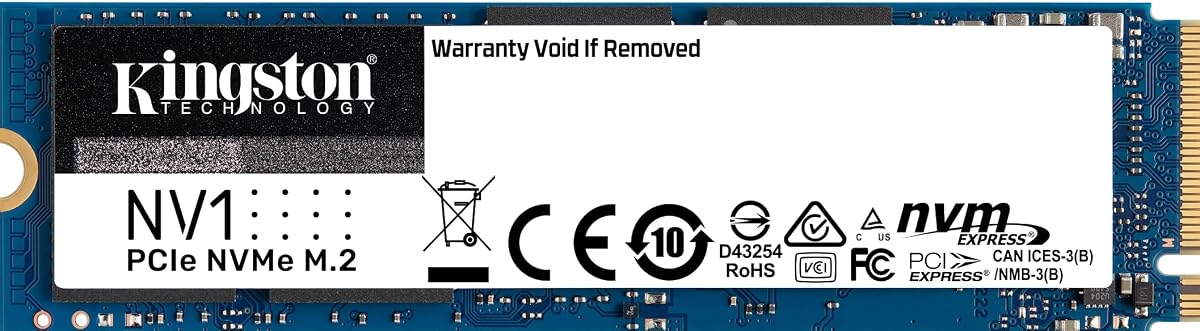
Prioritize your specific use case when selecting a drive. Gamers may want the Renegade series while general users might prefer the NV3 or NV1. Consider your budget and capacity needs carefully.
Always check current availability and pricing before finalizing your order. Prices fluctuate so ensure you get the best deal for your money. With the right choice your system will run smoothly.