
EZ AD Digital Signage Display Player
4.1Editor score
Free plan available
4K content support
Easy mobile app
Digital menu displays transform how customers interact with your business. A high-quality display ensures menus are clear, engaging, and easy to update remotely. Whether you run a coffee shop or a large restaurant, the right signage enhances customer experience and operational efficiency.
We compared ten leading digital menu displays based on brightness, resolution, connectivity options, and content management systems. Our analysis focuses on commercial durability and ease of use. Each product offers unique strengths for different business environments and specific operational needs.
This guide highlights top picks for various budgets and use cases. Each selection includes detailed specifications and performance insights. Note that product availability and pricing may change frequently. Always verify current stock and offers before purchasing your chosen signage solution today.
4.1Editor score

4.6Editor score

3.4Editor score
As an Amazon Associate we earn from qualifying purchases.
Compare all ten products side by side to find the perfect fit for your business needs and technical requirements.




The MWE 32 Inch Indoor Digital Signage Display Monitor stands out as a top choice for businesses seeking reliability and quality. With its impressive 4.6 rating, it delivers vibrant visuals through an IPS display. This unit ensures content is visible from various angles making it ideal for busy environments.
We may earn a commission when you buy through this link, at no additional cost to you.
Its versatile input options support USB and HDMI for easy plug-and-play usage. The CMS allows real-time updates so you can manage promotions remotely. Continuous playback features ensure your menu is always on during business hours without manual intervention.
While the price is higher than budget options, the durability and features justify the investment. The foldable design with wheels adds portability for temporary events. Some users may find initial setup requires effort but the long-term benefits outweigh this minor hurdle.
This model suits businesses needing high-quality displays for restaurants or retail. Its 3-year warranty offers peace of mind. We recommend it for those prioritizing visual quality and operational flexibility in their digital signage setup.
Supports USB and HDMI inputs for flexible content management. Auto loop playback ensures continuous display without manual control.
Built-in wheels and foldable structure make it easy to move. Perfect for trade shows or temporary promotional setups.
We may earn a commission when you buy through this link, at no additional cost to you.
The EZ AD Digital Signage Display Player offers a cost-effective solution for small businesses. Its 4.1 rating reflects solid performance for basic needs. This player supports 4K content providing sharp visuals when connected to an HD television. It is perfect for startups with limited budgets.
We may earn a commission when you buy through this link, at no additional cost to you.
Content creation is simple with templates and video tools. The free plan allows management of up to 50 slides. Updates are wireless through the cloud so you can change menus from anywhere. This flexibility reduces the need for physical presence.
While it requires a separate TV screen, this keeps costs low. The hardware is less robust than all-in-one units. However, the software features and affordable price make it a strong contender for those starting their digital journey.
We recommend this player for cafes or shops needing basic menu display. It simplifies content management without complex tech. Prioritize this if you already have a display and need a smart media solution.
Free plan supports images and videos with tech support. Premium plans unlock advanced tools like AI designer and template library.
Plug into TV and connect to Wi-Fi. Content updates wirelessly from website allowing remote management of schedules.
We may earn a commission when you buy through this link, at no additional cost to you.
The 50 Inch Digital Signage Display brings premium performance to large spaces. Its 1000 nits brightness ensures visibility even in bright conditions. The 4K resolution provides crystal clear images ideal for detailed menu items. This unit is built for high-end commercial use.
We may earn a commission when you buy through this link, at no additional cost to you.
Ultra-narrow bezels allow seamless wall mounting with minimal gaps. The display can be divided into zones showing multiple content types. Android integration enables app installation and custom schedules. This versatility suits malls or large restaurant chains needing advanced features.
Despite the high price, the hardware quality is top-notch. However, the lower user rating suggests potential setup complexities. It demands technical know-how for optimal configuration. Ensure your team is prepared to manage such a sophisticated system.
Invest in this display if visual impact is your priority. It transforms spaces with stunning graphics. We recommend it for enterprises seeking maximum brightness and customization in a large format.
1000 nits ensures clear visibility in bright areas. 4K UHD delivers lossless detail for every frame.
Divide screen into zones for videos and feeds. Supports 24/7 loop playback and scheduled menu changes.
We may earn a commission when you buy through this link, at no additional cost to you.
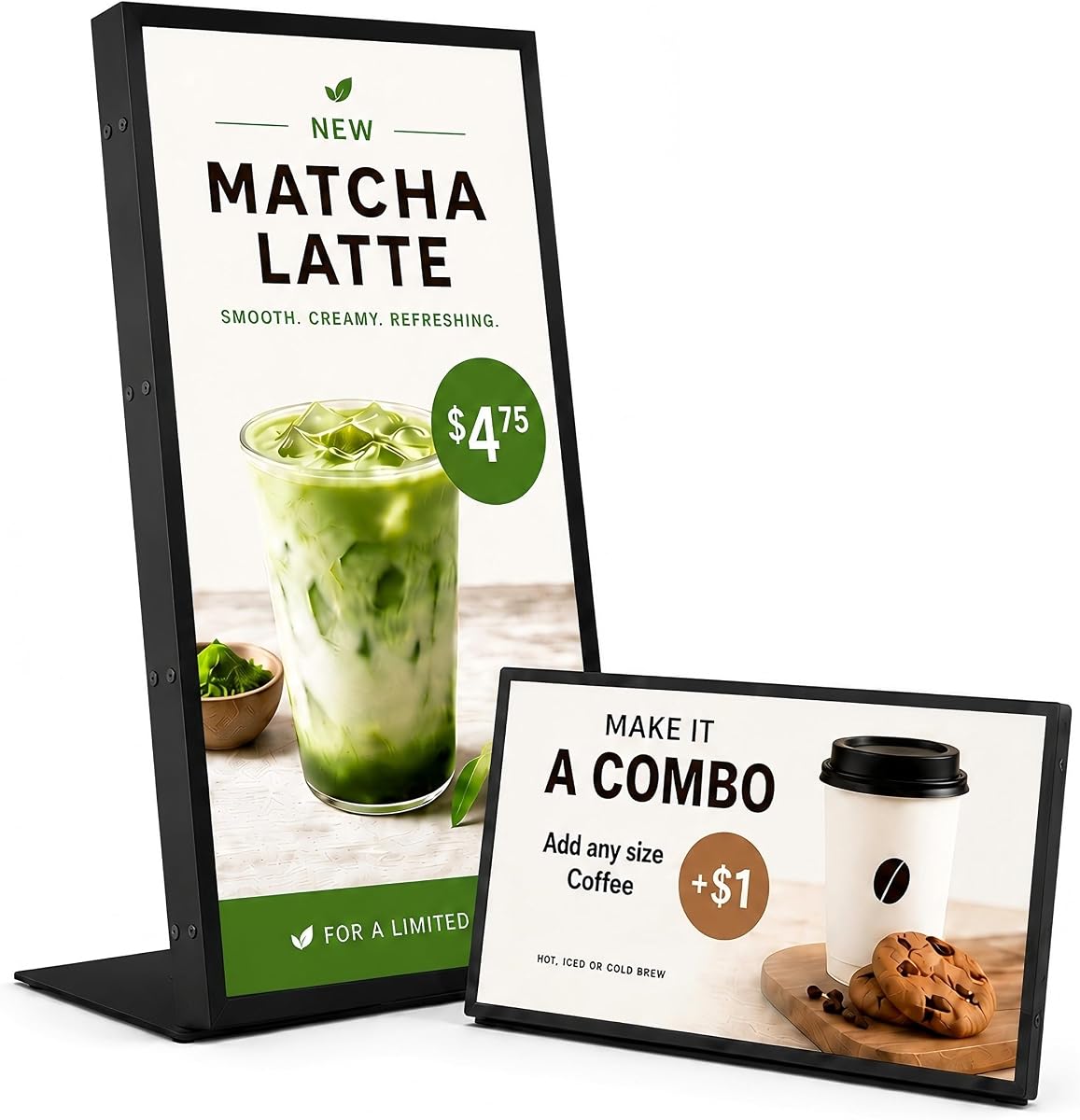
This 18.5 inch display is designed for countertop placement. It offers 700 nits brightness ensuring clear visibility in cafes. The Android 12 system supports easy content management. A sturdy stand allows both landscape and portrait views for flexibility.
We may earn a commission when you buy through this link, at no additional cost to you.
The lifetime free CMS is a major benefit for small businesses. You can schedule updates remotely via cloud. USB support enables quick local changes without internet. This makes it accessible for operators needing simple yet effective signage.
Resolution is limited to 720p but is sufficient for menus. The hardware is basic compared to larger units. Still, the value and ease of use make it a practical choice for entry-level setups. It works well for small retail or service desks.
We recommend this for businesses needing reliable tabletop displays. Its simplicity is its strength. Prioritize this if you want a plug-and-play solution with low maintenance requirements.
Lifetime free CMS allows remote scheduling and playlist management. Manage multiple displays from PC or smartphone easily.
Includes sturdy stand for landscape or portrait setup. Fits perfectly in coffee shops or reception desks.
We may earn a commission when you buy through this link, at no additional cost to you.
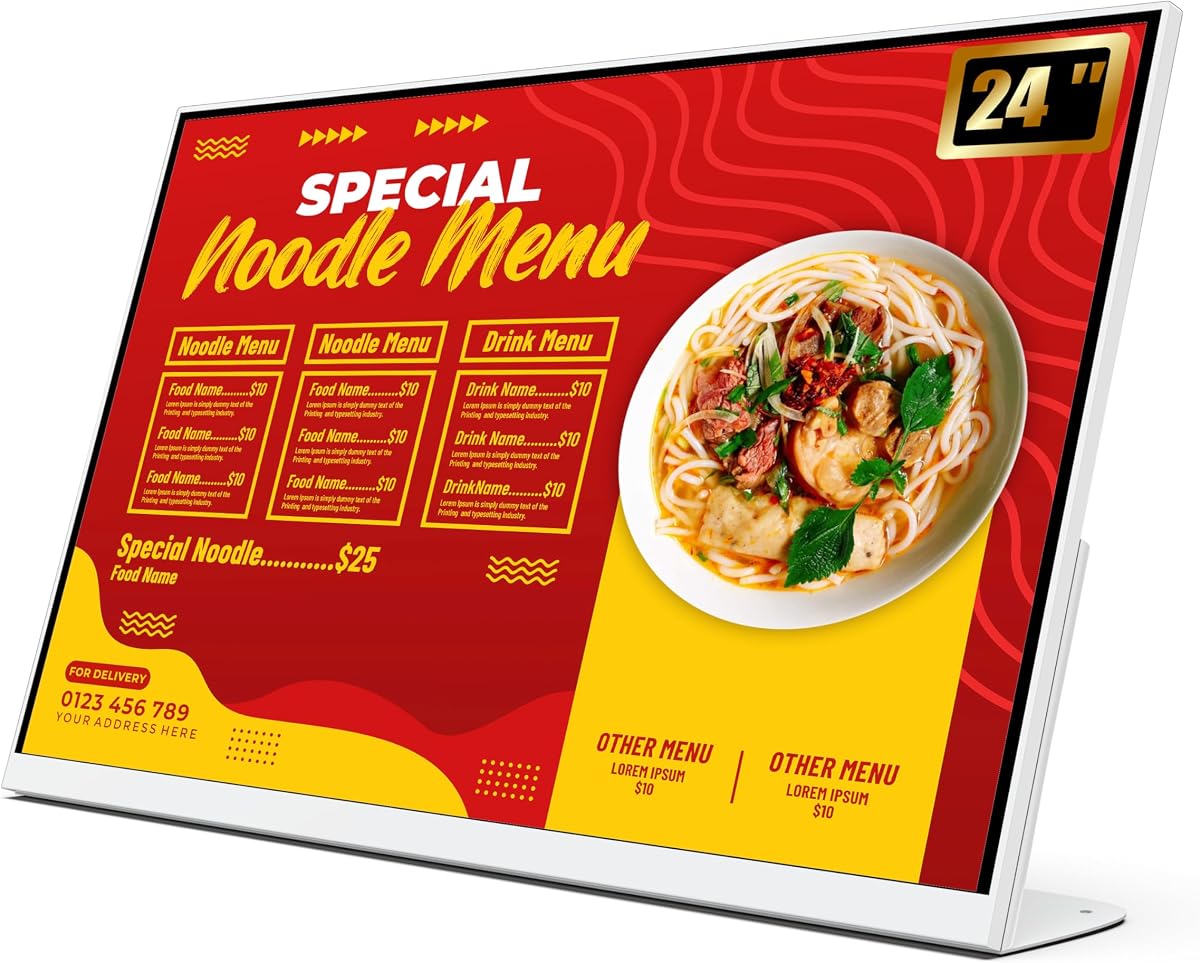
This 24-inch board boasts a perfect 5.0 rating reflecting high satisfaction. Its FHD resolution ensures menus look crisp and clear. Designed for continuous operation, it withstands daily commercial use. The compact desktop design saves space at ordering counters.
We may earn a commission when you buy through this link, at no additional cost to you.
The Android system supports remote content management via CMS. You can update promotions or menus instantly from a PC. Split-screen functionality allows showing multiple items at once. This improves customer experience by providing comprehensive information.
While it lacks extensive ports, the essentials like USB and LAN are present. It is strictly for indoor desktop use not wall mounting. The build quality is robust ensuring longevity in busy retail environments. This model is a safe bet for reliable performance.
We recommend this for shops needing clear visible menu boards. Its high rating guarantees quality. Prioritize this if you want a straightforward setup with proven reliability for customer-facing displays.
FHD 1920×1080 displays vivid colors and high contrast. Ensures clear viewing from any angle for customers.
Remote updates via WiFi or LAN simplify management. Split-screen feature helps showcase multiple promotions efficiently.
We may earn a commission when you buy through this link, at no additional cost to you.
This compact 10.1 inch display offers interactive features for customer engagement. Its touchscreen allows users to browse menus easily. Designed for tabletop use, it saves counter space while remaining visible. The Android system simplifies content management through simple updates.
We may earn a commission when you buy through this link, at no additional cost to you.
Ideal for close-range interactions like reception desks or cafe tables. Touch controls enable tap and swipe functionality for browsing. It supports clear text and images for business interiors. The lightweight design makes it easy to move between locations.
Screen size limits detailed visual content but is sufficient for info. It focuses on utility and interaction over visual grandeur. This makes it a versatile option for diverse business needs. Customers appreciate the interactive element over static signs.
We recommend this for businesses seeking interactive customer points. Its small size is a strength in tight spaces. Prioritize this if you want to offer digital browsing without large hardware footprint.
Supports tap and swipe for easy navigation. Enhances customer engagement with direct access to menu info.
Compact structure fits perfectly on tables. Ideal for clinics, salons or offices needing info boards.
We may earn a commission when you buy through this link, at no additional cost to you.
This display is built for durability in high-traffic counter environments. It features a tempered glass front and metal housing. The 1080p screen offers clear visuals for nearby customers. Its design focuses on reliability and resistance to daily wear.
We may earn a commission when you buy through this link, at no additional cost to you.
The CMS allows remote publishing via WiFi for convenient updates. You can schedule content to display at specific times. 700-nit brightness ensures visibility in various indoor lighting. This makes it suitable for checkout or service counters.
While not a touchscreen, its robust build is a major plus. It is strictly indoor not waterproof for outdoor use. The 3-year warranty provides confidence in its longevity. Users appreciate the balance of quality and functional simplicity.
We recommend this for businesses needing sturdy counter displays. Its build quality stands out. Prioritize this if you want a reliable screen that can withstand busy commercial service areas.
Metal housing and tempered glass ensure durability. Designed for daily commercial use in high-traffic areas.
Remote publishing via CMS allows easy updates. Schedule targeted messages for specific times of day.
We may earn a commission when you buy through this link, at no additional cost to you.
This 29-inch display offers a balanced size for various commercial settings. With 700 nits brightness, it ensures clear visuals. The 2GB RAM ensures smooth multitasking and app switching. Android OS allows for flexible content and media integration.
We may earn a commission when you buy through this link, at no additional cost to you.
Multi-zone design lets you present videos and feeds simultaneously. This flexibility helps keep customers engaged with dynamic content. The slim bezel enables gap-free wall mounting. However, the user rating suggests potential reliability issues.
Users have reported mixed experiences with performance. The price point is high relative to the ratings. If you need a mid-size screen with multi-zone features, it offers unique options. But verify support options carefully before purchasing.
We recommend this only if multi-zone content is critical. For general use, alternatives may offer better value. Prioritize this if you need specific Android features in a mid-format screen.
Divide display into zones for videos and countdowns. Supports flexible information delivery in retail or malls.
2GB RAM ensures fast app switching. Reduces lag during content playback in commercial environments.
We may earn a commission when you buy through this link, at no additional cost to you.
This player focuses on AI-enhanced content creation for ease of use. It includes tools to design menus without design skills. The AI image enhancer optimizes graphics for display quality. This is ideal for teams needing simple but professional looking content.
We may earn a commission when you buy through this link, at no additional cost to you.
Setup is straightforward with plug-and-play HDMI connectivity. Cloud control allows scheduling menu changes remotely. The free features include basic upload capabilities. It simplifies content management significantly compared to traditional hardware.
The rating reflects average hardware performance and support. It is less robust than all-in-one units but software is unique. For those struggling with design, the AI tools provide a solution. It acts more as a smart brain than a physical display.
We recommend this for creative businesses needing design assistance. If you already have a screen and need better content, this helps. Prioritize this if AI and easy design tools are a priority.
Includes AI tool to enhance images and designs. No extra software or skills needed for professional look.
Cloud controlled system allows easy updates. Schedule promotions with just a few clicks anywhere.
We may earn a commission when you buy through this link, at no additional cost to you.
This player offers robust processing power for demanding content. With 4GB RAM, it handles high-definition videos smoothly. The 16GB storage cache ensures playback never interruptions. It is designed for reliability in large networks or complex setups.
We may earn a commission when you buy through this link, at no additional cost to you.
Powered by Android OS it supports diverse app integrations. The dedicated CPU ensures fast operations and quick boot times. Cloud-based management allows centralized control of multiple devices. It is built for professional enterprise environments needing consistency.
While it requires a separate display it delivers high performance. The setup may be complex for non-technical users. However, the stability and power make it a strong choice for experts. It excels where smooth playback and remote control are essential.
We recommend this for tech-savvy businesses needing power. If you require zero interruptions and high specs, it is ideal. Prioritize this if you need a professional-grade media engine.
Quad Core CPU and 4GB RAM ensure smooth playback. Handles HD video without lag for professional results.
Local cache prevents interruptions. Built-in watchdog ensures device stability during long operations.
We may earn a commission when you buy through this link, at no additional cost to you.
Selecting the right digital menu display requires considering several technical and practical factors.
Brightness is critical for ensuring your menu is readable in all lighting conditions. Look for displays with at least 700 nits for indoor use to prevent glare from washing out the image. Higher brightness levels may be needed near windows or in brightly lit retail spaces.
Prioritize models with higher nits ratings if your space has significant ambient light to maintain clarity.
Choose a screen size that matches your viewing distance and counter space. Larger screens like 50 inches suit waiting areas while smaller desktop units fit reception desks. Consider if you need landscape or portrait orientation for your layout and menu design.
Ensure the dimensions fit your available space to avoid overcrowding or obstructing customer flow.
A user-friendly CMS allows you to update menu items remotely without technical expertise. Look for systems that support cloud updates, scheduling, and easy file uploads via USB. This feature reduces operational downtime and keeps your menus current in real time.
Select a CMS that offers intuitive remote updates to simplify daily business operations.
Ensure the display supports necessary ports like HDMI, USB, and Ethernet for flexible setup. Some units also offer WiFi for wireless updates which simplifies installation without cabling. Having multiple input options allows for easy integration with existing equipment or backup sources.
Check for sufficient ports to connect your preferred content sources and network devices.
Commercial displays are built for continuous 24/7 operation unlike consumer TVs. Look for metal housing, tempered glass, and cooling features that ensure longevity. High durability reduces maintenance costs and ensures your display survives high-traffic environments.
Invest in models designed for commercial use to guarantee reliability over time.
Resolution affects how sharp your text and images appear. FHD or 4K displays provide clearer visuals which are essential for detailed menu items or promotional graphics. Higher resolution helps maintain a professional look and enhances customer engagement.
Prioritize higher resolution screens if visual appeal and text clarity are top priorities.
Some businesses may need to move their displays for events or seasonal changes. Foldable units with wheels offer this mobility. Wall mounting options with slim bezels provide a sleek look for permanent installations in high-visibility areas.
Choose a mounting solution or portable design that aligns with your space flexibility needs.
A strong warranty protects your investment against defects and failures. Look for products offering at least three years of support or replacement policies. Responsive customer service ensures quick resolutions if technical issues arise during operation.
Verify warranty terms to ensure adequate protection for your business equipment.
Proper setup begins with securing the display in a stable location away from direct sunlight or heat sources. Ensure all cables are connected correctly and the power supply is stable. Use the provided stand or wall mount to keep the unit balanced.
Regularly update your content using the CMS to keep customers engaged. Check for software updates to maintain system security and performance. Use USB ports for quick backups if internet access is unreliable during critical times.
Clean the screen with a soft dry cloth to avoid scratches or chemical damage. Avoid spraying liquids directly on the unit. Perform periodic restarts to clear cached data and maintain smooth operation.
Most displays allow updates via a cloud-based CMS or USB drive. You can upload new menus or images from your computer or phone. Changes are then sent to the display wirelessly for real-time viewing.
Most units are designed for indoor environments to protect against weather. For outdoor use, select displays specifically rated for outdoor conditions with higher brightness and waterproof casings.
Commercial displays typically last around 50,000 hours of continuous operation. This equates to years of use if used daily. High-quality components help ensure consistent performance.
Many modern displays come with built-in Android systems or CMS software. However, some models require external players for advanced functionality or legacy integration.
You can use a TV with a separate media player. However, commercial displays are built for 24/7 operation and durability better suited for business environments.
Power consumption varies by size and model. Most units range from 50 to 200 watts. Larger screens or higher brightness levels will consume more electricity during operation.
Touchscreens allow customers to browse interactively. They can flip through menus or place orders directly. This enhances engagement and provides a modern user experience.
Basic desktop models can be set up by users. Wall-mounted or complex systems may need professional installation for safety and optimal performance.
We highlighted the MWE 32 Inch Indoor Digital Signage, EZ AD Player, and 50 Inch Display as top picks. Each offers unique strengths ranging from portability to premium brightness and budget-friendly entry. Selecting the right one depends on your specific business needs and space.
Prioritize brightness, durability, and ease of content updates when choosing. A display that is easy to manage and visually clear will serve your business well. Consider the long-term value over initial costs to maximize your investment.
Remember that pricing and availability can fluctuate frequently. Always verify current specifications and offers before making a final decision. Check the latest product details to ensure your chosen display meets your expectations.