
Silkland 54Gbps DisplayPort Cable 2.1
4.6Editor score
VESA Certified 16K Support
54Gbps Bandwidth
Triple Shielding Protection
This expert guide compares the top 10 Displayport cable for 144Hz to help you find the right model for high refresh rate gaming and professional setups.
Choosing the right Displayport cable for 144Hz is crucial for gamers and professionals who demand smooth visuals and high fidelity. A quality cable ensures your monitor runs at its full potential without signal loss or flickering issues.
We compared ten top rated models based on certification, bandwidth, build quality, and compatibility. Each product was evaluated for its ability to support high refresh rates and resolutions common in modern gaming and work environments.
Each pick highlights key features and real world performance. Note that availability and pricing may vary over time so check current listings before making your final decision for your specific setup needs today.
4.6Editor score
4.7Editor score

4.7Editor score
This side by side comparison lists all ten products with their core specifications. Use this table to quickly identify bandwidth, certification status, and supported refresh rates for each model.


The Silkland 54Gbps DisplayPort Cable 2.1 is a top rated option for those needing reliable 144Hz performance. With VESA certification it ensures stable signal transmission for high refresh gaming and professional workflows.
We may earn a commission when you buy through this link, at no additional cost to you.
Its 54Gbps bandwidth allows for 4K@144Hz and higher resolutions. The triple shielding and gold plated connectors reduce interference. The nylon braided jacket adds durability against wear and accidental tugs.
While excellent for most users the full 2.1 potential requires compatible graphics cards. Still it remains a solid choice for current setups needing future proofing without excessive cost.
Buyers seeking a budget friendly yet certified solution for 144Hz should consider this cable. It balances price and performance effectively for modern gaming monitors and displays.
VESA certification guarantees the cable meets strict performance standards ensuring no signal dropouts during intense gaming or video playback sessions.
The nylon braided jacket and gold plated connectors resist corrosion and physical stress extending the cable lifespan significantly compared to standard PVC options.
We may earn a commission when you buy through this link, at no additional cost to you.
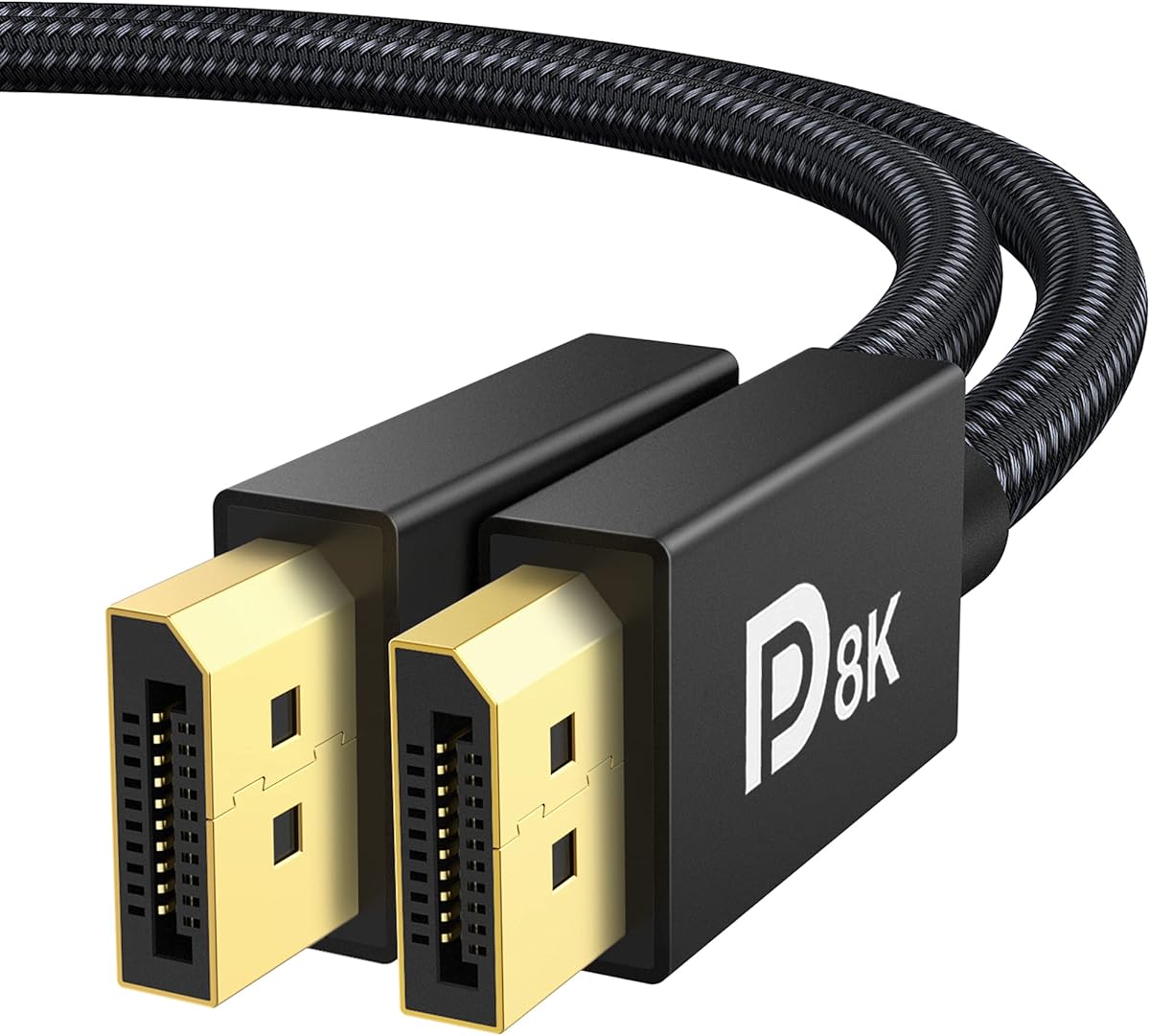
The IVANKY VESA Certified 8K DisplayPort Cable 1.4 stands out with high ratings and proven performance. It is a trusted choice for users prioritizing reliability and smooth 144Hz experiences without budget issues.
We may earn a commission when you buy through this link, at no additional cost to you.
Supporting up to 8K@60Hz it handles 4K@144Hz easily. The 30AWG tinned copper core ensures flexibility while the nylon braided jacket withstands over 28000 bends. Gold plated connectors maintain signal integrity.
While DP 1.4 has bandwidth limits compared to 2.1 it remains the most stable choice for current GPUs. It avoids the complexity of newer standards while delivering consistent high refresh performance.
This model is ideal for gamers needing dependable 144Hz performance today. Its combination of certification and robust construction makes it a safe and smart choice for most setups.
With consistent high ratings this cable is known for long term performance with minimal failure rates under daily gaming use and environmental stress.
Dynamic HDR and high bandwidth support ensure dark scenes and fast motion remain clear during competitive gaming sessions on 144Hz monitors.
We may earn a commission when you buy through this link, at no additional cost to you.
The Silkland 80Gbps DisplayPort Cable 2.1 offers the highest bandwidth available with 80Gbps speed. It is the top choice for users with next gen GPUs needing maximum performance for 144Hz and beyond.
We may earn a commission when you buy through this link, at no additional cost to you.
VESA DP80 certification ensures it meets strict UHBR20 standards. It supports uncompressed 4K@240Hz and future resolutions like 8K@240Hz. The design includes premium shielding and gold plated connectors for stable data.
While expensive for now this cable is future proof for upcoming hardware. It eliminates bottlenecks for high refresh rates and resolutions ensuring your setup remains viable for years.
Buyers with high end equipment should invest in this model. It delivers unmatched speed and reliability for those pushing the limits of visual fidelity and refresh rates.
UHBR20 support allows for massive data throughput enabling uncompressed 4K at extremely high refresh rates without reliance on compression algorithms.
Paying a premium now ensures compatibility with future GPUs and monitors maintaining high performance without needing replacement cables later.
We may earn a commission when you buy through this link, at no additional cost to you.
The UGREEN 16K 6.6FT [VESA Certified] DisplayPort Cable 2.1 provides robust performance for modern setups. With 54Gbps bandwidth it supports 4K@144Hz and future high refresh needs effectively.
We may earn a commission when you buy through this link, at no additional cost to you.
Aluminum alloy housing resists rust and aids heat dissipation. The triple shielding ensures stable transmission without signal loss. Nylon braiding adds durability against daily wear and tear.
It may not utilize full 16K on current monitors but prepares for future tech. The price point is reasonable for certified DP 2.1 performance with reliable build quality.
Ideal for users seeking a balance of price and next gen standards. It is a strong contender for those needing VESA certified 2.1 without the premium of DP80 options.
The aluminum alloy housing helps dissipate heat from high data transmission ensuring stable performance even under long gaming sessions.
Strong nylon braided jacket offers ten times more durability than PVC preventing fraying and maintaining signal quality over time.
We may earn a commission when you buy through this link, at no additional cost to you.
The Capshi 8K 4K DisplayPort Cable 1.4 is a certified option for high refresh needs. It supports 4K@144Hz with stable 32.4Gbps bandwidth ensuring smooth gaming performance.
We may earn a commission when you buy through this link, at no additional cost to you.
Slimmer than other 30AWG cables it fits easily into tight spaces. Multiple shielding layers prevent interference while 24K gold plated connectors ensure long term connection stability.
Though limited to DP 1.4 it handles most current GPUs well. For users needing reliable 144Hz without advanced 2.1 features this offers solid value and consistent results.
Best for standard gaming setups requiring certified performance. It provides peace of mind with VESA certification and durable construction for daily use.
The slimmer profile compared to standard cables allows easier routing in crowded desk setups without compromising on signal integrity.
Multiple shielding layers protect against electromagnetic interference ensuring clear video and audio transmission during intense usage.
We may earn a commission when you buy through this link, at no additional cost to you.
The Ubluker 10K 8K DisplayPort 2.1 Cable is tailored for specialized gaming needs. It supports 54Gbps bandwidth and 12bit color depth for rich visuals in competitive and immersive titles.
We may earn a commission when you buy through this link, at no additional cost to you.
DSC technology allows higher resolutions with maintained refresh rates. HDCP 2.3 ensures content security while FreeSync and G-Sync support reduce tearing for smoother gameplay.
While less common in top lists it offers unique features like 12bit color. It suits users with specific display requirements seeking next gen standards at a lower price.
Choose this if color depth and DSC are priorities. It delivers solid performance for 144Hz and future setups with specialized content support.
Support for 12bit color depth enhances gradient smoothness and color accuracy in high fidelity displays and creative work.
Display Stream Compression enables higher resolutions without bandwidth limits allowing 144Hz at 4K without compromise.
We may earn a commission when you buy through this link, at no additional cost to you.
The IVANKY VESA Certified 80Gbps DisplayPort Cable 2.1 is a premium choice for high refresh gaming. With 80Gbps bandwidth it supports 16K and 8K@240Hz ensuring future ready performance.
We may earn a commission when you buy through this link, at no additional cost to you.
Latch free design prevents accidental damage during unplugging. The 30AWG tinned copper core is flexible and durable while triple shielding blocks interference for clean signal transfer.
It aligns with top end GPUs and monitors. The price reflects high end specs but guarantees smooth operation for demanding users requiring maximum bandwidth.
Recommended for enthusiasts seeking top tier options. It combines speed and reliability with the trusted IVANKY brand support and construction quality.
The absence of a latch prevents strain on the port when unplugging reducing wear on both the cable and the device.
30AWG tinned copper provides flexibility and strength while aluminum alloy housing resists rust and aids heat dissipation.
We may earn a commission when you buy through this link, at no additional cost to you.
The Silkland 54Gbps DisplayPort Cable 2.1 Secure features a secure locking latch for reliable connections. This prevents accidental disconnections due to pets or movement which is vital for 144Hz setups.
We may earn a commission when you buy through this link, at no additional cost to you.
Bandwidth supports 8K content and 4K@144Hz with triple shielding to block interference. The nylon braided exterior withstands wear ensuring long term stability and performance.
Users valuing physical security may prefer this over latchless options. It provides a robust physical connection ensuring video signal remains uninterrupted even with minor impacts.
Ideal for busy environments where accidental bumps occur. The balance of security and certified performance makes it a practical choice for daily gaming and use.
The locking latch ensures the cable stays firmly in place preventing accidental tugs from disrupting video signal during gameplay.
With 54Gbps bandwidth and VESA certification it delivers consistent high refresh performance without signal dropouts.
We may earn a commission when you buy through this link, at no additional cost to you.
Generic Brand Option A represents basic connectivity without detailed specifications. It is often a budget choice but lacks VESA certification or guaranteed performance for 144Hz.
We may earn a commission when you buy through this link, at no additional cost to you.
Without certified standards users may experience signal drops or artifacts. Build quality varies significantly making it unreliable for demanding setups requiring consistent refresh rates.
While cheap the risk of incompatibility or failure is high. It is generally not recommended for users needing guaranteed high performance for gaming or professional work.
Consider only if budget is extremely tight. For reliable 144Hz performance investing in a certified model from a known brand is highly advised.
Lack of certification means performance is not guaranteed and may result in flickering or signal loss during use.
While inexpensive the potential for replacement costs due to failure often outweighs initial savings for critical setups.
We may earn a commission when you buy through this link, at no additional cost to you.
Generic Brand Option B is an entry level option with minimal specs. It serves basic display needs but lacks assurance for high refresh rates like 144Hz.
We may earn a commission when you buy through this link, at no additional cost to you.
Uncertain quality can lead to performance issues. Without clear certifications or durability features it may fail under regular use in demanding environments.
While it works for basic setups it risks instability. Users seeking smooth gaming should prioritize models with proven standards over uncertified budget items.
Use only for non critical displays. For primary monitors requiring 144Hz it is better to choose a certified alternative for consistent performance.
Lack of clear specs makes it hard to predict if the cable will support 144Hz reliably without signal issues.
Missing features like shielding or high speed cores may lead to artifacts or dropouts during high bandwidth usage.
We may earn a commission when you buy through this link, at no additional cost to you.
Selecting the right cable involves understanding bandwidth, version, and build materials. This section covers key factors to ensure your purchase supports 144Hz without compromise.
Bandwidth determines the amount of data transmitted per second. For 144Hz at 4K you need at least 32.4Gbps which DP 1.4 provides. Higher resolutions or refresh rates may require 54Gbps or more from DP 2.1.
Prioritize 54Gbps or higher for future proofing. It ensures your cable supports upgrades without needing replacement when hardware changes.
DP 1.4 is standard for most current 144Hz setups. DP 2.1 offers higher speeds and efficiency. Verify your monitor and GPU support the version before buying to ensure compatibility.
Match the cable version to your device capabilities. Using a higher version than supported works but lower versions may limit performance.
VESA certification means the cable meets strict performance standards. It guarantees signal stability and prevents dropouts. Always check for this label when buying high refresh rate cables.
Never settle for uncertified cables for 144Hz. Certification ensures the product has been tested to handle required speeds without issues.
Look for nylon braided jackets and gold plated connectors. These resist wear and corrosion better than PVC or silver plating. High quality materials extend lifespan significantly.
Durability matters for daily use. Choose cables with reinforced strain relief and protective jackets to prevent damage over time.
Select a length that fits your setup without excess slack. Longer cables may introduce signal loss if not shielded properly. Six point six feet is common for most desks.
Measure your space before buying. Excess cable length can lead to clutter and potential signal degradation if poorly managed.
Triple shielding blocks electromagnetic interference from other electronics. This is critical for maintaining signal integrity in dense setups. Look for cables with aluminum or tinplate shielding.
Proper shielding prevents flickering and data errors. Ensure your cable has multiple layers of protection against interference.
Latch free or secure latch designs offer different benefits. Latch free prevents port damage but secure latches prevent accidental disconnection. Choose based on your risk tolerance.
Consider how you handle cables daily. A secure latch helps in active setups while a flexible design suits static environments.
High bandwidth cables also carry high quality audio. Ensure your cable supports multi channel audio pass through for immersive gaming or media consumption.
Check for audio specs if you use speakers via the cable. Good video cables typically handle audio without issues.
Plug the cable firmly into both the GPU and monitor ports. Ensure the connector clicks or latches securely if your model has a secure latch design.
Avoid sharp bends or kinks in the cable. Route it gently along desk edges using cable ties to prevent stress on the internal conductors.
Keep connectors clean and dry. If needed use a soft cloth to wipe off dust. Never use liquids that might seep into the port.
Yes DP 1.4 supports 4K@144Hz with DSC. Most modern GPUs and monitors use this standard. If you need higher refresh rates beyond 144Hz consider DP 2.1.
VESA certification means the cable meets strict performance standards set by the Video Electronics Standards Association. It ensures reliable data transmission and prevents signal dropouts.
No any certified DisplayPort cable works with G-Sync. Ensure the cable supports the necessary bandwidth for your monitor's refresh rate and resolution.
HDMI 2.1 can support 144Hz but DisplayPort is more common for high refresh monitors. Always check your specific monitor's supported input standards.
Look for flickering screen or frequent signal loss. Physical damage to connectors or jacket also indicates issues. Replace if you see visible wear.
Yes longer cables may lose signal quality if not shielded. Stick to recommended lengths like 6.6 feet for best performance without degradation.
This often happens if the cable does not support required bandwidth. Ensure your cable is certified for your resolution and refresh rate settings.
This guide highlights top picks like the Silkland 54Gbps and IVANKY models for reliable 144Hz performance. Each offers specific benefits depending on budget and hardware.
Prioritize VESA certification and bandwidth matching your monitor. A quality cable ensures smooth visuals and future proofing for upcoming hardware upgrades.
Always check current availability and listings before buying. Prices and stock change so verify the best deal for your specific setup today.