
Weilisi 10.2 Desk Ring Light
4.5Editor score
360 degree rotation
C clamp desk mount
10 brightness levels
Streaming has become a dominant form of entertainment and communication, requiring professional quality to stand out in a crowded digital landscape. Proper lighting is the cornerstone of a polished broadcast, ensuring your face is well illuminated and your background remains visually appealing without distracting shadows. A good key light for streaming provides consistent brightness, accurate color rendering, and easy controls to adapt to any environment instantly.
We have carefully evaluated ten top rated options available on the market to help you make an informed decision for your content creation needs. Our analysis focuses on critical aspects such as luminance output, color temperature range, ease of installation, and durability for long sessions. Each product was reviewed based on user feedback, technical specifications, and real world performance to guarantee reliability and value.
Every pick in this guide showcases unique strengths tailored to different budgets and streaming scenarios, from compact desk solutions to powerful studio panels. We highlight specific features that matter most to broadcasters like flicker free operation and intuitive controls. Please note that while we aim for accuracy, product availability and pricing can fluctuate frequently so always verify details before purchasing.
4.5Editor score

4.5Editor score
4.7Editor score
As an Amazon Associate we earn from qualifying purchases.
This side by side comparison breaks down the core specifications and capabilities of each top rated streaming light to help you quickly identify the model that fits your specific workflow and spatial requirements without overwhelming technical jargon.



The Elgato Key Light stands out as the top choice for professional streamers seeking reliable and high performance lighting. With a rating of 4.5 stars it delivers exceptional quality that transforms ordinary setups into polished broadcasts. Its standout feature is the massive brightness combined with precise control options.
We may earn a commission when you buy through this link, at no additional cost to you.
This light uses 160 OSRAM LEDs to produce 2800 Lumens ensuring your face is evenly lit without harsh shadows. The color temperature ranges from 2900K to 7000K allowing you to match any room ambiance. The opal glass face ensures glare free diffusion for a natural look on camera.
While the price is higher than budget options the durability and performance justify the cost for serious content creators. The Wi-Fi enabled app control adds convenience allowing adjustments without interrupting your stream. Some users may find the initial setup via the desktop app slightly technical.
If you prioritize professional results and ease of use the Elgato Key Light is the ultimate investment. It is perfect for daily streamers and podcasters who need consistent lighting. This tool guarantees you look your best on every broadcast.
Adjust the temperature instantly from warm amber to cool blue to match your brand or mood seamlessly.
The internal cooling system runs silently so your microphone picks up no fan noise during recording.
We may earn a commission when you buy through this link, at no additional cost to you.
The Logitech Litra Glow is an excellent budget friendly option for streamers who want professional quality without breaking the bank. It earns a strong rating of 4.5 stars by delivering balanced lighting that enhances skin tones effectively. This light is designed for easy integration into any workspace.
We may earn a commission when you buy through this link, at no additional cost to you.
Its TrueSoft technology provides full spectrum LED light that looks cinematic and natural. The frameless diffuser radiates soft light that eliminates harsh shadows on your face. You can control brightness and color temperature using the free G HUB desktop app for convenience.
The USB powered design means no need for extra power outlets making setup very clean. While it is not as bright as premium panels it is sufficient for most desk streaming setups. Users note it is safe for all day streaming according to strict UL testing guidelines.
For beginners or casual streamers the Litra Glow offers incredible value and ease of use. Its mount allows precise positioning directly on your monitor for optimal angle. This light helps you look polished and professional effortlessly.
The 3-way monitor mount offers tilt and rotation for precise light positioning on your desktop or laptop.
Its lightweight and plug n play design makes it perfect for creators who travel or share spaces.
We may earn a commission when you buy through this link, at no additional cost to you.
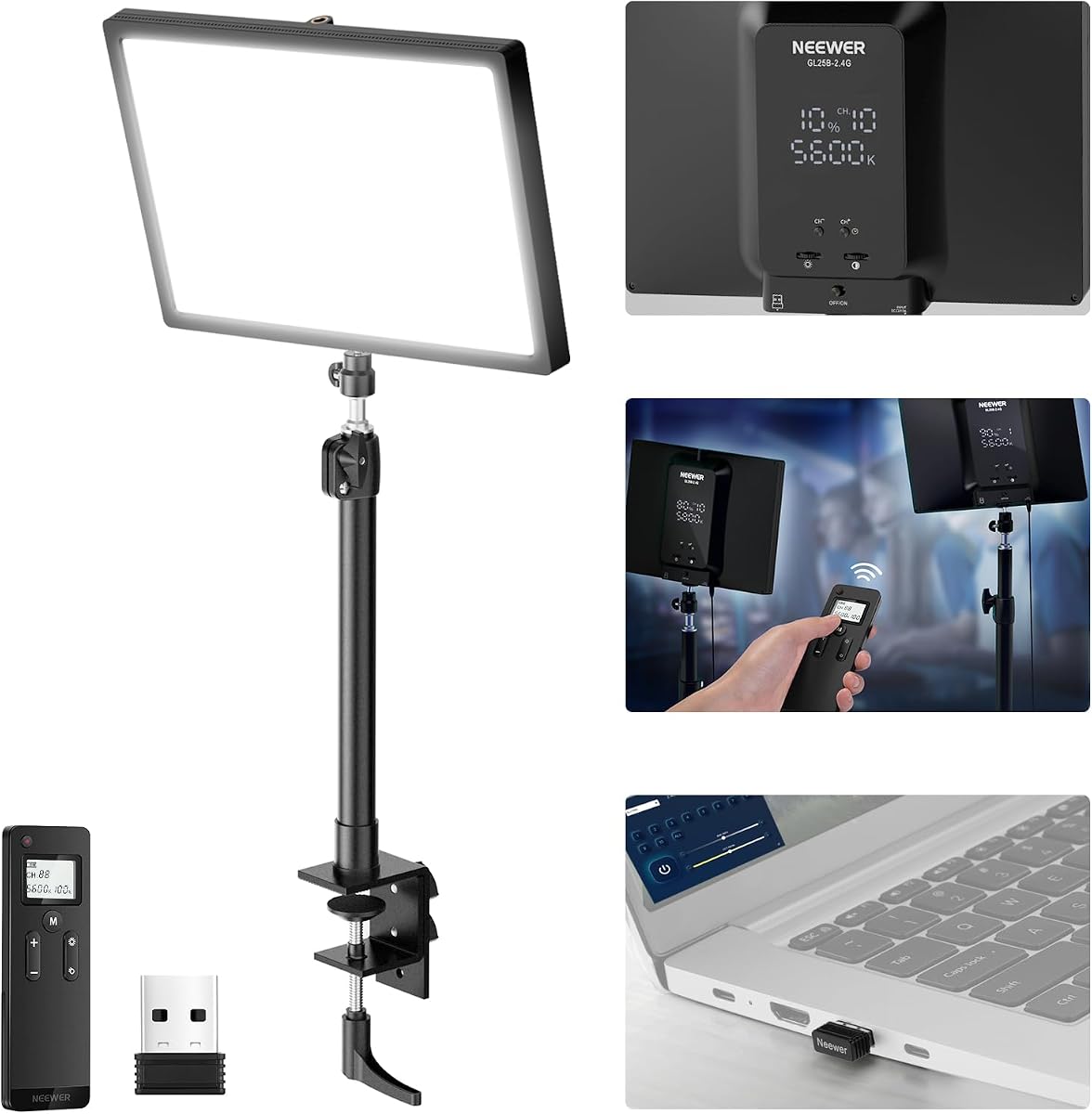
The Neewer GL25B is a top tier contender for those seeking professional grade quality and advanced controls. With a high rating of 4.7 stars it offers exceptional color accuracy and brightness that rivals studio lights. This model is specifically designed for immersive live streaming and video work.
We may earn a commission when you buy through this link, at no additional cost to you.
It features 176 LEDs behind a white diffuser panel delivering bright illumination with a high CRI of 98+. The edge emitting soft glow technology ensures no harsh shadows or glare. The fanless cooling system guarantees zero noise performance during your streams.
Control is intuitive with both a 2.4G remote and a PC/Mac software app. You can manage multiple lights wirelessly without internet access. The stand includes an extendable arm and ball head for flexible positioning. Some users may need time to install the software driver.
Streamers who demand silence and color precision will love this premium solution. It provides stable lighting for extended video conferences and gaming sessions. This light elevates your visual quality to a professional standard.
With CRI 98+ you can trust that your skin tones and product colors render naturally and accurately.
The fanless thermal design ensures complete silence so your microphone captures no distracting background hum.
We may earn a commission when you buy through this link, at no additional cost to you.
The Elgato Key Light Air MK.2 offers a thinner profile for smaller desks while maintaining high quality output. It carries a rating of 3.8 stars reflecting mixed feedback on brightness versus price. This model is ideal for creators who value portability and modern design features.
We may earn a commission when you buy through this link, at no additional cost to you.
It delivers up to 2100 lumens which is 50% brighter than the original Air version. The 15 inch panel uses 256 premium LEDs to render color naturally. Flexible power options include USB-C, a PD adapter, or a battery bank via MagSafe.
The touch and app control make adjustments quick and intuitive without reaching for the light. You can automate your lighting with a single keypress using Stream Deck. However some users feel the brightness is insufficient for large dark rooms.
If you need a sleek light that fits tight spaces this is a strong candidate. The USB-C connection makes it easy to power from your laptop. It is perfect for mobile streaming or minimal desk setups.
The MagSafe ring allows you to attach a battery bank for truly cordless operation on the go.
Use your existing Stream Deck to trigger lighting changes instantly during your broadcast workflow.
We may earn a commission when you buy through this link, at no additional cost to you.
The Weilisi 10.2 Desk Ring Light is a practical solution for those needing uniform light without a complex setup. It holds a rating of 4.5 stars for its balance of price and functionality. This light is great for office desks or small streaming corners.
We may earn a commission when you buy through this link, at no additional cost to you.
It provides full-screen desk light that restores natural light and reduces shadows. The 360 degree rotation and 180 degree adjustable head allow you to direct light precisely. The C-clamp saves space by attaching directly to your desk edge.
With 10 brightness levels and 3 color temperatures you have enough control for most scenarios. The metal base prevents scratching and the telescoping stand offers flexible height. Some users may find it less durable than premium options.
For budget conscious users this ring light delivers solid performance for calls and videos. It is easy to install and requires no tools. A reliable choice for daily work and casual streaming.
The metal C-clamp secures the light to your desk edge so you keep every inch of workspace.
Adjust the head 180 degrees to shoot top-down for product demos or face-to-face for calls.
We may earn a commission when you buy through this link, at no additional cost to you.
The NiceVeedi 2-Pack Kit provides two lights at a great value for multi-angle setups. It has a rating of 4.4 stars reflecting good value for money. This kit is excellent for creators who need both key and fill lighting instantly.
We may earn a commission when you buy through this link, at no additional cost to you.
Each light uses 356 LED beads for stable and ample output. The color range spans 2800K to 6500K with high CRI of 97+. The included 73 inch tripod extends high for overhead shots. A phone holder lets you secure devices directly to the stand.
The panels are compact and come with a storage bag for easy transport. You can control brightness remotely to suit different conditions. Some users report the tripod material is lightweight which affects stability.
If you need a full lighting kit under one price this is a strong choice. It simplifies setup with everything included in one box. Ideal for vlogs and quick studio builds.
Use two lights to create a key and fill combo that softens shadows for a professional look.
The integrated phone holder secures your mobile device for vertical streaming or recording.
We may earn a commission when you buy through this link, at no additional cost to you.
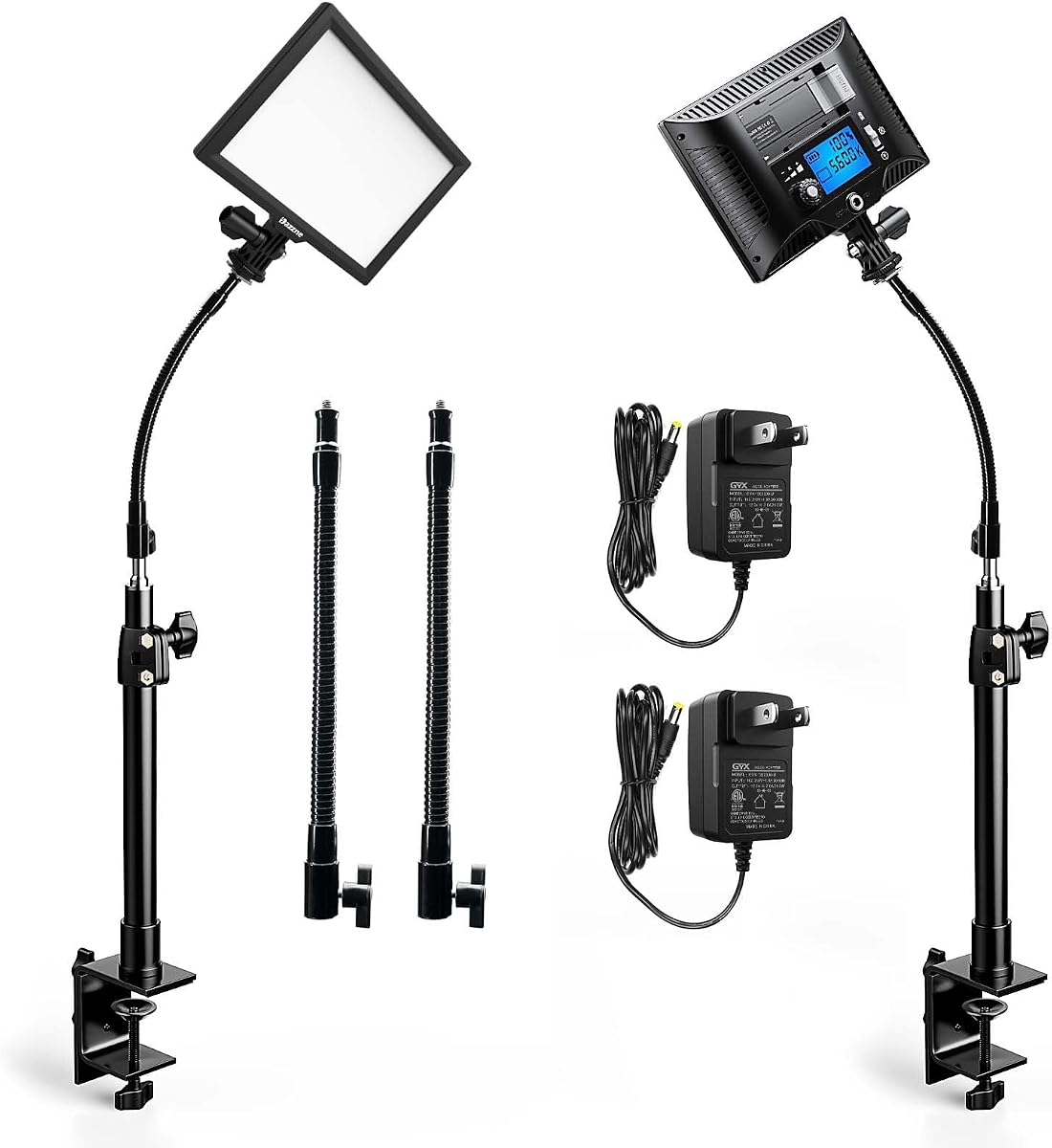
This dual light kit stands out for its flexible gooseneck design and high rating of 4.8 stars. It is perfect for small desktops where space is tight. The gooseneck tubes allow precise positioning without large stands.
We may earn a commission when you buy through this link, at no additional cost to you.
The panel uses an LCD screen to show brightness and color temperature clearly. It features 118 high-quality LEDs for soft flicker-free light. The metal C-clamp ensures stability. Memory function saves your last setting for instant startup.
Each light has 3200K to 5600K temperature range for versatile looks. The gooseneck can rotate to multiple angles for custom setups. Some users find the neck stiff initially and requires force to bend.
For podcasters who need adjustable light near the mic this is an ideal tool. It saves desk space while providing bright reliable illumination. A high value pick for daily streaming needs.
The built-in memory recalls your last brightness and color settings when you power the light on.
Rotate the gooseneck tubes to direct light exactly where needed without moving the base.
We may earn a commission when you buy through this link, at no additional cost to you.
The Godox ES45 delivers a gentle and diffused light ideal for long video sessions. With a rating of 4.4 stars it prioritizes comfort and ease of use. The soft panel minimizes harsh shadows for a natural complexion.
We may earn a commission when you buy through this link, at no additional cost to you.
It includes a magnetic auto-charging remote that snaps to the back. This allows real-time adjustments without interrupting your stream. The OLED panel ensures glare-free illumination. You can group multiple lights via the Godox app.
The light ranges from 2800K to 6500K to adapt to any environment. The C-clamp attaches easily to desks up to 2 inches thick. Some users note the price is high for a single panel light.
If eye comfort and seamless control are top priorities this is a great pick. It keeps your desk tidy and your lighting professional. Perfect for daily streamers who value design.
The magnetically attached remote stays within reach and auto-charges when docked to the light.
The edge-lit OLED technology provides even and soft light that reduces eye strain.
We may earn a commission when you buy through this link, at no additional cost to you.
This dual pack offers high value with flexible tubes and bright outputs. It holds a rating of 4.4 stars for its versatility and price. The gooseneck tubes allow precise positioning for various angles.
We may earn a commission when you buy through this link, at no additional cost to you.
Each unit uses 118 high-quality LEDs for soft light. The LCD display shows brightness and color settings clearly. C-clamp brackets ensure stability. The memory function saves your preferred settings for convenience.
With a range of 3200K to 5600K you can match any mood. The light is ideal for Zoom meetings or YouTube recording. Some users report the necks can be stiff to adjust.
For creators needing multiple adjustable points on a budget this is smart. It simplifies your setup with two reliable lights. A practical choice for daily streaming.
Use two lights to fill your entire workspace and eliminate deep shadows during video calls.
The metal C-clamp stand provides 12.2 to 21.3 inches of height adjustment for perfect angle.
We may earn a commission when you buy through this link, at no additional cost to you.
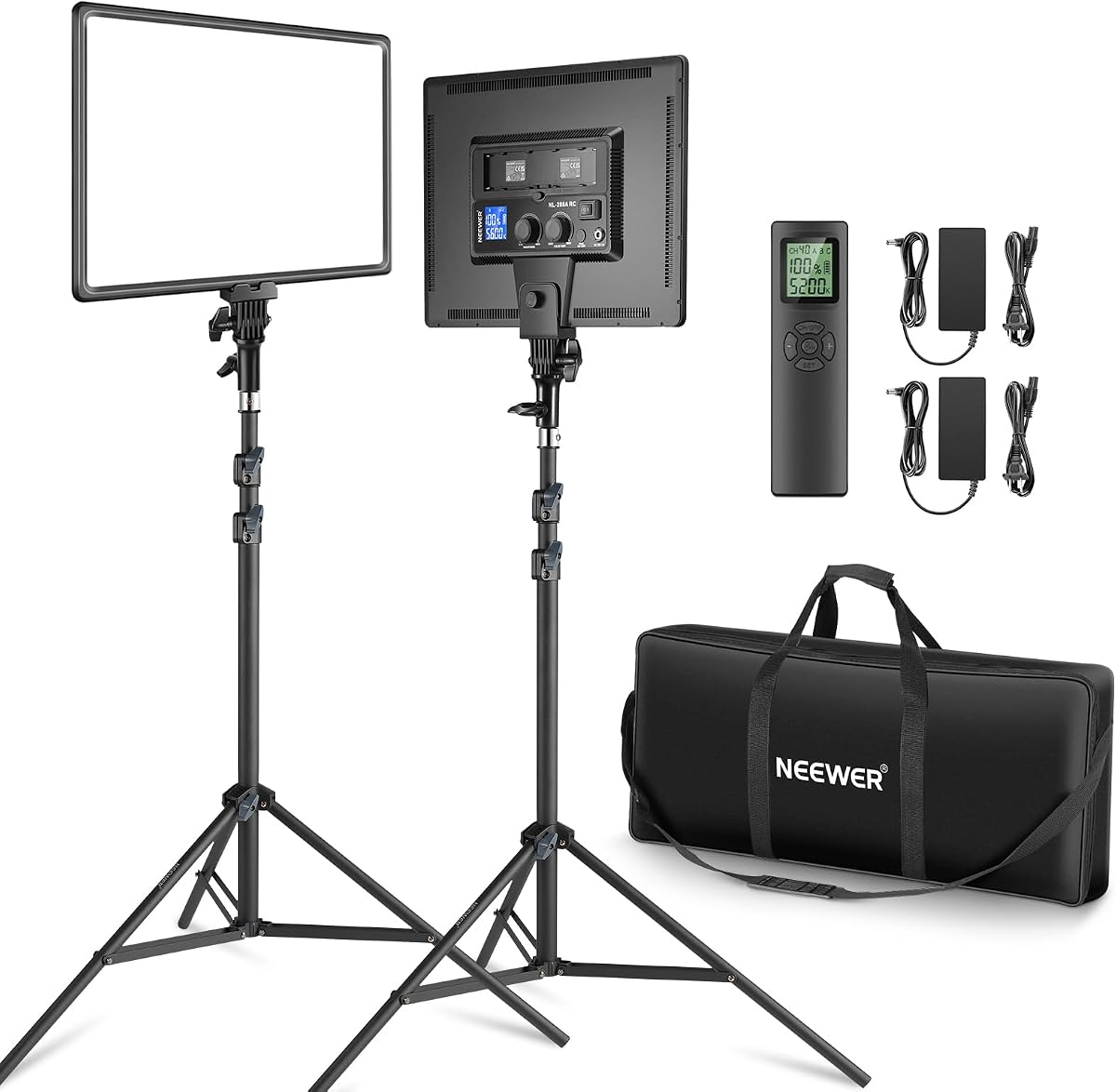
This powerful kit delivers professional studio output with two large panels. It carries a rating of 4.6 stars for high brightness and completeness. It is designed for serious creators needing maximum light intensity.
We may earn a commission when you buy through this link, at no additional cost to you.
Each 18 inch panel delivers 45W of power for 4800Lux. The CRI is 97+ for accurate color. You can control all lights with a 2.4GHz remote. Dual power options allow AC adapter or Sony batteries for mobility.
The aluminum alloy tripods are stable for overhead angles. The carrying bag ensures easy transport. Some users find the lights heavy which makes setup slightly challenging.
If you want powerful lighting for big rooms this is the top pick. It provides continuous illumination for long sessions. A robust choice for studio quality work.
Use Sony NP-F batteries to operate the lights without AC power for outdoor shoots.
With CRI 97+ your skin tones and objects appear true to life without color shifts.
We may earn a commission when you buy through this link, at no additional cost to you.
Selecting the right streaming light involves balancing brightness, color quality, and usability for your space. We highlight essential factors to help you compare models efficiently.
Brightness is measured in lumens and determines how well your face is lit. Higher lumens ensure clear images even in low light. Aim for 1000 or more lumens for a professional look.
Look for models with adjustable brightness to suit different room conditions.
A wide color range allows you to match your room and brand. Most lights offer 3200K to 5600K or 2900K to 7000K.
Choose adjustable lights to switch between warm and cool tones easily.
CRI measures how accurately colors appear on camera. A high CRI like 95+ ensures skin tones look natural.
Always pick lights with CRI above 90 for reliable color accuracy.
Mounting options include clamps, stands, or mounts. Clamps save desk space while tripods offer flexibility.
Ensure the mounting fits your desk thickness and height needs.
Controls vary from touch panels to remotes and apps. Wireless controls add convenience during live streams.
Opt for models with remote or app control for ease of use.
Lights may use AC adapters or USB. USB offers portability while AC is stable.
Pick a power source that fits your desk setup and needs.
Quality materials and cooling systems ensure safety during long sessions. Fanless designs prevent noise.
Choose durable lights that stay cool and silent over time.
Prices vary by size and features. Budget models save money but may lack features.
Invest in mid-range lights for the best balance of cost and performance.
Position your light 45 degrees to the side and above your camera for a flattering angle. This reduces shadows under eyes and creates a polished look.
Connect the power source securely and adjust the brightness and color to match your room. Use the app or remote for easy changes without reaching behind the light.
Clean the panel regularly with a soft cloth to remove dust. Keep the vents clear to prevent overheating during long sessions.
Most streamers prefer 5600K daylight for a bright neutral look or 3200K for a warm cozy vibe. Choose based on your room lighting and brand style to ensure consistent colors.
Room lighting often creates uneven shadows. A key light ensures your face is the brightest point. It helps cameras focus on you and improves overall image quality.
Use a remote or a desktop app to change settings wirelessly. Many models allow you to save presets for quick access during live streams.
Yes, streaming lights work great for Zoom calls. They provide soft even light that improves your video quality significantly during video meetings.
Clamp mounts save desk space while stands offer flexibility. Choose based on your desk setup and whether you need the light fixed in place.
Ensure the light is flicker-free and matches your camera shutter speed. Most LED lights are safe but check for high CRI and smooth dimming options.
We covered ten top picks ranging from budget options like Weilisi to premium choices like Neewer. Each light offers unique strengths to suit your specific needs and setup.
Focus on high CRI and adjustable brightness for consistent results. Ensure your mount fits your desk and the light is quiet.
Prices change frequently so check current deals before buying. We hope this guide helps you find the perfect light for your streams.