
Dell Precision 3581 Workstation Laptop
Intel Core i7-13800H
32GB DDR5 RAM
Nvidia RTX A500
Finding the right laptop for CAD work requires balancing powerful hardware with reliable portability. Professionals need machines that handle complex 3D models, simulations, and rendering tasks without lag or overheating during critical project deadlines.
We evaluated ten high-performance workstations based on processor speed, graphics capabilities, and memory capacity. Our analysis focuses on how each model supports demanding applications like AutoCAD, SolidWorks, and Revit in real-world scenarios.
Each pick highlights specific strengths for different user needs, from budget-friendly options to premium mobile workstations. Prices and availability fluctuate frequently, so verify current details before making your final purchasing decision today.

4.4Editor score

5.0Editor score
As an Amazon Associate we earn from qualifying purchases.
The following table provides a side-by-side comparison of the top ten laptops selected for CAD professionals. It outlines key specifications to help you quickly identify which model aligns best with your specific workflow requirements.




The Dell Precision 7680 stands out as a top contender for CAD professionals seeking raw power and reliability. With an impressive rating, it delivers the performance needed for complex modeling and rendering tasks without compromising on stability.
We may earn a commission when you buy through this link, at no additional cost to you.
Its Intel Core i9-13950HX processor paired with 32GB DDR5 RAM ensures smooth multitasking even when running heavy applications like SolidWorks or Revit. The 1TB SSD provides ample space for large project files and fast load times.
While the device is robust, it does come with a higher price tag and weight that might deter frequent travelers. However, for stationary workstations or office use, these trade-offs are acceptable given the workstation-class capabilities.
Architects and engineers who need consistent performance for demanding workflows will find this laptop an excellent investment. It balances high-end specs with professional-grade build quality effectively.
This model is designed to handle intensive workloads with ease, making it ideal for professional CAD applications.
Built with durability in mind, it meets military standards and offers reliable performance for daily professional use.
We may earn a commission when you buy through this link, at no additional cost to you.
This variant of the Precision 7680 offers a balanced approach for users who need workstation features without the flagship cost. It maintains the reliable chassis and connectivity of the series while optimizing for specific professional needs.
We may earn a commission when you buy through this link, at no additional cost to you.
The inclusion of the NVIDIA RTX 1000 Ada GPU provides dedicated graphics power that is superior to integrated solutions for CAD tasks. Combined with 32GB of RAM, it handles most design applications smoothly.
The main limitation is the Intel i5 processor, which may bottleneck very heavy simulations compared to higher-end options. For general drafting and moderate 3D work, however, it remains a strong performer.
Professionals looking for a reliable mid-range option should consider this model. It provides essential workstation features at a more accessible price point.
The RTX 1000 Ada GPU ensures smooth rendering and visualization for professional design software.
Support for up to four external monitors enhances productivity for complex design projects.
We may earn a commission when you buy through this link, at no additional cost to you.
The HP ZBook 8 G1i is a powerful mobile workstation designed for professionals who need advanced AI capabilities and top-tier memory. It stands out with its massive 64GB RAM and 2TB storage, catering to heavy data workflows.
We may earn a commission when you buy through this link, at no additional cost to you.
Equipped with the Intel Core Ultra 7 processor, it offers efficient performance for complex CAD tasks while supporting AI-enhanced workflows. The 2TB SSD ensures you have plenty of space for extensive libraries and project files.
While the device is robust, the premium price point may not be necessary for all users. Additionally, the battery life might vary under heavy workloads, so keeping a charger nearby is recommended for long sessions.
Designers and engineers dealing with large datasets and complex simulations will appreciate the high capacity. It is a strong choice for those needing future-proof performance.
64GB of DDR5 RAM allows for seamless multitasking across multiple heavy applications simultaneously.
Support for Wi-Fi 7 ensures ultra-fast wireless performance and reliable cloud connectivity.
We may earn a commission when you buy through this link, at no additional cost to you.
The Dell Precision 3581 offers an affordable entry point into workstation-class computing for CAD users on a budget. It combines powerful hardware components with a renewed condition that keeps costs down significantly.
We may earn a commission when you buy through this link, at no additional cost to you.
Powered by the Core i7-13800H and 32GB RAM, it handles modern design software with ease. The dedicated RTX A500 graphics card ensures that 3D models render smoothly without lag during critical work.
The renewed status means you should inspect the device carefully upon arrival. While the hardware is capable, the lower screen resolution might not be ideal for detailed drafting work compared to higher-end displays.
For students or freelancers needing reliable performance without the flagship price, this is a solid choice. It balances performance and cost effectively for essential CAD tasks.
This model provides access to workstation features at a fraction of the cost of new units.
The 14-core processor ensures efficient handling of multi-threaded tasks and complex calculations.
We may earn a commission when you buy through this link, at no additional cost to you.
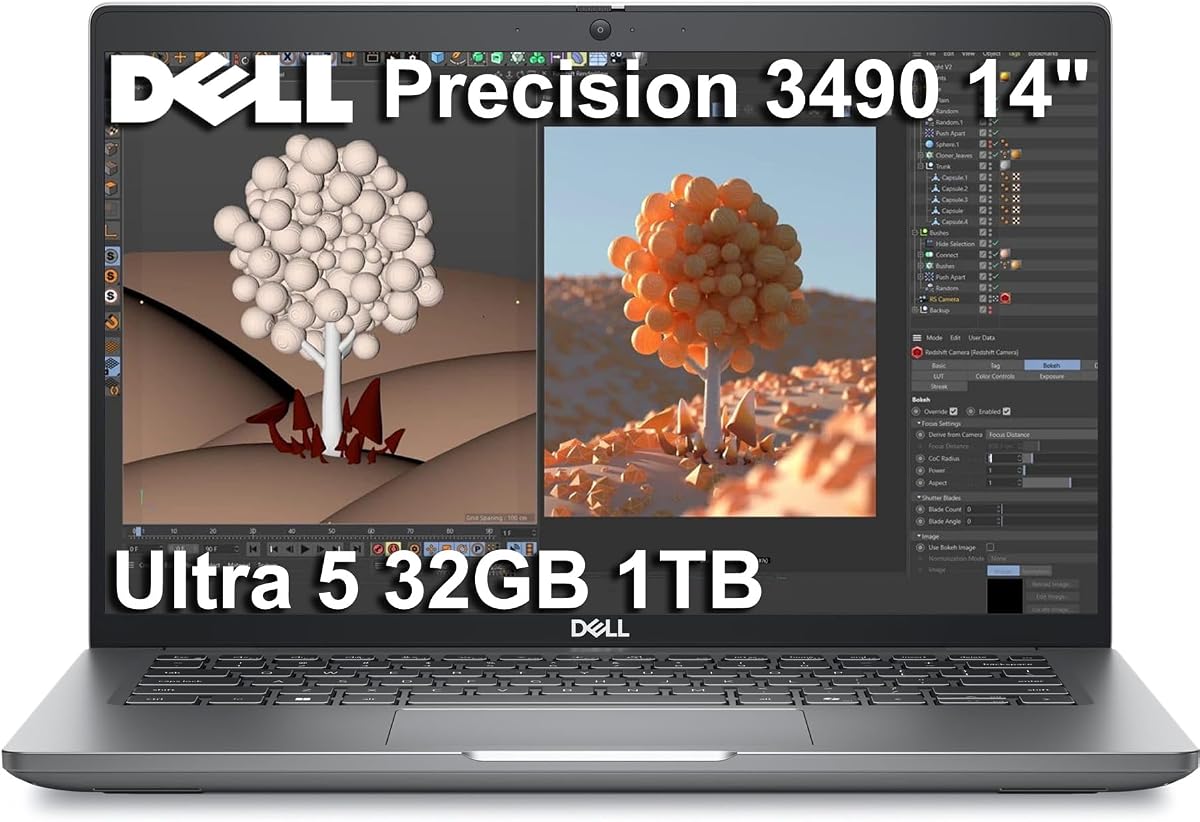
The Dell Precision 3490 is designed for professionals who need mobility without sacrificing essential performance. Its lightweight design makes it easy to carry between meetings and sites while maintaining a strong workstation core.
We may earn a commission when you buy through this link, at no additional cost to you.
With 32GB of DDR5 RAM and a fast SSD, it ensures smooth operation for common CAD applications. The 14-inch display is compact, but the high refresh rate and clear visuals support detailed work effectively.
The reduced size means fewer ports and a smaller screen real estate compared to larger models. You may need a hub for extensive peripheral connectivity or additional monitors for complex layouts.
Mobile architects and engineers who travel frequently will find this laptop ideal. It balances portability with the reliability needed for professional workflows.
Weighing only 3 lbs, it is built to withstand the rigors of travel and daily use.
Built-in security features protect sensitive design data and ensure enterprise-grade privacy.
We may earn a commission when you buy through this link, at no additional cost to you.
The Dell Precision 7780 is a desktop replacement that brings extreme power to a portable chassis. It is tailored for professionals who need the highest levels of performance for rendering and complex simulations.
We may earn a commission when you buy through this link, at no additional cost to you.
The NVIDIA RTX 4000 Ada GPU with 12GB of VRAM provides exceptional capabilities for heavy 3D tasks. Combined with the large display, it offers a superior visual experience for detailed design work.
The trade-off for this performance is significant weight and battery usage. It is not ideal for frequent travel but serves well as a primary workstation that can be moved occasionally.
Professionals requiring maximum computational power will find this laptop unmatched. It excels in environments where performance takes precedence over portability.
The RTX 4000 Ada GPU handles the most demanding visualization and rendering tasks effortlessly.
The 17.3-inch display provides ample screen real estate for complex multi-window workflows.
We may earn a commission when you buy through this link, at no additional cost to you.
This configuration of the Precision 7680 offers a balanced mix of performance and affordability for professional CAD work. It provides strong specs that handle daily design tasks efficiently without excessive cost.
We may earn a commission when you buy through this link, at no additional cost to you.
The NVIDIA RTX 2000 Ada ensures smooth 3D rendering while the 32GB RAM supports multi-tasking effectively. It is well-suited for engineers who need a reliable machine for ongoing projects.
User feedback indicates some variability in performance, so checking specific configurations before buying is advised. The weight might also be a consideration for those who need to carry it regularly.
Teams looking for a dependable workhorse will appreciate this model. It offers a good balance of features for a mid-range budget.
The RTX 2000 Ada provides reliable rendering performance for standard engineering applications.
Support for up to four external monitors enhances productivity for complex project management.
We may earn a commission when you buy through this link, at no additional cost to you.
This specialized version of the Precision 7780 stands out for its massive memory and processing capabilities. It is designed for users who need to run incredibly heavy simulations and large datasets simultaneously.
We may earn a commission when you buy through this link, at no additional cost to you.
With 128GB of RAM, it eliminates bottlenecks for memory-intensive tasks. The Intel i9 processor with 24 cores ensures that complex calculations are handled quickly and efficiently.
The primary limitation is the SSD capacity which may require external storage for massive project libraries. Additionally, the price is substantial, making it suitable only for enterprise or specialized workloads.
Researchers and professionals with extreme computing needs will find this machine powerful. It offers top-tier performance for the most demanding tasks.
128GB of RAM allows for handling massive datasets without performance degradation.
The 500-nit screen ensures clear visuals even in bright office environments.
We may earn a commission when you buy through this link, at no additional cost to you.
This Precision 7680 configuration focuses on high memory capacity for complex workflows. It provides the stability and power needed for professional CAD applications that rely heavily on system memory.
We may earn a commission when you buy through this link, at no additional cost to you.
The RTX 2000 Ada GPU handles rendering tasks effectively while the 64GB RAM ensures smooth multitasking. It is a reliable choice for engineers who need consistent performance over long work hours.
The weight and cost are factors to consider before purchasing. If portability is a priority, a lighter option might be more suitable for your needs.
Professionals who prioritize performance and capacity will find this laptop a strong fit. It delivers the power needed for demanding daily tasks.
64GB of RAM ensures smooth handling of large and complex design files.
Built to handle rigorous professional tasks, this model offers consistent speed and stability.
We may earn a commission when you buy through this link, at no additional cost to you.
The Lenovo ThinkPad P16s offers a balanced approach to mobile workstations for CAD professionals. It combines a larger display with a portable design, making it versatile for various work environments.
We may earn a commission when you buy through this link, at no additional cost to you.
With modern connectivity features and a bright 16-inch display, it supports efficient workflows. The ISV certification ensures compatibility with major professional applications for reliable performance.
While it lacks a dedicated graphics card, the modern integrated graphics are sufficient for light to moderate CAD tasks. Those needing heavy 3D rendering may need to consider a higher-end GPU option.
Professionals who need a versatile laptop for both design and general business tasks will find this suitable. It balances performance and portability effectively.
Combining a larger display with a lightweight design, it offers versatility for professionals on the go.
ISV certification ensures that key professional applications run smoothly and reliably.
We may earn a commission when you buy through this link, at no additional cost to you.
Selecting the right laptop for CAD work involves evaluating several critical factors to ensure your system meets your specific professional demands.
The processor is the engine of your CAD system, responsible for running complex calculations and modeling tasks. For CAD work, prioritize high core count processors like Intel Core i7 or i9 to handle multitasking and heavy simulations efficiently.
Look for high clock speeds and multiple cores to ensure smooth performance when rendering or running simulations in professional software.
Graphics processing units (GPUs) are essential for rendering 3D models and visualizing complex designs. Dedicated workstation GPUs like NVIDIA RTX Ada series provide stability and certified drivers for professional applications.
Choose a GPU with sufficient VRAM to handle detailed textures and large scenes without performance bottlenecks.
Random Access Memory (RAM) allows your laptop to handle multiple applications and large files simultaneously. For CAD, at least 32GB is recommended to ensure smooth operation when switching between tools and models.
More RAM allows you to work with complex assemblies without slowdowns, making it a critical investment for productivity.
Solid State Drives (SSDs) provide fast data access which reduces load times for large project files and software. Aim for at least 1TB of storage to accommodate your library and active projects.
Fast SSDs improve overall system responsiveness and reduce waiting times during critical design phases.
A high-resolution display with accurate color reproduction is vital for detailed design work. Look for 16-inch or larger screens with high pixel density to reduce eye strain and improve precision.
High brightness and anti-glare technology ensure the screen remains readable in various lighting conditions.
Professionals often need to connect to external monitors and other peripherals to enhance workflow. Ensure your laptop has enough USB ports, Thunderbolt support, and HDMI options for flexible setups.
Versatile connectivity allows for multi-screen setups which are crucial for productivity in complex projects.
Workstations are often used in various environments, so robust build quality is important. Look for laptops that meet military standards for durability to ensure they withstand daily use and travel.
A sturdy chassis protects sensitive internal components and extends the lifespan of your investment.
Ensure your laptop supports the specific CAD software you use, such as AutoCAD or SolidWorks. ISV certification guarantees that the hardware works reliably with these professional applications without crashes.
Check for Windows Pro support to take advantage of security and management features needed in enterprise environments.
Proper ventilation is crucial for CAD laptops to prevent overheating during intensive tasks. Ensure the intake vents are not obstructed by soft surfaces like beds or couches when using the device.
Regularly update your graphics drivers and operating system to maintain performance and security. Manufacturers often release updates that improve compatibility with new CAD software versions.
Invest in a cooling pad if you frequently run heavy simulations or rendering tasks. This helps maintain optimal temperatures and prolongs the lifespan of your internal components.
Yes, a dedicated graphics card is highly recommended for CAD work to ensure smooth rendering and visualization. Integrated graphics often struggle with complex 3D models and simulations required in professional software.
For standard AutoCAD work, 16GB is the minimum, but 32GB is recommended for complex projects and multitasking. More RAM allows you to handle larger assemblies without slowdowns or crashes.
Workstation laptops are worth the cost if you need certified drivers and stability for professional applications. They offer better build quality and performance reliability compared to consumer gaming laptops.
A screen size of at least 16 inches is ideal for CAD drafting to provide ample workspace and reduce eye strain. Larger displays allow you to see more of your design without constant zooming or panning.
Yes, modern mobile workstations are capable of handling 3D rendering tasks efficiently. Ensure your laptop has a powerful GPU and sufficient cooling to handle the heat generated during rendering.
Most professional CAD laptops come with Windows 11 Pro by default. This edition includes advanced security and management features that are beneficial for enterprise environments and data protection.
Battery life is important but performance often takes priority in workstations. While you may not get all-day battery under heavy load, a large battery capacity ensures you can work unplugged for several hours.
The Dell Precision 7680 and similar workstations offer powerful combinations of CPU and GPU for demanding professional tasks. Selecting the right model depends on your specific balance of portability and performance needs.
Prioritize specs like RAM and dedicated graphics to ensure your laptop can handle complex models without lag. These components are the backbone of a reliable workflow for engineers and designers.
Prices and stock fluctuate frequently so check current listings before purchasing to get the best value. Always verify the configuration meets your requirements to avoid unnecessary upgrades later.