
ANCEL AD310 Classic Enhanced
4.6Editor score
Compact and durable design
Supports all OBDII protocols
Fast code reading and clearing
This comprehensive guide compares the top Android Obdii Scanner Tool options available in October 2026, helping you choose the right diagnostic device for your
Choosing the right diagnostic tool for your vehicle can save you significant time and money on repairs. An Android Obdii Scanner Tool allows you to connect your smartphone to your car's computer system to read trouble codes and monitor live data. This technology has become increasingly accessible, offering professional-level insights directly from your pocket.
We have evaluated ten leading options based on connectivity, feature set, vehicle compatibility, and ease of use. Our analysis focuses on tools that deliver reliable performance for both casual car owners and DIY enthusiasts. Each product offers unique strengths, from budget-friendly code readers to advanced bidirectional scanners with extensive reset capabilities.
Each selection in this guide highlights key specifications, pros, cons, and ideal use cases to help you make an informed decision. Keep in mind that pricing and availability can fluctuate, so verify current details before purchasing. These tools empower you to understand your vehicle better and potentially avoid unnecessary trips to the repair shop.
4.6Editor score

4.5Editor score

4.4Editor score
This side-by-side comparison outlines the core capabilities and distinct advantages of each scanner to help you find the perfect match for your diagnostic needs and budget constraints.



The BlueDriver OBD2 Scanner stands out as a top choice for Android users seeking reliable diagnostics without recurring costs. With a strong rating and widespread recognition, it transforms your phone into a professional-grade tool. This device offers enhanced diagnostics beyond basic code reading, including ABS, SRS, and TPMS capabilities on supported vehicles.
We may earn a commission when you buy through this link, at no additional cost to you.
Its standout feature is the unlimited access to technician-verified repair reports matched to your vehicle's VIN. These reports provide definitions, causes, and confirmed fixes, empowering you to understand issues fully before visiting a shop. The wireless connection ensures ease of use, while the broad coverage supports most major brands like Ford, GM, Toyota, and Honda.
While the price point is higher than basic readers, the value lies in avoiding unnecessary repairs and saving on dealership fees. The lack of subscription fees means you get full functionality with just one purchase. Some users may find the initial setup requires patience, but the support team is available to assist with any connection issues.
This scanner is ideal for DIY enthusiasts who want deep insights without a complex setup. It balances ease of use with professional features effectively. If you prioritize accurate diagnostics and verified fixes over low cost, this tool delivers significant long-term savings and peace of mind for your vehicle maintenance routine.
Access unlimited reports that explain what the code means and how to fix it correctly, saving time and money on diagnostics.
Connect seamlessly via Bluetooth to your Android device, eliminating tangled wires and allowing you to monitor data while driving.
We may earn a commission when you buy through this link, at no additional cost to you.
The ANCEL AD310 is a best-selling handheld scanner that offers exceptional value for users needing basic code reading. It is recommended by mechanics for its reliability and straightforward operation. This tool reads and clears emission-related trouble codes quickly, making it perfect for resetting check engine lights after repairs.
We may earn a commission when you buy through this link, at no additional cost to you.
Its sturdy design includes a thick cable that withstands the rough conditions of a garage. The device draws power directly from the OBDII port, so you never need to worry about batteries. The screen is large and clear, displaying results in seconds without the need for a smartphone connection.
The limitation here is that it focuses solely on emission-related issues and lacks advanced features like live data graphing or Bluetooth connectivity. However, for a pure code reader that works on almost all 1996+ vehicles, it performs reliably. The compact size makes it easy to store in a glove box or toolkit.
Choose this scanner if you want a simple, no-nonsense tool to diagnose check engine lights without spending a fortune. It is an excellent backup for every car owner. While it does not offer smart features, its accuracy and durability make it a worthy investment for home garages and travel kits.
Built with a flexible, thick cable and compact body to withstand daily use in various car environments.
Supports all major OBDII protocols ensuring it works with most vehicles sold in the US since 1996.
We may earn a commission when you buy through this link, at no additional cost to you.
The XTOOL A30D elevates mobile diagnostics by adding bi-directional control capabilities that allow you to test components actively. This tool acts as a professional scan tool, sending commands to the vehicle to check valves, pumps, and electronics. It offers extensive reset functions including EPB, oil, and SAS resets without extra charges.
We may earn a commission when you buy through this link, at no additional cost to you.
Users can monitor all major modules like ABS, SRS, and AC through a stable Bluetooth connection. The interface supports multiple languages and provides real-time data with clear graphs. The lifetime updates ensure you stay current with new models and software improvements. This makes it a future-proof investment for serious DIYers.
While powerful, some features like FCA AutoAuth require a separate account setup which might be confusing initially. The device also supports advanced protocols like CAN-FD, so checking compatibility with specific newer models is recommended. The price reflects these advanced features, positioning it above basic readers.
This scanner is perfect for users who want to perform maintenance tasks beyond reading codes. If you handle your own brake jobs or tire rotations, the reset functions save significant money. It bridges the gap between consumer tools and professional equipment effectively.
Send commands to test parts like fuel pumps or wipers directly from your phone for faster troubleshooting.
Reset service lights like oil changes or brake pads with built-in functions designed for routine car care.
We may earn a commission when you buy through this link, at no additional cost to you.
The OBDLink MX+ is widely regarded as one of the most capable adapters for serious enthusiasts. It offers enhanced OEM support for brands like Ford and GM, allowing deeper access to vehicle systems. It clears check engine lights and provides parameters that basic scanners cannot reach, such as ABS and TPMS data.
We may earn a commission when you buy through this link, at no additional cost to you.
Its design includes over-voltage protection to prevent battery drain, a critical feature for long diagnostic sessions. The device works across iPhone, Android, and Windows, making it versatile for different tech setups. It is specifically recommended for use with apps like FORScan and BimmerCode, unlocking significant value for owners of those brands.
The cost is higher than generic dongles, but the reliability and feature set justify the expense for those needing detailed diagnostics. The firmware updates ensure the device remains compatible with new vehicle standards over time. It is a robust tool for users who demand high performance and specific protocol access.
Choose this if you need professional-grade connectivity and want to avoid the limitations of cheaper adapters. It excels in scenarios where specific manufacturer data is required for accurate diagnostics. For the tech-savvy user, it offers a reliable bridge between hardware and software.
Access deep vehicle parameters for specific brands using supported third-party apps.
Built-in safeguards prevent the adapter from draining your car battery during extended use.
We may earn a commission when you buy through this link, at no additional cost to you.
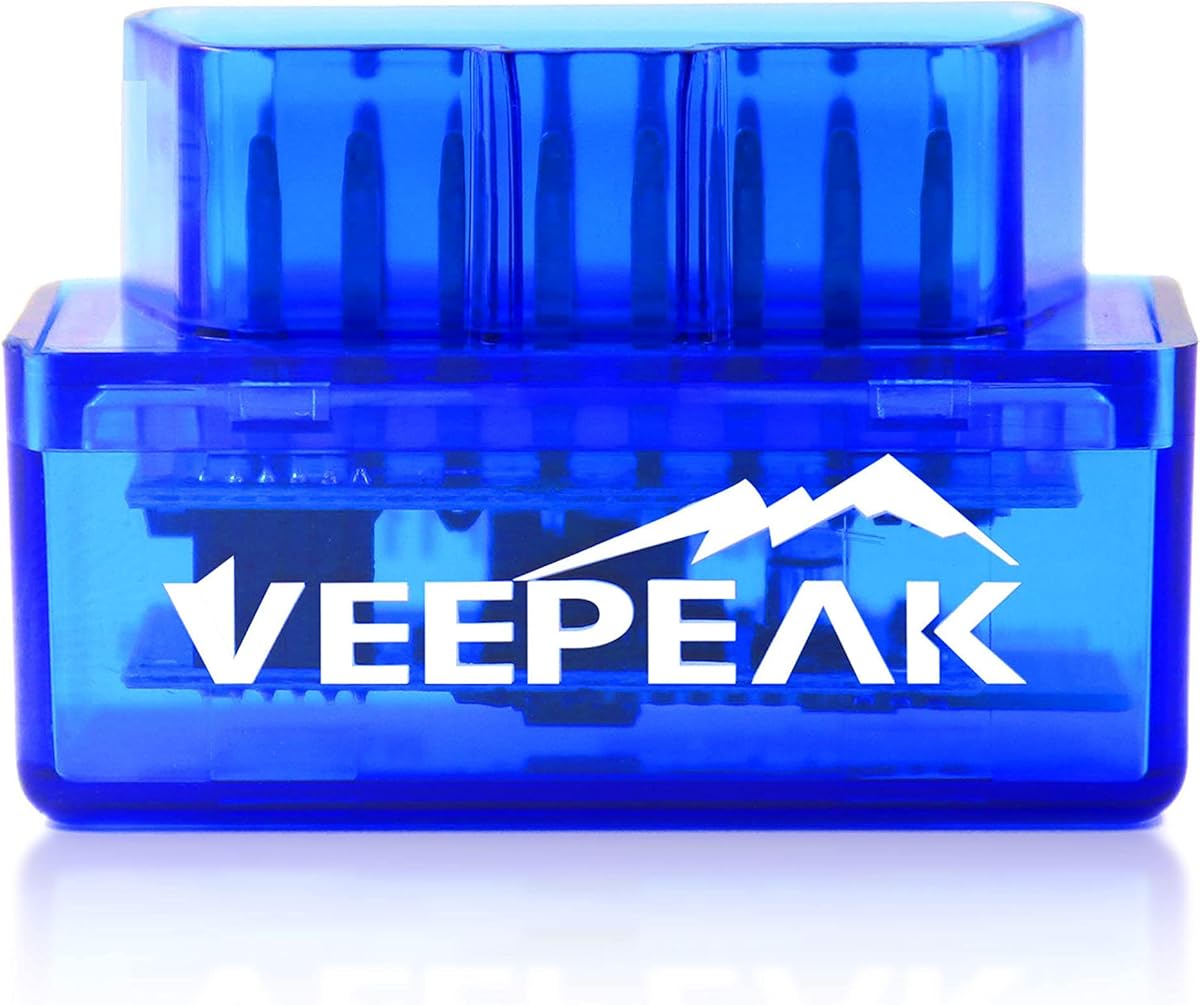
The Veepeak OBDCheck BLE+ offers a middle ground between basic and advanced tools. It connects via both classic Bluetooth and LE, ensuring compatibility with a wide range of Android devices. This device reads and clears trouble codes and provides freeze frame data and live sensor monitoring effectively.
We may earn a commission when you buy through this link, at no additional cost to you.
It supports popular apps like Torque and Car Scanner, which allow users to customize their dashboard view. Advanced data such as transmission temperature may be available depending on the vehicle and app combination. The setup process is straightforward, requiring pairing only within the application.
While it does not offer special reset functions like injector coding, it covers standard diagnostics reliably. Users should be aware that some apps might require separate purchases for full features. The physical design is compact, making it easy to keep in your car or kit.
This is a solid choice for those who want flexibility in app selection without investing in a premium dedicated tool. It is suitable for everyday monitoring and basic troubleshooting. Its versatility makes it a reliable option for multiple vehicles in the household.
Works with both classic Bluetooth and LE protocols for broader device compatibility.
Pair with preferred apps to create a personalized view of your vehicle's live data.
We may earn a commission when you buy through this link, at no additional cost to you.
The FOXWELL NT301 is a standalone scanner that brings professional features to a consumer-friendly device. It features a bright 2.8-inch color screen and built-in speaker for audio feedback. The live data graphing allows you to visualize sensor readings in real-time, helping to identify issues quickly.
We may earn a commission when you buy through this link, at no additional cost to you.
One of its key strengths is the Smog Check Helper with one-click readiness hotkeys. This feature lets you confirm your vehicle is ready for emissions testing before visiting a station. The tool also supports a wide range of protocols and vehicles, including 12V diesel trucks with OBD2.
Updates are free for life, and the package includes a one-year assurance for replacements. While it lacks the smart connectivity of app-based tools, the simplicity is a benefit for some users. It is easy to plug in and get results without configuring phone settings.
This scanner is ideal for those who prefer a dedicated tool over phone apps. It is reliable for annual inspections and quick diagnostics. If you value visual data and simplicity, this model provides excellent value.
View live sensor data in graphs to spot irregularities instantly.
Confirm emissions status with a simple indicator to pass tests confidently.
We may earn a commission when you buy through this link, at no additional cost to you.
The BlueDriver Next-Gen builds on the legacy of the original with expanded coverage for newer model years. It retains the core benefits of verified repair reports and unlimited access without subscriptions. This tool is optimized for 2024+ models of certain brands, ensuring compatibility with the latest vehicles.
We may earn a commission when you buy through this link, at no additional cost to you.
It continues to offer professional diagnostics through your smartphone, covering ABS, SRS, and other systems. The hardware is designed for daily use, making it easy to check a car before a trip or purchase. The support network ensures you have help whenever you need it.
The rating is slightly lower due to the learning curve associated with setup or connectivity issues on some phones. However, the value of the repair reports often outweighs this. It remains a strong choice for those needing trusted guidance on repair actions.
Select this if you have a newer vehicle and want the reliability of BlueDriver reports. It is a comprehensive tool for monitoring family cars. The wireless convenience makes it easy to keep in your daily vehicle for peace of mind.
Optimized connectivity for recent model years and brands.
Access unlimited, technician-verified repair reports matched to your VIN.
We may earn a commission when you buy through this link, at no additional cost to you.
The Veepeak Mini is one of the smallest and most affordable options for Android users. It is designed specifically for phones and tablets, ignoring iOS compatibility. This tool reads and clears check engine codes and shows live data like speed and RPM using classic Bluetooth.
We may earn a commission when you buy through this link, at no additional cost to you.
It works with standard apps like Torque and OBD Fusion. While it does not support advanced functions like ABS or SRS, it handles basic engine diagnostics well. The compact size fits easily in a console or bag, making it perfect for on-the-go checks.
The primary limitation is the lack of support for newer vehicles requiring Bluetooth LE. However, for generic OBDII functions, it is a budget-friendly solution. It is an excellent entry-level tool for students or casual users needing simple code reading.
Choose this for the lowest cost entry into diagnostics. It is a great backup tool to have in your glove box. If you only need to read engine codes and have an Android device, this is a practical choice.
Tiny profile makes it easy to carry and store in any vehicle.
Handles standard engine codes and live data for daily monitoring.
We may earn a commission when you buy through this link, at no additional cost to you.
The Veepeak OBDCheck BLE is a standard Bluetooth LE adapter designed for both iOS and Android. It provides generic OBDII functions like reading freeze frame data and monitoring live sensors. It is a budget option that requires a third-party app to function properly.
We may earn a commission when you buy through this link, at no additional cost to you.
The connection is straightforward if you connect through the app. It supports standard diagnostic needs and works with most vehicles from 1996. However, users should avoid imitation apps that may require subscriptions or provide inaccurate data.
This tool is best for users who already know which app they want to use and want a simple hardware interface. It does not offer special resets or advanced vehicle data. The price is very competitive for a wireless adapter.
It is a good choice for basic monitoring and clearing codes. If you prefer using apps like Torque or Car Scanner, this adapter works well. It is a reliable tool for routine engine health checks.
Works with both Android and iOS devices for universal connectivity.
Pair with your preferred diagnostic software to unlock full functionality.
We may earn a commission when you buy through this link, at no additional cost to you.
The V011 OBD2 Scanner features an upgraded Bluetooth 5.4 system for faster and more reliable connections. It offers comprehensive testing including DTCs and live data streaming. The included free app visualizes data in clear charts, making it easier for beginners to understand vehicle status.
We may earn a commission when you buy through this link, at no additional cost to you.
It covers 96% of car makes and models, ensuring broad utility for different owners. The device supports multiple languages, enhancing accessibility for international users. It is designed to be intuitive, helping you avoid unnecessary trips to the shop.
You must start the car for the connection to work, and it relies on the dedicated app for features. The visual representation helps compare readings against normal values to determine if repairs are needed. It balances modern connectivity with ease of use.
This scanner is ideal for new users who want visual guidance and modern tech. It is affordable yet feature-rich for everyday diagnostics. If you value connectivity and a user-friendly app, this model offers excellent value.
Utilizes Bluetooth 5.4 for stable and fast wireless connections.
See data in easy-to-read charts to quickly grasp vehicle conditions.
We may earn a commission when you buy through this link, at no additional cost to you.
Selecting the right diagnostic tool depends on your technical needs, vehicle type, and budget. This guide outlines key factors to consider before purchasing.
Ensure the scanner connects reliably to your Android device. Bluetooth Low Energy (BLE) offers low power consumption and modern compatibility, while Classic Bluetooth may work with older apps. Avoid adapters that require manual pairing in phone settings as this can cause connection issues.
Your vehicle communicates via specific OBDII protocols like CAN or KWP2000. A versatile scanner supports all standard protocols to ensure it works with domestic, European, and Asian cars. Verify compatibility with your specific make and model before buying.
Basic readers handle engine codes, but advanced scanners access ABS, SRS, and transmission data. If you need to read safety systems or reset service lights, look for tools that explicitly support these functions. Some require specific apps or subscriptions for these features.
Many Android tools rely on third-party apps for data visualization. Check if the hardware works with popular apps like Torque or includes a dedicated free app. Be aware of subscription models versus one-time purchases to ensure you do not face recurring costs.
Live streaming allows you to monitor sensors while the car is running. This is useful for diagnosing intermittent issues like misfires or cooling problems. Look for tools that support graphing or logging data to track changes over time effectively.
Some tools perform resets for oil changes, brake pads, or tire pressure. If you perform your own maintenance, a scanner with built-in reset functions saves time and money. Confirm which specific resets are supported for your vehicle year.
Physical scanners with cables should have sturdy connectors and flexible wires. For dongles, ensure they fit snugly in the OBDII port without falling out. A robust build ensures the tool survives the rough environment of a car trunk or glovebox.
Check the manufacturer's warranty terms and customer support options. Tools with lifetime updates keep you current with new car technologies. A responsive support team helps resolve connection or compatibility issues that may arise after purchase.
To start diagnosing, locate the OBDII port usually found under the dashboard near the driver's side. Plug the scanner firmly into the port and turn the ignition to the 'on' position without starting the engine. Open your diagnostic app and select the connection type, usually Bluetooth or WiFi, to pair the device.
Once connected, read the codes to see what triggered the check engine light. Use the app to clear codes only after you have fixed the underlying issue. Avoid clearing codes just to hide problems as the light will return if the fault persists.
To maintain the tool, unplug it after use to prevent draining the car battery. Store it in a dry, cool place away from direct sunlight. Keep the firmware updated if your app provides updates to ensure compatibility with new vehicle systems and software improvements.
Many modern scanners do not require subscriptions. Tools like BlueDriver offer unlimited reports for a one-time purchase. Some apps may charge for specific features, so check the app store details before downloading.
Yes, most scanners support vehicles manufactured after 1996. Newer models may require adapters with specific protocols like CAN-FD. Always check the compatibility chart for your specific make and model before purchasing.
Basic code readers cannot reset ABS lights. Advanced scanners with enhanced features may support this on specific vehicles. Verify if the tool supports ABS diagnostics before buying for this purpose.
Yes, most devices can still read live data and check readiness monitors even if the light is off. This is useful for preventative maintenance to ensure systems are functioning correctly.
It is generally not recommended to leave it plugged in for long periods. This can drain your car battery when the engine is off. It is best to unplug it after each diagnostic session.
Yes, many OBDII scanners work with most vehicles from 1996 onward. If you have multiple cars, a versatile tool can serve them all. Just ensure the specific features are supported for each car model.
We have covered ten top options ranging from budget-friendly readers to advanced professional tools. The ANCEL AD310 is great for basic code reading while the XTOOL A30D offers professional features for serious users.
Prioritize tools that offer the features you need most. If you want to avoid shop visits, look for live data and repair reports. For simple check engine light checks, a basic reader will suffice.
Remember to verify current prices and compatibility before ordering. Technology evolves quickly so checking the latest specs ensures you get the best value for your vehicle.