
Seagate 2TB Game Drive for Xbox
4.5Editor score
Xbox Certified for all generations
Large 2TB capacity at low price
Illuminated LED Xbox green bar
Compare the top External SSD Xbox Series X S options for storage expansion, speed, and compatibility to choose the right drive for your gaming library.
Choosing the right External SSD Xbox Series X S can transform your gaming experience by providing fast access to titles and seamless storage expansion for your console.
We evaluated official expansion cards and portable drives based on speed, compatibility, design, and value to find the best solutions for Xbox Series X and S owners.
Each pick below highlights key features and pros to help you decide quickly, though note that availability and pricing may fluctuate over time on retailer sites.
4.5Editor score

4.8Editor score

5.0Editor score
The following table compares the top ten external drives and expansion cards for Xbox Series X and S, highlighting their key specs and best use cases for gamers and creators.


The WD_Black 1TB C50 Expansion Card is a top choice for Xbox Series X and S users needing official storage solutions that match console speeds perfectly.
We may earn a commission when you buy through this link, at no additional cost to you.
It plugs directly into the console expansion slot and supports Xbox Velocity Architecture, allowing you to play next gen titles without any performance compromises or transfers.
While it does not offer as much storage capacity as some large portable drives, the convenience of plug and play and instant access make it highly reliable.
If you want to expand your library quickly and reliably, this card offers the best balance of speed, compatibility, and ease of use for Xbox gamers.
Because it is designed for Xbox Velocity Architecture, games load at full speed just like they would from the internal drive.
Your suspended games stay instantly accessible without needing to reload or wait for data to stream from a slower external drive.
We may earn a commission when you buy through this link, at no additional cost to you.
The Seagate 2TB Game Drive is an excellent budget friendly way to store a massive library of Xbox One and Series X titles that you do not need to play immediately.
We may earn a commission when you buy through this link, at no additional cost to you.
It connects via USB 3.0 and is officially certified for all Xbox consoles, so you can archive next gen games and transfer them back when you want to play.
Although it does not support playing Series X titles directly from the drive like the expansion cards, it is a perfect secondary vault for less frequently played games.
For gamers who need extra space without spending much, this drive provides huge capacity and reliable performance at a price point hard to beat.
With two terabytes of space you can archive hundreds of older Xbox One titles and many next gen games without worrying about filling the internal drive.
This drive works seamlessly across Xbox One, Xbox Series S, and Xbox Series X, so you do not need to upgrade if you swap consoles.
We may earn a commission when you buy through this link, at no additional cost to you.
The Sandisk Optimus GX C50 Storage Expansion Card delivers premium performance and official licensing that make it one of the best expansion options for Xbox Series X and S users.
We may earn a commission when you buy through this link, at no additional cost to you.
It provides NVMe speeds that match the internal storage so games play directly without any need to transfer or wait, and it supports all Quick Resume features fully.
While it is one of the pricier options on this list the convenience and performance make it worth it for serious gamers who value reliability and speed above all else.
If you want the easiest and fastest expansion possible with official support this card offers the best experience you can get for your console without compromise.
Games install and run directly from the card just like they do from the internal drive, so there are no extra steps to take before launching.
The package includes a trial of Game Pass Ultimate giving you instant access to a huge library of games on console PC and cloud services.
We may earn a commission when you buy through this link, at no additional cost to you.
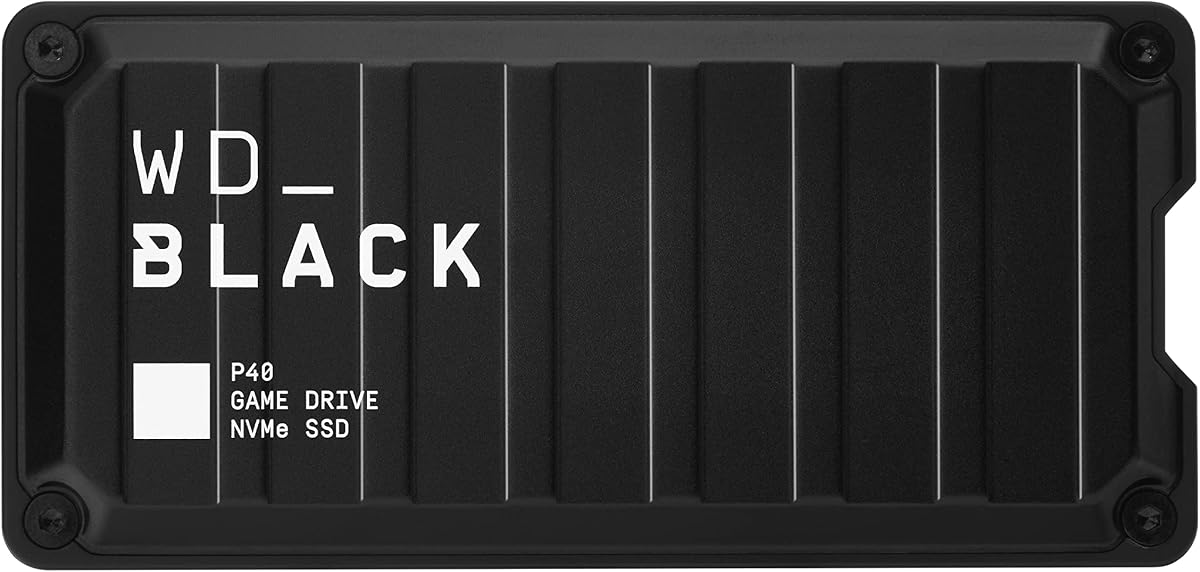
The Western Digital P40 is a high speed portable SSD that supports Xbox Series X and S consoles and offers impressive transfer speeds up to 2000 megabytes per second.
We may earn a commission when you buy through this link, at no additional cost to you.
While it is great for fast file transfers and storing Xbox One titles for immediate play, it does archive Xbox Series X titles so you still need an expansion card for direct play.
Its durable shock resistant design makes it a good choice for gaming on the go or if you want a rugged drive that can handle drops and rough use.
If you need a fast portable SSD for gaming and other devices and like RGB customization this drive delivers performance and style in one compact package.
With USB 3.2 Gen2x2 you get incredibly fast read speeds which means you can move large game files and backups in a fraction of the time.
The drive can survive drops up to two meters which gives you peace of mind when you are taking it with you to a friend house or event.
We may earn a commission when you buy through this link, at no additional cost to you.
The Lexar ES3 is a slim and ultra lightweight portable SSD that works with Xbox Series X and S consoles as well as PCs and mobile devices for versatile storage.
We may earn a commission when you buy through this link, at no additional cost to you.
It delivers read speeds up to 1050 megabytes per second and includes encryption software so your data stays secure while you use it for games files and more.
Because it is so thin and light you can slip it into a pocket and take it anywhere which makes it ideal for sharing games or storing files on the go.
If you want a small reliable external SSD that is easy to carry and secure this Lexar drive offers excellent performance and convenience for gamers and creators.
Weighing only 42 grams and measuring 10.5 millimeters thick this drive is smaller than a credit card and easily fits in any pocket or case.
The included encryption software protects your files with AES encryption so your saved games and personal data stay private when you are sharing the drive.
We may earn a commission when you buy through this link, at no additional cost to you.
The Lexar SL500 External SSD offers impressive read speeds up to 2000 megabytes per second and a slim metal design that works well with Xbox Series X and S consoles.
We may earn a commission when you buy through this link, at no additional cost to you.
It features unique thermal control to keep temperatures optimal at top speeds which helps maintain performance during long file transfers or game installations on your console.
While it does not play Xbox Series X titles directly it is excellent for storing Xbox One games and transferring large files between devices quickly and efficiently.
If you want a fast durable external SSD that stays cool and looks sleek this Lexar drive is a great option for gamers and content creators alike.
The drive uses thermal control to dissipate heat quickly so performance stays consistent even when you are running data transfers at maximum speeds.
Its lightweight metal body makes it easy to carry around while giving it a premium look that matches well with gaming setups and devices.
We may earn a commission when you buy through this link, at no additional cost to you.
The Samsung T7 Portable SSD is a widely trusted external drive that works with Xbox Series X and S as well as PCs and mobile devices for reliable file storage.
We may earn a commission when you buy through this link, at no additional cost to you.
It offers read and write speeds up to 1050 megabytes per second and has a durable aluminum unibody that protects your data from drops and everyday wear.
Although it does not play Xbox Series X games directly it is excellent for storing Xbox One games and backing up saves and other files quickly and safely.
If you want a reliable versatile external SSD from a top brand this Samsung drive delivers strong performance and build quality that will last for years.
The solid aluminum body helps dissipate heat and adds durability so the drive can survive accidental drops up to six feet without damage.
With read and write speeds reaching 1050 megabytes per second you can move large game files and backups quickly without long waiting times.
We may earn a commission when you buy through this link, at no additional cost to you.
The Western Digital P50 Game Drive SSD offers up to four terabytes of storage and fast SSD speeds up to 2000 megabytes per second which is perfect for massive game libraries.
We may earn a commission when you buy through this link, at no additional cost to you.
It is portable and shock resistant so you can take it with you while still getting excellent performance for file transfers and Xbox One game playback.
Although Xbox Series X titles still need to be transferred to internal storage or an expansion card for direct play this drive is perfect for storing older titles and saves.
If you need huge storage capacity with fast speeds and portability this drive gives you the best of both worlds for a premium portable SSD option.
With up to four terabytes available you can store hundreds of games and large files without ever running out of space on your device.
The USB 20 gigabit per second interface ensures you get the fastest possible data transfer speeds when connected to a compatible host device.
We may earn a commission when you buy through this link, at no additional cost to you.
The Crucial X10 Pro is a fast and durable external SSD designed for professionals but also works well with Xbox Series X and S consoles for reliable storage.
We may earn a commission when you buy through this link, at no additional cost to you.
It delivers read speeds up to 2100 megabytes per second and has an IP55 rating so it can resist dust and water while you work or game in tough conditions.
Although it is aimed at creators and has a lower consumer rating it offers strong performance and security features like password protection that are useful for gaming too.
If you want a rugged fast external drive that can handle demanding environments this Crucial SSD is a solid choice for both work and play.
With an IP55 rating the drive can withstand dust and water so you can use it in more environments without worrying about damage from the elements.
This drive can survive drops up to 7.5 feet which makes it ideal for portable use when you need to move data around frequently and safely.
We may earn a commission when you buy through this link, at no additional cost to you.
The Lexar 2TB ES3 External SSD offers a large two terabyte capacity in a slim and sturdy build that works well with Xbox Series X and S consoles for storage expansion.
We may earn a commission when you buy through this link, at no additional cost to you.
It features double layer graphite sheets that help dissipate heat quickly so performance stays consistent even when you are transferring large files or backing up games.
While it does not play Xbox Series X titles directly it is a great option for storing Xbox One games and personal files with fast transfer speeds and solid durability.
If you need a reliable portable drive with plenty of space and good cooling this Lexar SSD is an excellent choice for gamers and everyday users alike.
The drive uses double layer graphite sheets to keep it cool during fast transfers which helps maintain performance and protects the hardware from overheating.
This drive is drop resistant up to two meters so it can survive accidental falls and rough handling while you use it on the go.
We may earn a commission when you buy through this link, at no additional cost to you.
Choosing the right external storage for Xbox Series X and S depends on whether you need to play next gen titles directly or just archive older games.
Official expansion cards use the console slot to play Xbox Series titles directly without transferring them which gives the best performance and simplicity for active gamers.
If you do not need to play Series X titles immediately then portable USB SSDs are cheaper and work well as secondary storage for your game library.
Consider how many large games you need to store since next gen titles often require over 100 gigabytes each so larger drives reduce how often you need to manage space.
For most gamers one terabyte is a good balance but if you play many large titles then two terabytes or more will save you time and hassle over time.
Look for drives that support USB 3.2 Gen 2 or higher if using portable SSDs since faster speeds reduce transfer times and improve load times for Xbox One games.
Expansion cards match the internal SSD speed so they are ideal for next gen titles and provide the smoothest experience without any performance compromises on your console.
Officially licensed drives guarantee full compatibility with Xbox systems and features like Quick Resume which helps you avoid errors and extra setup when using them.
Unlicensed USB drives can work but may not support all console features and could have more compatibility issues with future system updates.
If you plan to take your drive on the go then look for shock resistance and a durable housing design so your saved games and titles are safe from drops.
Even if you keep the drive at home a solid build helps it last longer and perform reliably through years of regular use and heat cycles.
Expansion cards cost more per gigabyte but offer better performance for next gen titles so balance your budget with how often you need to play those games directly.
Portable SSDs offer larger capacities for less money which makes them great for storing large libraries if you do not need instant access to every title.
Some drives include encryption or backup software which can help you protect your game saves and personal data when sharing the drive across devices.
Look for drives with good companion apps if you want to manage your storage or track performance easily on your PC or console when needed.
Check that the included cable fits your console ports since Xbox Series X and S use USB ports that support different speeds and some drives need USB 3.2 Gen 2.
If you plan to connect to multiple devices then having both USB C and USB A cables in the box makes it easier to switch between console PC and mobile use.
To set up your external drive or expansion card plug it directly into the console USB port or expansion slot then follow any on-screen prompts to format it for Xbox use.
Keep your drive in a well ventilated spot and avoid touching the metal contacts when plugging it in to prevent damage or connection issues over time.
Regularly update your console firmware and check for drive compatibility issues to ensure smooth performance and prevent data loss when transferring or playing games.
Only official storage expansion cards can run Xbox Series X and S games directly since they match the internal SSD speed. USB external SSDs can store Xbox One games and archive next gen titles but require a transfer before playing.
Expansion cards plug into the console slot and allow direct gameplay for next gen titles while USB SSDs connect via USB and mainly store or archive games for later transfer to internal storage.
You can connect up to three external USB drives at once but only one expansion card can be installed at a time so you have to manage your storage carefully for multiple drives.
Yes you need to format the drive to the Xbox file system before first use which will erase any existing data so back up your files before connecting a new drive to your console.
Yes they are worth it if you want to play Xbox Series X titles directly without transferring them as they offer better performance and integration that portable USB drives cannot match for next gen gaming.
Many USB external SSDs work across Xbox PC and PS5 but expansion cards only work with Xbox Series X and S so you need to check compatibility before using them on other devices.
The WD_Black C50 and Sandisk Optimus cards are ideal for gamers who want direct access to Series X games while the Seagate and Lexar drives offer budget friendly storage for larger libraries.
Choose an expansion card for performance and simplicity or a portable SSD for capacity and value depending on how often you play new titles and how much storage you need.
Always check current availability and pricing before you buy since these options may change over time and you want to make sure you get the best deal for your console.