
GIGABYTE B550 Gaming X V2
4.5Editor score
Affordable DDR4 platform
Solid thermal design
Includes RGB Fusion support
This guide compares the top 10 Gigabyte Motherboard models for performance, connectivity, and value to help you find the perfect match for your build needs.
Choosing the right motherboard is crucial for any computer build. Gigabyte offers a wide range of options covering various sockets and chipsets. A good one provides stability, speed, and future proofing for your hardware components.
We have analyzed ten distinct models based on their specifications and user feedback. Our comparison looks at power delivery, thermal management, and connectivity features. This list covers both AMD and Intel platforms to ensure broad compatibility.
Each pick highlights specific strengths like budget friendly pricing or high end performance. You will see detailed breakdowns of what makes each board unique. Keep in mind that availability and pricing can change over time.
4.5Editor score

4.4Editor score

4.2Editor score
The following table provides a side by side look at the key specifications for each of the ten models featured in this guide.


This board stands out as a top choice for modern AMD builds. It carries a high user rating and supports the latest Ryzen processors. The combination of DDR5 and PCIe 5.0 makes it future proof for years to come.
We may earn a commission when you buy through this link, at no additional cost to you.
The power design is particularly impressive with its 14+2+1 phase setup. This ensures stable performance even under heavy loads. Thermal management is handled well with large heatsinks and thermal guards for the M.2 slots.
While it offers premium features the price point remains accessible for many builders. Some users might find the size large for smaller cases. These trade offs are generally acceptable given the performance and connectivity it provides.
It is ideal for gamers and creators needing reliable performance. The included WIFI6E and USB-C ports add significant value. We recommend this board for anyone building a new high performance PC today.
With PCIe 5.0 support and USB-C Gen 2 ports this board prepares you for the next generation of peripherals and storage devices.
The digital VRM solution ensures clean power to the CPU which is essential for maintaining high clocks during intensive tasks.
We may earn a commission when you buy through this link, at no additional cost to you.
This model pushes the boundaries of what is possible on the AM5 platform. It features the newest WIFI7 technology for ultra fast wireless speeds. Users appreciate the extensive connectivity options including dual USB4 ports.
We may earn a commission when you buy through this link, at no additional cost to you.
The power design is robust enough to handle the most powerful Ryzen CPUs. Thermal management is thorough with guards for all M.2 slots. This ensures that your storage performance remains consistent during long sessions.
The main drawback is the cost which is higher than many competitors. You also need to invest in new AM5 hardware to use it. These factors are justified if you need the absolute latest features available.
Best for enthusiasts who want the cutting edge of technology. The warranty adds peace of mind for your investment. Consider this if you are building a top tier workstation or gaming rig.
WIFI7 offers significant improvements in speed and latency making it ideal for cloud gaming and large file transfers without cables.
With four M.2 slots you can install multiple high speed SSDs for expanding your storage capacity without sacrificing performance.
We may earn a commission when you buy through this link, at no additional cost to you.
This board brings a distinct visual appeal with its all white design. It shares high end specs with the black version but stands out aesthetically. The rating reflects strong user satisfaction with its performance and look.
We may earn a commission when you buy through this link, at no additional cost to you.
Power delivery is enhanced with 80A smart power stages for maximum stability. It supports all the latest connectivity standards including USB4 and WIFI7. This makes it a powerhouse for any modern AMD build.
The cost is significantly higher than standard options which may limit its appeal. The color scheme is also restrictive if you prefer black components. These are minor issues for those who prioritize visual design.
It is perfect for custom builds where aesthetics are a priority. The performance matches the look ensuring no compromises are made. Recommend this for white themed systems needing top tier performance.
The white PCB and heatsinks create a cohesive look that pairs beautifully with white cases and components.
High current power stages ensure your CPU gets consistent power even during sustained high load activities.
We may earn a commission when you buy through this link, at no additional cost to you.
This motherboard is designed for the latest Intel Core Ultra processors. It offers a robust platform for high performance computing and gaming. The inclusion of Thunderbolt 4 adds versatility for professional workflows.
We may earn a commission when you buy through this link, at no additional cost to you.
Power design is extensive with 18 phases to handle demanding workloads. Thermal solutions are top notch ensuring stable operation over time. Five M.2 slots provide ample space for storage expansion.
The cost is steep which limits it to high end builds. You must use the new LGA 1851 socket which means no older CPUs. These are expected trade offs for a premium flagship product.
Ideal for professionals needing fast data transfer and CPU power. The 10GbE LAN is great for network intensive tasks. Choose this if you need the best Intel has to offer.
Thunderbolt 4 allows for high speed peripherals and docking stations which is essential for creative professionals.
Five M.2 slots mean you can fill your system with fast NVMe drives without needing adapters.
We may earn a commission when you buy through this link, at no additional cost to you.
This board brings the AM5 platform to a wider audience with a lower price. It maintains strong performance with solid power delivery and thermal management. Users rate it highly for its reliability and value.
We may earn a commission when you buy through this link, at no additional cost to you.
It supports DDR5 memory and includes triple M.2 slots for storage. The network connectivity is solid with WiFi 6E for wireless needs. This makes it suitable for gaming and general productivity tasks.
It lacks some of the premium touches found on higher models. The LAN speed is standard which might not suit pro users. These are acceptable limitations given the low cost entry point.
Perfect for budget conscious builders entering the AM5 ecosystem. You get essential modern features without paying for extras. Highly recommended for cost effective gaming PC builds.
This board makes it easier to upgrade to Ryzen 7000 and newer CPUs without breaking the bank.
With three M.2 slots you have plenty of room for your OS and games.
We may earn a commission when you buy through this link, at no additional cost to you.
This motherboard is excellent for upgrading existing AM4 systems. It supports the powerful Ryzen 5000 series processors efficiently. The user rating highlights its reliability and strong feature set.
We may earn a commission when you buy through this link, at no additional cost to you.
The power design includes 12+2 phases which ensure stable operation. Connectivity is comprehensive with WIFI6 and USB-C included. This board offers a lot of value for those sticking with DDR4.
It is limited to DDR4 memory which may be a constraint for some. The platform is older compared to AM5 options. These factors are less critical if you already have compatible parts.
Ideal for users refreshing a system without changing everything. You can upgrade CPU and motherboard while keeping existing RAM. Great for cost effective performance gains on a budget.
This board allows you to upgrade to Ryzen 5000 CPUs for a significant performance boost using your old DDR4 memory.
Features like Q-Flash Plus make BIOS updates easy even without a CPU installed.
We may earn a commission when you buy through this link, at no additional cost to you.
This model provides reliable support for Intel Core 14th and 13th Gen processors. It brings DDR5 compatibility to a mid range price point. Users find it offers a good balance of features and performance.
We may earn a commission when you buy through this link, at no additional cost to you.
It supports DDR5 memory and includes WIFI6E for connectivity. The thermal design ensures the system stays cool during gaming. RGB Fusion allows for customization of the lighting effects.
It has fewer M.2 slots compared to higher end boards. The VRM is adequate but not overkill for extreme overclocking. These are minor cons for a well rounded mid tier board.
Best for mainstream users building with 13th or 14th Gen Intel. It offers modern connectivity without the flagship price. Recommended for general gaming and everyday computing.
This board allows you to use DDR5 RAM which offers higher bandwidth for faster processing.
RGB Fusion lets you sync the lighting with your other compatible components for a cohesive look.
We may earn a commission when you buy through this link, at no additional cost to you.
This board is a robust choice for high performance Intel builds. It features a powerful VRM design that handles power demands well. User reviews confirm its stability and solid feature set.
We may earn a commission when you buy through this link, at no additional cost to you.
It supports DDR5 and includes four M.2 slots for storage. Connectivity is modern with USB-C and WIFI6E. This makes it suitable for demanding tasks and gaming.
It is slightly more expensive than the eagle variant. The ATX size may not fit in every case. These factors are generally acceptable for the extra performance offered.
Ideal for enthusiasts needing more power and storage slots. It provides a strong platform for 14th Gen processors. Choose this for a balanced high end experience.
The 16 phase VRM ensures your CPU gets steady power for consistent performance.
Four M.2 slots allow you to install multiple high speed SSDs for all your data needs.
We may earn a commission when you buy through this link, at no additional cost to you.
This board is designed for smaller builds without losing essential features. It supports the latest Intel Core processors in a smaller form factor. Ratings reflect its reliability for casual and gaming users.
We may earn a commission when you buy through this link, at no additional cost to you.
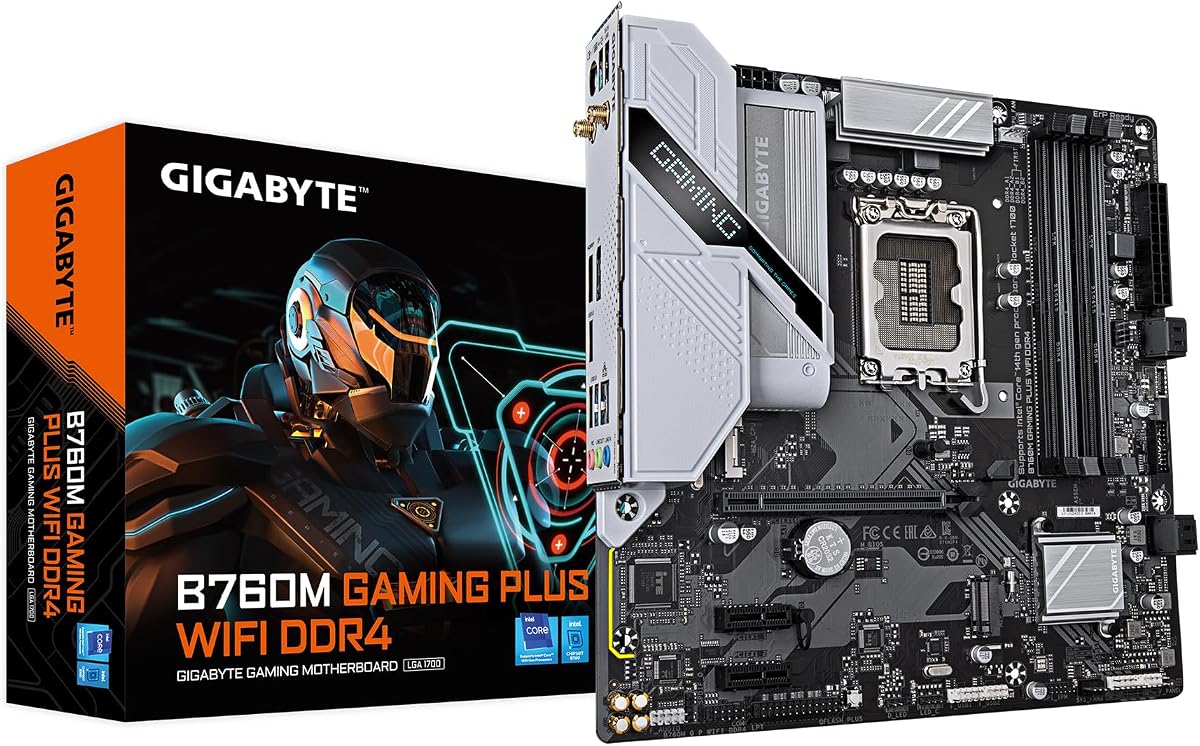
It includes WiFi for connectivity and a front USB-C port. The power design is sufficient for standard non-K CPUs. This makes it a versatile choice for many mid tier builds.
It has limited power phases which restricts heavy overclocking. DDR4 support is a legacy choice for some. These are reasonable trade offs for a budget compact board.
Best for smaller cases and casual gaming setups. It offers modern connectivity in a small package. Recommended for budget builds needing decent performance.
The M-ATX form factor allows you to use smaller cases while still supporting modern CPUs.
A front USB-C port makes it easy to connect devices to the front of your case.
We may earn a commission when you buy through this link, at no additional cost to you.
This board is one of the most affordable options for AM4. It supports Ryzen 5000 series CPUs efficiently. User feedback praises its stability and value for money.
We may earn a commission when you buy through this link, at no additional cost to you.
The power design is sufficient for most Ryzen processors. It includes USB-C and M.2 slots for modern connectivity. This makes it a great choice for budget gamers.
It is limited to DDR4 memory and older LAN standards. The platform is older than AM5. These are acceptable trade offs for the low price.
Ideal for those needing a budget AM4 platform. It offers reliable performance for everyday tasks. Recommend this for cost effective builds.
This board offers the best entry point for building a PC on a tight budget without sacrificing core features.
The M.2 thermal guard ensures your storage drive stays cool and performs well over time.
We may earn a commission when you buy through this link, at no additional cost to you.
Selecting the right motherboard involves considering several key factors to ensure compatibility and performance.
The first thing to check is the socket type. AMD AM5 is for newer Ryzen processors while AM4 is for older ones. Intel LGA 1700 and 1851 are for their respective generations. Mismatching these will prevent the CPU from fitting.
Always verify that the motherboard socket matches your CPU generation before purchasing.
DDR5 is the standard for newer boards offering higher speeds and bandwidth. DDR4 is still supported by older platforms and is more affordable. Check the maximum capacity and speed supported by the board.
Choose DDR5 for future proofing or DDR4 for budget friendly builds.
VRM phases are crucial for stable power delivery especially with high end CPUs. More phases generally mean better stability and overclocking potential. Look for digital VRMs for cleaner power output.
Higher phase counts are recommended for performance oriented processors.
Proper cooling for VRMs and M.2 slots is essential to prevent throttling. Look for large heatsinks and thermal guards included with the board. This ensures consistent performance under load.
Good thermal design is key for long term reliability.
Consider how many USB ports and M.2 slots you need. USB-C and Thunderbolt are valuable for modern peripherals. Also check for onboard WiFi if you cannot use Ethernet.
Ensure the board has enough ports for your planned setup.
ATX boards are standard and offer the most features. M-ATX and ITX are smaller for compact builds. Make sure the case you choose supports the motherboard size.
Select the form factor that fits your case requirements.
PCIe 5.0 support is becoming more common for next gen graphics and storage. Ensure the board supports the speed you need for your components. This impacts future upgrade options significantly.
Prioritize boards with adequate PCIe lanes for your GPU.
Gigabyte offers varying warranty periods on different models. A longer warranty provides peace of mind for your investment. Check for Q-Flash Plus to simplify BIOS updates without a CPU.
Look for models with strong support policies for safety.
Install the motherboard in your case carefully aligning the standoffs. Ensure all screws are tight but not overtightened to avoid damage. This step is crucial for a stable base.
Keep the BIOS updated using the Q-Flash tool. This helps maintain system stability and compatibility with new CPUs. Check the Gigabyte support site regularly for updates.
Dust the board periodically using compressed air. Buildup can block airflow and cause overheating. Proper care ensures your system runs smoothly for years.
For gaming the B650 AORUS Elite AX is a top choice due to its strong power and modern connectivity. If you prefer Intel the Z790 AORUS Elite AX is also excellent. Both support fast memory and storage.
It depends on your setup. If you plan to use an Ethernet cable you can save money by choosing a non-WIFI board. WIFI is great for clean builds where running cables is difficult.
Q-Flash Plus allows you to update the BIOS without installing a CPU or RAM. This is very helpful for enabling support for newer processors on older boards. It simplifies the upgrade process.
Yes Gigabyte motherboards are known for reliability and quality. Many users report long term stability with their boards. Proper installation and maintenance help ensure they last.
Our list includes boards for both AMD and Intel. AM5 and AM4 models are available for AMD users. Ensure you choose the correct socket type for your specific CPU.
Yes you can upgrade RAM as long as the new modules are compatible. Check the supported speeds and capacities in the product specs. DDR5 boards offer higher speeds for modern performance.
We have reviewed ten strong options from Gigabyte covering different platforms and budgets. Each board brings unique strengths suitable for various types of users. The B650 AORUS Elite AX stands out as our top pick overall.
Prioritize the features that matter most to your workflow and budget. If you need modern connectivity and future proofing an AM5 board is a great choice. For saving money consider AM4 or mid range Intel options.
Prices and availability change regularly so check current listings before buying. We hope this guide helps you make a confident decision. Happy building with your new hardware.