
Samsung 32" ViewFinity S7 (S71H)
4.8Editor score
4K UHD resolution for detailed visuals
HDR10 optimization for contrast
Eye Saver Mode for comfort
Finding the right display for your workspace is crucial for productivity and comfort. 4K Monitors with Thunderbolt offer high resolution and fast connectivity, making them ideal for professionals and creators who need clarity and speed in their daily tasks.
We compared ten top models based on display quality, port availability, and ergonomic design. Our analysis focuses on real-world performance, color accuracy, and how well each monitor integrates with modern laptops and desktop systems to ensure you get the best value.
Each pick highlights specific strengths like color fidelity or multi-device support. Prices fluctuate often, so check current listings before buying. These selections represent the best options available right now for anyone seeking a reliable high-resolution viewing experience.
4.8Editor score

4.6Editor score
4.4Editor score
As an Amazon Associate we earn from qualifying purchases.
This table provides a side-by-side look at key specifications for all ten monitors. Use it to quickly compare screen sizes, refresh rates, color coverage, and connectivity options to find the model that fits your specific needs and budget requirements.


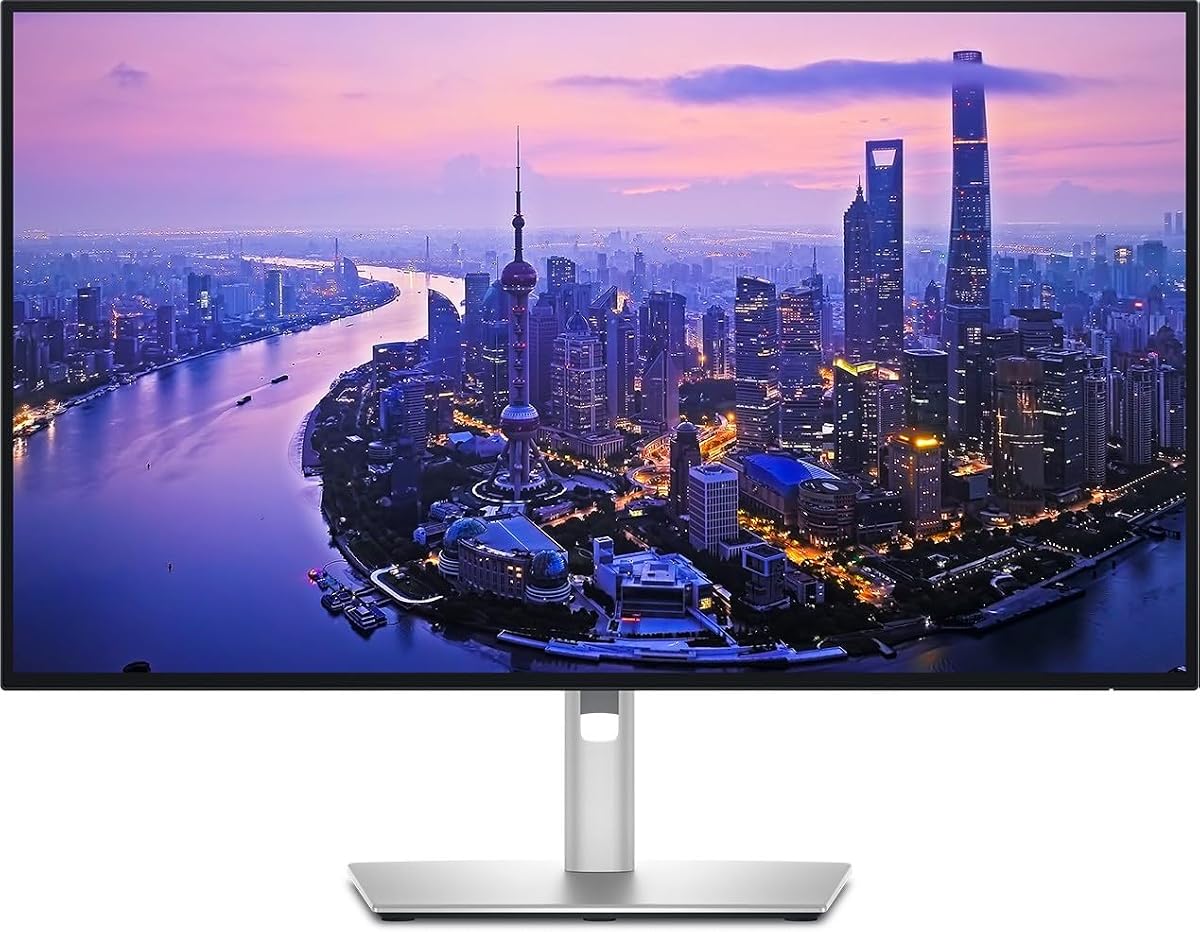
The Dell UltraSharp 32 Thunderbolt Hub Monitor is a top-tier choice for professional creators. It features a 32-inch 4K display with 99% Display P3 coverage and factory calibration ensuring colors look true to life right out of the box.
We may earn a commission when you buy through this link, at no additional cost to you.
Its Enhanced IPS Black panel provides a 3,000:1 contrast ratio with deeper blacks than standard IPS. This makes shadows richer and details sharper. The built-in KVM switch allows seamless switching between two machines with one keyboard and mouse.
While the price is higher than average, the professional-grade color accuracy and hub features justify the cost. The Thunderbolt connectivity simplifies setup significantly for laptop users who need reliable video and power transmission.
This monitor is ideal for designers, video editors, and executives who need a premium workspace. If you value color fidelity and a clean desk setup, this model delivers a refined experience that supports demanding creative workflows effectively.
Factory calibration to Delta E less than 1.5 ensures that what you see matches your final output for professional work.
The KVM switch and Thunderbolt hub reduce clutter and let you manage multiple devices without constant cable switching.
We may earn a commission when you buy through this link, at no additional cost to you.
The Dell UltraSharp U2725QE offers a robust Thunderbolt 4 solution for professionals needing high-speed connectivity. It supports daisy chaining two additional 4K monitors while transmitting video data and up to 140W power through a single cable.
We may earn a commission when you buy through this link, at no additional cost to you.
Color accuracy is ensured with factory calibration to Delta E less than 1.5 and 99% DCI-P3 coverage. The ambient light sensor adjusts brightness automatically to maintain comfort during long work sessions and reduce eye strain effectively.
The main trade-off is the premium price compared to standard 4K monitors. However, for users who require reliable power delivery and complex setups the convenience and performance benefits make it a worthwhile investment for daily productivity.
Choose this model if you need a powerful hub to connect peripherals and charge laptops simultaneously. It stands out for multitasking environments where minimizing cables and maximizing screen real estate is a top priority.
Thunderbolt 4 allows video data and power transmission over one connection keeping your desk tidy and efficient.
IPS Black technology delivers deeper blacks and better contrast for viewing detailed spreadsheets and documents.
We may earn a commission when you buy through this link, at no additional cost to you.
The Samsung ViewFinity S7 provides excellent value for users needing a large 4K display. Its 32-inch screen offers ample space for diagrams and designs while HDR10 optimization ensures contrast and colors look vibrant on supported content.
We may earn a commission when you buy through this link, at no additional cost to you.
Built-in features like Eye Saver Mode reduce blue light and prevent flickering to minimize strain during extended use. The high pixel density reveals fine details making it suitable for reading documents and viewing intricate visual work.
While it lacks advanced Thunderbolt speeds found in higher-end models the HDMI and DP ports cover most standard connection needs. The price point remains highly competitive offering a large high-resolution screen without a premium cost.
This monitor is a solid pick for general office work and media consumption. If you need a spacious clear display for a reasonable price this model balances size and visual quality effectively for everyday tasks.
The 32-inch size allows complex layouts and multiple windows side by side for improved multitasking efficiency.
Certified Eye Saver Mode helps reduce fatigue so you can work longer without discomfort or strain.
We may earn a commission when you buy through this link, at no additional cost to you.
The Dell UltraSharp 27 4K Thunderbolt Hub Monitor targets professionals who need color precision. It covers 100% of sRGB and Display P3 color spaces with factory calibration ensuring true-to-life reproduction for photo editing and graphic design.
We may earn a commission when you buy through this link, at no additional cost to you.
The Thunderbolt hub supports daisy chaining and high-speed data transfer to simplify your desk setup. Multiple USB-A and USB-C ports allow you to connect peripherals directly to the monitor without needing extra docks or cables.
Ergonomics are well supported with full height tilt swivel and pivot adjustments for personalized comfort. The sustainable materials reflect Dell's commitment to energy efficiency which appeals to environmentally conscious buyers.
This model suits designers and photographers needing reliable color output. If you require a hub monitor that balances professional visuals with flexible connectivity this option delivers the tools for demanding creative tasks.
Factory calibration guarantees consistent color accuracy for critical work like branding and print preparation.
Multiple ports on the monitor let you connect drives and accessories directly for easier file management.
We may earn a commission when you buy through this link, at no additional cost to you.
The LG 27UP850K-W blends productivity with entertainment features effectively. It supports VESA DisplayHDR 400 and displays 95% DCI-P3 color for vibrant visuals. The webOS platform allows you to stream apps directly without needing a PC.
We may earn a commission when you buy through this link, at no additional cost to you.
USB Type-C provides up to 90W power delivery for charging laptops alongside data transfer. Built-in stereo speakers with Waves MaxxAudio enhance audio quality for calls and media playback without external speakers.
While it lacks Thunderbolt 4 the USB-C performance remains strong for most modern laptops. The ergonomic stand supports height tilt and pivot adjustments to help find a comfortable viewing position for long work sessions.
Choose this monitor if you want a versatile all-in-one solution for work and entertainment. Its ability to run apps and deliver good color accuracy makes it a flexible choice for hybrid workspaces.
webOS allows direct access to apps so you can watch shows without turning on your laptop.
HDR400 support and built-in speakers create a richer multimedia experience for presentations and viewing.
We may earn a commission when you buy through this link, at no additional cost to you.
The Dell UltraSharp U2725QE W129125896 delivers a standard premium experience for office environments. It features a 27-inch 4K display for clear visuals and a fully adjustable stand for personalized comfort. Hub connectivity simplifies peripheral management.
We may earn a commission when you buy through this link, at no additional cost to you.
The premium finish and slim bezels add a refined look to any workspace. Ergonomic adjustments including tilt swivel and height ensure you can position the screen for long viewing sessions without discomfort.
While specific data points are limited the general performance aligns with Dell's reputation for reliability. This model is designed to support productivity with high resolution and clean cable management features.
Select this monitor for professional offices needing a reliable display. The design and adjustability support a comfortable setup for daily tasks requiring clear text and stable performance.
Full stand adjustments help align the screen with your posture to reduce strain during long hours.
The premium finish complements modern office furniture to maintain a cohesive and tidy look.
We may earn a commission when you buy through this link, at no additional cost to you.
The ViewSonic VP2488-4K is a compact option for professionals needing high precision on a smaller desk. Its 24-inch 4K panel is Pantone Validated for pinpoint color fidelity and aligns with Mac visual performance standards.
We may earn a commission when you buy through this link, at no additional cost to you.
Thunderbolt 4 provides lightning-fast 40 Gbps data transfer and 100W power delivery to keep laptops charged. This connectivity supports daisy chaining setups for expanded workspaces while maintaining a clean cable footprint.
While the 24-inch size is less immersive than 32-inch models it fits smaller work areas better. The professional color accuracy ensures that creative outputs are reliable and consistent for editing and design.
This model is perfect for mobile professionals or those with limited desk space. If you need a calibrated display that connects easily to Macs or PCs Thunderbolt 4 support is a strong asset.
The 24-inch size saves desk space while still delivering sharp 4K detail for focused work.
Pantone Validated certification ensures colors match industry standards for professional creative outputs.
We may earn a commission when you buy through this link, at no additional cost to you.
The Dell U3225QE provides an immersive viewing experience with its 31.5-inch 4K LED display. The integrated Thunderbolt hub offers versatile connectivity options for peripherals and devices to streamline your workspace efficiently.
We may earn a commission when you buy through this link, at no additional cost to you.
Maximizing productivity is key with the expansive screen real estate reducing the need for multiple monitors. Crisp text and sharp images ensure comfortable viewing during extended work sessions or entertainment usage.
While ratings vary the sleek design and modern finish elevate any workspace aesthetic. The slim bezels enhance the visual experience making it a pleasant choice for users prioritizing clarity.
Choose this model for tasks requiring wide-screen space like video timelines or financial modeling. The combination of size and connectivity helps reduce setup clutter and focus on core workflow efficiency.
A single large screen replaces dual monitors for a cleaner setup and seamless task switching.
High resolution ensures text remains sharp and readable for comfortable long-term viewing.
We may earn a commission when you buy through this link, at no additional cost to you.
The Samsung TU87F Series allows for a seamless dual 4K display setup with Thunderbolt 3 ports. You can connect to compatible Macs and PCs to work on a bigger screen and simplify your multi-monitor configuration.
We may earn a commission when you buy through this link, at no additional cost to you.
The 32-inch VA panel delivers stunning lifelike image quality and wide viewing angles for flexible seating. Transmitting video and data at speeds up to 40Gbps while charging devices up to 90W adds to its utility.
Daisy chaining and Picture-by-Picture features make window management easier. The stand supports tilt swivel and height adjustments to ensure ergonomic comfort throughout your workday effectively.
This monitor is ideal for users wanting a multi-monitor experience without extra hubs. Its connectivity options and large screen size provide a solid foundation for complex workflows and multitasking.
Daisy chaining lets you connect multiple monitors with just one cable for a tidy desk.
Wide viewing angles ensure colors stay consistent even when viewing from off-center positions.
We may earn a commission when you buy through this link, at no additional cost to you.
The Dell S2725QC delivers a smooth tear-free experience with its 120Hz refresh rate and FreeSync Premium. This makes it stand out for motion clarity whether working on detailed animations or enjoying casual media consumption.
We may earn a commission when you buy through this link, at no additional cost to you.
Vivid colors are provided by 99% sRGB coverage and HDR readiness. USB-C connectivity supports up to 65W power delivery to keep your devices charged while the improved ComfortView Plus reduces blue light emissions.
While it lacks Thunderbolt speeds the 120Hz rate offers fluid motion for general productivity and light entertainment. The low response time ensures interactions feel responsive and sharp on the display.
Choose this model for users prioritizing motion smoothness and eye comfort. It provides a balanced solution for daily tasks and multimedia needs without breaking the budget significantly.
The 120Hz refresh rate minimizes blur for fluid movement during scrolling or media playback.
ComfortView Plus reduces blue light to help you work longer with less strain.
We may earn a commission when you buy through this link, at no additional cost to you.
Selecting the right monitor involves weighing display quality connectivity needs and ergonomic features. Here are key factors to consider when buying a 4K Monitor with Thunderbolt.
For professional work ensure the monitor covers wide color gamuts like DCI-P3 or sRGB with factory calibration. Panels like IPS Black offer better contrast than standard IPS which helps for detail in dark areas.
Choose high resolution and calibrated panels to avoid color errors in creative tasks.
Thunderbolt 4 provides the fastest speeds and highest power delivery up to 140W making it ideal for powerful laptops. Thunderbolt 3 supports up to 100W and is still effective for many setups.
Prioritize Thunderbolt 4 if you need maximum power and future compatibility.
A 32-inch screen offers more real estate for multitasking while 27 or 24-inch models save desk space. Larger screens are better for video timelines and complex spreadsheets.
Pick a size that fits your desk and workflow comfortably.
Adjustable stands with height tilt swivel and pivot prevent neck strain during long work sessions. Look for VESA compatibility if you prefer to use a separate mount arm.
Ensure the stand offers full movement for comfortable viewing angles.
USB-C and Thunderbolt power delivery can charge laptops directly eliminating extra chargers. Aim for at least 90W to support performance laptops without battery drain.
Select a model with high wattage to keep your device charged.
A 120Hz refresh rate ensures smoother motion than standard 60Hz especially for scrolling or animations. Low response times reduce ghosting and blur on fast content.
Higher refresh rates improve visual fluidity in daily use.
Features like KVM switches Daisy chaining and HDR support add convenience for complex setups. KVM lets you switch devices with one keyboard while Daisy chaining reduces cables.
Look for hub features that match your connection needs.
Prices vary widely based on panel quality and connectivity. Determine your priority whether it is color or speed to find the best value for your needs.
Balance features with cost to ensure you get the most for your money.
To maximize performance use a high-quality Thunderbolt cable that supports 4K video and power delivery. Connect your laptop directly to the monitor's Thunderbolt port to enable single cable video and charging.
Calibrate display settings like brightness and contrast to suit your lighting conditions. Use built-in ambient light sensors if available to adjust automatically and protect your eyes.
Clean the screen with a soft dry cloth and avoid harsh chemicals. Dust the bezels and vents regularly to ensure proper ventilation and extend the monitor's lifespan effectively.
Yes most modern Thunderbolt monitors support 4K at 60Hz and many support higher refresh rates like 120Hz. Always check the manual to confirm supported resolutions and refresh rates for your setup.
Absolutely Thunderbolt works with Windows laptops that have a Thunderbolt port. Ensure your laptop supports DisplayPort Alt Mode to get video signal through USB-C.
Thunderbolt 3 delivers up to 100W while Thunderbolt 4 supports up to 140W. This allows charging most laptops while using a single cable for data and video.
IPS Black is a panel variant that improves contrast ratios significantly compared to standard IPS. It produces deeper blacks and richer shadows which enhances visual detail and accuracy.
Accurate color ensures what you see matches prints or final outputs. For designers and editors this avoids costly errors and ensures professional results in creative work.
Yes monitors with Thunderbolt 4 or 3 support daisy chaining. You can connect a second monitor to the first to expand your workspace without extra cables to your laptop.
Our top picks highlight the Dell UltraSharp 32 Thunderbolt Hub for creators and the Samsung ViewFinity S7 for value. These models balance display quality and connectivity to support diverse professional needs.
Prioritize color accuracy and power delivery if you work on creative tasks. For general productivity focus on screen size and ergonomic features to maintain comfort.
Prices change frequently so review current listings before purchasing. Choosing the right monitor today will boost your productivity and visual experience for years to come.