
Epson Workforce Pro WF-7820
3.7Editor score
High-speed PrecisionCore technology
25 black ppm printing speed
250-sheet paper capacity
This guide compares the top ten A3 printers for quality, speed, and cost. Find the right wide-format model for your office or creative workspace needs.
Finding the right A3 printer can transform your workflow by allowing you to produce large documents, blueprints, and creative projects with ease. These wide-format machines handle more than standard office needs, offering versatility for professionals and businesses alike.
We evaluated ten leading models based on print quality, speed, connectivity, and reliability. Our analysis focuses on real-world performance metrics, user feedback, and specific features that matter most when scaling up your printing capabilities.
Each selection below highlights distinct strengths, from budget-friendly options to premium all-in-one systems. Remember that model availability and pricing can shift quickly, so verify current details before making your final purchase decision.
3.7Editor score

4.0Editor score

3.9Editor score
The following table provides a side-by-side overview of each model's core specifications. Use this to quickly compare paper handling, connectivity options, and unique features across the entire lineup.

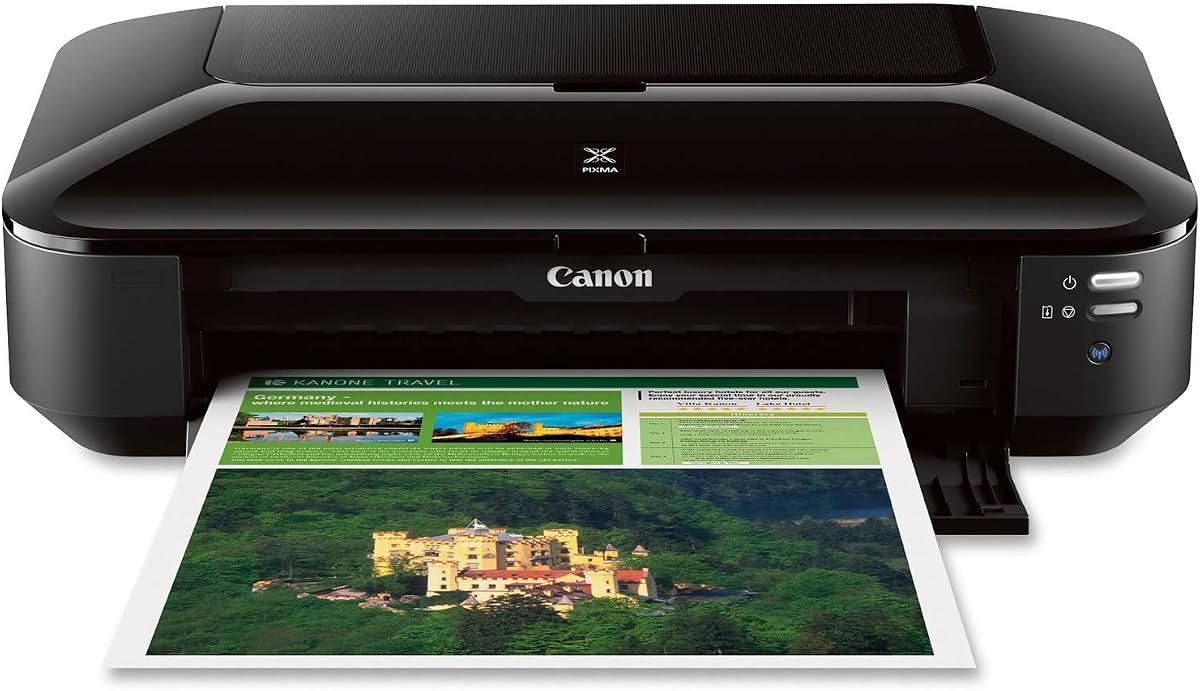


This all-in-one tank printer stands out for its cartridge-free system and exceptional photo quality. With a rating of 4.0, it delivers vibrant colors and sharp text using Epson's high-accuracy printhead and 6-color inks.
We may earn a commission when you buy through this link, at no additional cost to you.
The inclusion of Claria ET Premium ink ensures professional results for creative projects. You can print up to 6,200 color pages on a single set of replacement bottles, significantly reducing long-term costs compared to traditional cartridges.
While the upfront investment is higher, the savings on ink over time make it a smart choice for high-volume users. The only notable trade-offs are the larger physical size and the initial setup complexity for first-time tank users.
If you need a reliable printer for photos, graphics, and creative work without constant ink changes, this model is a strong recommendation. It balances performance and economy better than most competitors in this category.
Printing 4×6 photos for about 4 cents each compared to 40 cents with traditional cartridges offers massive savings for frequent photographers.
Each replacement ink bottle set equals about 100 individual cartridges, drastically reducing the waste ending up in landfills.
We may earn a commission when you buy through this link, at no additional cost to you.
This wireless wide-format printer offers fast speeds and robust features at an accessible price point. It uses PrecisionCore Heat-Free Technology to deliver 25 black ppm and 12 color ppm with DURABrite Ultra pigment inks.
We may earn a commission when you buy through this link, at no additional cost to you.
Its high-volume reliability makes it suitable for office workloads. The 250-sheet paper capacity and 50-sheet ADF allow for efficient batch printing without constant reloading, saving valuable time during busy days.
Users should note the system requires genuine Epson cartridges to maintain warranty coverage. While the initial cost is low, ongoing ink expenses can be a consideration for very heavy users.
For offices needing a dependable wide-format workhorse without a premium price tag, this model is a top contender. It balances speed, capacity, and cost effectively for most business needs.
Heat-Free Technology streamlines workflow with fast first-page-out and reduced downtime for heavy workloads.
Epson Smart Panel App enhances connectivity and productivity from your mobile device for easy setup and control.
We may earn a commission when you buy through this link, at no additional cost to you.
This wide-format office printer delivers vibrant, screen-accurate prints thanks to its P3 color gamut support. With a 3.9 rating, it excels at professional documents like mood boards and floorplans with high precision.
We may earn a commission when you buy through this link, at no additional cost to you.
HP AI optimizes print formatting to remove unwanted content automatically, ensuring clean layouts. The device includes strong security via HP Wolf Pro Security to protect your network from cyber threats effectively.
The Instant Ink trial offers savings, but long-term costs depend on subscription choice. Also, firmware updates may block non-HP chips, which limits flexibility for some users preferring third-party alternatives.
If color accuracy and security are priorities for your office, this model is a premium choice. Its combination of AI tools and wide color support sets it apart for creative and professional environments.
World's first wide-format printer with P3 gamut provides wider color range versus standard sRGB for true-to-screen results.
HP AI easily removes unwanted content from web pages and emails so your prints are just the way you want.
We may earn a commission when you buy through this link, at no additional cost to you.
Designed for heavy workloads, this all-in-one wide-format printer offers fast PrecisionCore speeds and a massive 500-sheet paper capacity. It delivers shop-quality prints using DURABrite Ultra inks that dry instantly for sharp text.
We may earn a commission when you buy through this link, at no additional cost to you.
The dual 250-sheet trays allow for efficient paper management without constant reloading. With zero warmup time and low energy consumption, it streamlines workflow and saves energy during long print jobs.
A smaller 2.4-inch display may feel basic compared to newer models with larger touchscreens. Additionally, the strict requirement for genuine Epson cartridges could add to ongoing operational costs.
For offices focused on pure productivity and high-volume needs, this model is a solid workhorse. It balances speed and capacity well, making it suitable for departments that print constantly.
Two 250-sheet trays and a rear feed make efficient and convenient printing for high-volume tasks.
Zero warmup time and low energy consumption contribute to efficiency and reduced environmental impact.
We may earn a commission when you buy through this link, at no additional cost to you.
This wireless business printer uses Full photolithography inkjet nozzle engineering for high detail. With a 4.1 rating, it delivers 9600 x 2400 dpi resolution and supports AirPrint and Google Cloud Print for versatile connectivity.
We may earn a commission when you buy through this link, at no additional cost to you.
The 5 individual ink tank system allows independent ink replacement to reduce waste. It includes a 150-sheet auto sheet feeder for convenient document feeding during multi-page print jobs.
While the resolution is impressive, the duty cycle and connectivity are more basic compared to newer models. It may not handle extreme volumes as well as dedicated office units.
For users who need high-resolution wide-format prints at a lower cost, this model fits well. It remains a reliable choice for small offices or creative tasks requiring detail and flexibility.
Maximum print resolution of 9600 x 2400 dpi ensures excellent readability and fine detail in documents.
Pixma Printing Solutions and Cloud compatibility enable printing from remote locations easily and securely.
We may earn a commission when you buy through this link, at no additional cost to you.
This Supertank all-in-one provides faxing, copying, and scanning alongside high-speed printing. It boasts a massive monthly duty cycle of 33,000 pages and offers excellent resolution up to 4800 x 2400 dpi.
We may earn a commission when you buy through this link, at no additional cost to you.
With 17 ppm black and 9 ppm color speeds, it handles moderate workloads efficiently. The tank system eliminates the need for frequent cartridge changes, improving long-term efficiency.
The lower color print speed may be a bottleneck for heavy graphical work. Connectivity via USB and LAN works well but lacks some modern wireless options found in newer models.
For businesses requiring high monthly volumes without ink hassle, this is a strong option. Its duty cycle and tank design make it a robust workhorse for demanding environments.
33,000 monthly duty cycle ensures reliability for high-volume print tasks without overworking the device.
4800 x 2400 dpi resolution delivers excellent readability for text and graphics on wide pages.
We may earn a commission when you buy through this link, at no additional cost to you.
This all-in-one delivers wide-format prints up to 13×19 using PrecisionCore Heat-Free Technology. It features a 500-sheet capacity designed to meet demands of busy offices needing reliable output.
We may earn a commission when you buy through this link, at no additional cost to you.
Built-in wireless 802.11ac offers cable-free convenience and reliable connections. The DURABrite Ultra ink ensures quick drying for smudge-free results that are durable and professional.
Epson Connect Solutions enable printing from anywhere via apps. While the model lacks some high-end touchscreen features, its core performance and connectivity remain strong.
For businesses needing consistent wide-format performance with high paper capacity, this is a smart pick. It balances speed and convenience well for daily office tasks.
500-sheet capacity is built to meet demands of your office without frequent paper changes.
Ink dries quickly to ensure smudge-free results that remain professional and durable over time.
We may earn a commission when you buy through this link, at no additional cost to you.
This all-in-one prints professional-quality color documents like brochures with speed and reliability. It delivers up to 25 ppm black and 20 ppm color with a dual-band Wi-Fi for stable connections.
We may earn a commission when you buy through this link, at no additional cost to you.
A single-pass 2-sided scanning ADF saves time on document processing. HP AI optimizes print formatting to remove unwanted content, ensuring clean and precise page layouts automatically.
While Instant Ink and firmware policies may limit flexibility, the performance and security features are robust. The sustainable design using recycled plastic aligns well with modern office values.
For offices needing fast color output with smart layout tools, this model is a top pick. It balances productivity and sustainability effectively for modern business workflows.
Single-pass 2-sided scanning via ADF accelerates document workflow compared to manual page flipping.
HP AI easily removes unwanted content so your prints are just the way you want every time.
We may earn a commission when you buy through this link, at no additional cost to you.
This multifunction printer makes it easy to print, copy, scan, and fax on 11×17 paper. It boasts high speeds of up to 31 ppm black and 30 ppm color thanks to MAXIDRIVE Technology.
We may earn a commission when you buy through this link, at no additional cost to you.
The 500-sheet capacity and 100-sheet multipurpose tray provide flexibility for various media types. It supports printing from and scanning to Cloud apps for seamless workflow integration.
Brother Genuine Ink ensures quality-tested performance. The Refresh Subscription Trial helps with initial costs, but long-term value depends on your usage volume and subscription preferences.
For businesses seeking high speeds and large capacity in a compact design, this model is strong. It balances productivity and reliability well for diverse office environments.
MAXIDRIVE Technology delivers up to 31 pages per minute in black for high productivity.
Print and scan to apps like Google Drive, Dropbox, and OneDrive directly from the touchscreen.
We may earn a commission when you buy through this link, at no additional cost to you.
This all-in-one printer creates borderless prints up to 13×19 inches using PrecisionCore technology. With a strong 4.3 rating, it balances reliable performance with high-quality photo handling capabilities.
We may earn a commission when you buy through this link, at no additional cost to you.
The 250-sheet tray can hold up to 20 sheets of photo paper or 10 envelopes. Automatic 2-sided print speeds of 8.7 ppm in black and 6 ppm in color handle mixed workloads well.
Amazon Dash Replenishment Ready ensures ink levels are tracked automatically. While speeds are lower than some competitors, the quality and versatility justify the choice for mixed media users.
If you need reliable borderless output and photo flexibility, this model delivers well. It offers a stable solution for offices needing both standard and special print tasks.
PrecisionCore technology creates borderless prints up to 13×19 inches for professional photos.
Paper tray holds up to 20 sheets of photo paper for convenient mixed media printing.
We may earn a commission when you buy through this link, at no additional cost to you.
Selecting the right wide-format printer requires balancing speed, capacity, and cost. This section breaks down the key factors to help you decide what matters most for your needs.
Print speed is measured in pages per minute (ppm) and determines how fast documents are output. High-volume environments benefit from speeds of 25 ppm or more, while lower speeds may suffice for occasional printing.
Prioritize higher speeds if you regularly print large batches or need quick turnaround for client work.
Paper capacity affects how often you must reload trays. Look for models with at least 250 sheets per tray or total capacities of 500 sheets for uninterrupted batch jobs.
More trays and flexible feeding options save time and reduce manual intervention during large print runs.
Tank systems offer significant savings over cartridges but may require higher upfront costs. Cartridge-based models are simpler to replace but cost more per page over time.
Choose based on your budget and how much you print. Tanks suit heavy users while cartridges may fit lighter needs.
Wi-Fi and Ethernet ensure seamless network integration. Dual-band Wi-Fi offers better stability and speed for wireless environments than single-band systems.
Check for Wi-Fi Direct and USB ports if you need quick local connections without a router or network.
Resolution and color gamut impact how sharp and vibrant your prints look. Higher DPI and wide color ranges support professional designs and graphics.
Prioritize high resolution if you produce creative assets or technical drawings that require precision and detail.
Modern printers should include network protection and secure data erasure. Security tools prevent unauthorized access and protect sensitive documents.
Look for built-in security suites, especially if your organization handles confidential client or business information regularly.
Mobile apps allow printing directly from smartphones and tablets. Support for AirPrint, Mopria, or brand-specific apps enhances flexibility.
Choose printers with robust mobile features if your team prints often from personal devices or remote locations.
Consider total cost of ownership, not just upfront price. Long-term ink expenses and maintenance can significantly affect overall value.
Compare estimated page costs and duty cycles to find the model that fits your usage and budget best.
Always use recommended paper types for optimal performance. Proper paper selection prevents jams and ensures best print quality results.
Run regular cleaning cycles to keep printheads clear. Clogged heads lead to streaks or missing colors in your output.
Keep the printer in a cool, dry place away from dust. Dust and humidity can damage sensitive internal components over time.
An A3 printer supports printing on paper up to 11×17 or 13×19 inches, larger than standard letter size. These printers handle blueprints, presentations, and creative projects that need more space than standard office printers.
Costs vary by model and ink type. Tank-based systems lower cost per page but require higher upfront investment. Cartridge models are cheaper initially but can be costly for heavy users.
Yes, all A3 printers can print standard letter and legal sizes. They are flexible with media types, making them suitable for mixed office workloads including reports and letters.
Most modern models include wireless and Ethernet connectivity for network printing. Wi-Fi Direct and mobile app support enhance flexibility for users needing quick connections without cabling.
Print at least one page weekly to keep printheads active. Most printers include maintenance cycles, but frequent use helps prevent clogs and maintains print quality effectively.
A touchscreen simplifies navigation and settings changes but is not essential. Models without touchscreens can still be controlled via computers or apps for most common tasks.
Many wide-format models support photo paper for high-quality prints. Look for dedicated photo trays and ink sets designed for vibrant color results if photography is a priority.
Our top picks cover the best overall, budget-friendly, and premium options available today. Each model offers distinct strengths suited to different workloads and office environments.
Prioritize speed, capacity, and ink costs based on your specific volume needs. Security and connectivity features are also important for modern, connected offices.
Check current availability and details before purchasing since prices and stock can change. Selecting the right fit ensures smooth operations and professional-quality output.