
Epson FastFoto FF-680W
4.5Editor score
Batch scans up to thirty six photos
Duplex scanning for front and back
Wireless connectivity and cloud backup
Finding the right batch photo scanner can transform how you preserve family history. These devices allow you to digitize stacks of prints quickly without tedious manual handling. A good scanner combines speed with quality to ensure your memories remain vibrant for future generations.
We evaluated ten leading models based on scanning speed, optical resolution, software capabilities, and ease of use. Our analysis covers dedicated photo feeders, versatile document scanners, and traditional flatbeds. This list helps you choose the best tool for your specific volume and quality needs.
Each pick highlights key strengths and potential limitations to guide your decision. We include detailed reviews, comparison tables, and buying advice to simplify your search. Please note that prices and availability change frequently so verify current offers before purchasing.
4.5Editor score

4.5Editor score

4.1Editor score
As an Amazon Associate we earn from qualifying purchases.
The following table provides a side-by-side comparison of all ten models. It highlights key specifications like resolution, scanning speed, and connectivity options to help you identify the right fit for your workflow.




The Plustek ePhoto Z300 stands out as a top choice for families wanting to digitize photos quickly. With a rating of 4.5 stars it delivers consistent performance and ease of use. Its dedicated photo feeder makes batch scanning simple without requiring technical skills.
We may earn a commission when you buy through this link, at no additional cost to you.
Its standout quality is the speed at which it processes standard 4×6 prints in just two seconds. The included software offers powerful tools to restore faded colors and fix alignment issues automatically. This ensures your digital archive looks as good as the originals.
A trade-off is the lack of duplex scanning which means you cannot scan notes on the back of photos in one pass. However for most users focused on the image side this limitation is acceptable given the significant time savings during bulk batches.
You should buy this if you have hundreds of prints to digitize and value speed alongside quality. It is an ideal balance of cost and performance for home users or small offices starting their archiving journey today.
The high-speed feeder lets you scan thousands of photos in an afternoon without needing to adjust settings manually.
Built-in software allows you to enhance faded images with a single click to bring back lost colors and details.
We may earn a commission when you buy through this link, at no additional cost to you.
The Epson FastFoto FF-680W is a premium solution designed for users who need maximum speed and versatility. With a strong rating it offers duplex scanning that captures both sides of photos in a single pass. This feature alone saves significant time during large projects.
We may earn a commission when you buy through this link, at no additional cost to you.
Its wireless connectivity allows you to scan directly to your device without cables. The companion app supports voice notes and slideshows making it perfect for preserving family stories alongside the images. It also handles documents up to 240 inches with impressive clarity.
The main trade-off is the cost which is higher than most competitors. However the value of duplex scanning and cloud backup often justifies the investment for serious archivers. It is best suited for those who want a complete digital workflow.
If you need to digitize everything from old prints to handwritten notes this scanner is the top recommendation. It combines speed with smart features that make organizing and sharing your memories effortless for everyone.
Capture the front and back of your photos in one pass to preserve notes and messages without extra effort.
Directly upload scans to Dropbox or Google Drive via wireless connections to keep your digital assets safe online.
We may earn a commission when you buy through this link, at no additional cost to you.
The AMBIR Photo Scanner offers excellent value for budget-conscious users who still want reliable batch scanning. It includes a cleaning kit to protect your fragile prints before they enter the feeder. This thoughtful addition ensures your originals remain in pristine condition.
We may earn a commission when you buy through this link, at no additional cost to you.
Its software helps you organize memories with custom albums and tags. You can edit brightness and contrast easily to restore old photos. While not as fast as premium models it handles various sizes from small 1×1 to panoramic 12-inch prints with ease.
The trade-off is that the software feels slightly dated compared to newer competitors. However for the price this is a minor issue given the included hardware and functionality. It is a solid choice for home projects where speed is secondary.
Choose this if you want a complete package without spending a fortune. It provides all the tools needed to digitize and organize your family photos safely and affordably for the long term.
The bundle comes with a blower and cloth to gently remove dust before scanning to prevent damage to delicate prints.
It can handle panoramic images up to 12 inches ensuring you can digitize wider prints without cutting them apart.
We may earn a commission when you buy through this link, at no additional cost to you.
The ScanSnap iX2500 Photo Edition combines speed with modern connectivity to suit digital workflows. Its touchscreen allows you to customize scan profiles quickly without opening a computer. This flexibility makes it ideal for users who want efficiency and control.
We may earn a commission when you buy through this link, at no additional cost to you.
It scans up to 100 photos per minute with automatic optimization to reduce manual editing. The Wi-Fi 6 connection ensures fast and secure transfers to cloud services. It is versatile enough to handle business cards and receipts too.
The main trade-off is the high price point compared to basic models. However the included photo sheets and software reduce the need for third-party tools. It is a powerful all-in-one solution for both photos and documents.
Select this if you want a versatile scanner that integrates seamlessly with your existing cloud setup. It is perfect for tech-savvy users who value speed and convenience in their archiving process.
The large touchscreen lets you select personalized profiles and send scans directly to your favorite apps instantly.
The feeder holds up to 100 documents allowing you to load a full stack and let it scan automatically.
We may earn a commission when you buy through this link, at no additional cost to you.
The ScanSnap iX2500 is primarily a document scanner that also handles photos well with the right setup. It is designed for speed and reliability with features like brake rollers to prevent jams. This makes it suitable for mixed batches of receipts and prints.
We may earn a commission when you buy through this link, at no additional cost to you.
Its upgrade features include Wi-Fi 6 and a touchscreen for easy profile selection. It automatically organizes files and sends them to your preferred apps. For users who want one scanner for all paper types this is a smart choice.
The trade-off is that it lacks dedicated photo optimization compared to dedicated photo scanners. However its speed and software quality make up for this. It is a versatile tool for home offices needing document and photo scanning.
Consider this if your needs are mixed and you want a device that handles everything from invoices to family photos. It offers robust performance and connectivity options for modern digital workflows.
The brake roller system prevents paper jams by feeding paper smoothly even with mixed media types like photos.
Send your scanned files directly to cloud storage without needing a computer connection after setup is complete.
We may earn a commission when you buy through this link, at no additional cost to you.
The Epson Perfection V19 II is a compact flatbed scanner ideal for small batches and high detail. It offers high optical resolution that is great for enlargements and restoring delicate photos. Its small size fits easily on any desk without taking up space.
We may earn a commission when you buy through this link, at no additional cost to you.
You can scan books and albums thanks to its high-rise removable lid. The software includes one-touch buttons and photo fix tools to simplify the process. It is a practical solution for users who need occasional scanning.
The main trade-off is the manual loading process which is slower than automated feeders. However for small volumes or fragile prints this is often safer. It is a solid choice for budget users needing quality over speed.
Choose this if you need to scan books and photos occasionally without needing a large feeder. It provides excellent detail and portability for casual archiving projects at home.
With 4800 DPI optical resolution you can enlarge photos without losing significant detail or clarity.
The built-in kickstand allows you to store the scanner vertically to save valuable desktop space when not in use.
We may earn a commission when you buy through this link, at no additional cost to you.
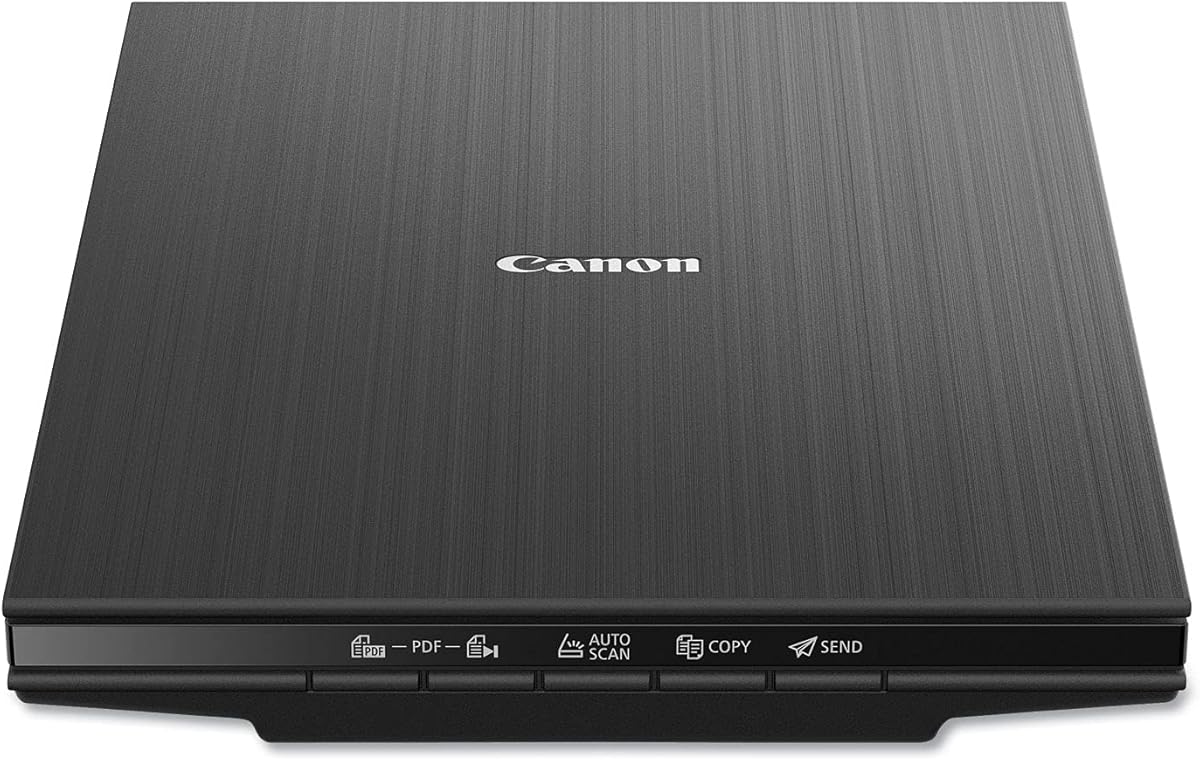
The Canon CanoScan LiDE 400 is an ultra-slim scanner designed for quick and clean scanning. It uses a single USB Type-C cable to power and connect to your computer. This minimalist approach makes it easy to use and store in small spaces.
We may earn a commission when you buy through this link, at no additional cost to you.
It scans documents and photos in as fast as eight seconds with auto mode detecting the content type. The software includes buttons for saving searchable PDFs which is useful for mixed media. It is perfect for occasional use where convenience matters.
The trade-off is that it lacks a feeder for batch scanning so you must load one page at a time. However its speed and simplicity make it a great addition to a home office. It is best for light scanning needs.
Select this if you want a compact and fast scanner that fits anywhere. It is ideal for users who need occasional scanning of documents and photos without bulk or complexity.
The USB Type-C connection powers the device and transfers data through a single cable reducing cable clutter.
The built-in auto mode automatically detects what you are scanning to adjust settings for optimal results.
We may earn a commission when you buy through this link, at no additional cost to you.
The HP HPPS100 is a portable document scanner ideal for travelers and small businesses. It is lightweight enough to slip into a bag yet still delivers high quality scans up to 1200 DPI. Its compact design makes it perfect for on-the-go scanning tasks.
We may earn a commission when you buy through this link, at no additional cost to you.
It scans up to 15 pages per minute which is efficient for medium batch jobs. The included software allows you to optimize image quality and crop scans easily. You can save files to PDF or JPG formats with just a few clicks.
The trade-off is single-sided scanning which means you must flip pages to capture the back. This slows down duplex jobs but keeps the device small and simple. It is best for users who need mobility.
Choose this if you need a portable scanner for business cards receipts and photos while traveling. It offers professional quality results in a tiny package that fits anywhere.
The small footprint lets you slip it in a briefcase for easy transport to office or client meetings.
Free software includes auto-detect and preview tools to adjust scan settings without technical knowledge.
We may earn a commission when you buy through this link, at no additional cost to you.
The Epson Perfection V39 II is a versatile flatbed scanner for home and office projects. It offers high resolution scans ideal for enlargements and artistic prints. The high-rise lid lets you scan books and albums without removing pages.
We may earn a commission when you buy through this link, at no additional cost to you.
Software includes one-touch buttons for easy operation and cloud storage options for saving scans. You can restore faded photos easily with the included photo fix tools. It balances quality and price well for casual users.
The trade-off is manual scanning which is slower than automated options. But for small batches the quality and flexibility are worth it. It is a reliable choice for users needing occasional high-quality scans.
Select this if you want a budget-friendly flatbed that handles books and photos well. It provides high detail and versatility for standard scanning tasks at home or office.
The lid lifts high enough to scan books and bound materials without removing pages or damaging spines.
Scan directly to cloud storage services to keep your digital archives accessible from any device.
We may earn a commission when you buy through this link, at no additional cost to you.
The AMBIR Photo Scanner with Picture Studio focuses on post-scan editing tools for your digital archive. It includes advanced software with AI colorization to bring black and white photos to life. This makes it a strong choice for users wanting to enhance their scans.
We may earn a commission when you buy through this link, at no additional cost to you.
It handles photos up to 8×10 inches with high resolution scanning options. The included carrier sheet ensures delicate prints stay safe during feeding. You can adjust brightness and contrast with professional-level controls.
The trade-off is the learning curve for the software which can be complex. But for users seeking detailed editing the value is high. It is a creative option for archiving and enhancing old photos.
Choose this if you need powerful editing tools alongside your scanning. It is perfect for hobbyists wanting to restore and colorize historical photos.
Use AI to analyze tones and add color to black and white images automatically for a vibrant look.
Adjust gamma and sharpness with detailed controls for professional-quality results.
We may earn a commission when you buy through this link, at no additional cost to you.
Choosing the right batch photo scanner requires balancing speed, resolution, and software features. Consider the volume of photos you have and the quality you need before making a purchase.
Speed is crucial for large batches. Dedicated feeders can scan a photo in seconds while flatbeds require manual handling. Look for models that support at least 30 photos per minute for efficient work.
If you have thousands of photos prioritize speed to finish the task quickly without sacrificing quality.
Resolution determines the detail of your scans. 300 DPI is enough for web use but 600 DPI is better for printing or enlarging. High-resolution scans capture fine details in old prints.
Always aim for at least 600 DPI to ensure your digital files remain sharp and clear for years.
Good software simplifies organization and editing. Look for features like auto-crop, color correction, and OCR. Some suites offer cloud integration for easy sharing and backup.
Choose a model with user-friendly software that handles photo enhancement automatically to save time.
Duplex scanning captures both sides of a photo in one pass. This is essential if you have handwritten notes on the back. Single-sided models require flipping each photo manually.
If preserving notes is important choose a duplex scanner to avoid double work and maintain image integrity.
Connectivity affects how easily you share scans. Wi-Fi allows wireless transfers to phones or tablets while USB offers stable connections. Cloud integration helps with immediate backup.
Select a scanner with the connectivity that matches your existing devices and workflow for seamless use.
Not all scanners handle all sizes. Some models only do 4×6 while others support panoramas up to 12 inches. Check the maximum width and length supported.
Ensure the scanner handles the widest prints in your collection to avoid needing multiple devices.
Batch scanners handle heavy loads so build quality matters. Look for models with robust feeders and a solid warranty. Long-term support ensures you can fix issues without buying a new device.
Choose a brand with a good reputation for customer support and long-term reliability.
Prices range from under 200 to over 500. Higher models offer speed and extra features. Balance your needs with your budget to get the best value.
Invest in a model that offers the features you need without paying for unnecessary extras.
Start by cleaning your photos before scanning. Use a soft brush or blower to remove dust and debris to ensure the best image quality. Place your photos in the feeder tray carefully to avoid jams.
Use the provided software to set your preferred resolution and file format. Scan a test photo to check alignment and settings before starting a large batch. Review scanned images after completion to confirm quality.
Store your scanner in a cool dry place away from direct sunlight. Keep the carrier sheet clean and replace it if it shows signs of wear. Regularly update your drivers to maintain optimal performance and security.
A batch photo scanner is a device designed to scan multiple photos continuously. Unlike flatbeds it uses a feeder tray to process photos in a sequence which saves time and effort for large projects.
Speed varies by model. Dedicated batch scanners can scan a photo in one to two seconds. This allows thousands of photos to be digitized in a single afternoon compared to flatbeds.
Most scanners come with included software for scanning and organizing. However you can also use third-party tools for advanced editing. Choose one that matches your technical comfort level.
Yes but handle them carefully. Use a carrier sheet to protect the print and avoid bending. Clean the scanner feeder regularly to prevent scratches from dust or debris.
For archival purposes 600 DPI is recommended to capture fine details. For web sharing 300 DPI is sufficient. Higher resolution provides better quality for enlargements or cropping.
Many models handle both photos and documents. Dedicated document scanners can handle mixed stacks but check size limits. Some flatbeds are better for books or larger papers.
The Plustek ePhoto Z300 remains our top pick for its balance of speed and quality. The Epson FastFoto FF-680W leads for those needing duplex scanning. Budget users will appreciate the value of the AMBIR bundle.
Prioritize scanning speed and resolution based on your needs. If you have handwritten notes on the back ensure your scanner supports duplex. Always check software features to simplify your workflow.
Prices and availability can change so verify current offers before buying. With the right scanner you can preserve your family memories safely for generations to come.