
Clip Busy Light Standard
4.4Editor score
Metal clip fits monitors under 30mm
59 inch USB cable included
Simple red and green indicator
Explore our expert comparison of the top 10 busy light for office solutions designed to reduce interruptions and boost productivity in modern workspaces today.
Modern offices and home workspaces need clear signals to protect focus time. A busy light for office setups provides an instant visual cue that tells colleagues when you are available or deeply engaged in tasks that require silence.
We evaluated ten leading models based on compatibility, ease of use, and design. Our list covers USB-connected indicators, wireless cubes, and software-integrated lights that sync with tools like Teams and Zoom for seamless status updates.
Each pick highlights key strengths, trade-offs, and ideal use cases. Prices and availability change frequently, so verify the latest details before purchasing to ensure you get the best fit for your specific work environment needs.
4.4Editor score

4.6Editor score
4.2Editor score
This side-by-side comparison highlights the core specifications of each model to help you find the perfect match for your office setup and workflow preferences.


The USB Status Busylight earns the top spot for its robust color system and compatibility. It shows real-time availability with six distinct colors that cover most office scenarios efficiently.
We may earn a commission when you buy through this link, at no additional cost to you.
Its standout feature is the automatic syncing with Microsoft Teams, Zoom, and Cisco Jabber. This reduces interruptions by flashing blue for calls and turning red during meetings without manual input.
The trade-off involves relying on free software for full automation. However, the manual tap mode lets you change colors instantly without any software running, which adds flexibility.
It suits remote workers and hybrid office staff who need clear signals. The Type-C connection and adapter ensure compatibility with most modern laptops and setups.
The device automatically updates colors when you join calls or meetings using supported software.
You can tap the top of the unit to switch colors instantly without any software dependency.
We may earn a commission when you buy through this link, at no additional cost to you.
Kuando Busylight UC Omega is a classic choice for teams relying on unified communications. It combines a presence indicator with an audible ring alert to prevent missing calls.
We may earn a commission when you buy through this link, at no additional cost to you.
Its software integration supports platforms like Teams and Skype for Business. The Outlook feature ensures the light shows busy status automatically when you have a scheduled meeting.
The built-in ringer is a major plus for those who remove headsets often. However, the reliance on free software might be a hurdle for security-restricted environments.
Ideal for office workers who want reliable status tracking. The compact round shape fits well on crowded desks without taking up too much space.
The software connects to Outlook to turn the light red when you have an active meeting event.
Eight ringtones are available to alert you of incoming chats or calls audibly.
We may earn a commission when you buy through this link, at no additional cost to you.
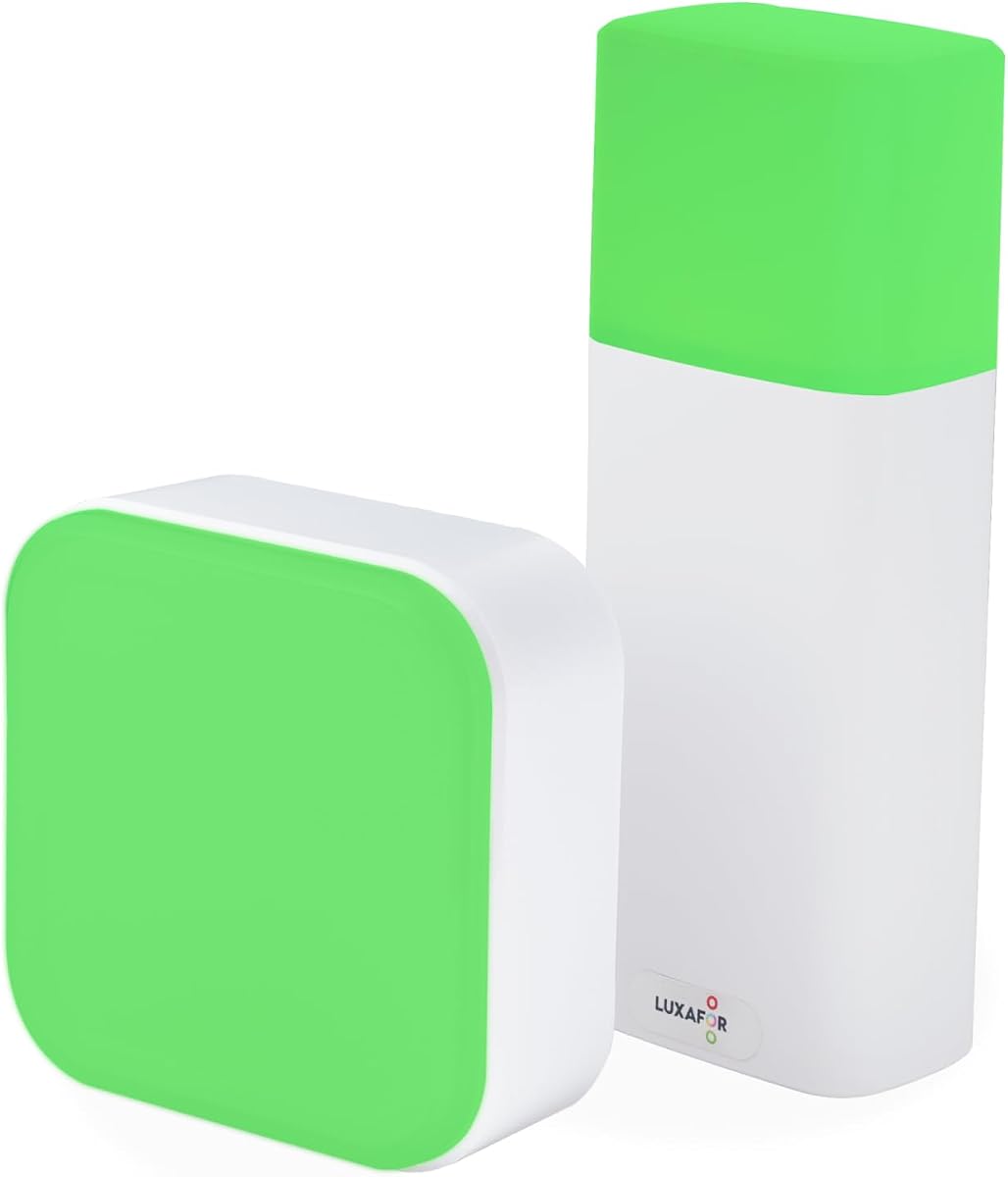
The Clip Busy Light Standard offers a simple solution for those on a tight budget. It uses a metal clip to attach to monitors, freeing up desk space for other tools.
We may earn a commission when you buy through this link, at no additional cost to you.
Its main strength is simplicity. You do not need any software or IT approval to use it. Just plug it in and set the color manually to indicate availability.
While it lacks advanced syncing features, the 59 inch cable ensures you can place it anywhere. The red and green lights are universally understood as busy or free.
This pick suits small offices or home workers who prefer manual control. It is a cost-effective way to reduce interruptions without complex configuration.
The metal clip can grab monitors or borders under 30mm quickly without tools.
There is no app required, making it secure for IT-locked environments.
We may earn a commission when you buy through this link, at no additional cost to you.
This version of the Clip Busy Light focuses on promoting deep work environments. It attaches easily to walls, doors, or tables to signal availability to passing colleagues.
We may earn a commission when you buy through this link, at no additional cost to you.
It uses the same reliable red and green system as before. The long cable allows flexibility in positioning the light where others can see it best.
Unlike the software-integrated models, this one requires manual toggling. This makes it great for settings where software installation is restricted or unnecessary.
Good for small teams needing a visual cue. It is a straightforward tool to prevent unnecessary interruptions during focused work sessions.
The product description highlights building an efficient communication system for focused tasks.
You can attach it to walls or doors to show availability outside your immediate desk area.
We may earn a commission when you buy through this link, at no additional cost to you.
The Switch Pro 2 is designed specifically for meeting rooms rather than individual desks. It uses a wireless cube inside the room to control a status indicator outside.
We may earn a commission when you buy through this link, at no additional cost to you.
This setup avoids the need for software or IT approval completely. You rotate the cube to change colors, and the outside light follows immediately via Bluetooth.
The main trade-off is the cost. It is significantly more expensive than desk lights, but it solves a specific problem for shared spaces effectively.
Ideal for security-restricted offices or conference rooms. It ensures teams know when a room is free without opening the door.
Rotate the cube inside the room and the outside indicator updates instantly via Bluetooth.
The system works out of the box without requiring any desktop or mobile app installation.
We may earn a commission when you buy through this link, at no additional cost to you.
The Embrava Blynclight offers advanced customization through adjustable colors and brightness levels. This lets you match the light to your office theme or personal preference.
We may earn a commission when you buy through this link, at no additional cost to you.
It flashes on incoming calls and messages to catch your attention quickly. It supports a wide range of platforms including Teams, Skype, and Cisco Jabber.
Developers can integrate it with business apps using the SDK. However, some alert features are limited depending on the specific software version you use.
Best for users who want control over light appearance. It balances visual appeal with functional status indicators.
Adjustable brightness and color settings allow you to suit the office theme better.
The SDK allows further enhancement with custom business applications if needed.
We may earn a commission when you buy through this link, at no additional cost to you.
This dimmable lamp focuses on visual comfort. It offers red and green status indicators but adds a unique touch to adjust brightness easily.
We may earn a commission when you buy through this link, at no additional cost to you.
You can press and hold the base buttons to control light intensity. This prevents glare in dark home offices while maintaining visibility.
The lack of software sync keeps it simple but limits automation. Additionally, you cannot change the status while the unit is actively charging.
Great for users who prefer manual control with comfort features. Its sleek design acts as a decorative desktop item as well.
Press and hold the touch-sensitive buttons to adjust light intensity to suit the room.
It supports standard Type C phone charger cables for flexible power options.
We may earn a commission when you buy through this link, at no additional cost to you.
The UC Alpha is a slim version of Kuando's classic line. It uses a tall narrow tube to save space while still providing clear status indication.
We may earn a commission when you buy through this link, at no additional cost to you.
Like other Kuando models, it relies on free software for syncing. The ring alert helps you hear incoming calls even when headsets are removed.
The Outlook integration is a strong point for schedulers. However, the hardware lacks modern features like touch control or wireless options.
Suitable for traditional office setups with legacy tools. It remains a reliable choice for teams using supported UC platforms.
The tube is roughly 4.5 inches tall but only half an inch in diameter.
Eight ringtones are available with volume control built into the software.
We may earn a commission when you buy through this link, at no additional cost to you.
The Omega Plus is essentially the classic Omega model but includes a magnet kit for versatile placement. Its table tennis ball size is perfect for small desks.
We may earn a commission when you buy through this link, at no additional cost to you.
The strong LED ensures visibility despite the small form factor. It connects to Teams and Zoom via the required free software to show status automatically.
The magnet kit allows you to attach it to filing cabinets or other metal surfaces. This adds flexibility beyond just sitting on a desktop.
Best for compact workspaces. It delivers the core Kuando experience in a smaller, more adaptable package.
At roughly 1.5 inches in diameter, it is small and easy to keep on the desk.
The kit allows you to mount the light on vertical metal surfaces easily.
We may earn a commission when you buy through this link, at no additional cost to you.
The Cube 2 offers total freedom from software dependencies. You rotate the cube sideways to cycle colors without needing any apps or IT permissions.
We may earn a commission when you buy through this link, at no additional cost to you.
Battery power with up to 90 hours of runtime makes it portable. You can move it between desks or meeting rooms easily without worrying about cables.
Since it lacks software sync, it does not automatically change color for calls. This is a trade-off for security or simplicity-focused environments.
Perfect for hot-desking or security-restricted offices. The magnetic mount allows flexible positioning anywhere in the workspace.
1200 mAh battery provides up to 90 hours of continuous use on a single charge.
Just rotate the cube to switch colors without installing any desktop or mobile apps.
We may earn a commission when you buy through this link, at no additional cost to you.
Choosing the right indicator requires understanding how your team communicates. Consider these factors to match the device to your workflow and office culture.
Most advanced lights sync with communication apps like Teams, Zoom, or Slack. Check if your primary platform is supported before purchasing to ensure seamless automation.
Prioritize models with native support for your main tools to avoid manual status switching.
Some devices need a constant USB connection while others use batteries for wireless freedom. Battery-powered models allow mobility but require charging management.
Choose USB for permanent desks and battery for flexible hot-desking setups.
Mounting methods range from clips to magnets to stands. Clips work well on monitors while magnets suit filing cabinets or walls.
Select the mount that fits your desk layout without blocking other equipment.
Ringer features add an audible cue for incoming calls. This is useful if you often remove your headset during busy work hours.
Look for built-in speakers if hearing alerts is a priority for your routine.
Basic models offer red and green while advanced ones provide six colors like blue for calls. More colors allow nuanced status updates beyond just busy or free.
Pick a color system that matches your team's communication preferences.
Prices range significantly from basic indicators to premium wireless cubes. Simple models cost less but lack automation features that save time.
Assess if the time saved by automation justifies the higher cost of smart models.
Some environments block software installations for security. App-free models avoid this issue entirely by using manual controls.
Ensure the device complies with your office security policies before buying.
Desk space is often limited in crowded offices. Compact designs blend better and avoid cluttering your workspace.
Choose a size that remains visible but does not interfere with your tools.
Place the device where colleagues can see it clearly, such as on your monitor or desk edge. Ensure the light faces outward rather than toward a wall.
If using software, install the required app on your computer and allow permissions for status access. Restart the device after installation to establish the connection.
Clean the surface gently with a dry cloth to remove dust. Avoid exposing it to extreme heat or moisture to maintain LED longevity and battery health.
No, compatibility depends on the specific model. Many support Teams and Zoom but may exclude others. Always check the list of supported apps before purchasing to ensure it fits your stack.
Some models work on Mac but have limited features compared to Windows. For example, alert features may be restricted. Verify system requirements to avoid compatibility issues.
Not always. Basic manual lights work without software. However, automatic syncing usually requires a companion app. Some models offer manual tap options as a software-free alternative.
Battery life varies by color usage and brightness. Most high-end models last between 46 and 90 hours. Eco modes can extend runtime for long work sessions.
Some have built-in ringers with adjustable volume. Check the decibel level to ensure it is audible in your environment. Not all models include audio alerts.
Yes, wireless models with magnets are ideal for this. You can place the control inside and the indicator on the door. Ensure Bluetooth range supports your layout.
The USB Status Busylight stands out as our top pick due to its versatile color system and compatibility with major platforms. It balances automation with manual control perfectly.
If you need a simpler solution, the Clip Busy Light Standard offers reliable manual control at a low cost. For meeting rooms, the Switch Pro 2 delivers professional wireless performance.
Prices and availability change frequently, so verify the latest details before purchasing. Choosing the right light can significantly improve focus and reduce unnecessary interruptions.