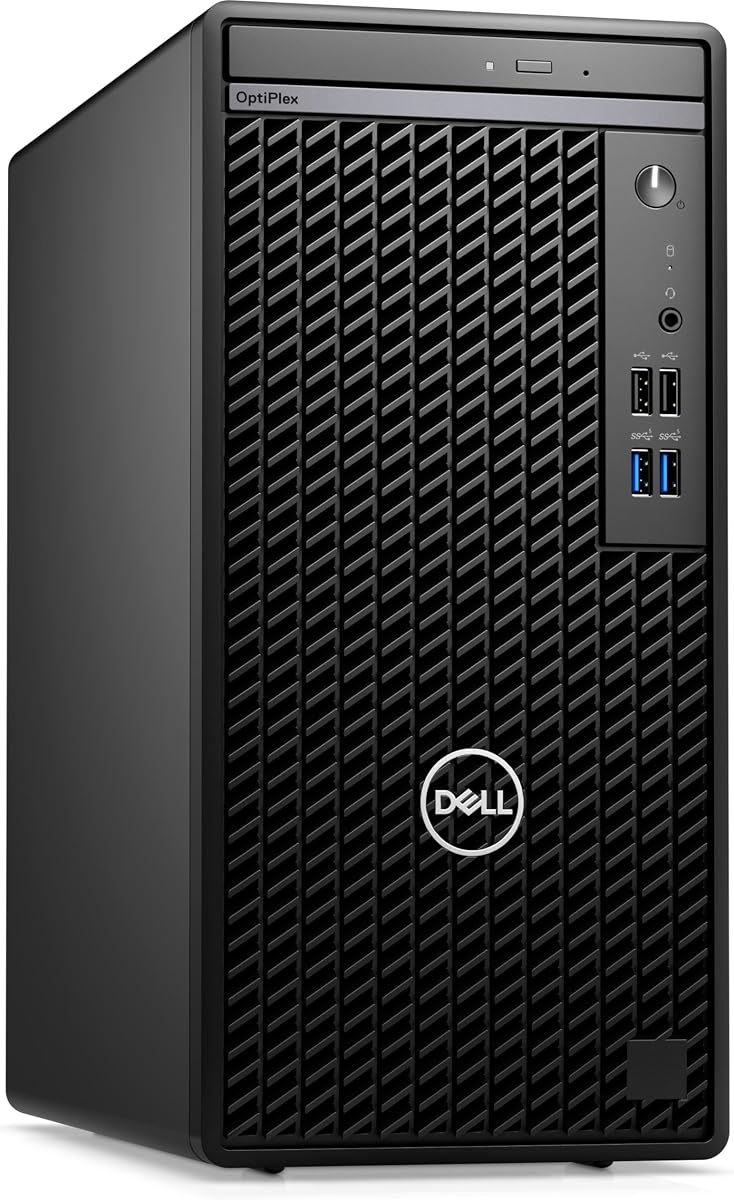
Dell Optiplex 7010
Ubuntu Linux 22.04
Intel i5-13500
Business Mini Tower
Find the best Desktop PC with Ubuntu Pre Installed for work and play. This guide compares top mini PCs and towers ready for Linux out of the box.
Choosing a Desktop PC with Ubuntu Pre Installed saves time and ensures compatibility for developers and privacy conscious users. This guide helps you find systems optimized for Linux workflows without extra configuration steps.
We compared ten real products based on performance, connectivity, and operating system readiness. Our selection includes mini PCs and towers suitable for coding, media, and everyday productivity tasks.
Each pick shows key specs and real-world suitability for Ubuntu users. Prices change frequently so check current listings before buying. We focus on value and performance for your specific needs.

4.0Editor score
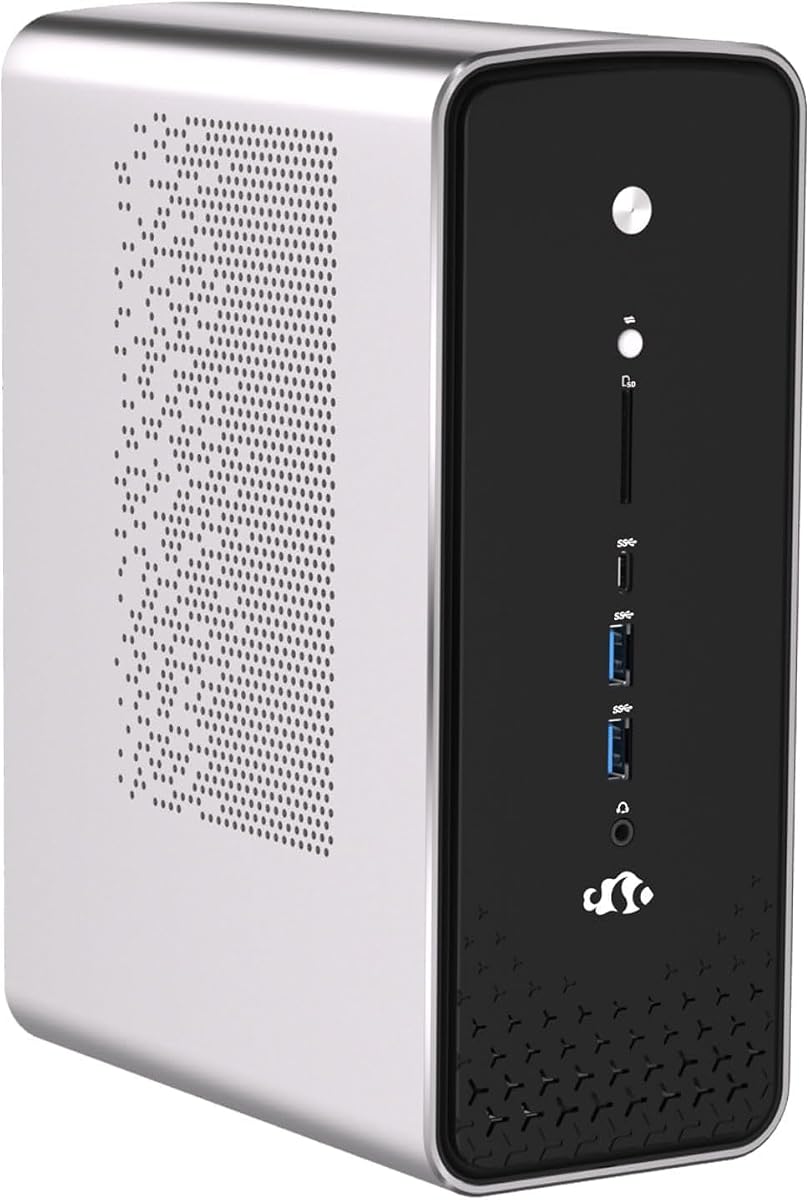
5.0Editor score
This side-by-side comparison highlights key specs for all ten Desktop PC with Ubuntu Pre Installed options. Use it to quickly match hardware needs with your software requirements.






The Beelink Mini PC SER9 Pro is a top Desktop PC with Ubuntu Pre Installed for power users. It arrives with Ubuntu system pre-installed so you avoid driver issues. This makes it ideal for developers or those seeking Linux right out of the box.
We may earn a commission when you buy through this link, at no additional cost to you.
Powered by the AMD Ryzen 7 255 it delivers strong multi-threaded performance. The 24G LPDDR5X RAM ensures smooth multitasking even with heavy workloads. Triple display support via HDMI and DP helps productivity on multiple screens.
Honest trade-offs include limited internal upgrade options due to its mini form factor. However its low noise level under 32dB keeps workspaces quiet. The AI voice features add convenience without extra hardware.
Buy this if you want a fast mini PC ready for Ubuntu tasks. It suits coding streaming and office work. Check current specs to confirm Ubuntu version before purchase.
Ubuntu comes pre-installed so you avoid driver issues common on generic hardware. This saves hours of setup time for Linux users.
24G LPDDR5X at 6400MT/s handles multitasking well. It reduces lag when running VMs or compiling code.
We may earn a commission when you buy through this link, at no additional cost to you.
The Dell OptiPlex 7070 SFF is a powerful Desktop PC with Ubuntu Pre Installed potential though it comes with Windows. Its renewed status ensures tested hardware. You can install Ubuntu later if you prefer open source.
We may earn a commission when you buy through this link, at no additional cost to you.
With 32GB DDR4 RAM it handles virtual machines well. The 1TB NVMe SSD provides fast storage for large projects. WiFi 6E ensures stable connectivity for remote work.
Trade-offs include the Windows OS requiring extra steps for Linux. Also the 9th gen CPU is older but still capable for daily tasks. The SFF size saves desk space.
Buy this if you need a robust tower you can customize. It suits office or home use where you plan to dual boot or switch OS.
32GB DDR4 RAM supports heavy multitasking and virtualization. You can run multiple tools without slowdown.
Renewed units are tested for function. This gives confidence in durability for daily tasks.
We may earn a commission when you buy through this link, at no additional cost to you.
The NIMO Mini PC AMD Ryzen AI Max+ is a top Desktop PC with Ubuntu Pre Installed for AI and dev work. It offers dual OS flexibility with Win11 and Ubuntu pre-loaded. This avoids setup hassle for either environment.
We may earn a commission when you buy through this link, at no additional cost to you.
Its Zen 5 architecture and NPU boost local LLM execution and data modeling. Triple 4K display via HDMI DP and USB4 helps multi-monitor workflows. WiFi 7 ensures low latency networking.
Trade-offs include the high price which reflects new tech. Also the new platform may have early driver quirks. But thermal management is quiet even under load.
Buy this if you need a premium mini PC with Ubuntu and AI features. It suits researchers or pros wanting open source and modern power.
Seamlessly switch between Windows and Ubuntu. This saves time for projects needing both environments.
Dedicated NPU handles local AI tasks. This speeds up code completion and image generation.
We may earn a commission when you buy through this link, at no additional cost to you.
The Dell Optiplex 7010 is a top Desktop PC with Ubuntu Pre Installed for budget buyers. It ships with Ubuntu Linux 22.04 so you avoid OS costs. The 13th Gen i5-13500 gives solid performance.
We may earn a commission when you buy through this link, at no additional cost to you.
Its business mini tower design fits desks easily. The 256GB SSD boots fast though you may need more space. Includes USB keyboard and mouse for immediate use.
Trade-offs include only 8GB RAM which may need upgrade. Also storage is small for large files. But Ubuntu is free so budget stays low.
Buy this if you need a ready Ubuntu desktop without overspending. It suits entry level coding or office work where budget matters.
Linux 22.04 ships pre-installed for zero config. This saves time on setup and driver issues.
14-Core i5 handles daily tasks well. It offers good value for the cost.
We may earn a commission when you buy through this link, at no additional cost to you.
The Dell Optiplex 7050 SFF is a solid Desktop PC with Ubuntu Pre Installed potential though it ships with Windows. Its renewed status ensures it passes testing. 32GB RAM handles multitasking well for legacy tasks.
We may earn a commission when you buy through this link, at no additional cost to you.
1TB SSD storage provides ample space for files. Dual monitor support helps productivity. WiFi BT included for easy connection. The SFF fits tight desk spaces.
Trade-offs include older CPU limits for new AI work. Also you must install Ubuntu manually. But cost is low for a tested unit.
Buy this if you want a cheap robust PC to customize. It suits users comfortable with OS switching who need RAM.
32GB DDR4 RAM supports many open apps. This reduces lag when switching tasks.
Small form factor fits anywhere. Ideal for tight workspaces.
We may earn a commission when you buy through this link, at no additional cost to you.
The DELL Optiplex 7060 SFF is a versatile Desktop PC with Ubuntu Pre Installed option you can set up later. Renewed units are tested for quality. 6 core CPU handles most office work smoothly.
We may earn a commission when you buy through this link, at no additional cost to you.
512GB NVMe SSD boots fast. 32GB DDR4 RAM handles many apps. Wireless keyboard and mouse bundle saves setup. WiFi BT built-in for easy connection.
Trade-offs include older CPU vs new AI needs. Also Ubuntu not pre-installed so plan to install. But value is good for home.
Buy this if you need a reliable PC with RAM. It suits general use where you prefer to choose your OS.
512GB NVMe SSD boots fast. It reduces wait time for apps.
Wireless keyboard and mouse included. This cuts clutter on your desk.
We may earn a commission when you buy through this link, at no additional cost to you.
The Dell Optiplex 5050 SFF is a basic Desktop PC with Ubuntu Pre Installed option via install. Renewed status ensures tested hardware for function. Quad Core CPU handles daily office tasks well.
We may earn a commission when you buy through this link, at no additional cost to you.
16GB DDR4 RAM is enough for light multitasking. 512G NVME SSD gives fast boot. Wired keyboard and mouse included. SFF fits small desks easily.
Trade-offs include Windows OS requiring manual Ubuntu install. Also CPU is older but still functional. Price is low for a tested unit.
Buy this if you want a cheap PC for general use. It suits users ready to swap OS for Linux tasks.
Renewed units are tested for function. This gives confidence in hardware quality.
Low price fits basic needs. Ideal for budget office use.
We may earn a commission when you buy through this link, at no additional cost to you.
The Dell Pro Micro QCM1250 is a modern Desktop PC with Ubuntu Pre Installed option. It ships with Ubuntu Linux 18.04 so you avoid OS costs. The 15th Gen Ultra 5 CPU delivers efficiency.
We may earn a commission when you buy through this link, at no additional cost to you.
DDR5 RAM offers faster bandwidth. 512GB PCIe SSD boots quickly. Business design fits desks. USB keyboard and mouse needed.
Trade-offs include Ubuntu 18.04 is outdated so upgrade needed. Also 8GB RAM is low for heavy apps. But new CPU helps performance.
Buy this if you need a compact PC with Linux. It suits basic office work where you plan to upgrade OS.
Linux 18.04 ships pre-installed. This saves OS costs for basic needs.
DDR5 RAM offers faster bandwidth. It helps with modern app use.
We may earn a commission when you buy through this link, at no additional cost to you.
The ASUS NUC 14 Pro is a powerful Desktop PC with Ubuntu Pre Installed potential though it ships with Mint. Linux Mint is open source and easy to use. Ultra 7 CPU handles dev work well.
We may earn a commission when you buy through this link, at no additional cost to you.
16GB DDR5 RAM and Thunderbolt 4 help connectivity. AI features boost performance. WiFi 6E ensures speed. VESA mount saves space.
Trade-offs include Mint not Ubuntu but similar base. Also low rating warns of issues so check reviews. Price is mid range.
Buy this if you want open source ready for dev tasks. It suits users who prefer Mint but value Linux workflow.
Linux Mint pre-installed for open source. This is easy to customize for Linux needs.
Thunderbolt 4 offers fast data. Ideal for external drives or GPU.
We may earn a commission when you buy through this link, at no additional cost to you.
The ASUS PB64 Full System is a top Desktop PC with Ubuntu Pre Installed potential via install. Ultra 7 265 gives modern power. Toolless chassis access helps upgrades for Linux.
We may earn a commission when you buy through this link, at no additional cost to you.
16GB DDR5 RAM is fast. Hardware TPM ensures security. USB-C helps peripherals. VESA mount saves space.
Trade-offs include Windows OS so you install Ubuntu later. Also price is high for a mini PC. But TPM adds security.
Buy this if you want a premium PC to customize. It suits users who value security and modern hardware.
Toolless chassis access helps upgrades. Ideal for Linux install or parts.
Hardware TPM adds security. Helps protect data on your system.
We may earn a commission when you buy through this link, at no additional cost to you.
Selecting the right system requires matching OS needs with hardware specs. This guide breaks down key factors for Ubuntu users.
Verify the Ubuntu version pre-installed matches your app needs. Older LTS versions may lack newer features or kernel support.
Choose systems with 22.04 or newer LTS for best stability.
Intel and AMD CPUs handle Linux well. Check for multi-core counts if you run VMs or compile code.
Modern CPUs ensure Ubuntu performance lasts longer.
RAM is critical for multitasking. 16GB is a good baseline for dev or office tasks.
Upgrade RAM if you run heavy apps.
NVMe SSDs boot Ubuntu faster than SATA. Aim for 256GB minimum for smooth OS and tools.
Larger storage handles more projects.
Ensure enough USB ports and video outputs for your setup. HDMI and DP help multi-monitor needs.
Fast Ethernet or WiFi 6E is key for office use.
Mini PCs often run hot. Look for fans and vents that keep noise low under load.
Good cooling extends hardware life.
Renewed units can offer value. Check warranty and testing details before buying to avoid issues.
Set a budget that matches your needs.
Verify the seller provides clear support. Linux drivers may need updates so ensure community or vendor help is available.
A warranty protects your investment.
Update the OS and apps immediately. This ensures you have security patches and latest drivers for hardware components.
Use system monitoring tools to track heat and usage. This helps prevent overheating and keeps performance stable over time.
Backup important files regularly using cloud or local drives. This protects data against hardware failures or unexpected changes.
It means the system arrives with Linux OS already installed. You skip driver installs and get ready to code or work right away. Check version to match needs.
Yes but pre-installed saves time. Ensure hardware has supported drivers for audio network or GPU. Check community forums before buying to verify Linux support.
LTS versions like 22.04 are best for stability. They offer long support cycles. Use newer versions if you need latest features for AI or dev tools.
Yes RAM impacts multitasking. 16GB handles VMs and heavy apps better. If you run containers check minimum RAM to avoid slowdowns.
Yes they save desk space. Look for good cooling and ports. Some offer pre-installed Linux so you avoid setup. Check power for your tasks.
Choose dual OS systems or install Ubuntu yourself. Many PCs support both so you can switch needs. Pre-installed systems simplify Linux workflow.
The Beelink SER9 Pro leads for ready Ubuntu mini power. NIMO Mini PC suits AI pros needing dual OS. Dell Optiplex 7010 is best for budget buyers.
Prioritize RAM and CPU for your tasks. If you need AI consider NPU support or strong multi-core. Check Ubuntu version to match your needs.
Prices change so verify current specs before buying. We hope this guide helps you pick the right Desktop PC with Ubuntu Pre Installed.