
WAVLINK USB 3.0/USB C to HDMI Universal Video Adapter
4.4Editor score
Up to six monitor support
USB 3.0 GPU certified
Compact size with LED status
This expert guide compares the top ten Displaylink adapters to help you choose the right dual monitor solution for your Mac or Windows laptop today.
Finding a reliable displaylink adapter is essential for modern professionals who need multiple screens to boost productivity. These devices allow you to connect additional monitors via USB, bypassing native graphics limitations on many laptops.
We evaluated ten top-rated models based on compatibility, video quality, and build durability. Each adapter was scrutinized for its ability to handle dual 4K outputs smoothly across different operating systems like macOS and Windows.
Every pick highlights key strengths and ideal use cases so you can make an informed decision quickly. Keep in mind that product availability and pricing may fluctuate frequently on retail platforms.
4.4Editor score

4.6Editor score

4.5Editor score
The following table provides a side-by-side comparison of all ten selected adapters to help you identify key specifications at a glance.



The ACASIS USB C to Dual HDMI DisplayLink Adapter offers a robust solution for Mac users needing extended displays. It supports dual 4K at 60Hz efficiently making it ideal for office tasks and coding.
We may earn a commission when you buy through this link, at no additional cost to you.
Its 100W Power Delivery port keeps your laptop charged while driving external monitors. The three USB-A ports add convenience for connecting mice and drives without cluttering your desk.
While it lacks gaming support due to HDCP limitations the adapter excels in productivity scenarios. The driver requirement is standard for this technology but adds a small setup step.
This adapter is a strong recommendation for Mac professionals seeking reliable dual screen capabilities. Its compact design makes it perfect for hybrid work environments requiring mobility.
The 100W PD port ensures your MacBook stays powered during long sessions without needing a separate charger.
The lightweight aluminum housing dissipates heat effectively while keeping the device easy to carry in a laptop bag.
We may earn a commission when you buy through this link, at no additional cost to you.
This WAVLINK adapter stands out for its hybrid cable design allowing easy connection to various USB types. It delivers dual 4K at 60Hz for clear visuals across both monitors simultaneously.
We may earn a commission when you buy through this link, at no additional cost to you.
Support for macOS Windows and ChromeOS makes it a versatile choice for mixed device environments. The 2-in-1 cable simplifies setup by adapting to different ports without extra dongles.
Linux users may find limitations as the product focuses on major proprietary operating systems. Driver installation is necessary but straightforward for most users seeking productivity gains.
Ideal for professionals needing reliable dual-screen setups on different laptops this adapter balances performance and flexibility. It handles multitasking well despite minor platform restrictions.
The hybrid cable supports USB-C USB-A and Thunderbolt ports ensuring you can connect to almost any modern laptop easily.
Optimized for office tasks and web conferencing it delivers stable extended displays without lag or flickering during work.
We may earn a commission when you buy through this link, at no additional cost to you.
This WAVLINK adapter provides exceptional value for users needing multiple displays without breaking the bank. It supports up to six monitors which is rare at this price point.
We may earn a commission when you buy through this link, at no additional cost to you.
The USB 3.0 GPU certification ensures stable video performance while audio ports allow direct microphone use for calls. Its compact design fits easily into any workspace or bag.
Resolution limits might affect high-end visual work but are sufficient for general office tasks. The driver requirement is a standard trade-off for such extensive compatibility features.
Best for budget-conscious teams or individuals wanting extensive screen real estate this adapter delivers on core promises. It simplifies complex setups by reducing hardware costs significantly.
Connecting up to six monitors allows for extensive multitasking making it ideal for traders or developers needing wide workspace coverage.
Built-in microphone and earphone jacks enhance communication convenience during video conferences without needing external audio hardware.
We may earn a commission when you buy through this link, at no additional cost to you.
The Plugable adapter is recognized for its ability to bypass native display limits on Mac M1 to M5 chips. It supports dual 4K at 60Hz for seamless productivity workflows.
We may earn a commission when you buy through this link, at no additional cost to you.
Lifetime support from a dedicated North American team adds significant value for enterprise users needing reliable help. macOS users must manage permissions but the setup process is documented well.
This adapter shines in traditional and hybrid office setups where stability is paramount. It handles everyday tasks smoothly though streaming services may require alternative hardware.
Recommended for Mac users prioritizing support and reliability this adapter ensures a stable extended workspace. It is a premium choice for those valuing long-term vendor commitment.
Access to lifetime technical support ensures you have assistance whenever connectivity issues arise during daily operations.
Tailored for macOS users this adapter solves the single external display issue on Air models effectively.
We may earn a commission when you buy through this link, at no additional cost to you.
This Plugable adapter offers premium flexibility with built-in USB-C and USB-A options for diverse laptop compatibility. It drives two HDMI monitors at 4K 60Hz efficiently using the DL-6950 chipset.
We may earn a commission when you buy through this link, at no additional cost to you.
The included USB-A adapter allows use on older Windows systems without losing functionality. Lifetime support further ensures your investment remains reliable throughout its operational life.
macOS users should note limitations here but Windows and ChromeOS users will find robust plug-and-play functionality. The chipset ensures smooth multitasking without significant lag.
Best for IT departments managing mixed device fleets this adapter delivers consistent performance across systems. Its support network makes it a top choice for enterprise environments.
Integrated USB-C and USB-A connections mean you can use this hub on any laptop regardless of port availability.
The DL-6950 chipset manages bandwidth effectively to ensure crisp visuals during heavy multitasking sessions.
We may earn a commission when you buy through this link, at no additional cost to you.
The StarTech mini dock caters specifically to laptops relying on USB-A ports for docking. It provides dual 4K at 60Hz displays while including a Gigabit Ethernet port for network stability.
We may earn a commission when you buy through this link, at no additional cost to you.
Its compact form factor makes it easy to carry to remote work sites or client meetings. The TAA compliance ensures it meets government procurement standards effectively.
The short attached cable might limit placement flexibility but reduces cable clutter overall. This dock is ideal for office workers needing quick network and video connections.
Recommended for users with Surface Pros or older ultrabooks this adapter simplifies setup significantly. It bridges legacy ports with modern display capabilities efficiently.
The GbE port allows wired internet connections simultaneously ensuring stable online performance while using external displays.
TAA compliance makes this adapter suitable for public sector projects requiring adherence to specific federal procurement standards.
We may earn a commission when you buy through this link, at no additional cost to you.
This ACASIS adapter delivers top-tier performance with dual DP ports supporting 4K at 60Hz seamlessly. It features a 100W PD port that keeps laptops charged while powering external screens.
We may earn a commission when you buy through this link, at no additional cost to you.
The aluminum build ensures excellent heat dissipation and durability for daily use. It bypasses macOS screen limits making it ideal for designers needing true extended desktop modes.
DP output means HDMI users need adapters which adds slight complexity to the setup. However the stable video signal ensures minimal flicker during critical work hours.
Best for creative professionals using DisplayPort monitors this adapter is a top choice. Its reliability and power delivery make it stand out among similar hubs.
The DP interface supports higher refresh rates suitable for color-critical design work without signal degradation.
100W power delivery ensures your device remains charged during long editing sessions without draining battery.
We may earn a commission when you buy through this link, at no additional cost to you.
WAVLINK offers robust security with its encrypted DL-chip technology ensuring data protection for corporate users. It supports dual 4K outputs on macOS Windows and ChromeOS efficiently for seamless multitasking.
We may earn a commission when you buy through this link, at no additional cost to you.
The versatility allows users to connect via USB-C or USB-A depending on hardware availability. Its performance is ideal for financial data analysis and high-definition video conferencing.
Linux and iPad support are missing which limits broader adoption in mixed environments. The driver setup is a standard requirement for this level of video processing.
Recommended for secure corporate environments needing reliable display expansion this adapter excels. Its encryption features add peace of mind for sensitive daily operations.
The encrypted DL-chip safeguards data during transmission which is vital for corporate offices handling confidential information.
Multiple monitor support allows analysts to compare spreadsheets easily improving workflow efficiency during work.
We may earn a commission when you buy through this link, at no additional cost to you.
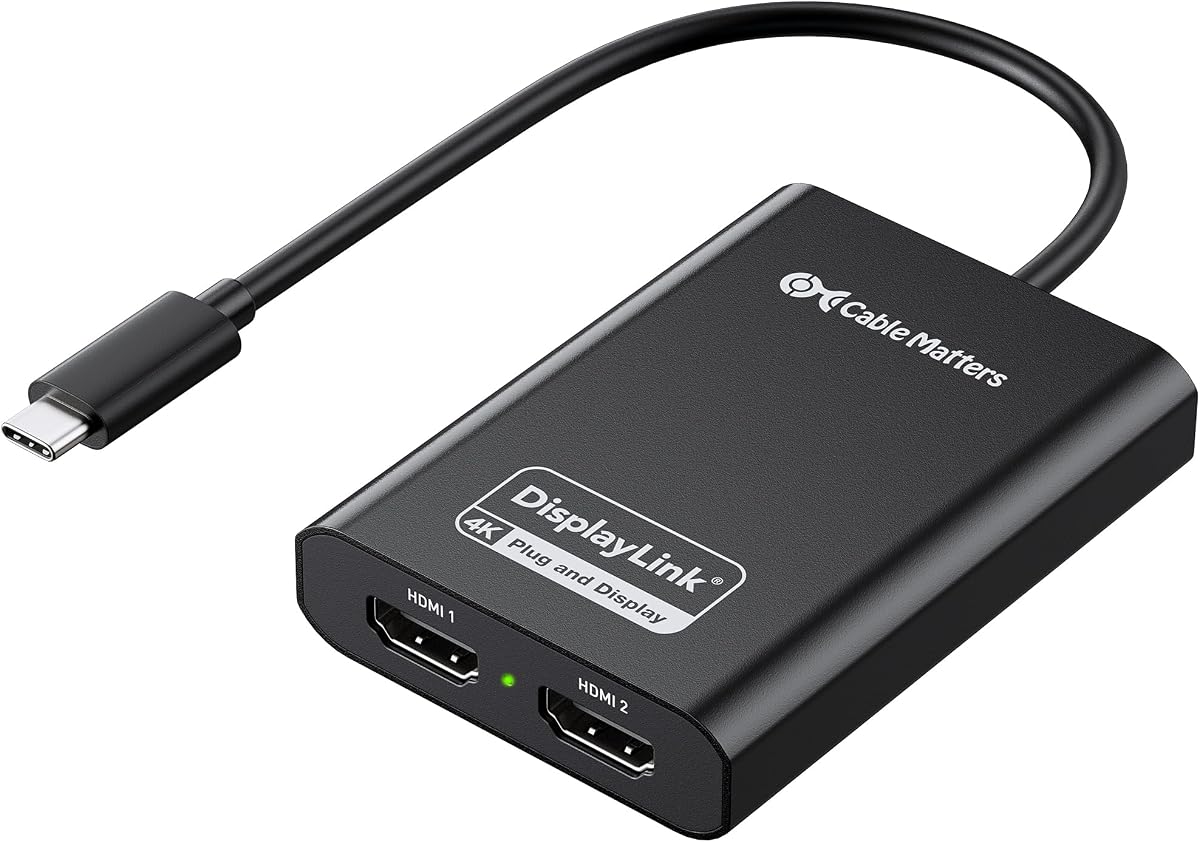
The Cable Matters adapter is DisplayLink Certified ensuring reliable video performance across supported systems. It turns one USB-C port into two HDMI outputs for true multitasking freedom on Macs.
We may earn a commission when you buy through this link, at no additional cost to you.
The aluminum housing is durable and dissipates heat well during operation. It supports extended displays on M1 to M3 Macs overcoming native hardware limitations effectively.
Performance depends on CPU power and bandwidth which may affect lower-end laptops. HDMI cables must be sourced separately adding a small cost to the total setup.
Ideal for users seeking certified compatibility this adapter delivers consistent results. It is a practical choice for professionals expanding their workspace efficiently.
DisplayLink certification guarantees tested compatibility reducing setup issues for Mac and Windows users alike.
The aluminum enclosure ensures the adapter stays cool and resists physical wear during daily transport.
We may earn a commission when you buy through this link, at no additional cost to you.
Sonnet delivers a robust solution for M1 and M2 Mac users needing dual 4K 60Hz displays. It supports higher refresh rates including 144Hz for 1080p monitors ensuring smooth visuals.
We may earn a commission when you buy through this link, at no additional cost to you.
The adapter includes audio support which simplifies setup for multimedia tasks. Compatibility with M1 Pro and Max chips ensures future-proofing for modern MacBook users.
It requires a USB-A to USB-C adapter which may be inconvenient if not provided. However performance on supported devices is consistently high for office work.
Best for Mac users needing higher refresh rates this adapter is a strong option. It balances compatibility with performance for a reliable dual-screen experience.
Support for 144Hz on lower resolutions ensures smooth cursor movement and scrolling during daily tasks.
Built-in audio output allows for direct sound routing from the laptop to connected displays seamlessly.
We may earn a commission when you buy through this link, at no additional cost to you.
Selecting the right adapter requires understanding your specific laptop limitations and display needs. This guide breaks down the critical factors to consider before buying.
Ensure the adapter supports your monitor's native resolution and refresh rate. Most modern adapters offer dual 4K at 60Hz which is ideal for productivity and clarity.
Look for 4K60Hz support to avoid flickering and ensure smooth cursor movement across multiple screens.
Check if the adapter works with your specific OS version. While many support Windows and ChromeOS, macOS often requires additional driver management steps.
Confirm macOS compatibility especially if you use Apple Silicon chips which have native display restrictions.
Verify whether your laptop has USB-C USB-A or Thunderbolt ports. Some adapters include hybrid cables to adapt to different port types conveniently.
Choose an adapter that matches your laptop's ports to avoid buying extra dongles separately.
Most DisplayLink adapters require software installation to function correctly. Ensure you have admin rights to install drivers on your system before purchasing.
Consider plug-and-play options on ChromeOS if driver installation is difficult in your environment.
Adapters with Power Delivery (PD) ports can charge your laptop while connected to monitors. This feature reduces cable clutter on your desk significantly.
Look for 100W PD support to ensure fast charging for modern MacBooks and laptops.
Aluminum builds dissipate heat better and are more durable than plastic options. Consider weight and size if you travel frequently between work locations.
Compact designs are easier to carry in laptop bags for remote work or commuting.
Many adapters include USB-A ports for peripherals or Ethernet ports for stable internet connections. Extra ports reduce the need for separate hubs during setup.
Check for microphone or audio outputs if you need integrated sound during video calls.
Lifetime or extended warranties offer peace of mind for long-term usage. Companies with dedicated support teams can resolve driver issues faster when needed.
Prioritize brands known for reliable customer service and clear documentation.
Start by downloading the latest DisplayLink driver from the official website to ensure full functionality. Install the software before connecting the adapter to your computer.
Connect the adapter to an available USB-C USB-A or Thunderbolt port on your laptop. Ensure your external monitors are plugged into the adapter using HDMI or DisplayPort cables.
Adjust your display settings in the operating system menu to extend or mirror your desktop. Avoid leaving the adapter connected in high heat environments to prolong its lifespan.
Most DisplayLink adapters are not suitable for gaming due to latency and HDCP limitations. They are optimized for productivity tasks like office work and coding.
DisplayLink technology compresses video data over USB requiring software processing to render images. This driver installation ensures stable and high-quality video output.
Yes many adapters bypass the single external display limit of Apple Silicon Macs Air models. They allow two or more external monitors through a single USB port.
Unplugging while active can cause system errors or driver conflicts. Always disconnect the device when the computer is turned off to prevent issues.
While support exists it is often limited or experimental compared to Windows and macOS. Many consumer adapters explicitly exclude Linux compatibility.
Some models include audio ports for microphones or headphones while others rely on the monitor for audio. Check the specific product specs for audio capabilities.
Our top picks cover diverse needs from budget-friendly options to premium solutions for Mac professionals. Each adapter offers unique benefits tailored to specific productivity workflows.
Prioritize compatibility with your OS and display resolution to ensure a seamless experience. Choosing an adapter with Power Delivery can also simplify your desk setup.
Always verify current stock and availability before purchasing since product listings may change. Regular updates help ensure you get the latest version of your chosen adapter.