
Acer Nitro V 16S AI
4.4Editor score
AMD Ryzen 7 260
32GB DDR5 Memory
180Hz WUXGA Display
Choosing the right gaming laptop for Baldurs Gate 3 requires balancing powerful hardware with a stunning display to handle its complex visuals and deep mechanics effectively.
We analyzed ten top models based on processor speed, graphics capabilities, and screen quality to ensure smooth gameplay during long adventuring sessions without overheating.
Each pick highlights key strengths and potential trade-offs to help you decide which machine fits your budget and gaming style while prices may fluctuate over time.
4.4Editor score

4.4Editor score

4.8Editor score
As an Amazon Associate we earn from qualifying purchases.
Here is a side-by-side comparison of the top ten gaming laptops selected for their ability to run Baldurs Gate 3 smoothly with high frame rates and visual fidelity.





This ASUS ROG Strix G16 stands out as a top choice for immersive roleplaying games like Baldurs Gate 3 due to its robust hardware and efficient cooling.
We may earn a commission when you buy through this link, at no additional cost to you.
The Intel Core i7 14650HX paired with the RTX 5060 ensures high frame rates and smooth visuals during combat sequences and exploration alike.
While the 16GB of RAM is standard, multitasking while recording gameplay might benefit from an upgrade given the system's capability.
Gamers seeking a reliable machine for long sessions will appreciate the ROG Intelligent Cooling and the responsive display for tactical precision.
The vapor chamber and tri-fan technology keep temperatures stable even during extended play sessions without excessive noise.
A 165Hz refresh rate ensures fluid motion which is crucial for fast-paced combat and responsive interface navigation.
We may earn a commission when you buy through this link, at no additional cost to you.
The Acer Nitro V 16S AI offers exceptional value by combining a powerful AMD Ryzen 7 260 processor with ample memory for demanding games.
We may earn a commission when you buy through this link, at no additional cost to you.
Its 32GB of DDR5 RAM eliminates bottlenecks allowing users to run multiple applications alongside Baldurs Gate 3 without slowdowns.
The 180Hz display provides exceptionally smooth motion which enhances the fluidity of animations and transitions in the game engine.
Budget-conscious gamers will find this laptop delivers premium features like high refresh rates and generous storage at a lower cost.
With 32GB of RAM users can comfortably stream or run background tasks while enjoying the game at high settings.
The RTX 5060 GPU with AI features ensures efficient rendering and support for advanced graphics technologies like ray tracing.
We may earn a commission when you buy through this link, at no additional cost to you.
Alienware laptops are known for their premium design and this 16 Aurora model continues that legacy with high-end specs for demanding gaming needs.
We may earn a commission when you buy through this link, at no additional cost to you.
The WQXGA display offers superior detail which is perfect for appreciating the intricate art style of Baldurs Gate 3 environments.
Running Windows 11 Pro adds extra management features that might appeal to power users who need more control over their system.
Those willing to invest in a top-tier machine will enjoy the polished build and reliable performance provided by this Dell option.
The 2560×1600 resolution provides sharp visuals that make text and textures within the game look crisp and detailed.
Multiple USB-C and USB-A ports ensure easy connection to external monitors and peripherals for a full desktop experience.
We may earn a commission when you buy through this link, at no additional cost to you.
The msi Cyborg 17 brings a larger 17.3 inch screen to the table which can be appealing for players who prefer more immersive visuals.
We may earn a commission when you buy through this link, at no additional cost to you.
Despite its size it remains relatively portable making it a good choice for those who move between locations frequently.
The cooling system is designed to keep the chassis cool allowing for sustained performance without overheating during long sessions.
Gamers looking for a bigger canvas without sacrificing portability will find this model balances size and convenience well.
The extra screen real estate helps in reading quest logs and managing inventory without cluttering the main gameplay view.
A variety of ports including USB-C allows for easy expansion and connection to external monitors or storage devices.
We may earn a commission when you buy through this link, at no additional cost to you.
This GIGABYTE model stands out for its RTX 5070 GPU which delivers top-tier graphical performance for rendering complex scenes in games.
We may earn a commission when you buy through this link, at no additional cost to you.
The slim chassis design does not compromise on build quality offering a sleek look that fits well in professional settings.
GiMATE AI features help optimize performance and interaction making the system feel more responsive to user needs.
Players prioritizing raw graphical power will appreciate the capabilities of the RTX 5070 in handling ray tracing and high settings.
The RTX 5070 enables high frame rates and detailed visuals ensuring the game runs smoothly even with effects enabled.
At just 19.45mm thin this laptop is easy to slip into a bag for gaming on the go or casual use.
We may earn a commission when you buy through this link, at no additional cost to you.
The HP Victus 15.6 inch model provides a solid mid-range option with a strong CPU and generous memory for smooth gaming.
We may earn a commission when you buy through this link, at no additional cost to you.
Its 32GB of DDR5 RAM ensures that even demanding multitasking scenarios are handled without stuttering during gameplay.
The FreeSync Premium feature helps reduce screen tearing which enhances the visual experience during action-heavy sequences.
Gamers looking for a reliable laptop that balances performance and cost will find this HP model a consistent choice.
With 32GB of RAM users can run the game alongside other apps like Discord or browsers without performance drops.
The 144Hz IPS display with FreeSync ensures smooth motion and vibrant colors for an enjoyable gaming session.
We may earn a commission when you buy through this link, at no additional cost to you.
This high-end ASUS model features a 240Hz display and powerful Ultra 9 processor which is a dream for competitive gaming enthusiasts.
We may earn a commission when you buy through this link, at no additional cost to you.
The 2.5K resolution brings out finer details in game textures ensuring that every visual aspect of the game is clear.
Its cooling system uses liquid metal to maintain peak performance even under heavy loads preventing thermal throttling issues.
Players who want the absolute best in visual fluidity and raw power will find this laptop meets their high expectations.
A 240Hz refresh rate provides incredibly smooth motion which is ideal for competitive play and fast-paced action.
The Intel Core Ultra 9 ensures that all tasks are handled quickly allowing for seamless transitions and loading.
We may earn a commission when you buy through this link, at no additional cost to you.
The Aurora 16X offers a strong balance between processing power and display quality making it suitable for immersive gaming.
We may earn a commission when you buy through this link, at no additional cost to you.
Its 2.5K display with 180Hz refresh rate provides sharp visuals and smooth motion that enhance the overall gaming experience.
The battery capacity is decent for a gaming laptop allowing for some unplugged productivity work without immediate recharging.
Users seeking a well-rounded laptop without the extreme price tag of premium models will appreciate this balanced configuration.
The 2.5K resolution ensures that textures and environment details are rendered sharply for a visually stunning game.
Dual M.2 PCIe slots allow users to add more storage easily keeping up with growing game libraries.
We may earn a commission when you buy through this link, at no additional cost to you.
This ASUS TUF model is built to withstand tough conditions making it a reliable choice for gamers who move around often.
We may earn a commission when you buy through this link, at no additional cost to you.
Its cooling system ensures stable performance during long gaming sessions preventing the device from throttling under heat.
The 16GB of DDR5 RAM provides a good base for gaming though upgrading storage might be needed for larger libraries.
Users looking for a durable machine that can handle daily wear and tear will find this TUF laptop a strong contender.
Military grade testing ensures the laptop can handle shocks and stresses better than standard consumer electronics.
Effective cooling keeps the laptop cool and quiet even during demanding tasks like gaming or video editing.
We may earn a commission when you buy through this link, at no additional cost to you.
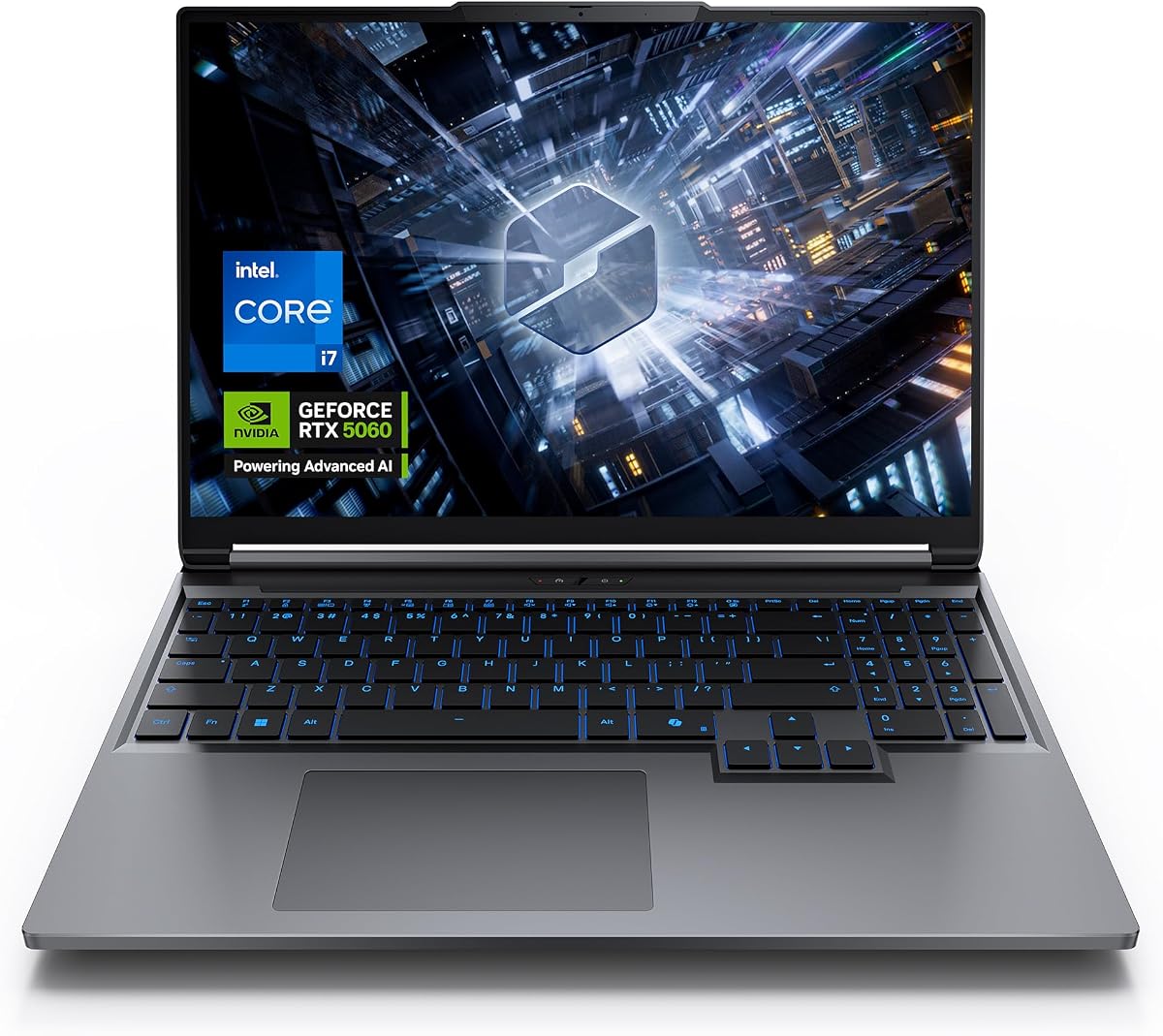
This GIGABYTE model utilizes GiMATE AI to optimize performance making it easier to get the most out of the hardware.
We may earn a commission when you buy through this link, at no additional cost to you.
The RTX 5060 GPU delivers excellent graphics performance ensuring that games run smoothly with high visual fidelity.
Users will appreciate the 1TB SSD which provides ample space for storing multiple large games and applications comfortably.
Gamers interested in AI-driven optimization and a sleek design will find this laptop offers unique advantages in performance.
GiMATE helps manage system resources automatically ensuring smooth performance during demanding gaming sessions.
A 1TB PCIe SSD ensures fast load times and enough room for a substantial library of games and media.
We may earn a commission when you buy through this link, at no additional cost to you.
Selecting the right gaming laptop requires understanding the key components that affect performance and user experience in modern RPGs.
A strong CPU is crucial for handling the complex physics and AI calculations in open world RPG games like Baldurs Gate 3.
Look for recent generation processors from Intel or AMD that offer high core counts to prevent stuttering during crowded scenes.
The GPU determines how well the game renders visuals and supports advanced features like ray tracing or high texture settings.
Modern RTX 5000 series cards provide excellent efficiency and performance ensuring smooth gameplay at various resolutions.
At least 16GB of RAM is recommended to handle multitasking and background processes alongside the game itself without issues.
Upgrading to 32GB ensures future proofing and allows for running streaming software or browsers simultaneously while playing.
A high resolution screen with good color accuracy enhances immersion making the detailed environments look as intended by developers.
Refresh rates of 120Hz or higher provide smoother motion which is beneficial for responsive combat and exploration.
Effective cooling is vital to maintain performance levels over long gaming sessions without overheating or thermal throttling.
Laptops with vapor chambers or multiple fans generally offer better thermal management for sustained high performance.
Decide if you need to carry the laptop frequently as more powerful models often weigh more and have shorter battery life.
Balancing screen size with weight ensures the laptop is suitable for both stationary gaming and travel needs.
Fast NVMe SSDs reduce load times significantly ensuring you spend more time playing rather than waiting for screens to render.
Check the available storage capacity and expansion options to ensure you can install multiple large games comfortably.
Ports like HDMI and USB-C allow you to connect external monitors and peripherals which can expand your gaming setup options.
Wi-Fi 6 or 7 support ensures stable internet connections essential for online multiplayer and downloading large game updates.
To ensure optimal performance keep your laptop on a hard flat surface to allow proper airflow through the cooling vents during use.
Regularly update your graphics drivers and operating system to benefit from performance improvements and compatibility patches released by manufacturers.
Clean the keyboard and screen gently with a microfiber cloth and avoid exposing the device to dust or extreme temperatures for longevity.
The game typically requires at least an Intel i5 processor or equivalent with 8GB of RAM and a dedicated graphics card. However for smooth gameplay at higher settings a stronger CPU and GPU along with 16GB of RAM are recommended.
Yes a higher refresh rate ensures that animations and transitions are smoother which can improve the overall responsiveness and immersion during combat and dialogue.
While 16GB is sufficient for running the game alone having 32GB allows for more multitasking and future proofing especially if you plan to stream or record while playing.
Wi-Fi 7 provides better stability and lower latency which can improve online gaming experiences but Wi-Fi 6 is still adequate for most players.
You can enable power saving modes lower screen brightness and reduce graphics settings to extend battery life when you are not plugged into a charger.
Many models allow RAM upgrades though some thin laptops have soldered memory so it is best to check specific product specs before purchasing.
Whether you choose the ASUS ROG Strix for its balanced performance or the Acer Nitro for its exceptional value each pick offers a solid foundation for immersive gameplay.
Consider your priorities whether it is raw power or display quality or portability to find the machine that best fits your specific gaming habits and needs.
Remember to check current prices and promotions as laptop deals can change frequently ensuring you get the best possible value for your investment.