
Tapo 1080P Indoor Security Camera
4.4Editor score
Affordable 4-pack option
Built-in siren included
Works with Alexa and Google
This guide compares the top indoor wireless IP cameras for 2026, evaluating video quality, smart features, storage options, and ease of use for every home.
Securing your home has become easier with modern indoor wireless IP cameras. These devices offer high definition video, smart alerts, and remote access to help you monitor your space efficiently and effectively.
We evaluated ten leading models based on resolution, connectivity, storage flexibility, and smart detection capabilities. Our comparison highlights the strengths of each option to help you choose the right fit for your needs.
Each pick includes key specs, pros, cons, and real-world usage insights. Prices and availability can change, so verify current details before purchasing to ensure you get the best value today.
4.4Editor score
4.6Editor score

4.4Editor score
Here is a side-by-side overview of all ten models we reviewed. Each entry includes key specifications and a direct link to view pricing and current availability on Amazon.



The Ring Indoor Cam stands out as a top pick for homeowners who want reliable monitoring with smart home integration. It scores high for ease of use and clarity in both day and night footage.
We may earn a commission when you buy through this link, at no additional cost to you.
Its 1080p HD video and color night vision ensure you can see details clearly even in low light. The manual privacy cover is a practical feature that lets you physically disable the camera when needed.
While it requires a Ring Protect subscription for advanced features like video history, this cost is reasonable for the ecosystem it offers. Users should be aware that basic alerts may be limited without it.
If you already use Ring devices or want simple, effective indoor security, this camera is an excellent choice. It balances performance, privacy, and convenience well for most households.
The manual privacy cover allows you to physically block the lens and microphone, ensuring you have full control over when the camera is active.
Integration with Alexa enables voice commands and announcements, making it easy to check in on your home without opening an app.
We may earn a commission when you buy through this link, at no additional cost to you.
Amcrest delivers robust surveillance with this 4MP model, offering more detail than standard 1080p cameras. It is well-suited for users who need clear identification of people or objects.
We may earn a commission when you buy through this link, at no additional cost to you.
The pan and tilt functions let you adjust the view remotely, while local NVR support ensures your footage is stored securely on your own hardware. This appeals to privacy-conscious users.
The main limitation is the reliance on 2.4GHz WiFi, which may not offer the speed of 5GHz networks. Additionally, the software interface has a learning curve compared to plug-and-play consumer brands.
If you prioritize image clarity and control over your data, this camera is a strong candidate. It is especially useful for monitoring larger indoor spaces where detailed visuals matter.
Support for local NVRs and MicroSD cards means you can keep your footage on your own devices without relying on cloud subscriptions.
The 4MP sensor and H.265 compression provide sharper images and efficient storage use, making it a great choice for detailed monitoring needs.
We may earn a commission when you buy through this link, at no additional cost to you.
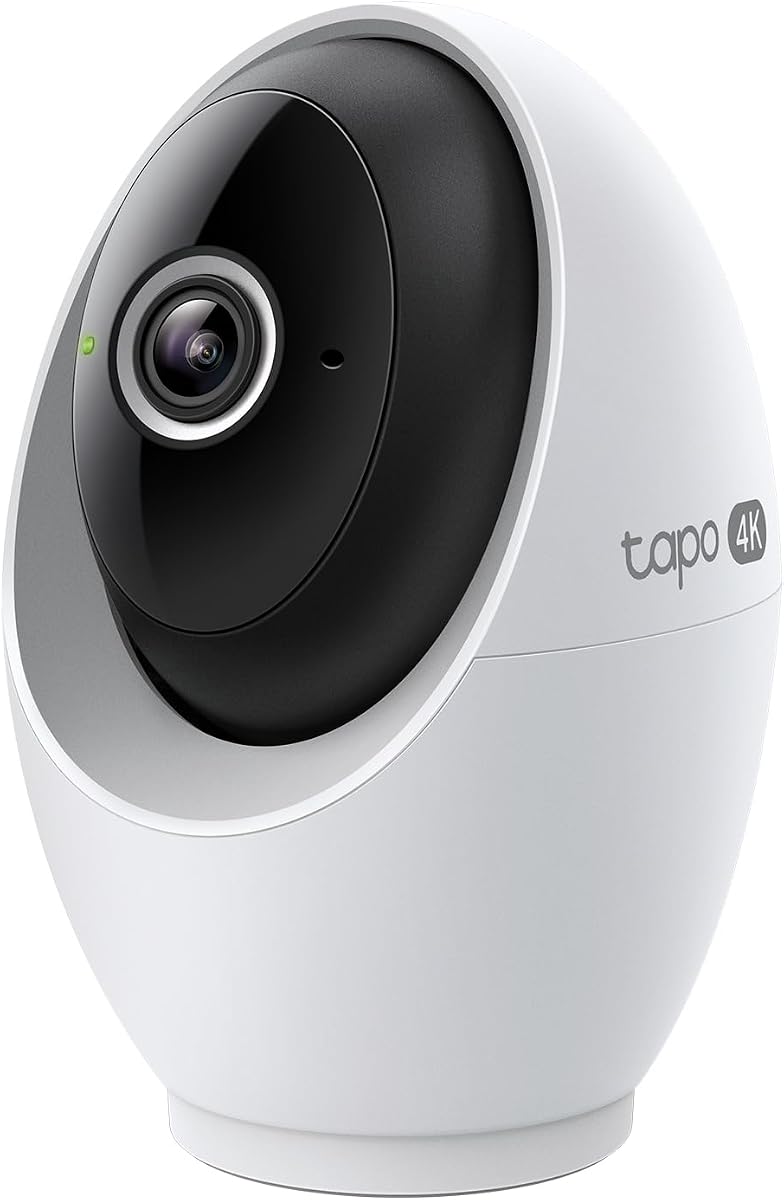
This Tapo model brings 4K resolution to the indoor market at a competitive price, making high-end surveillance more accessible. Its performance matches more expensive rivals in most scenarios.
We may earn a commission when you buy through this link, at no additional cost to you.
On-device AI keeps your data private while delivering accurate detection for people, motion, and even baby cries. You can also store recordings locally without paying for cloud plans.
The lack of battery power means you must plan for an outlet nearby, but this ensures continuous operation. Users should purchase a microSD card separately to enable local storage fully.
If you want premium resolution and smart features without monthly fees, this camera is a top choice. It balances technology and affordability better than most competitors in its class.
AI processing happens on the device itself, meaning sensitive data like facial recognition stays off the cloud for better privacy.
With 360-degree horizontal pan and 116-degree vertical tilt, you can monitor entire rooms from a single camera without blind spots.
We may earn a commission when you buy through this link, at no additional cost to you.
Amcrest offers a solid mid-range option with this 1080p camera, focusing on versatility in how you store and view footage. It integrates well with existing security setups.
We may earn a commission when you buy through this link, at no additional cost to you.
You can store recordings locally via MicroSD card or upload them to the cloud, giving you control over data privacy and cost. The pan and tilt functions add flexibility for coverage.
While the app is functional, it lacks some of the polish found in newer consumer brands. The lack of 5GHz support is a minor drawback for users with high-speed networks.
This camera is best suited for users who already have an NVR system or prefer local storage. It delivers reliable performance for daily monitoring at a fair price point.
Whether you choose MicroSD, cloud, or an NVR, the camera supports various workflows to fit your existing infrastructure and budget.
Built-in IR LEDs provide clear vision up to 32 feet in the dark, ensuring you don't miss activity when lights are off.
We may earn a commission when you buy through this link, at no additional cost to you.
eufy is known for avoiding ongoing subscription fees, and this 4K model is no exception. You get all features out of the box with local storage as the default option.
We may earn a commission when you buy through this link, at no additional cost to you.
The color night vision feature adds a layer of detail that black-and-white IR cannot match, allowing you to see clothing or objects more clearly at night. It integrates well with Apple HomeKit.
While the upfront price is higher than some rivals, the long-term savings on subscriptions are significant. Just note that HomeKit streaming is capped at 1080p despite the camera's 4K capability.
If you dislike recurring costs and want high quality, this is an ideal pick. It offers peace of mind without locking you into a monthly payment plan.
By relying on local storage and AI detection built into the device, you avoid monthly fees while keeping all essential security features active.
Seamless integration with HomeKit allows easy access via Apple devices, making it a strong choice for iPhone or iPad users.
We may earn a commission when you buy through this link, at no additional cost to you.
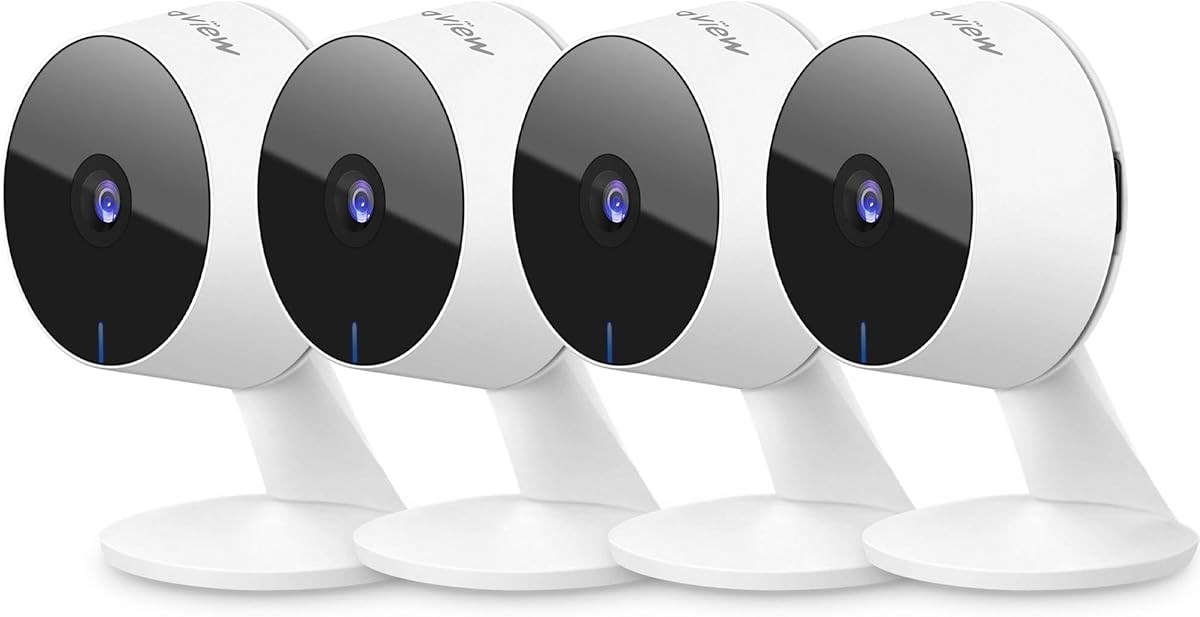
Buying this 4-pack offers exceptional value for securing multiple rooms at once. It is perfect for families who need broad coverage without overspending on individual units.
We may earn a commission when you buy through this link, at no additional cost to you.
The built-in siren adds an extra layer of security by deterring intruders or alerting family members instantly. Motion alerts are free, keeping your monthly costs down.
Each camera delivers clear 1080p video, which is sufficient for most indoor monitoring tasks. Setup is straightforward using the Tapo app, and connectivity is stable on 2.4GHz networks.
This bundle is the smartest choice for budget-conscious shoppers who need multiple units. It provides essential security features with minimal long-term commitment.
Four cameras in one package mean you can monitor the living room, nursery, hallway, and entry points simultaneously at a fraction of the cost.
The integrated siren can be triggered remotely or automatically, helping to scare off unwanted visitors or notify you of activity.
We may earn a commission when you buy through this link, at no additional cost to you.
This eufy model introduces a dual-lens system that provides both a wide room view and close-up details on one screen. It is ideal for parents or caregivers who need to monitor specific actions.
We may earn a commission when you buy through this link, at no additional cost to you.
The 8x hybrid zoom lets you inspect fine details without losing clarity, and auto-tracking ensures the camera follows movement. Local storage keeps your data private and secure.
While it does not support HomeKit, it works seamlessly with other smart home systems. The higher price is justified by the unique lens technology and lack of monthly fees.
If you need precision monitoring and advanced zoom capabilities, this camera is unmatched. It offers a level of detail that most competitors cannot match in a single unit.
One lens captures the whole room while the other zooms in on activity, giving you context and detail simultaneously.
A physical privacy mode ensures your family's life remains private, giving you full control over when the camera is recording.
We may earn a commission when you buy through this link, at no additional cost to you.
The Tapo C120 blurs the line between indoor and outdoor cameras with its weatherproof build and sharp 2K video. It is perfect for entryways or covered patios inside or outside.
We may earn a commission when you buy through this link, at no additional cost to you.
Starlight sensors deliver vibrant color video at night, making it easier to identify people or pets. The magnetic base allows for flexible placement without drilling holes.
While it is weather-resistant, it should still be placed under a cover for best longevity. The wired power requirement means you need an outlet nearby for installation.
If you want a camera that can handle both environments, this is a smart pick. It offers great flexibility and clarity for monitoring transitions spaces.
The magnetic base lets you snap the camera onto metal surfaces instantly, making it easy to adjust the angle without tools.
With an IP66 rating, the camera resists dust and water, allowing it to function reliably in varied conditions.
We may earn a commission when you buy through this link, at no additional cost to you.
LaView focuses on collaborative security, allowing multiple people to view the camera feeds simultaneously. This is ideal for large households or teams monitoring a shared space.
We may earn a commission when you buy through this link, at no additional cost to you.
The ability to access streams via mobile, web, or desktop gives flexibility in how you check in. A free cloud trial lets you test the storage system before committing.
While the app is functional, it may not be as polished as newer competitors. Setup can be slightly more involved, especially with wired connections and network permissions.
This system is best for groups who need shared access to camera feeds. It offers broad compatibility and reliable performance at a reasonable bundle price.
Up to 20 people can access the camera feeds, ensuring that everyone in a household or team can stay connected to the same source.
You can view live streams from a browser or mobile device, giving you options depending on where you are and what device you have.
We may earn a commission when you buy through this link, at no additional cost to you.
This youkey camera is perfect for renters or those who cannot run wires. Its magnetic mount and battery design make it easy to place anywhere in your home without tools.
We may earn a commission when you buy through this link, at no additional cost to you.
With built-in 8GB storage, you do not need to buy an SD card separately. Motion detection is free, and there are no monthly fees to unlock basic functionality.
The battery lasts for months depending on usage, but you will need to recharge it occasionally. While it is wireless, it lacks the continuous power of plugged-in units.
If you need temporary or flexible monitoring without drilling holes, this is a great option. It offers privacy and convenience in a compact, portable package.
No screws or drilling are needed, so you can move the camera room to room without damaging walls or leaving marks.
Eight gigabytes of internal memory is included out of the box, saving you the cost of a microSD card for local recording.
We may earn a commission when you buy through this link, at no additional cost to you.
Selecting the right indoor wireless IP camera involves balancing resolution, storage, connectivity, and smart features to fit your specific home needs.
Resolution determines how clear your footage is. Higher resolutions like 4K provide more detail for identification, while 1080p is sufficient for general monitoring.
For most homes, 1080p or 2K offers a good balance between clarity and bandwidth usage.
Decide between local storage like SD cards or cloud services. Local storage avoids fees but requires management, while cloud offers easy access and off-site backup.
Look for models that support both options to keep your choices flexible.
Most cameras use 2.4GHz WiFi, which has better range but slower speeds. 5GHz offers faster data but weaker penetration through walls.
Ensure your network matches the camera's requirements for stable performance.
AI-powered detection filters false alerts by identifying people or pets. On-device AI enhances privacy by processing data locally rather than in the cloud.
Prioritize cameras with customizable detection zones to reduce unnecessary notifications.
Wired cameras provide continuous power but need outlets, while battery models offer placement flexibility at the cost of recharging.
Choose wired for permanent spots and battery for temporary or hard-to-reach areas.
IR night vision is standard, but color night vision with spotlights can add valuable context in low-light conditions.
Check the night vision range to ensure it covers your intended monitoring area.
Compatibility with Alexa, Google Assistant, or HomeKit allows voice commands and automation routines.
Check if the camera supports your existing ecosystem for seamless use.
Physical privacy covers or app-based privacy modes give you control over when the camera is active.
These features are essential for spaces like bedrooms or home offices.
Start by placing your camera in a location that captures the most activity without direct sunlight. Adjust the angle using the app to ensure your field of view covers what matters most.
Update firmware regularly through the manufacturer's app to patch vulnerabilities and improve performance. Enable two-factor authentication on your account for added security.
Clean the lens occasionally with a soft cloth to prevent dust from affecting image quality. For battery models, recharge before the battery drops below twenty percent to avoid missed events.
Most indoor cameras require WiFi for remote access and alerts. Some models allow local storage via SD cards even without internet, but remote features will not work. Always check connectivity requirements before purchasing.
Typically, indoor cameras are not weatherproof and can fail outdoors. Some models offer IP66 ratings for light outdoor use, but always check the specifications. Using an indoor camera outside without protection risks damage.
Many cameras offer basic features without subscriptions. However, cloud storage and advanced AI alerts often require a monthly plan. Check if local storage is supported to avoid fees.
Reputable brands use encryption and regular updates to protect data. Enable strong passwords and two-factor authentication. Look for models with on-device processing for better privacy.
Yes, many systems support multiple users sharing access. Check how many people can view simultaneously. Some apps allow easy guest links or shared accounts for family members.
Most wired cameras stop recording without power. Battery models may continue briefly but are not ideal for outage monitoring. Consider a UPS backup for wired units if needed.
Most models have a physical reset button. Hold it down for about ten seconds while powered on. Then set up the camera again using the manufacturer's app.
This guide highlighted ten top options for indoor wireless IP cameras, ranging from budget-friendly packs to premium dual-lens models. Each was evaluated on performance, privacy, and ease of use.
Focus on resolution, storage flexibility, and smart features when making your final decision. Your home size and security needs will dictate the best fit.
Remember that prices and availability change frequently. Check current listings and read recent reviews before buying to ensure the best experience today.