
Ordilend Keyboard Cleaner & Laptop Cleaning Kit
4.6Editor score
Retractable large brush included
Multiple microfiber cloths
Keycap puller for deep clean
This guide compares the top laptop cleaning kits for 2026, evaluating tools, screens, and keyboards to help you choose the best kit for your devices.
Keeping your laptop clean is essential for performance and longevity. Dust and debris can clog vents, while smudges reduce screen clarity. A quality kit provides the right tools to tackle these issues safely without damaging sensitive components or coatings on your valuable electronics.
We analyzed ten leading laptop cleaning kits based on versatility, tool quality, and user feedback. Each option offers unique features like retractable brushes, sprays, or specialized pens. Our comparison highlights which kits deliver professional results for everyday maintenance or deep cleaning sessions at home.
Every pick includes detailed specs, pros, and cons to help you decide. Look for microfiber cloths, safe sprays, and durable brushes. Note that prices and availability change frequently, so check current listings before purchasing to ensure you get the best value for your specific needs.
4.6Editor score

4.9Editor score

4.6Editor score
This table provides a side-by-side look at the ten selected kits. Compare their key tools, included accessories, and primary use cases to find the match for your cleaning routine.



The iFixit Laptop Cleaning Kit earns our top spot for its comprehensive tool selection and build quality. With a 4.9 rating, users praise its ability to keep devices spotless. It includes a dust blower for vents and an anti-static brush for safe cleaning.
We may earn a commission when you buy through this link, at no additional cost to you.
This kit stands out with specialized tools like picks and swabs for hard-to-reach areas. The included microfiber cloths and screen saver protect your display from scratches. The compact tool pouch ensures everything stays organized whether you are at home or on the go.
While it lacks a spray bottle, the included wipes and brushes handle most surface grime effectively. Some users may prefer a liquid solution for tough fingerprints, but the provided tools are sufficient for maintenance. The price reflects the premium quality of the materials.
Tech enthusiasts and professionals who value precision tools should choose this kit. It is ideal for those who want reliable equipment that lasts. For routine maintenance, this set offers the best balance of utility and quality in the market.
The specialized swabs and picks allow you to clean tight spaces around ports and buttons without damage.
The included tool pouch keeps all items secure and portable, preventing loss or damage during travel.
We may earn a commission when you buy through this link, at no additional cost to you.
The Ordilend Kit offers exceptional value with a wide range of tools for under twenty dollars. It includes a retractable large brush and a keycap puller for deep cleaning. Users appreciate the metal pen tip for removing stains from screens safely.
We may earn a commission when you buy through this link, at no additional cost to you.
This kit features a 2mm thick polishing cloth designed for screen corners. The flocking sponge is great for earbuds charging cases. Five replacement cloths are provided ensuring you always have a clean cloth for wiping down surfaces.
The main drawback is the lack of a dedicated spray solution for tough grime. You may need to buy a separate cleaner for stubborn stains. However, the included cloth works well for daily dust and fingerprint removal.
Budget-conscious users and students will find this kit perfect for dorm life. It is compact enough for a bag and durable enough for daily use. The keycap puller is a nice bonus for mechanical keyboard owners.
With a retractable brush and metal tip, this kit handles both keyboard debris and screen smudges.
Its compact size makes it easy to store in a drawer or bag for cleaning on the go.
We may earn a commission when you buy through this link, at no additional cost to you.
WHOOSH! is a trusted name in screen care, and this Duo kit provides premium cleaning for all displays. It includes a Go XL bottle for home and a Pocket bottle for travel. The alcohol-free formula protects sensitive coatings and films.
We may earn a commission when you buy through this link, at no additional cost to you.
The PROTX2 microfiber cloths are specially designed to lift dust without scratching. Users love the streak-free finish on glossy iPads and anti-glare MacBooks. The lack of harsh chemicals makes it safe to use around family and pets.
Since it focuses on screens, it does not include a brush for keyboards. You may need a separate tool for dusting keys. However, the spray quality ensures your screens stay pristine and free from residue or haze.
Anyone with expensive devices like MacBook or iPad should invest in this kit. The peace of mind from using a safe formula is worth the price. It is ideal for those prioritizing screen safety over keyboard cleaning.
The alcohol-free formula ensures no damage to anti-glare or oleophobic coatings on modern devices.
The Pocket bottle fits easily in a bag while the Go XL covers home cleaning needs.
We may earn a commission when you buy through this link, at no additional cost to you.
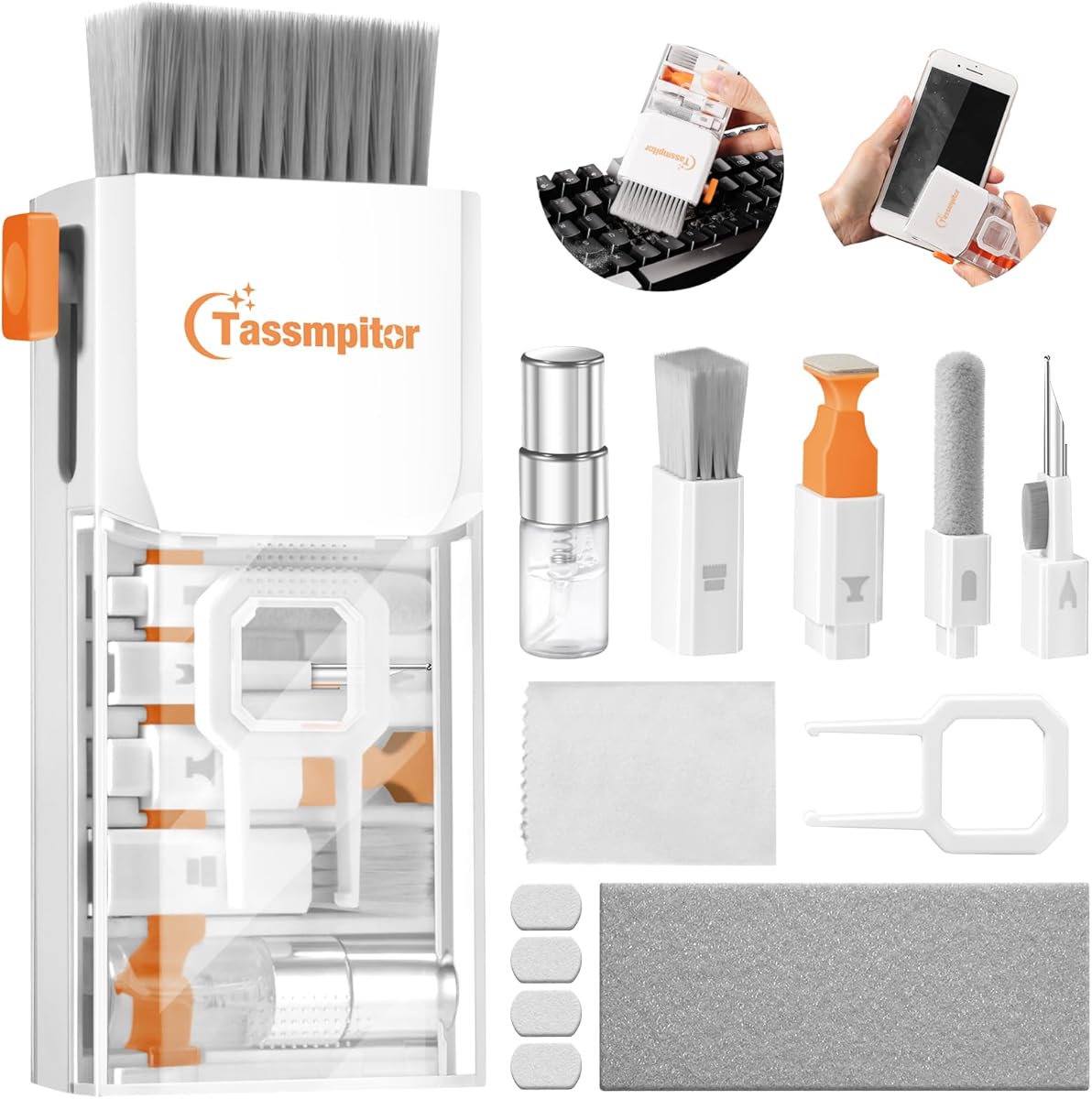
This kit is designed for deep cleaning electronic devices including mechanical keyboards. The keycap puller allows you to remove keys for a thorough clean. The metal pin tip gently removes stains between keys without scratching.
We may earn a commission when you buy through this link, at no additional cost to you.
The retractable moderate soft and hard brush works on laptops and desktops. A 2mm thick cloth is designed at a right angle to fit screen corners better. It absorbs stubborn leaves without leaving streaks or fiber shedding on your display.
The flocking sponge is an excellent tool for cleaning headphone charging cases. Users find it versatile for DSLR camera lenses too. However, the spray may not be as strong as dedicated screen solutions for heavy dirt.
Mechanical keyboard enthusiasts will appreciate the keycap puller and metal pin tip. This tool set is robust for regular maintenance. It is a solid choice for those who need to clean both keyboards and screens regularly.
The keycap puller and metal tip allow for removing debris trapped under and between keys.
The thick cloth with a right angle fits screen corners perfectly without scratching sensitive surfaces.
We may earn a commission when you buy through this link, at no additional cost to you.
Altura Photo offers a 5-piece kit perfect for home and office use. It includes a 2oz screen cleaner spray and a 16×16 inch microfiber cloth. The dust cleaning gel helps pick up dirt from keys without scratching.
We may earn a commission when you buy through this link, at no additional cost to you.
The air blower is effective for clearing debris from cooling fans and keyboards. This ensures your laptop runs cool and efficient. The cloth provides a flawless finish for screens without streaks.
While the gel is useful for keyboards, it requires wiping afterward to prevent residue. Users may find it less convenient than a dry brush for quick cleanups. The large cloth is durable and washable for repeated use.
Anyone needing a complete set with spray and gel should consider this option. It is great for thorough cleaning sessions. The variety of tools ensures you can handle dust, smudges, and sticky residue.
The gel allows for sticky dust and debris from keyboard surfaces without the need for liquid.
The 16×16 cloth covers more surface area for faster cleaning of screens and laptops.
We may earn a commission when you buy through this link, at no additional cost to you.
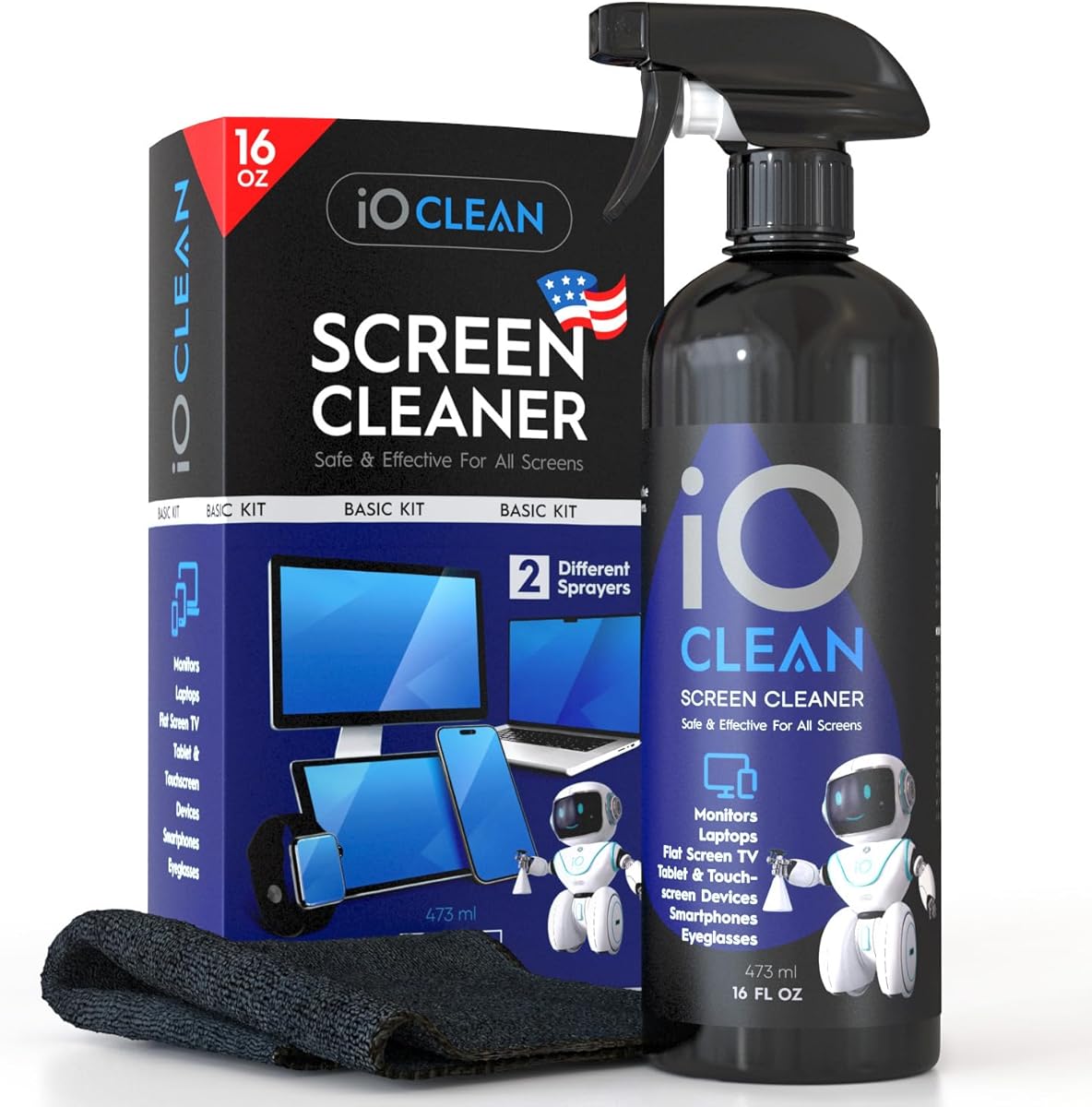
iO CLEAN provides a 16oz bottle which is ideal for households with many screens. The formula is biodegradable and safe for the environment. It leaves a streak-free shine and forms a protective layer against dust.
We may earn a commission when you buy through this link, at no additional cost to you.
The kit includes two nozzles for different spray needs. One is a push-button for small devices and the other is a trigger for larger screens. The premium microfiber cloth ensures a professional finish on glass surfaces.
Since it is mainly a spray and cloth set, it lacks brushes for keyboards. You may need a separate tool for dusting keys. However, the anti-static benefit reduces the rate of dust accumulation on your screen.
Families with multiple devices will appreciate the large bottle. It lasts longer than standard 4oz sprays. The eco-friendly formula makes it a safe choice for everyday cleaning around kids and pets.
The two nozzles allow you to tailor the spray pattern for phones or large monitors.
The solution helps repel dirt and reduce static electricity to keep screens cleaner longer.
We may earn a commission when you buy through this link, at no additional cost to you.
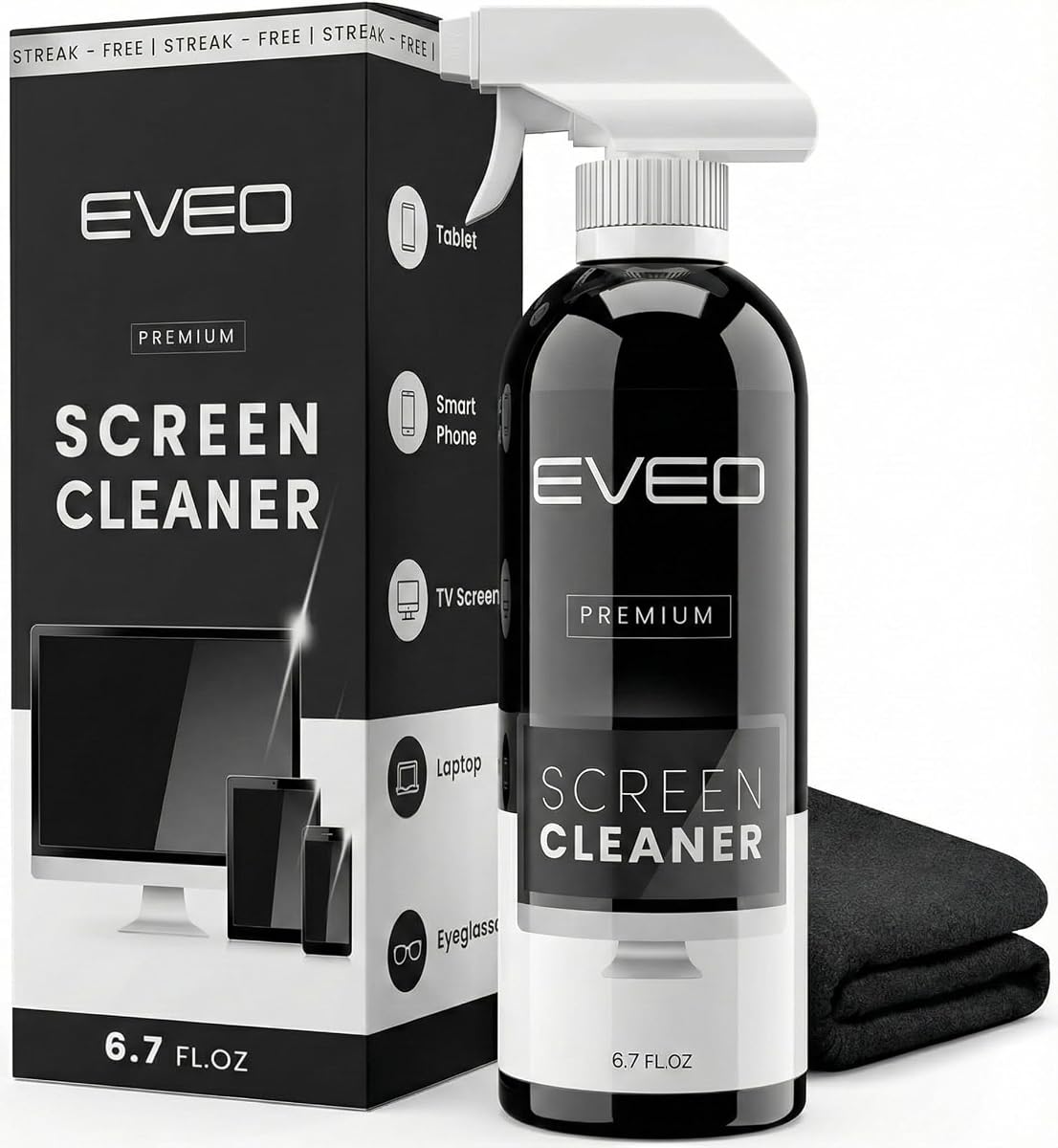
EVEO focuses on screens with a large bottle and plush microfiber cloth. The kit is compatible with all major brands including LG and Samsung. It works safely on sensitive LCD, LED, and OLED screens.
We may earn a commission when you buy through this link, at no additional cost to you.
The included sprayer gun makes applying the liquid easier. You can control the amount to prevent excess liquid from entering ports. The cloth absorbs stubborn stains without fiber shedding.
This kit lacks specific tools for keyboards or ports. It is designed primarily for wiping down surfaces. However, the quality of the spray and cloth ensures a streak-free and smudge-free finish.
Users with large TVs or monitors will find this value. The bottle lasts long and the cloth is durable. It is a good choice for living room and office monitor maintenance.
The formula is gentle enough for OLED and high-end screens without damaging coatings.
The sprayer gun allows for controlled application on any size screen or surface.
We may earn a commission when you buy through this link, at no additional cost to you.
This upgraded kit features a 15ml extra-large spray for multiple devices. It includes a keycap puller for mechanical keyboards and a retractable anti-static brush. The earbuds pen cleans small crevices and charging ports.
We may earn a commission when you buy through this link, at no additional cost to you.
The high-density polishing cloths provide a streak-free finish. Users note that these cloths do not shed fibers or scratch screens. The compact design makes it easy to keep in a desk or bag.
The spray is larger than typical kits but still small enough to be portable. You may need to refill it for heavy use. However, the inclusion of a keycap puller makes it stand out for keyboard maintenance.
Gamers and tech enthusiasts who use mechanical keyboards will appreciate this kit. The earbuds cleaning tools add extra value. It is a robust choice for those who need keyboard and screen tools together.
The keycap puller allows for safe removal of keys to clean hidden grime underneath.
Includes pens and brushes for earbuds and ports in addition to keyboards and screens.
We may earn a commission when you buy through this link, at no additional cost to you.
The OXO Good Grips tool is a simple double-sided solution for laptops and tablets. One side has a microfiber pad for fingerprints and the other has a soft brush for dust. The retractable brush keeps the tool clean.
We may earn a commission when you buy through this link, at no additional cost to you.
It is a great quick fix for on-the-go cleaning. You can use it without liquid or sprays. The storage cover protects both ends when not in use. This makes it ideal for a pocket or small bag.
The simplicity means it does not include cloths or sprays. It is best for light maintenance. However, for a quick wipe before a meeting or event, it is very effective.
This is perfect for professionals who need a quick solution. It is durable and easy to use. If you want a tool to keep on your desk without bottles, this is a solid choice.
The double-sided tool allows for brushing and wiping without carrying extra supplies.
The retractable brush and cover ensure the tool stays clean and ready for use.
We may earn a commission when you buy through this link, at no additional cost to you.
This kit claims to include 20 tools for every cleaning need. It has a retractable brush, blower, and cleaning pen for Airpods. The extension rods help reach deep crevices safely.
We may earn a commission when you buy through this link, at no additional cost to you.
The spray and cloth handle screens while the brush handles keyboards. A card removal pin helps avoid damage to phones. It is a one-stop shop for all your electronics cleaning.
With so many tools, assembly and storage can be complex. The materials are basic compared to premium kits. However, the sheer number of tools offers versatility for a low price.
Those who want to fix and clean everything in one go should try this. It is great for families with multiple devices. The variety ensures you have a tool for every specific part of your tech.
With 20 tools, you can tackle keyboards, screens, ports, and earbuds all in one kit.
The extension rods allow you to access deep crevices without damaging the device.
We may earn a commission when you buy through this link, at no additional cost to you.
Choosing the right kit depends on your device types and cleaning habits. We break down the key factors to consider before you buy.
Consider what tools are included. A good kit should have brushes, cloths, and ideally a spray. Look for tools like keycap pullers if you use a mechanical keyboard.
Prioritize kits with a balanced mix of tools for both screens and keyboards.
Ensure the cloths are microfiber and do not shed fibers. The solution should be alcohol-free to prevent damage to coatings. Check that brushes are soft enough not to scratch your screen.
Always choose materials that are safe for sensitive electronics and coatings.
If you travel frequently, look for compact kits with storage pouches. Retractable tools are great for saving space. Ensure the kit fits easily into your laptop bag.
Select a portable design that keeps tools secure and accessible during travel.
Check the volume of any included spray. Larger bottles offer better value but take more space. If the kit is small, ensure it includes refillable options or a decent amount of solution.
Opt for a spray size that matches your cleaning frequency and storage needs.
Prices vary from basic cloth sets to premium kits with blower and tools. Decide on a budget range that fits your needs. Higher price often means better durability.
Balance cost with the quality of materials included in the set.
Consider if you need special tools like earbud pens or card removal pins. These add convenience for maintaining phones and accessories. Ensure the kit addresses all your device types.
Look for specialized pens and tools for the devices you own most.
Cloths should be washable and durable for repeated use. Plastic parts should feel sturdy and not brittle. Check user reviews for feedback on tool longevity.
Choose products that offer durable materials for long-term use.
The kit should be intuitive to use without complex assembly. Retractable brushes or pouches help keep things organized. Avoid kits that require too many steps for simple cleaning.
Select a kit that makes cleaning quick and straightforward for daily use.
Turn off and unplug your laptop before cleaning. Wipe the screen gently in one direction with the microfiber cloth. Avoid using paper towels which can scratch the surface.
Use the brush to sweep dust from the keyboard. If using spray, apply to the cloth first not directly on the device. Let the surface dry completely before turning it back on.
Store tools in the pouch after use to prevent loss. Wash reusable cloths regularly to avoid transferring dirt. Replace worn parts to maintain cleaning efficiency.
Yes, most kits designed for electronics are safe for MacBook screens. Look for kits that specify alcohol-free and ammonia-free solutions to protect anti-glare coatings. Always use microfiber cloths to prevent scratching.
It is recommended to clean your laptop every few weeks to prevent dust buildup. Keyboards should be wiped down weekly if used frequently. Deep cleaning with keycap pullers can be done less often.
A microfiber cloth and distilled water or a dedicated alcohol-free cleaner work best. Avoid household glass cleaners as they can damage coatings. Ensure the spray is non-toxic and safe for electronics.
Yes, kits with keycap pullers and small brushes are ideal for mechanical keyboards. These tools help remove keys to clean underneath safely. Ensure the brush bristles are stiff enough to clean debris.
Some kits include a spray bottle while others only have cloths and brushes. Check the product description to confirm if spray is included. Many users prefer kits with spray for easier application.
Many kits are designed with portability in mind featuring compact cases. Look for retractable brushes and small pouches for easy carrying. A compact kit ensures you can clean devices anywhere.
Store the kit in a dry place away from direct sunlight. Use the included pouch to keep tools organized. Ensure cloths are clean before storage to avoid trapping dirt and bacteria.
Some kits use biodegradable and non-toxic solutions that are safe for the environment. Check for brands that emphasize eco-friendly packaging. Microfiber cloths reduce the need for disposable wipes.
We highlighted the iFixit kit as the top choice for its professional tools and reliability. The Ordilend kit offers great value for those on a budget. WHOOSH! is the best option for premium screen care.
When choosing a kit consider your need for keyboard tools versus screen cleaning. Ensure the materials are safe for your specific device coatings. A good kit helps maintain device performance and appearance.
Remember to check current prices as they fluctuate frequently. Invest in a kit that suits your daily usage habits. Keeping your laptop clean is an investment in its longevity and your productivity.