
ASUS TUF F16 RTX 4050
4.0Editor score
Intel Core 5 210H with 12 Threads
NVIDIA RTX 4050 with 6GB VRAM
32GB DDR5 RAM and 1TB SSD
Selecting the right laptop for Fusion 360 requires careful consideration of processing power graphics capabilities and memory to ensure smooth 3D modeling experiences without frustrating lag or crashes.
We evaluated each product based on its processor speed RAM capacity display quality and overall build quality to determine which models deliver the best performance for engineering and design tasks.
Each pick showcases specific strengths for different needs and users should note that prices change frequently so checking current listings is essential before making your final purchasing decision.
4.0Editor score

4.5Editor score

3.6Editor score
As an Amazon Associate we earn from qualifying purchases.
The following table provides a side-by-side comparison of all ten products highlighting their key specifications and features to help you quickly identify the model that fits your requirements.



This HP Victus laptop stands out as a top choice for Fusion 360 users due to its powerful 8-core processor and dedicated graphics card ensuring smooth rendering.
We may earn a commission when you buy through this link, at no additional cost to you.
The 32GB of RAM is a standout feature that allows you to run multiple applications simultaneously without slowing down your design process or causing system lag.
While it performs excellently for heavy tasks the gaming design might not appeal to corporate environments and the battery life is typical for performance machines.
It is ideal for engineering students and professionals who need a reliable machine for complex simulations and detailed CAD work on the go.
The 8-core Intel i5-13420H processor ensures that intricate designs render quickly without lag during intensive calculation periods.
With 32GB of DDR4 RAM you can keep your browser design software and communication tools open simultaneously without performance drops.
We may earn a commission when you buy through this link, at no additional cost to you.
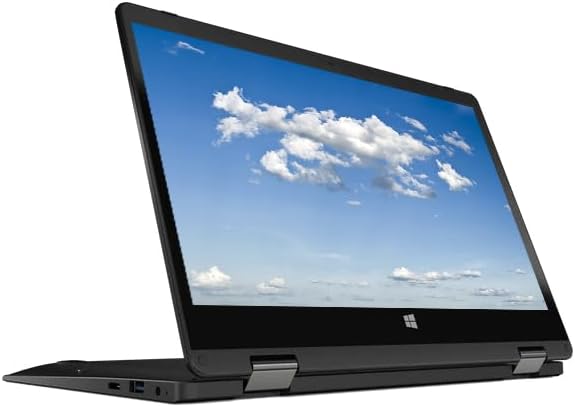
This Acer Gateway offers an affordable entry point for basic computing though its lower specs mean it is better suited for learning rather than professional heavy-duty work.
We may earn a commission when you buy through this link, at no additional cost to you.
The convertible touchscreen design adds versatility for viewing models from different angles which is helpful for students just starting out with 3D design software.
However the 4GB RAM and 64GB storage are significant bottlenecks for running Fusion 360 efficiently as complex assemblies may struggle to load smoothly.
It serves well as a secondary device or for casual users who do not require high-performance rendering capabilities for their daily workflow.
The 360-degree rotation allows you to use the device as a tablet which can be useful for sketching ideas before modeling.
Priced for a budget conscious user this laptop offers basic functionality without a heavy financial commitment for those on a tight budget.
We may earn a commission when you buy through this link, at no additional cost to you.
Reiterating its top status this laptop delivers exceptional performance for Fusion 360 users requiring robust hardware for rendering and complex assembly management.
We may earn a commission when you buy through this link, at no additional cost to you.
The combination of a fast SSD and high RAM allows for seamless transitions between large files and applications ensuring you stay productive throughout the day.
The only drawbacks are the gaming-centric look which might not suit corporate boards and the potential for fan noise when the system is under heavy stress.
This is a top recommendation for professionals and students who need a balance of power and affordability without compromising on essential performance metrics.
The 1TB SSD ensures that loading large project files happens quickly reducing wait times and keeping your workflow efficient.
Dedicated graphics and multiple cores allow for faster rendering times enabling you to visualize your designs more efficiently.
We may earn a commission when you buy through this link, at no additional cost to you.
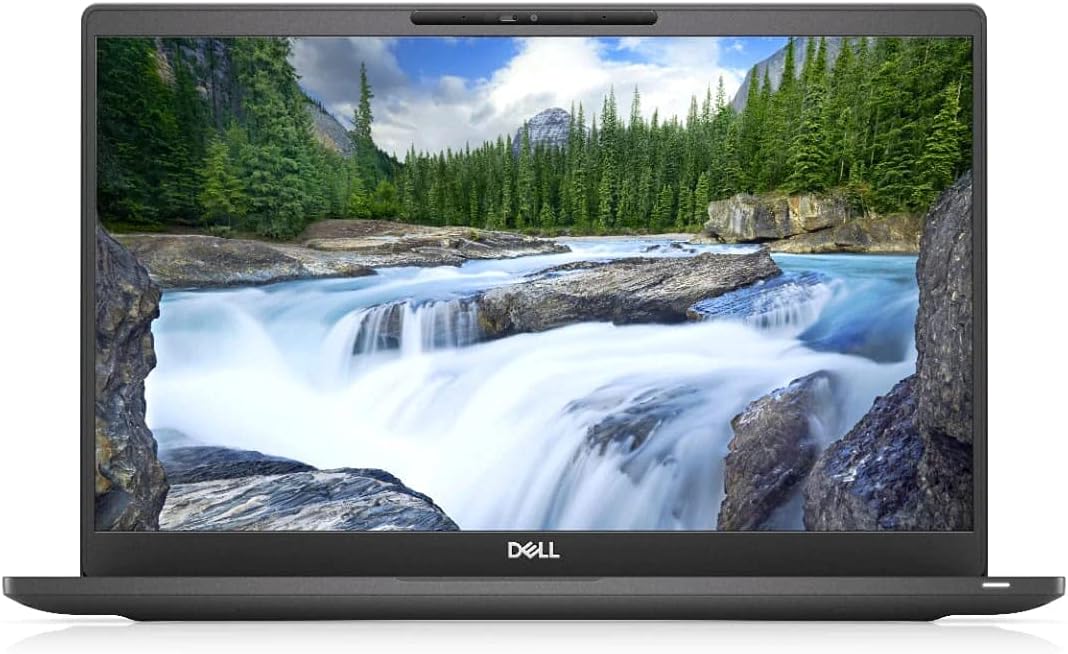
This Dell Latitude offers a professional build suitable for office environments with enough RAM to handle moderate Fusion 360 tasks despite the older processor.
We may earn a commission when you buy through this link, at no additional cost to you.
The 32GB RAM is a significant asset allowing you to keep multiple browser tabs and design files open without the system slowing down noticeably.
Users may find the storage limited for large project libraries and the older CPU architecture means render times will be slower compared to newer models.
It is an excellent choice for business users who need a reliable machine for occasional modeling work alongside their daily administrative tasks.
Built to meet business standards this laptop offers a durable chassis that can withstand the rigors of daily office transport.
The 32GB of RAM ensures that you can run Fusion 360 alongside email and other tools without performance bottlenecks.
We may earn a commission when you buy through this link, at no additional cost to you.
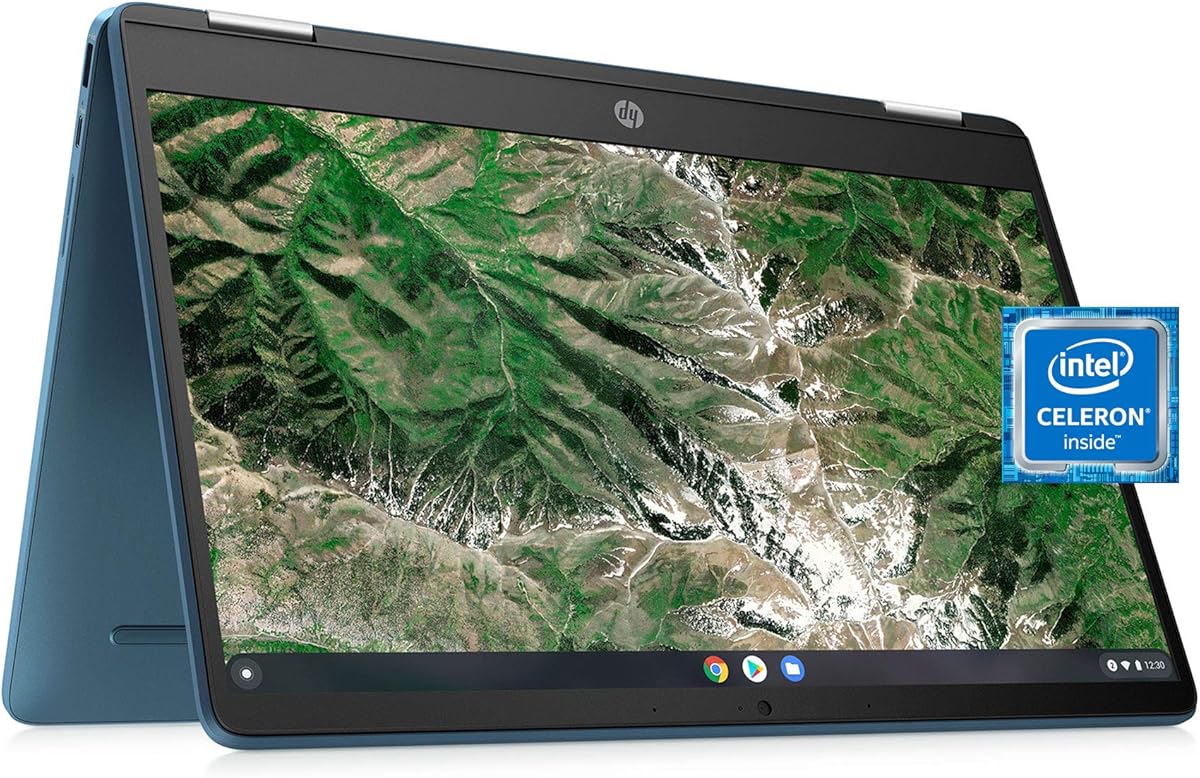
While a capable Chromebook for web tasks this model lacks the necessary software compatibility and processing power to run desktop Fusion 360 effectively.
We may earn a commission when you buy through this link, at no additional cost to you.
The Chrome OS environment restricts the ability to install full engineering software making it unsuitable for serious 3D modeling or rendering tasks.
The low-end processor and limited storage are further hurdles that prevent it from handling the computational demands of modern CAD applications efficiently.
This device is better suited for general browsing and document editing rather than professional design work requiring specialized software installation.
The operating system is optimized for web apps which means traditional desktop applications like Fusion 360 cannot be installed natively.
Its light weight and convertible design make it great for students who need a device for reading notes but not for design.
We may earn a commission when you buy through this link, at no additional cost to you.
This ASUS TUF laptop delivers premium performance with the latest DDR5 RAM and a powerful RTX 4050 GPU ideal for high-fidelity rendering and simulation.
We may earn a commission when you buy through this link, at no additional cost to you.
The 16-inch display provides ample screen real estate for complex interfaces allowing designers to view toolbars and models simultaneously without clutter.
While it is more expensive than standard options the investment pays off in speed and efficiency for users who rely on their laptop daily for production.
It is best suited for professionals who need the fastest possible rendering times and can justify the cost with productivity gains.
The newer DDR5 memory offers higher bandwidth which speeds up data transfer between the CPU and GPU for faster processing.
The larger 16 inch screen gives more space for detailed work reducing the need for external monitors during design phases.
We may earn a commission when you buy through this link, at no additional cost to you.
With a high rating this laptop is excellent for viewing and reviewing 3D models but lacks the native OS support for full Fusion 360 installation.
We may earn a commission when you buy through this link, at no additional cost to you.
The LPDDR5 RAM and UFS storage ensure quick app launches and smooth multitasking for web-based tools even if desktop software is restricted.
Users needing full modeling capabilities will find this limited since Chrome OS cannot run the standard Windows or Linux versions of engineering software.
It is perfect for clients or managers who need to view designs on the go without needing to create or edit complex geometry themselves.
The crisp touchscreen and vibrant IPS panel make it easy to check visual details in models when collaborating with a team.
The 8GB of LPDDR5 RAM allows for smooth operation of browser-based design review tools without lagging during heavy usage.
We may earn a commission when you buy through this link, at no additional cost to you.
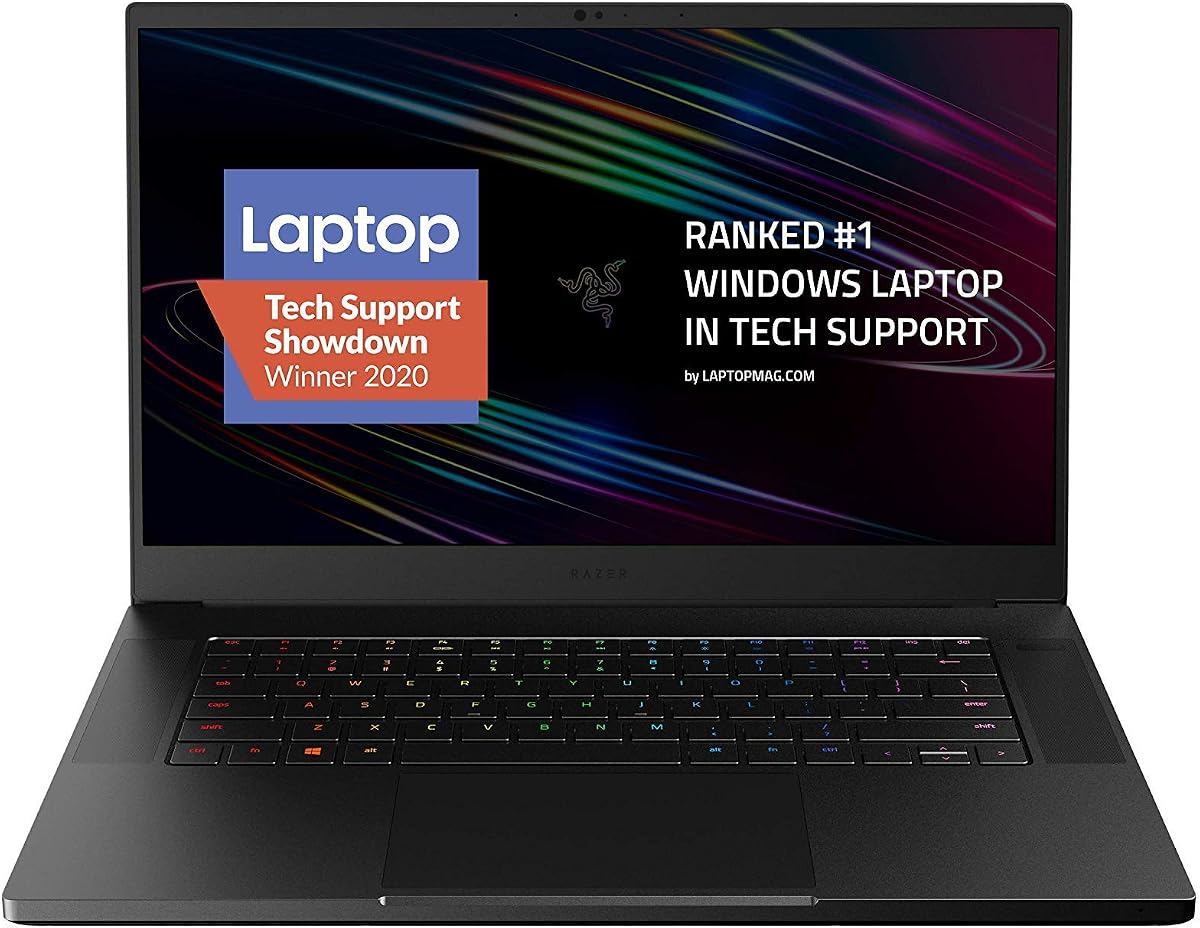
This Razer Blade offers a premium build and solid performance that can handle Fusion 360 well though it is an older model with aging architecture.
We may earn a commission when you buy through this link, at no additional cost to you.
The RTX 2070 Super GPU provides enough power for rendering complex scenes and the aluminum chassis ensures durability for daily use.
However the 16GB RAM might be a limitation for very large assemblies compared to newer models that offer 32GB or more out of the box.
It is a strong choice for those who appreciate build quality and can find it at a discount for mid-level professional design work.
The CNC aluminum frame provides a sturdy and professional feel that stands up to frequent travel and handling.
The dedicated graphics card ensures that realistic rendering and simulation tasks are handled with smooth performance.
We may earn a commission when you buy through this link, at no additional cost to you.
This gaming laptop is built to military standards offering durability that fits well with the demands of a dynamic engineering workspace.
We may earn a commission when you buy through this link, at no additional cost to you.
The processor is capable of handling calculations efficiently and the 512GB SSD provides ample space for storing various project files.
The 8GB RAM is a bottleneck for advanced multitasking meaning you may need to close other apps when working on complex Fusion 360 models.
It serves well as a durable machine for students or hobbyists who need a reliable device that can take some rough handling daily.
Built to meet MIL-STD-810G standards this laptop is resistant to harsh conditions making it reliable for travel.
The 512GB SSD allows you to keep your library of designs and assets accessible without worrying about running out of space.
We may earn a commission when you buy through this link, at no additional cost to you.
This ultra-lightweight laptop is great for basic tasks and on the go viewing but its architecture limits the ability to run desktop CAD applications.
We may earn a commission when you buy through this link, at no additional cost to you.
The touchscreen is responsive and the device is extremely portable making it ideal for casual web use rather than professional design work.
Users seeking to run full Fusion 360 should look elsewhere as the ARM-based processor may struggle with compatibility for complex software.
It is a good secondary device for checking emails or notes while traveling but should not be relied on for primary engineering tasks.
The device is extremely light making it easy to carry in a small bag without adding significant weight to your load.
The Gorilla Glass touchscreen is durable and responsive allowing for intuitive navigation through web-based applications.
We may earn a commission when you buy through this link, at no additional cost to you.
Choosing the right machine requires understanding the specific hardware demands of 3D modeling software to ensure a smooth and efficient workflow.
A multi-core processor is essential for handling the complex calculations required during rendering and simulation in Fusion 360.
Look for at least a quad-core Intel Core i5 or better to avoid bottlenecks during intensive tasks.
Memory is critical for multitasking and keeping large models in memory while you work on multiple files.
Aim for 16GB or 32GB of RAM to ensure the system does not slow down when switching between applications.
A dedicated GPU accelerates rendering times and provides smoother navigation through complex 3D environments.
Select a laptop with at least an NVIDIA RTX 3050 to handle high-resolution displays and detailed modeling.
Solid State Drives are necessary for fast boot times and quick loading of large project files.
Ensure you have at least 512GB of storage to accommodate the software and multiple design projects.
A Full HD display with accurate colors helps you see details clearly which is important for precision work.
Larger screens like 15 or 16 inches offer more workspace reducing eye strain during long design sessions.
While performance is key battery life matters if you need to work from different locations throughout the day.
Choose a model that balances power with efficiency so you can work unplugged for several hours.
Fusion 360 runs best on Windows or macOS so ensure the device supports the desktop version of the software.
Chromebooks or limited OS devices will restrict your ability to use professional tools effectively.
A sturdy build ensures your investment lasts longer especially if you move the device frequently between sites.
Look for laptops with metal chassis or military-grade certification for added protection against wear.
Keep your laptop on a hard flat surface to ensure proper airflow and prevent overheating during long rendering sessions.
Regularly update your graphics drivers to maintain compatibility with the latest software features and patches.
Use an external mouse and monitor when working at a desk to improve ergonomics and reduce strain on your wrists and back.
Yes a dedicated graphics card significantly improves performance for rendering and viewing complex 3D models. Integrated graphics may struggle with high-detail assemblies causing lag and slow navigation during critical design phases.
For smooth performance 16GB of RAM is recommended as a minimum while 32GB is ideal for large assemblies. Insufficient RAM leads to system slowdowns when multitasking or working with complex files.
Fusion 360 does not run natively on Chrome OS so you cannot install the full desktop version. You might access web-based tools but they lack the full features required for professional 3D modeling work.
An SSD is highly recommended to ensure fast boot times and quick file loading. Mechanical hard drives can be a bottleneck slowing down the overall responsiveness of your design software.
A 15 or 16-inch screen is usually the sweet spot offering enough space to view toolbars and models simultaneously. Smaller screens can limit your workspace making detailed design tasks more challenging.
A 144Hz refresh rate is helpful for smooth motion in games but 60Hz is sufficient for static modeling work. Prioritize color accuracy and resolution over high refresh rates for better visual fidelity.
The HP Victus and ASUS TUF models stand out as top choices offering the power needed for professional 3D modeling and engineering tasks.
Prioritize RAM and processing speed when selecting a model to ensure your workflow remains efficient even with large and complex design files.
Always check the current pricing and specifications before buying as deals change frequently and may offer better value for your specific needs.