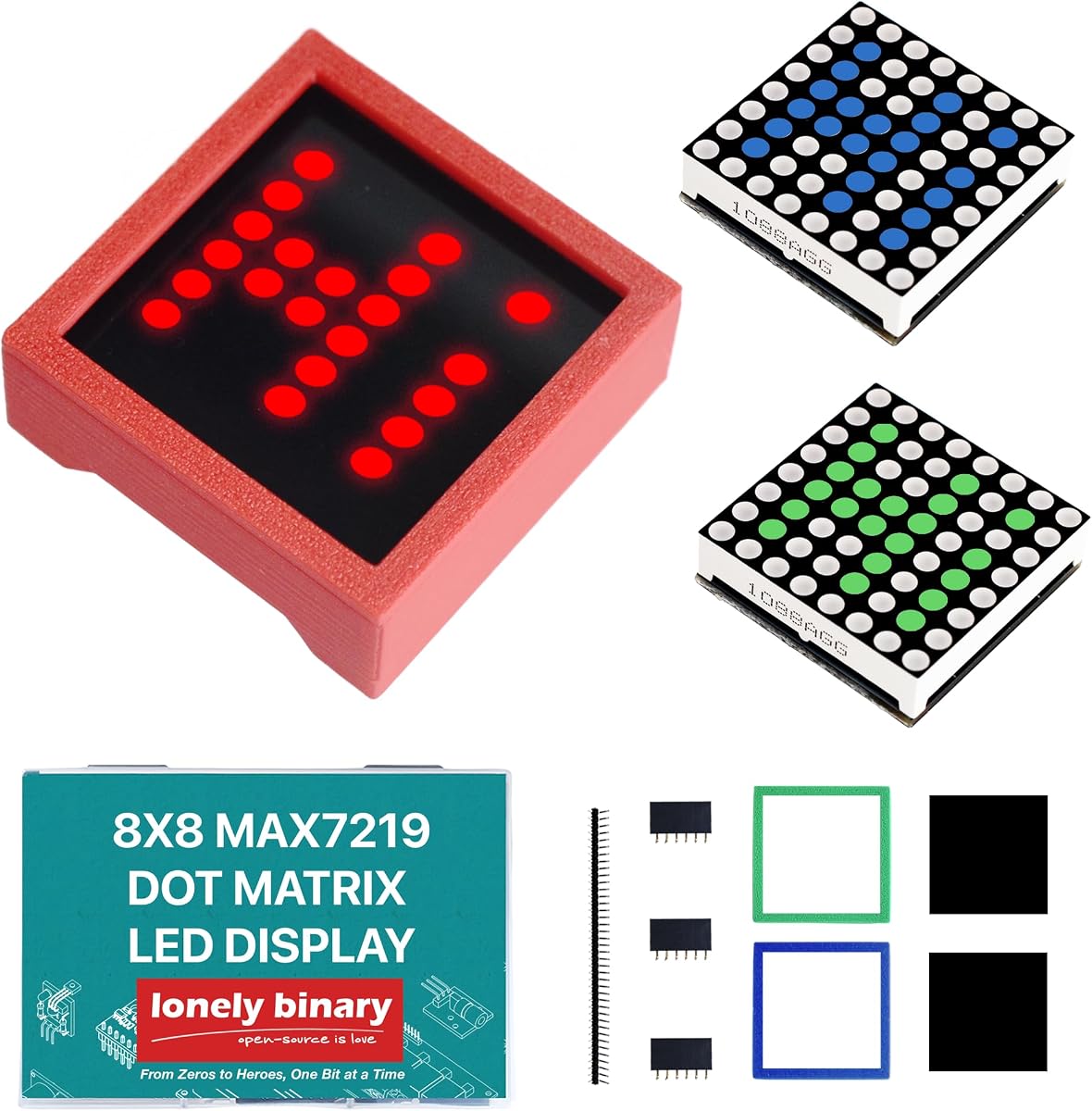
Lonely Binary 3-Pack 8×8
4.7Editor score
Three color options included
MAX7219 driver onboard
3D-printed enclosures
This guide compares the top LCD dot matrix modules for Arduino and embedded projects, covering graphics, character displays, and LED matrix options for makers.
LCD dot matrix modules are essential for adding visual feedback to electronic projects. They display text, graphics, or LED patterns clearly. Choosing the right module depends on resolution, backlight type, and controller compatibility for your specific application needs.
We compared ten popular modules based on resolution, interface type, and user reviews. Our selection includes character displays, graphic LCDs, and LED matrices. Each option offers unique features for hobbyists, students, and professional engineers building custom interfaces.
Each pick highlights key strengths like contrast, size, and ease of use. We included models with potentiometer controls and SPI drivers for flexibility. Prices and availability change frequently, so verify details before purchasing to ensure you get the latest version.
4.7Editor score

4.5Editor score

4.1Editor score
This table compares all ten selected modules side by side. Look at resolution, interface, and physical dimensions to find the best fit for your project requirements and space constraints.




The SunFounder LCD2004 Module offers a spacious 20×4 character layout for detailed text output. It holds a strong rating and is widely used for its reliability in hobby projects. The white characters on blue background provide excellent readability in various lighting conditions.
We may earn a commission when you buy through this link, at no additional cost to you.
Its standout feature is the integrated 50K potentiometer for precise contrast tuning. This ensures crisp text even with voltage fluctuations. The module supports standard parallel interfaces, making it compatible with Arduino, ESP, and other microcontrollers without complex drivers.
The module requires careful pin alignment during soldering. However, this is manageable with basic tools and patience. The backlight is fixed and not dimmable, which might limit indoor use options.
Ideal for industrial panels, hobby kits, or school projects. It balances cost and performance well for standard text needs. We recommend it for anyone needing a reliable, high-resolution character display.
The onboard potentiometer lets you fine-tune display clarity without external components.
Works seamlessly with common microcontrollers using standard parallel port wiring.
We may earn a commission when you buy through this link, at no additional cost to you.
This module provides 128×64 pixel resolution for graphical interfaces and custom fonts. It is rated well for its ability to render shapes and images. The blue backlight enhances visibility, and the contrast is adjustable for better readability.
We may earn a commission when you buy through this link, at no additional cost to you.
It includes an easy-to-use Arduino library with examples. This simplifies integration for developers. The dimmable LED backlight allows saving power or reducing glare in dark environments.
Setup can be tricky due to specific pin configurations. Beginners may need to consult datasheets carefully. It is less plug-and-play than character displays.
Best for dashboards, gaming interfaces, or complex data displays. Choose this if you need graphics beyond simple text. It offers professional features at an accessible price point.
Supports drawing shapes, images, and custom characters for advanced UIs.
Adjust brightness to save power or reduce eye strain in low light.
We may earn a commission when you buy through this link, at no additional cost to you.
This pack includes three 8×8 LED matrices in red, green, and blue. It has a high rating for value and ease of integration. The MAX7219 driver simplifies control with SPI, requiring fewer pins than parallel LCDs.
We may earn a commission when you buy through this link, at no additional cost to you.
Custom 3D-printed PLA cases are included for protection. These give a finished look and protect the PCB. You can daisy-chain them to create wider displays for scrolling text or animations.
Basic soldering is needed to connect headers between modules. The fixed color per module limits color blending effects. You need separate modules for multi-color designs.
Perfect for clocks, notifications, or retro games. The value for three modules and cases is unmatched. It is ideal for makers wanting colorful, chainable LED displays.
Mix red, green, and blue modules for layered pixel art.
Connect multiple units to build wider 24×8 or larger displays easily.
We may earn a commission when you buy through this link, at no additional cost to you.
This module offers a standard 8×8 LED matrix with a MAX7219 driver. It is rated well for consistent performance with microcontrollers. The common cathode design simplifies wiring with standard libraries.
We may earn a commission when you buy through this link, at no additional cost to you.
Fixing screws and 64 holes provide flexible mounting options. This is great for panel integration. The 5-pin line ensures easy connection without complex pin mapping.
Brightness is fixed without software adjustment. It lacks the enclosure protection of premium kits. The module is bare, requiring your own casing.
Use for simple indicators or basic animations. It is a cost-effective choice for bulk projects. Ideal when you need reliable LEDs with straightforward integration.
Multiple holes allow secure mounting in custom enclosures or panels.
Requires just five wires for power and data communication.
We may earn a commission when you buy through this link, at no additional cost to you.
This module delivers a 128×64 dot matrix for graphical interfaces. It is known for wide viewing angles and high contrast. The blue backlight ensures text and images are visible in ambient light.
We may earn a commission when you buy through this link, at no additional cost to you.
It fits perfectly with Mega 2560 and Nano Due boards. The 1×20 pin headers simplify wiring. You can build rich UIs with custom fonts and shapes easily.
Power usage is higher than character LCDs. You need to manage voltage to avoid overheating. Libraries might differ slightly from brand to brand.
Recommended for data visualization or complex dashboards. It offers professional display quality for moderate cost. Ensure your microcontroller supports the required voltage levels.
Read content from various angles without losing contrast or brightness.
Designed to work seamlessly with Arduino Mega and similar boards.
We may earn a commission when you buy through this link, at no additional cost to you.
This pack provides two standard 16×2 LCD modules for text output. They are highly rated for simplicity and compatibility. The blue backlight makes characters easy to read in most environments.
We may earn a commission when you buy through this link, at no additional cost to you.
Each module measures 80mm in length. They operate at 5V with parallel interfaces. You can use these for status messages or simple menus immediately.
Features are basic compared to graphic displays. The backlight is not adjustable. Two units are provided, which is great for multiple projects.
Ideal for students or beginners learning display basics. The two-pack offers great value for testing. Use them for sensor readouts or simple interfaces.
Get two identical modules for redundancy or multiple builds.
Fits standard breadboards and enclosures easily without modifications.
We may earn a commission when you buy through this link, at no additional cost to you.
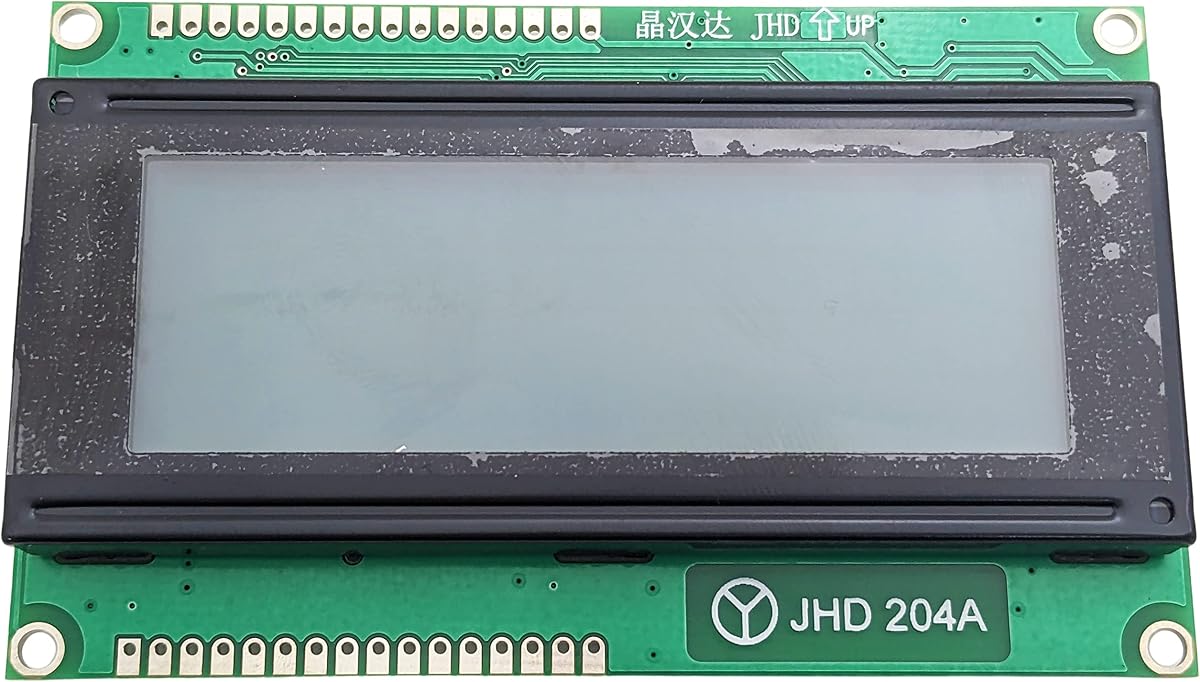
This module offers 20 characters across four lines for detailed text. It is rated for reliability in industrial settings. The reflective gray display ensures legibility under bright light conditions.
We may earn a commission when you buy through this link, at no additional cost to you.
It measures 98x60x9.5mm with a built-in controller. This simplifies wiring by removing external driver needs. The 5×7 dot matrix provides clear character rendering.
The reflective nature requires external light for visibility in dark rooms. It is bulkier than smaller character displays. Ensure you have space in your design.
Best for control panels or loggers needing more data. The built-in controller saves board space. Choose this when size is less critical than capacity.
Integrated driver reduces external components needed for operation.
Four lines of text allow for complex menu structures.
We may earn a commission when you buy through this link, at no additional cost to you.
This module supports eight digits for numeric displays or clocks. It holds a strong rating for efficiency and control. The MAX7219 driver simplifies interfacing with microcontrollers via SPI.
We may earn a commission when you buy through this link, at no additional cost to you.
It includes advanced features like scan limits and brightness control. The 150uA shutdown mode is great for battery power. You can decode BCD or control segments directly.
It focuses on numeric outputs, limiting text options. It is a single unit, not a pack. You need to buy more for wider displays.
Ideal for timers, thermometers, or counters. The power efficiency is a major plus. Use this for projects where numeric data is primary.
Shutdown mode saves energy when not in active use.
Choose BCD decode or direct segment control for customization.
We may earn a commission when you buy through this link, at no additional cost to you.
This pack provides three 32×8 modules for large scrolling text. It is rated well for versatility and build quality. Each unit has 256 LEDs in fixed colors for animations.
We may earn a commission when you buy through this link, at no additional cost to you.
Enclosures and headers are included for easy installation. You can daisy-chain modules to create 64×8 or larger displays. The SPI interface simplifies microcontroller communication.
Wider modules may not fit small enclosures. Power draw is higher for 256 LEDs each. Plan your power supply accordingly for full brightness.
Best for scoreboards, tickers, or wall displays. The sample code helps beginners start quickly. Use for projects needing wide horizontal visuals.
32×8 resolution offers double the width of standard 16×8 modules.
Connect multiple units to expand display width freely.
We may earn a commission when you buy through this link, at no additional cost to you.
This pack includes two 8×8 LED matrix modules with 5-pin interfaces. It is highly rated for space efficiency and mounting ease. Each module drives 64 pixels individually with common cathode design.
We may earn a commission when you buy through this link, at no additional cost to you.
The slim 13mm profile fits embedded systems well. Sixty-four pre-drilled holes ensure secure panel installation. You can cascade them for expanded configurations using the 5-pin interface.
It lacks enclosures or cases. The modules are functional but utilitarian. Ensure you have power for dual units at full brightness.
Best for space-constrained embedded projects. The pre-drilled holes save drilling time. Choose this for compact LED arrays requiring secure mounting.
Slim 13mm height fits into tight device cases.
64 mounting holes simplify custom panel installation.
We may earn a commission when you buy through this link, at no additional cost to you.
Selecting the right module involves balancing resolution, interface type, and physical size for your application.
Resolution defines how many pixels or characters you can display. Character LCDs like 16×2 are simple and cheap, while graphic LCDs like 128×64 allow custom images. LED matrices offer dynamic scrolling visuals but limited text control.
Choose graphic for UIs and character for simple data displays.
Interfaces vary from parallel (many wires) to SPI (few wires). Microcontrollers like Arduino Uno handle parallel easily, while ESP32 prefers SPI. Ensure your board matches the module's protocol.
SPI is best for complex boards with limited pins.
Backlights come in blue, white, or green. Blue and white offer higher contrast. Dimmable LED backlights save power. Reflective displays need ambient light.
Dimmable backlights suit battery-powered projects.
Physical size affects where you can mount the module. Standard 16×2 units are compact. 20×4 or 128×64 require more space. Consider depth for enclosures.
Check module depth to ensure it fits inside your box.
Most modules run on 5V, but some support 3.3V. LED matrices draw more current when all LEDs are on. Check voltage ratings to match your power supply.
Ensure your power source handles peak current for brightness.
ICs like MAX7219 handle LED matrices and reduce code complexity. Built-in controllers for LCDs remove external driver needs. Check if drivers are included.
Built-in drivers simplify wiring and software setup.
Some modules have pre-drilled holes or slots for screws. This secures the display in industrial settings. Others need custom brackets.
Holes save time on custom mounting designs.
Prices vary by features. Bundles like 3-packs offer better value. Ensure the module is stocked for future maintenance.
Compare per-unit cost when buying multi-packs.
Connect power and data pins carefully to avoid short circuits. Use a breadboard for initial testing to verify wiring before permanent soldering. Ensure your microcontroller logic level matches the module's voltage.
Install the display in a dry, cool environment to prevent moisture damage. Clean the screen with a soft, dry cloth to remove dust. Avoid harsh chemicals that might scratch the glass or plastic.
Update libraries periodically to fix bugs or add features. Monitor temperature during high brightness operation to avoid overheating. Store spare units in anti-static bags for longevity.
Most standard LCD dot matrix modules operate at 5V. Some LED matrices support 3.3V directly. Always check the datasheet to prevent damage. Using incorrect voltage can fry the internal circuits permanently.
Yes, most are compatible with Arduino Uno or Mega. Libraries like LiquidCrystal work with parallel LCDs. SPI-based LED matrices use the SPI library. Check library support for your specific model.
Many modules include a potentiometer on the PCB. Rotate it to change the display contrast. Some use software settings for contrast. Refer to the pinout diagram for the contrast pin.
Graphic LCDs show images and custom fonts using pixels. Character LCDs show only predefined text characters. Graphic modules are more flexible but require more code. Character modules are simpler to use.
Yes, most need specific libraries or drivers to function. Built-in drivers like HD44780 reduce external components. Check if the manufacturer provides examples. Drivers simplify communication between code and display.
Look for pre-drilled holes on the PCB. Use M3 screws or standoffs to attach to enclosures. Avoid touching the screen surface during mounting. Use double-sided tape as a backup if holes are missing.
The SunFounder LCD2004 and Lonely Binary packs stand out for value and versatility. Graphic modules like the Ximimark offer high resolution for custom UIs. Choose based on whether you need text or images.
Prioritize interface compatibility with your microcontroller. SPI saves pins while parallel offers simplicity. Always consider power requirements and physical size before purchasing.
Prices and stock change often, so verify details before checkout. Compare current listings to ensure you get the right specs for your project. Happy building.