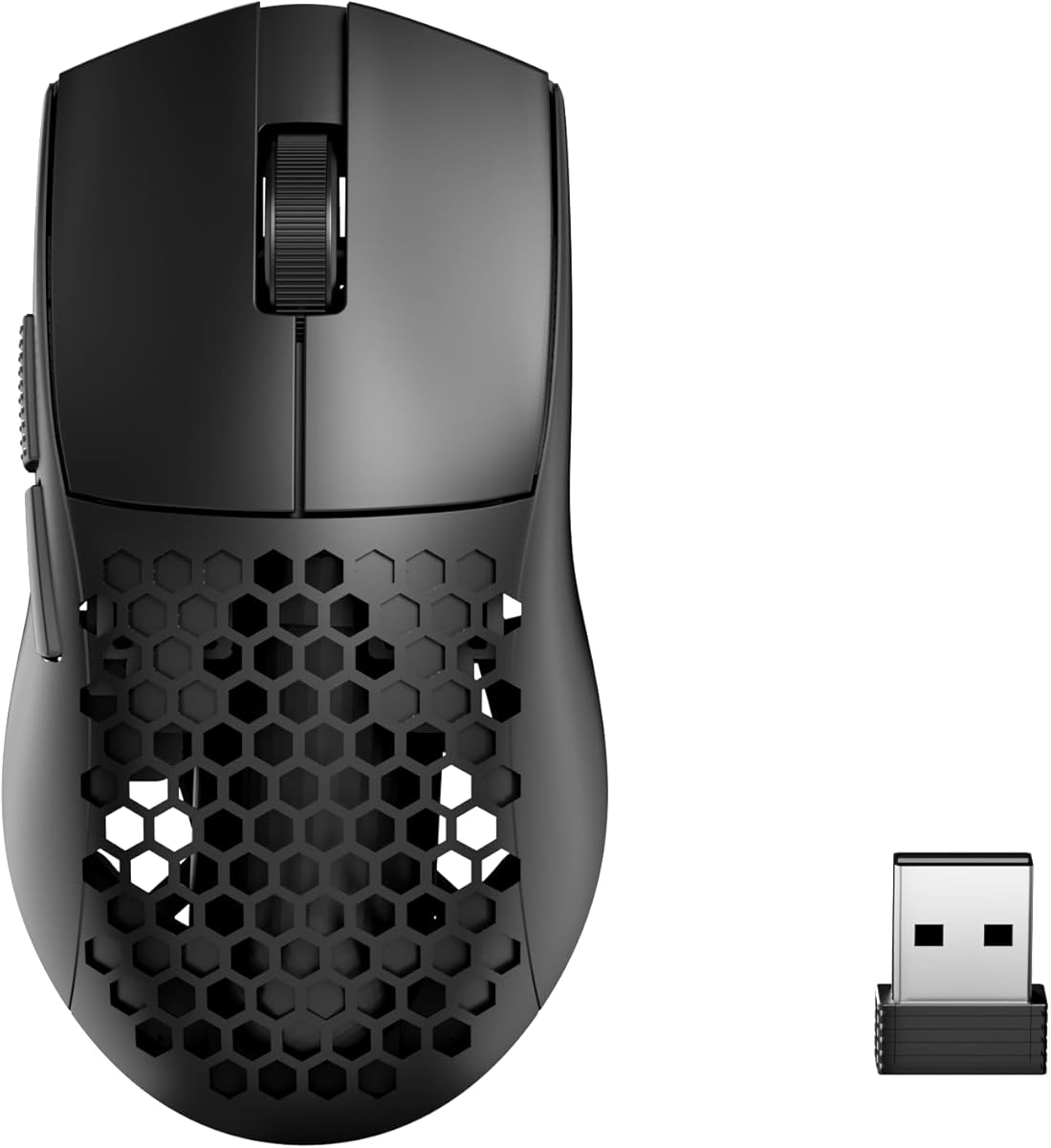
Redragon M725 Honeycomb Shell Gaming Mouse Wireless
4.4Editor score
Tri-mode connection options for flexibility
Honeycomb shell reduces weight significantly
Programmable buttons for macro access
Discover the lightest mice for gaming in October 2026. This guide compares top wireless and wired options for speed, accuracy, and comfort.
Finding the right gaming mouse can transform your gameplay experience entirely. Lightweight designs reduce strain and improve precision during intense sessions. Gamers seek tools that balance weight with durability and performance features tailored to competitive needs.
We evaluated ten top contenders based on sensor quality, build materials, and ergonomic design. Each model offers unique advantages for different grip styles and budget ranges. Our analysis focuses on real-world usability and technical specifications that matter most.
Each pick highlights key strengths and potential trade-offs for informed decisions. Note that availability and pricing fluctuate frequently across retailers. Always verify current stock and deals before finalizing your purchase to ensure you get the best value.
4.4Editor score

4.5Editor score

4.3Editor score
This side-by-side comparison highlights the key specifications and features of each lightweight gaming mouse. Use this overview to quickly identify models that match your preferred weight, connectivity, and performance requirements.


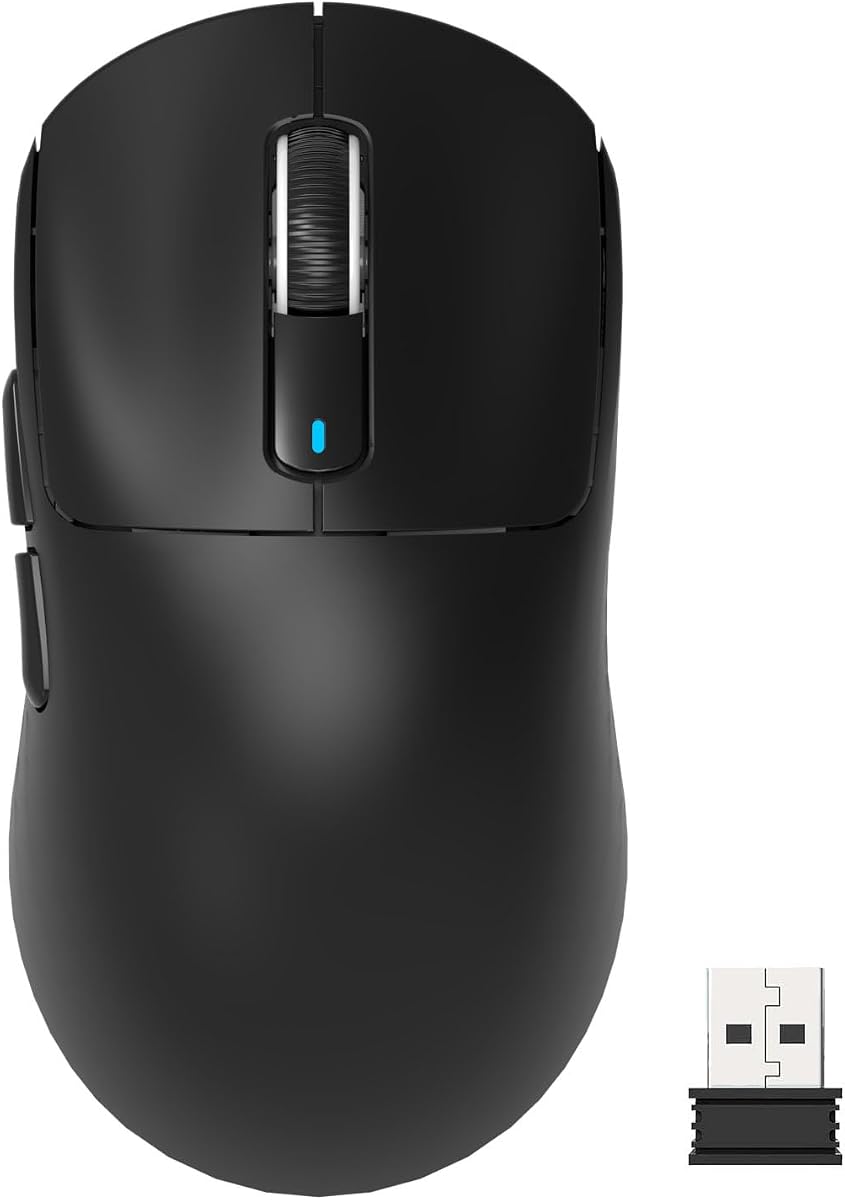


The Logitech G PRO X Superlight 2 stands as a benchmark for wireless gaming mice. With its 60g weight and HERO 2 sensor, it delivers unmatched precision for competitive play. Users appreciate the refined build quality and reliable POWERPLAY compatibility.
We may earn a commission when you buy through this link, at no additional cost to you.
Its HERO 2 sensor tracks movement with zero smoothing or filtering, ensuring pixel-perfect accuracy even during rapid flicks. The 8 kHz polling rate provides ultra-low latency that benefits fast-paced titles. LIGHTFORCE hybrid switches offer tactile feedback with long-term reliability.
While the price is higher than budget options, the performance justifies the investment for serious gamers. The lack of RGB lighting may not suit those seeking customizable aesthetics, but it contributes to battery efficiency. Power delivery remains consistent across extended sessions.
This mouse is ideal for professionals and enthusiasts who prioritize performance over cost. Its ergonomic design suits various hand sizes comfortably. For those seeking the best wireless experience today, this model remains a top recommendation.
The HERO 2 sensor ensures flawless tracking on any surface with up to 44000 DPI settings.
Up to 95 hours of continuous gameplay allows uninterrupted sessions without frequent recharging needs.
We may earn a commission when you buy through this link, at no additional cost to you.
The Pulsar Gaming Gears X2H redefines what it means to be lightweight at just 37g. Its minimalist design delivers premium performance without sacrificing durability. Gamers find it nearly weightless yet responsive enough for competitive needs.
We may earn a commission when you buy through this link, at no additional cost to you.
The XS-1 sensor provides exceptional tracking with 32000 DPI resolution and 750 IPS speed. Optical switches minimize accidental clicks while offering swift responses. The included DOT Skates ensure smooth movement on various surfaces including glass.
Its unique shape may require adjustment for users accustomed to traditional forms. However, the symmetrical design supports both claw and fingertip grips effectively. This balance makes it versatile across different playing styles and preferences.
Those seeking the absolute lightest option will appreciate its engineering. It suits gamers who value agility and speed over heavy build. For premium wireless experiences, this mouse offers compelling performance and innovation.
Tipping the scales at 37g lighter than an egg, this mouse reduces arm strain significantly during long use.
Speed of Light optical switches reduce unintended clicks while maintaining crisp tactile response for every action.
We may earn a commission when you buy through this link, at no additional cost to you.
The Razer Viper V3 HyperSpeed offers a balanced approach to wireless gaming with its 82g weight. It delivers seamless swipes crucial for competitive play without compromising on battery longevity. Users value its reliable performance during intense tournament schedules.
We may earn a commission when you buy through this link, at no additional cost to you.
Equipped with the Focus Pro 30K sensor, it maintains accuracy across diverse surfaces including glass. On-mouse DPI control allows quick adjustments during gameplay. The Gen 2 mechanical switches provide a 60-million click lifespan for lasting durability.
While slightly heavier than ultralight competitors, it ensures a stable and confident grip. The AA battery requirement may be less convenient than rechargeable options but extends playtime significantly. Multi-device support enhances flexibility for varied setups.
This model suits gamers prioritizing endurance and reliability over extreme lightness. Its shape accommodates various hand positions comfortably. For long sessions and consistent performance, the Viper V3 remains a strong wireless contender.
Up to 280 hours of gameplay on a single AA battery supports marathon sessions without interruptions.
Supports multiple connections allowing streamlined switching between gaming and work setups effortlessly.
We may earn a commission when you buy through this link, at no additional cost to you.
The Redragon M725 Honeycomb Shell provides exceptional value for gamers seeking lightweight performance. Its honeycomb design reduces weight significantly while maintaining structural integrity. Users appreciate the tri-mode connectivity for versatile usage across devices.
We may earn a commission when you buy through this link, at no additional cost to you.
With 5 redefinable DPI levels and 5 programmable buttons, it offers flexibility for different game types. The symmetric grip design reduces fatigue during extended sessions. Software support allows button customization tailored to individual preferences and workflows.
While it does not reach the high DPI of premium models, it suffices for most standard gaming needs. The build feels durable despite the hollow design. Price competitiveness makes it accessible to entry-level users without sacrificing core features.
Budget-conscious gamers will find this a reliable starter choice. It balances cost and functionality effectively. For those exploring lightweight options without heavy investment, the M725 delivers solid performance and comfort.
Seamlessly switch between Type-C wired, Bluetooth, and 2.4GHz wireless for optimal setup flexibility.
Designed for long-term use, the symmetric shape minimizes fatigue and supports diverse hand positions.
We may earn a commission when you buy through this link, at no additional cost to you.
The Logitech G305 Lightspeed combines portability with performance in a compact form. Weighing only 3.4 oz, it suits travelers and those with smaller hands. Its HERO sensor delivers precise tracking while conserving energy for extended use.
We may earn a commission when you buy through this link, at no additional cost to you.
LIGHTSPEED wireless technology ensures lag-free responsiveness critical for competitive play. With up to 250 hours of continuous gameplay on one AA battery, interruptions are minimal. Endurance mode further extends life for less frequent replacements.
The lack of RGB lighting keeps the design sleek and functional. Nano receiver storage makes it easy to transport without losing components. While it relies on AA power, the efficiency offsets maintenance needs significantly.
Ideal for students and travelers needing a reliable gaming tool. Its lightweight build enhances maneuverability during gameplay. For portable wireless performance that balances cost and quality, the G305 remains a trusted choice.
The next-gen HERO sensor offers 10x power efficiency compared to previous generations for longer battery life.
Built-in nano receiver storage allows seamless packing for gaming laptops or on-the-go sessions.
We may earn a commission when you buy through this link, at no additional cost to you.
The MCHOSE L7 Pro Wireless Gaming Mouse delivers impressive speed with its 39g weight. Its ergonomic design balances weight distribution for precise control during maneuvers. Users find it lightweight enough for competitive gaming without compromising stability.
We may earn a commission when you buy through this link, at no additional cost to you.
Featuring an 8K Hz polling rate, it ensures near-instantaneous response times. The sensor detects motion at submicron scales for accurate tracking. Optical switches provide a 150 million click lifespan while reducing unintended inputs during intense sessions.
Tri-mode connectivity allows switching between wired, wireless, and Bluetooth seamlessly. The driver enables DPI customization to match unique gaming demands. Free 8K receiver enhances visuals and performance for optimized control.
This model appeals to gamers seeking high-end specs at competitive pricing. Its shape accommodates various hand sizes for comfort. For fast-paced titles requiring precision, the L7 Pro offers strong performance and features.
8K Hz polling rate ensures ultra-low latency for rapid input detection in competitive scenarios.
High hump design aligns perfectly with hand shapes to reduce strain during extended gameplay.
We may earn a commission when you buy through this link, at no additional cost to you.
The ATTACK SHARK X3 brings flagship sensor tech to a budget-friendly lightweight design. Weighing 49g, it minimizes fatigue during prolonged sessions. Its ergonomic shape supports various hand grips for enhanced control and comfort.
We may earn a commission when you buy through this link, at no additional cost to you.
The Pixart PAW3395 sensor delivers 26000 DPI and 650 IPS tracking speed. Kailh GM8.0 switches ensure durable performance with 80 million click lifespan. Multi-device connectivity allows up to four devices to pair simultaneously.
While software customization is basic, essential settings remain accessible via driver. The design reduces palm sweating and strain during use. For gamers prioritizing sensor accuracy without high costs, this offers strong value.
This model suits budget seekers needing reliable competitive features. Its light weight enhances aim precision significantly. For versatile usage across work and gaming, the X3 balances performance and affordability well.
The PAW3395 optical sensor ensures precise positioning even on reflective surfaces like glass.
Kailh GM8.0 switches provide fast rebound and crisp sound for every tactile click.
We may earn a commission when you buy through this link, at no additional cost to you.
The Pulsar Gaming Gears X2 Crazylight delivers featherweight performance at 39g. Its minimalist design ensures ultra-light handling for peak responsiveness. The medium size supports both fingertip and claw grips effectively.
We may earn a commission when you buy through this link, at no additional cost to you.
Optical switches minimize double clicks while ensuring pinpoint responses. DOT Skates included provide exceptional low friction for smooth movement on hard pads. Dust-proof construction enhances longevity in challenging environments.
While premium pricing may deter budget buyers, the performance justifies investment. Symmetrical shape offers versatility but requires personal fit verification. For competitive players seeking control and speed, it performs consistently.
This mouse is ideal for precision-focused gaming. Its durability ensures long-term reliability. For those prioritizing quality over cost, the X2 offers compelling features for elite play.
Symmetrical shape allows rapid reactions and accurate control tailored to unique grip preferences.
Included DOT Skates reduce friction for smooth transitions on various mousepad materials.
We may earn a commission when you buy through this link, at no additional cost to you.
The ASUS ROG Harpe Ace Mini Wireless features a compact semi-symmetrical design. Co-developed with pro FPS players, it optimizes fingertip and claw grips. At 49g, it supports maximum control with minimal arm fatigue.
We may earn a commission when you buy through this link, at no additional cost to you.
ROG AimPoint Pro sensor delivers 36000 DPI and track-on-glass tech for flawless tracking. SpeedNova wireless ensures ultra-low latency and reliable performance. Omni Receiver links multiple devices through a single dongle.
Its smaller form may limit use for larger hands. However, it excels for those needing agility on desktops or laptops. Multi-device support allows seamless transitions between gaming and work tasks.
Ideal for competitive gamers seeking precision and portability. The build quality matches pro-level expectations. For specialized needs focusing on accuracy and size, the Harpe Ace Mini stands out.
Refined by professionals to fit various handshapes and grip types for competitive advantage.
Single receiver links multiple devices for streamlined setups across different environments.
We may earn a commission when you buy through this link, at no additional cost to you.
The Redragon M808 Storm offers a reliable wired experience with its 85g shell. Its honeycomb design balances weight reduction with structural strength. Users appreciate long-session comfort without fatigue from heavier alternatives.
We may earn a commission when you buy through this link, at no additional cost to you.
RGB lighting and 7 programmable buttons allow extensive customization. The super-lite cable minimizes drag during movement. Sensor registration ensures precise inputs for complex tasks in varied game genres.
The cable restricts mobility compared to wireless options. However, it removes battery concerns and latency risks. For budget seekers prioritizing performance over wireless freedom, this model delivers stability.
Ideal for gamers preferring wired simplicity and aesthetic appeal. The design supports marathon gaming efficiently. For those seeking affordability with feature-rich controls, the M808 remains a strong option.
16.8 million RGB colors allow personalization to match gaming setups and preferences.
Super-lite cable design reduces friction to improve movement flow during play.
We may earn a commission when you buy through this link, at no additional cost to you.
Selecting the right lightweight mouse involves evaluating several critical factors. This section breaks down essential elements to help you make an informed purchase decision.
The weight of a mouse directly impacts your hand fatigue and aim precision. Ultra-light models under 50g reduce resistance during rapid movements. Ergonomic shape must align with your grip style—palm, claw, or fingertip—to ensure comfort during long sessions.
Choose a shape that supports your natural hand posture without requiring force adjustments. Testing dimensions before buying ensures better long-term satisfaction.
A high-performance sensor tracks movement without acceleration or filtering. Look for optical sensors with DPI above 12000 and IPS tracking speed exceeding 400 for competitive titles. Consistency in tracking prevents missed shots or unintended movements.
Prioritize models with zero spin-out capabilities to maintain control during fast sweeps.
Wireless connectivity offers freedom but may introduce latency if poorly implemented. Bluetooth and wired modes add versatility for different setups. Ensure support for 2.4GHz RF or proprietary low-latency tech for competitive gaming.
Consider tri-mode options if you use multiple devices regularly across gaming and work contexts.
Switches determine click longevity and tactile response. Optical switches reduce double-click issues compared to mechanical ones. Ratings above 50 million clicks indicate reliable durability for heavy daily use.
Select switches based on your preference for tactile feedback versus silent performance.
Wireless models rely on battery efficiency for continuous play. Aim for at least 100 hours of gameplay to avoid frequent recharging or battery swaps. Low-battery indicators prevent unexpected disconnections mid-match.
Check if the mouse supports fast charging or USB-C for convenient power replenishment.
Lightweight materials like hollow shells must remain sturdy under pressure. Check for reinforced buttons and durable skates to prevent wear. A well-constructed chassis maintains integrity over years of intense use.
Look for IP ratings or dust-proof claims if you game in challenging environments.
Driver software enables DPI profiles, macros, and button remapping. Intuitive tools streamline complex settings. Ensure compatibility with your OS and provide preset modes for different game genres.
Flexible configuration options allow the mouse to adapt to evolving gaming needs.
Budget models often compromise on sensor quality or build durability. High-end options offer premium features but at a higher cost. Balance financial constraints with necessary specs to maximize value.
Invest in mid-tier models that offer key features without unnecessary extras.
Start by adjusting DPI settings to match your preferred sensitivity and game requirements. Calibrate the sensor via software for smooth cursor movement across different surfaces.
Regularly clean the feet and sensor lens using a soft cloth to maintain glide accuracy. Dust accumulation can degrade performance over time if left unchecked.
Store your mouse in a dry area away from moisture to protect internal electronics. Use protective sleeves during travel to prevent shell damage.
Lightweight mice reduce strain on wrists and arms during intense sessions. They allow quicker reaction times and precise movements critical for competitive play. Gamers find lighter units enhance control without requiring extra effort.
Modern wireless models use advanced tech like LIGHTSPEED or 2.4GHz RF to minimize latency. Performance now rivals wired units when quality hardware is used. Always verify latency claims before purchase.
Yes, high-quality honeycomb designs maintain structural integrity despite cuts. They reduce weight while protecting internal components. Choose reputable brands to ensure long-term reliability.
Most professionals use DPI between 400 and 1600 for accurate aiming. Higher DPI may introduce instability without proper sensor calibration. Adjust based on personal preference and screen resolution.
Optical switches typically last 50 to 150 million clicks. They avoid double-click issues common in mechanical variants. Proper usage ensures they outlast standard alternatives by years.
Advanced sensors like HERO 2 and PAW3395 support glass surfaces effectively. Check product specs for track-on-glass features before buying. Most premium units offer reliable glass compatibility.
The Logitech G PRO X Superlight 2, Pulsar X2H, and Redragon M725 lead our selections based on performance and value. Each caters to specific needs while delivering exceptional lightweight efficiency.
Prioritize ergonomics and sensor accuracy when making your decision. Budget models can offer competitive specs if you focus on core features over aesthetic extras.
Verify current availability and deals before purchasing since offerings change regularly. This ensures you secure the best model for your gaming setup today.