
Logitech G502 Hero
4.6Editor score
HERO Sensor Up to 25K DPI
11 Programmable Buttons
Adjustable Weight System
This guide compares the top ten high DPI gaming mice optimized for 4K resolution screens ensuring pixel perfect tracking and responsive controls for serious
Finding the right high DPI mouse for 4K gaming precision is essential for achieving pixel perfect accuracy on modern displays. High resolution screens demand sensors that can track movement without jitter or lag to ensure every click lands exactly where you intend during intense matches.
We evaluated ten leading gaming mice based on sensor quality, polling rates, build materials, and ergonomic design to help you choose the best tool for your setup. Each product was analyzed for its ability to handle high DPI settings while maintaining stability and responsiveness across different surfaces.
Each review highlights specific strengths and trade-offs so you can identify the model that aligns with your play style and budget requirements. Please note that product availability and pricing may fluctuate over time so check the official links for the most current offers before purchasing.
4.6Editor score
4.4Editor score

4.4Editor score
The following table provides a side by side comparison of all ten models highlighting their key specifications and unique features to help you make an informed decision quickly.
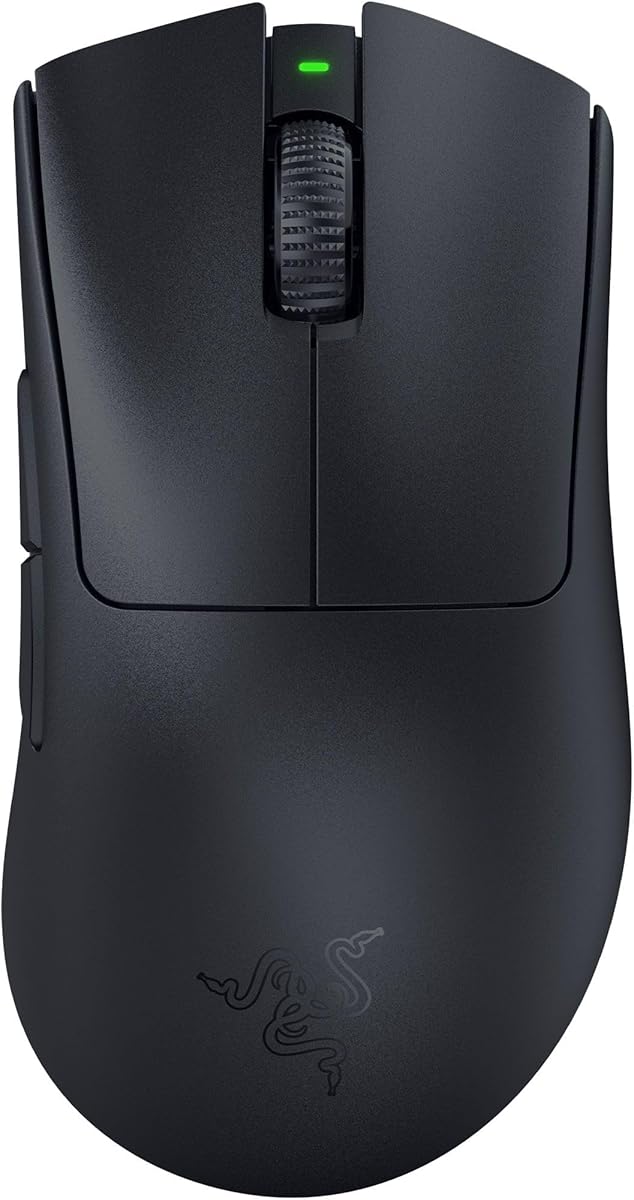




The Razer Basilisk V3 Pro stands out as a top contender for high DPI precision with its Focus Pro 35K Optical Sensor Gen 2. It delivers reliable tracking across various surfaces and includes features designed for extended gaming sessions.
We may earn a commission when you buy through this link, at no additional cost to you.
Key strengths include the configurable HyperScroll tilt wheel which lets users switch between free spinning and tactile modes. The 13 customizable controls allow for complex macros and the 140 hour battery ensures minimal interruptions during play.
Trade-offs involve the premium price which might be steep for budget conscious buyers. The weight and size also favor those with larger hands so checking ergonomic compatibility is wise before purchasing.
Gamers seeking a versatile wireless mouse with high DPI accuracy should consider this model. Its combination of sensor performance and customizable features makes it an excellent choice for competitive and casual play alike.
The optical sensor ensures smooth tracking even on challenging surfaces like glass which enhances usability across different desk setups.
The HyperScroll tilt wheel offers tactile feedback for precision scrolling or free spin for quick navigation through content.
We may earn a commission when you buy through this link, at no additional cost to you.
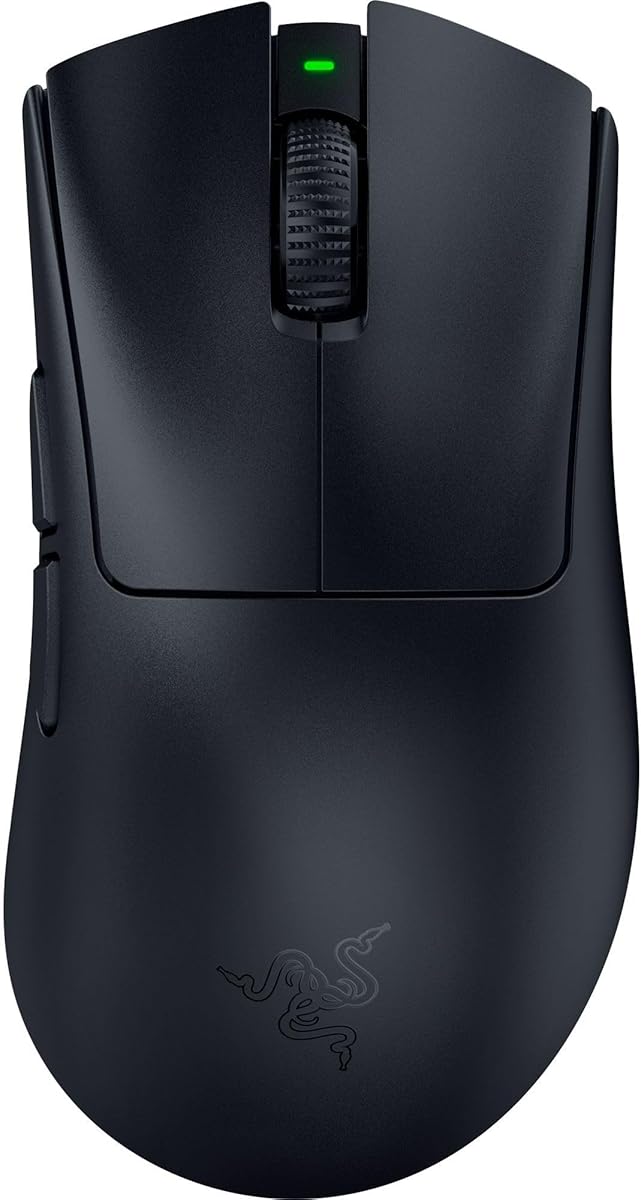
The Razer DeathAdder V3 Pro offers exceptional value with its lightweight 63 gram design and Focus Pro 30K Optical Sensor. It provides flawless tracking performance and is favored by top esports players for speed and control.
We may earn a commission when you buy through this link, at no additional cost to you.
Strengths include the ultra lightweight build which reduces fatigue during long sessions and the reliable HyperSpeed wireless technology that minimizes latency. The battery life supports up to 90 hours of continuous play.
Some users may find the number of customizable buttons limited compared to other models. The price can also fluctuate so monitoring deals is recommended to get the best value.
Players prioritizing speed and comfort will appreciate this mouse. Its combination of low weight and high precision makes it suitable for FPS games and competitive environments.
The iconic DeathAdder shape has been refined to support natural hand positioning and reduce strain during extended use.
HyperSpeed wireless ensures stable connectivity even in noisy environments which is crucial for competitive play.
We may earn a commission when you buy through this link, at no additional cost to you.
The Razer Basilisk V3 Pro Customizable RGB delivers premium features with 10 to 1 programmable buttons and a Focus Pro 30K Optical Sensor. It is designed for users who need deep customization and long battery life.
We may earn a commission when you buy through this link, at no additional cost to you.
Standout features include the HyperScroll tilt wheel and 13 zone Chroma lighting which react dynamically with integrated games. The wireless connectivity supports up to 110 hours of play on HyperSpeed mode.
Some users might find the mouse slightly heavier than ultralight options. Setting up all customization features may require time with the Synapse software to fully utilize the potential.
Those who want extensive control options and visual flair should choose this model. It balances performance with customization making it ideal for MMO players and enthusiasts.
Over 150 Chroma integrated games support dynamic lighting effects that enhance immersion during gameplay.
Bluetooth mode offers up to 150 hours of battery life providing versatility for different usage scenarios.
We may earn a commission when you buy through this link, at no additional cost to you.
The Razer DeathAdder V4 Pro brings pro level speed with a Focus Pro 45K Optical Sensor Gen 2 and support for up to 8000 Hz polling. It is engineered for competitive gaming scenarios where input speed is critical.
We may earn a commission when you buy through this link, at no additional cost to you.
Strengths include the ultra light 56 gram design which enables faster swipes and the Gen 4 optical switches rated for 100 million clicks. The dual wireless and wired flexibility ensures adaptability for different setups.
The high price may limit its appeal to casual gamers. The features are optimized for tournament play which might not be necessary for all users.
Competitive gamers seeking the fastest response times should consider this model. Its combination of low weight and high polling rate provides a tangible advantage in esports.
The 8000 Hz polling rate delivers ultra fast response which is vital for high stakes gaming scenarios.
Up to 150 hours at 1000 Hz allows for extended play without frequent recharging needs.
We may earn a commission when you buy through this link, at no additional cost to you.
The GravaStar Mercury M1 Pro combines a magnesium alloy build with a PAW3395 sensor supporting up to 26000 DPI and 4K polling. It offers a unique aesthetic and robust performance for precision gaming.
We may earn a commission when you buy through this link, at no additional cost to you.
Key features include triple mode connectivity allowing instant switching between 2.4G Bluetooth and wired modes. The ergonomic design reduces fatigue during marathon sessions and the 200 hour battery life is impressive.
At 88 grams it is heavier than ultralight options which may not suit all players. The brand is less established compared to major competitors so long term support is a consideration.
Gamers who value build quality and unique styling will appreciate this mouse. Its mix of materials and performance features makes it a compelling choice for enthusiasts.
The magnesium alloy shell provides structural strength while maintaining a refined texture for stable handling.
GLOWSYNC RGB allows users to create dynamic profiles that match their setup or game environment.
We may earn a commission when you buy through this link, at no additional cost to you.
The ATTACK SHARK RS3 ULTRA features a carbon fiber hybrid shell and supports up to 52000 DPI with the PAW3955MAX sensor. It delivers ultra low latency performance with an impressive 800 hour battery life.
We may earn a commission when you buy through this link, at no additional cost to you.
Strengths include the 8000 Hz polling rate and the ability to customize settings via a web driver without installing desktop software. The optical microswitches are rated for 100 million clicks ensuring durability.
Users may find the brand less familiar than others on this list. The focus on performance over flashy RGB might not appeal to those prioritizing aesthetics.
Players who value endurance and raw performance should consider this model. Its battery life and high polling rates make it ideal for long sessions and competitive play.
The browser based driver allows for quick customization without the need for software installation.
The carbon fiber hybrid shell provides enhanced structural strength and refined texture for stable handling.
We may earn a commission when you buy through this link, at no additional cost to you.
The Logitech G502 Hero is a classic gaming mouse with a HERO sensor delivering precision tracking up to 25600 DPI. It features 11 programmable buttons and a dual mode hyper-fast scroll wheel for versatile control.
We may earn a commission when you buy through this link, at no additional cost to you.
Strengths include the adjustable weights which let users match their playing style and the mechanical switch button tensioning for crisp clicks. The LIGHTSYNC RGB can synchronize with gaming action.
As a wired mouse it lacks wireless convenience for some setups. The base weight is heavier than ultralight options so it may not suit those seeking minimal weight.
Gamers wanting a proven ergonomic design with high DPI capability should choose this model. Its balance of features and affordability makes it a reliable choice for many players.
Arranging up to five 3.6 g weights allows for a personalized balance configuration tailored to your preference.
The dual mode scroll wheel supports both hyper-fast free spinning and tactile feedback for precision.
We may earn a commission when you buy through this link, at no additional cost to you.
The Redragon M916 Wireless is an ultra-light 49 gram mouse with a sensor supporting up to 26000 DPI and a 4000Hz report rate. It offers three connectivity modes including BT and 2.4Ghz for flexibility.
We may earn a commission when you buy through this link, at no additional cost to you.
Strengths include the lightweight build which enables faster movement and the customizable tactical keybinds via dedicated software. The natural grip structure helps reduce fatigue during long sessions.
The build materials are basic compared to premium models which may affect long term durability. The button layout is limited for those who need extensive programmability.
Budget conscious gamers seeking lightweight performance should consider this mouse. It provides solid specs at an accessible price point.
Switching between Bluetooth and 2.4Ghz wireless gives users flexibility for different device environments.
Five definable DPI levels allow for quick switches between different game needs via hardware or software.
We may earn a commission when you buy through this link, at no additional cost to you.
The Razer Basilisk V3 Wired features a Focus plus 26K DPI Optical Sensor and 11 programmable buttons for extensive control. Its iconic ergonomic design is favored by millions worldwide for comfort and accessibility.
We may earn a commission when you buy through this link, at no additional cost to you.
Strengths include the HyperScroll tilt wheel for precision feedback and the Chroma lighting which reacts dynamically with games. The optical switches Gen 2 provide crisp execution at 0.2ms actuation speed.
The lack of wireless capability may limit mobility for some users. It is best suited for setups where a wired connection is acceptable or preferred.
Those seeking ergonomic comfort and high DPI precision in a wired form should choose this model. It balances performance with essential features effectively.
The form factor perfectly supports the hand with optimally positioned buttons for quick access.
Over 150 Chroma integrated games support dynamic lighting reactions that enhance immersion.
We may earn a commission when you buy through this link, at no additional cost to you.
The Logitech G703 Lightspeed features the HERO 25K Sensor for 1:1 tracking and LIGHTSPEED wireless for pro level responsiveness. It weighs 95 grams and offers up to 35 hours of continuous play.
We may earn a commission when you buy through this link, at no additional cost to you.
Strengths include POWERPLAY wireless charging compatibility for uninterrupted use and advanced button technology for consistent trigger force. The rubber side grips provide supreme comfort during extended gaming sessions.
The weight may feel heavy compared to ultralight models. The POWERPLAY charging system is sold separately which adds to the overall cost for wireless charging users.
Players seeking wireless freedom with high precision should consider this model. Its combination of comfort and performance makes it a reliable choice for many setups.
LIGHTSPEED wireless delivers connectivity that matches wired performance for high performance gameplay.
Rubber side grips and metal-spring button tensioning contribute to exceptional button feel and comfort.
We may earn a commission when you buy through this link, at no additional cost to you.
Selecting the ideal mouse involves evaluating several factors that directly impact your gameplay experience on 4K displays.
A high quality optical or laser sensor is crucial for maintaining precision across surfaces including glass. Look for sensors that offer zero smoothing or acceleration to ensure your movements translate directly on screen without delay or deviation.
Prioritize sensors with high DPI and IPS ratings to guarantee reliable tracking during rapid movements.
Polling rate determines how often the mouse reports its position to your computer. A higher rate like 8000 Hz reduces input lag and provides smoother tracking which is vital for competitive gaming on 4K screens.
Choose a mouse that supports high polling rates to maximize responsiveness and reduce latency issues.
Comfort is essential during long sessions so select a shape that fits your hand size and grip style naturally. Ergonomic mice reduce fatigue and allow for more consistent aim over time.
Ensure the mouse design aligns with your grip preferences to maintain accuracy and comfort.
Durable materials and switches impact the lifespan and feel of the mouse. Optical switches reduce double-click issues and offer faster actuation which contributes to better performance in fast paced games.
Invest in a model with high durability ratings to ensure long term reliability.
Decide between wireless and wired options based on your priorities. Wireless mice offer freedom of movement while advanced wireless tech minimizes latency. Wired models eliminate battery concerns entirely.
Choose connectivity that suits your setup requirements and performance expectations.
Programmable buttons and software customization allow you to tailor the mouse to your needs. Features like macro support and adjustable weight systems add versatility for different game genres.
Look for customizable features that enhance your specific gaming workflow.
For wireless models battery longevity ensures uninterrupted play. Check ratings for continuous usage hours to avoid frequent recharging during intense gaming sessions.
Select a battery capacity that matches your typical play duration for convenience.
Balance cost against features to find a model that offers the best value for your budget. Premium models may offer more features but budget options often provide sufficient performance for casual players.
Determine which features are essential to you before finalizing a purchase.
Always set your Windows pointer precision settings correctly to avoid acceleration issues that could affect tracking accuracy. Disable enhancements like Enhance pointer precision to ensure raw input is used for consistent gameplay.
Regularly clean the mouse feet and sensor lens with a soft dry cloth to maintain smooth glide and precise tracking. Accumulated dust or debris can interfere with sensor performance over time.
Update your mouse firmware and driver software frequently to benefit from performance improvements and bug fixes. Proper maintenance ensures your device operates at peak efficiency for extended periods.
For 4K gaming a DPI range between 1600 and 3200 is often optimal for precise cursor control without excessive speed. Many high end mice allow adjustments up to 20000 DPI or higher to fine tune for personal preference and in-game settings.
A high polling rate like 8000 Hz can reduce input lag which is beneficial for competitive gaming. It ensures smoother tracking especially when making rapid movements on high resolution screens.
Optical switches eliminate mechanical contact to reduce double-click issues and offer faster actuation times. They are often preferred for gaming due to increased durability and consistent response.
Some modern optical sensors like Razer Focus Pro support tracking on glass surfaces which expands your setup options. Verify the specifications to ensure compatibility with your desk material.
Lighter mice reduce arm strain and can allow for faster movements but the ideal weight depends on your grip style. Finding a balance between weight and stability is key for precise control.
It is recommended to check for driver updates monthly or whenever you notice performance issues. Updates often include performance enhancements and fixes for sensor calibration issues.
The top picks for high DPI mice for 4K gaming precision include the Razer DeathAdder V4 Pro for competitive play and the Logitech G502 Hero for budget friendly versatility. Each model offers unique strengths depending on your specific needs.
Prioritize factors such as sensor quality and ergonomics to ensure the mouse complements your gameplay style. A well chosen mouse can significantly enhance your accuracy and comfort during long sessions.
Remember that pricing and availability can change so verify current details before purchasing. Check official links for the most up to date offers and compatibility information.